Try our cookiesAlza.cz a. s., Company identification number 27082440, use cookies and other data to ensure the proper functioning of the website and, with your consent, also, among other things, to personalize advertising and the content of our websites. By clicking on the “I understand“ button, you agree to the use of cookies and the transfer of data regarding the behavior on the website for displaying targeted advertising on social networks and advertising networks on other websites.
We use 8 categories of cookies on our website:
Technical cookies
These are strictly necessary for the functioning of the website and the features you choose to use. Without them, our website would not work; you wouldn't be able to log in to your user account, for example.
Functionality cookies
These cookies allow us to remember your basic choices and improve the user experience. These include remembering your preferred language or allowing you to stay logged in permanently.
Social media cookies
These cookies allow us to easily link you to your social media profile and, for example, allow you to share products and services with your friends and family.
Content personalisation
These cookies allow us to show you content and ads according to the information we have about you to best meet your needs. This includes what content you have viewed, or on what device you are accessing our website.
Non-personalised advertising
These cookies allow us to show you general ads for products and services.
Personalised advertising
Thanks to these cookies, we and our partners can offer you relevant products and services based on your purchases, your shopping behaviour and your preferences.
Audience metrics
These cookies allow us to optimise our site for your convenience based on how you use it. The aim is to remember or anticipate your choices. This includes, for example, the use of features, their location, or the behaviour on the page.
By giving your consent to the processing of cookies, functionality and analytical cookies will be installed on the device you use to browse the website (click on the "I understand" button for both categories, or you can select only one of the categories by clicking on the "Settings" button). We always install technical cookies on your device, even without your explicit consent, because without them our website would simply not work.
You can revoke your consent to the processing of cookies. In connection with our company's cookie processing, you also have the following rights: the right to access cookies, delete, modify, supplement and correct them, restrict processing and the right to lodge a complaint with the Office for Personal Data Protection. Read more about your rights.
A powerful workstation or GPU server typically serves for many years, but its operating conditions change faster than the hardware itself. A small pilot project can quickly grow into a service for multiple teams, and originally sufficient models are replaced by more demanding variants. A setup purchased for the first internal project then hits a memory limit, growing task queues, or an unfavourable cost per job.
An economic decision is therefore based on how much value the device will generate over its entire lifespan and what role it will play later. The purchase price is just the starting point, followed by expected utilisation and operating costs. It is equally important whether the infrastructure can be expanded without a major overhaul and what will happen to the older generation once the most demanding work is taken over by new hardware.
A well-prepared plan divides the lifecycle into several checkpoints and continuously compares original assumptions with actual operations. A company acquires performance for a known workload, leaves room for growth, and clarifies the next step before the current configuration is exhausted. This approach is safer than a single large order based on estimating needs many years in advance.
You will learn:
how to evaluate the economic lifespan of AI hardware,
how to assess the benefits of the next generation of accelerators,
which parts of the setup limit further growth,
what a viable upgrade path must deliver,
when to compare purchasing with leasing and gradual refreshes,
how to factor servicing and the repurposing of older hardware into TCO.
Economic lifespan ends at a different time than technical lifespan
While technical lifespan depends on hardware reliability and support duration, economic lifespan ends sooner – the moment further operation becomes less cost-effective than an available alternative. For example, a newer platform can handle the same workload with fewer GPUs or significantly reduce processing time. The decisive metric then becomes the cost per result – i.e. how much a completed inference task or other output on which the project depends costs the company.
The choice of metric adapts to the system's workload. It depends on whether response times remain acceptable even during peak hours and how many concurrent requests the infrastructure can handle. On the other hand, a development team will feel every hour spent waiting for computations, as slower iterations extend the entire work cycle. Thus, the same hardware can remain economically viable for years in one environment, while coming under pressure much sooner in another.
The period of effective use varies between companies, mainly depending on workload intensity. A GPU utilised every working day has different economics than a powerful card used only for occasional experiments. In the first case, the savings from a new generation translate into a large volume of work; in the second, the investment pays back more slowly. Regular measurement also reveals whether a company is paying for a long-term idle buffer or approaching its capacity limit.
Metric
What it shows
How it helps decision-making
Cost per completed task
Costs of inference, training, or batch processing
Allows comparing two generations on the same workload
GPU utilisation
What percentage of time the accelerator is active
Reveals both excess and insufficient capacity
Memory buffer
How much VRAM remains under normal workload
Shows headroom for larger models and more requests
Processing time
How long a critical task takes
Helps quantify the impact on staff workflow and operations
Power consumption per task
How much energy is consumed per result
Refines the comparison of operating costs
Downtime impact
What the unavailability of the equipment costs the company
Helps in choosing servicing and backup capacity
Accounting depreciation provides a financial framework, while operational metrics complete the picture of the equipment's value. A fully depreciated workstation can continue to serve a stable workload well at low cost, whereas a relatively new server may come under pressure if a rapidly growing service runs out of memory capacity or starts creating long queues. The decision to refresh therefore stems from a combined view of finance and operations.
i
Regular measurement also reveals whether a company is paying for a long-term idle buffer or approaching its capacity limit.
Test the new generation with your own workload
Manufacturers' benchmark charts show how the performance of a new line of accelerators has advanced, but the actual business benefit depends on your specific application. A large model working with a long context will see a different difference compared to a service handling short queries with high concurrency. The outcome is also affected by whether the software used can leverage the new hardware capabilities.
Production inference benefits from higher throughput when the current system is bottlenecked by the computing layer itself. A project that spends most of its time waiting for data preparation or slow storage will gain less from a GPU replacement. Before ordering the next generation, determine where the main bottleneck currently occurs and how much it costs the company.
A representative test should mimic normal operations as closely as possible, including peak times, and run on the model used in production. Only the results of such a test can be combined with migration costs to calculate the return on investment. For critical services, the transition also involves validating the entire operating environment and having a rollback plan ready in case of deployment complications.
Infobox 1: What to include in the upgrade benefits
For a rough comparison, you can work with the following items:
energy and operating savings + value of higher capacity + value of shorter processing time + freed-up staff hours − migration costs − infrastructure modification costs − downtime costs
The economics of the refresh will also be influenced by the repurposing of the original equipment, as an older accelerator continues to generate value after being moved to less demanding workloads.
Look for the first bottleneck outside the GPU itself
Focusing solely on peak accelerator performance can easily obscure other parts of the system, typically VRAM capacity. The memory must accommodate the model and operational overhead, with additional space consumed by longer contexts or a higher number of concurrent requests. A pilot project may run flawlessly, only to hit a memory ceiling once expanded to multiple teams, long before the computing power is fully utilised.
A memory limit usually forces the team to compromise on service quality or capacity. A smaller model frees up some VRAM, while lower concurrency reduces the number of requests processed simultaneously. Distributing the workload across multiple devices adds extra costs and management complexity. When purchasing, it is therefore wise to monitor expected user growth and how the service will scale.
Power and cooling play an equally critical role, as a newer accelerator may exceed the original system's power delivery or physical dimensions. For server infrastructure, site-wide limitations also come into play. What was originally a simple card replacement can turn into a major overhaul of the technical facilities, significantly altering the expected return on investment.
!
What was originally a simple card replacement can turn into a major overhaul of the technical facilities, significantly altering the expected return on investment.
Layer
What limits growth
What to verify before purchase
GPU and VRAM
Larger models, longer context, more users
Memory buffer and supported configurations
CPU and RAM
Data preparation and workflow management
Expandability and balance relative to the GPU
Storage
Growth of datasets, intermediate results, and cache
Free slots, throughput, and redundancy
Network
More nodes and larger data flows
Available speed and expansion space
Power supply
Higher power draw of the next generation
PSU wattage, connectors, and system-wide limits
Cooling
Higher thermal density
Airflow, spacing between cards, and rack capacity
Software
Driver changes and supported platforms
Support duration and approved configurations
For more expensive servers, confirm before purchase that the manufacturer supports the intended expansion and that the system can handle it in terms of power and cooling. A free slot for an additional card is only valuable if it is backed by a usable system-wide configuration.
Modularity must match planned growth
A workstation or server with expansion capabilities allows you to spread expenses across multiple stages. The initial configuration covers current needs, and additional performance is added only as utilisation grows – meaning the most expensive components do not sit idle for months, while the company retains flexibility for a successful project.
An expandable system therefore requires clearly defined future upgrade paths. For a workstation, the key is whether the physical layout and power supply allow adding another accelerator without extensive modifications. A server introduces questions of support for specific configurations and service availability. For budgeting, it is essential to know what can be added in two or three years and how much such a change will cost.
Highly integrated multi-GPU platforms require even more careful assessment, as high performance relies on the design of the entire system and how individual parts are interconnected. Future refreshes are therefore governed by the limits of the specific platform. The procurement specifications should distinguish in advance between a standard expansion and a change that practically constitutes a new system.
Solution type
Typical expansion options
What to verify
AI workstation
RAM, SSD, GPU in some configurations
PSU, slots, dimensions, and cooling
GPU server
RAM, storage, network, supported accelerators
List of approved configurations
Dense multi-GPU server
Selected components within the platform
Power draw, interconnects, and servicing
Multi-node infrastructure
Adding more nodes
Network, management, and load balancing
Laptop
Limited expansion depending on the model
Memory, storage, and overall platform capabilities
A buffer for a second GPU is highly valuable for a project that is rapidly gaining users during its pilot phase. For occasional experimental workloads, the same preparation will remain unused for a long time while increasing the initial cost. Therefore, link expandability to expected project growth and a predetermined re-evaluation date.
Refresh individual layers at different paces
Compute nodes typically age faster than the storage and network components of the environment, meaning the entire system does not need to be refreshed at the same pace. High-quality storage or network infrastructure can serve across several generations of GPU servers. Decoupling these cycles allows you to scale performance gradually and retain parts that continue to serve their purpose.
For example, a company might set up shared storage and networking for multiple compute nodes, and then acquire the GPU servers themselves as utilisation grows. During the next refresh, only the most heavily loaded compute section is replaced while other layers continue running – spreading the investment over time and responding better to project development.
A buffer in networking, storage, or power delivery needs to be tied to expected development. This could be a planned second node or a projected growth in data volume over two years. Such assumptions determine how much capacity to prepare and when to re-evaluate its utilisation.
Infobox 2: Three planning horizons
Current operations: the configuration handles normal workloads and known peaks with a reasonable buffer.
Expected growth: the budget accounts for scenarios like expanding the service to another team within two years or projected user growth.
Next refresh: even at the time of purchase, it is clear which parts can be expanded, which will remain in operation, and where a complete layer replacement is planned.
The upgrade path belongs in the inquiry
Requirements for future expansion carry the most weight when included in the procurement specifications. This allows the supplier to assess the current configuration in the context of planned growth and system technical limits. Find out whether you can add another accelerator later without a major power supply or chassis change, and request information on supported configurations and the duration of service support.
Transitioning to the next generation usually requires more effort than just installing the hardware. The production environment must undergo load testing, and the team needs to allocate time for migration. For critical services, a maintenance window and backup capacity must also be planned. Consequently, a technically compatible upgrade can end up costing significantly more once labour is factored in, compared to the price of the component alone.
Determine the future of the equipment after its primary role ends. Repurposing it for another workload is often the most cost-effective option, provided the older hardware can still handle the required tasks at an acceptable cost. Where further operation is not economically viable, options include returning it under a lease agreement or selling/trading it in based on available terms. Only factor in future residual value to the extent that it is backed by prior agreement.
What to verify before ordering
What workload growth do we expect over the next two to three years?
Which part of the setup is likely to hit a limit first?
What can be expanded later without replacing the entire platform?
What power draw and cooling can the maximum configuration handle?
Which accelerators does the manufacturer support in this system?
How long will spare parts and servicing be available?
How much effort does transitioning to the next generation require?
What role will the original hardware take on later?
Is there an available path for return, trade-in, or buyback?
Keep the procurement specifications together with the quote and the description of the original configuration, so that future investment decisions are based on comparing the plan with actual workload trends. This allows the purchasing team to revisit original assumptions without tedious retrieval of technical details.
Buy, lease, or refresh in stages
Direct purchase works well for stable workloads with high long-term utilisation, as the acquisition cost is spread over a large volume of work. The outcome is then heavily influenced by how much work the hardware actually performs and how long the company keeps it in productive operation. Power consumption and servicing also enter the economic equation, gaining importance for long-term utilised hardware.
For services with less predictable growth, leasing enters the comparison, spreading expenses over time and simplifying regular refreshes for selected categories. The comparison must therefore be based on the total cost over the entire period and the terms under which you return or exchange the equipment. For some computers, including selected AI setups, this approach also reduces the hassle of subsequent resale and disposal.
Specialised GPU servers and custom configurations require more cautious assessment, as the availability of leasing, future refreshes, or buybacks depends on the specific setup and commercial terms. A conservative investment plan should therefore only rely on paths confirmed for the given equipment. If no pre-agreed mechanism exists, it is safer to evaluate residual value conservatively.
Model
When it is suitable
What to include in the decision
Direct purchase
Stable and well-known workload
Utilisation, energy, servicing, and repurposing
Leasing
Higher uncertainty and regular refreshes
Total cost, return terms, and upgrade conditions
Gradual purchasing
Project growing in stages
Compatibility and expansion costs
Own baseline + external peaks
Stable operations with significant spikes
Cost of external capacity, data transfer, and management
Limited pilot
Unproven use case
Measurable results before a larger investment
As the project progresses, the most suitable financing method changes. A pilot can start on a smaller configuration or leased hardware and, once a regular workload is established, transition to owned stable capacity. Additional performance is then added in stages based on measured utilisation.
Servicing is part of the equipment's economics
The cost of the same technical failure varies significantly depending on the equipment's role: a breakdown of a development workstation halts a specialist's work, while a production server outage affects an entire department or customer service. Therefore, compare service coverage with the financial impact of downtime and the duration the company can operate without that capacity.
The operational value of servicing is primarily determined by the time it takes to get the equipment back up and running. This depends on response speed and spare parts availability, with critical services also requiring pre-arranged backup capacity. A standalone workstation can tolerate a longer repair time if the team can shift work elsewhere. Therefore, the same service package does not hold the same value for all types of equipment.
For selected products, the usage period can be extended with service coverage, which reduces budgetary uncertainty, especially for equipment planned for longer operation. The cost of such a service is weighed against the impact of a failure and how quickly a replacement can be secured.
Older generations can handle a second shift
After refreshing the most demanding part of the infrastructure, the original hardware can still be economically utilised for lower-demand tasks. An older GPU can take over a development environment or an internal service built on a smaller model. Another suitable role is generating embeddings for document search, as such tasks do not require the latest accelerator in the primary production layer.
In practice, this creates a cascading pipeline. The new generation takes over the most demanding production workloads, the previous equipment handles stable internal services, and older hardware is used for development or batch tasks. Only when the hardware has no further economically viable use does it head for return, sale, or buyback under available terms.
The economics of repurposing also depend on how much administrative effort is consumed by running multiple generations. A standardised and automated environment makes it easy to move tasks between servers, whereas highly customised configurations make a second life for hardware significantly more expensive. Therefore, TCO must include the time required for ongoing management.
Operational signals trigger the refresh
Regular evaluation begins by comparing the cost of a key task with the system's capacity buffer, as their trends quickly show whether the current platform still meets the project's needs. A dynamically growing service requires more frequent reviews than a stable internal application with a slowly changing workload.
A rising cost per completed job signals a loss of operational efficiency, while memory pressure limits usable models or the number of concurrent requests. Long queues help quantify the impact of capacity shortages on users and workflows. These signals can be used to build an economic comparison between further expansion and the current state.
The same evaluation includes support and parts availability, as a system that is still performance-sufficient can gradually become more expensive due to longer downtime or more complex servicing. The refresh decision is then based on operating costs and the benefits of the new platform, taking into account the repurposing of the original hardware.
Procurement Process in Five Steps
Measure the baseline. Test workloads that correspond to both normal operations and peaks. This provides a basis for estimating the required buffer.
Identify the likely first bottleneck. Determine which part of the workflow chain will start hindering growth first. The budget is then directed to the area that actually limits the project.
Request a documented expansion and service path. For any configuration, it should be clear what can be added, what the technical limits are, and who supports the intended changes.
Compare the entire lifecycle of options. Include costs incurred during operation and subsequent migration in the TCO. Factor in the impact of downtime and the repurposing of the original equipment; incorporate leasing or buyback based on the terms available for the given product.
Set the next checkpoint. After a specified period, compare the plan with actual utilisation and cost trends. The next step will then be based on current operating economics.
Stage-by-stage decision-making leaves room for growth and limits long periods where expensive capacity sits idle waiting to be used. In the field of AI infrastructure, this approach is highly valuable because individual projects grow at different rates, and the next generation of hardware can change the economics of some tasks within a few years.
Refresh AI infrastructure based on data, not guesswork
Long-term viable AI infrastructure grows out of an accurate picture of current workloads and a pre-planned growth path. The performance of a new generation holds value for a company when it reduces the cost of work, removes capacity constraints, or shortens tasks with a measurable impact on operations. The cost of migration and the future role of the original equipment also enter into the decision.
By refreshing individual layers in stages, a company spreads its investment over time and responds better to project development. For some hardware, leasing or extended service coverage will help, while older hardware continues on less demanding tasks. The result is a lifecycle built on continuous decision-making, reducing budget dependence on a single forecast of the future.
When does the economic lifespan of AI hardware end sooner than its technical lifespan?
Economic lifespan ends when further operation becomes less cost-effective than an available alternative. For example, a newer platform can handle the same workload with fewer GPUs or significantly reduce processing time. The decisive metric then becomes the cost per result – i.e. how much a completed inference task or other output on which the project depends costs the company.
Which parts of the setup most frequently limit further growth?
In addition to GPU computing power, growth is mainly limited by VRAM capacity, which must accommodate the model and operational overhead. Other limits include power supply and cooling, as a newer accelerator may sometimes exceed the original setup's capabilities in terms of power draw or dimensions. CPU, RAM, storage, and network infrastructure also play a role.
How to proceed when comparing next-generation accelerators?
A representative test should mimic normal operations as closely as possible, including peak times, and run on the model used in production. Only the results of such a test can be combined with migration costs to calculate the return on investment. Manufacturers' benchmark charts show general performance gains, but the business benefit depends on the specific application and software used.
What to include in TCO when deciding on a refresh?
TCO includes the purchase price, energy consumption, servicing costs, migration costs, and the impact of downtime. Another important item is the repurposing of the original equipment – an older accelerator continues to generate value after being moved to less demanding workloads. Incorporate leasing or buybacks based on the terms available for the given product.
When is leasing worthwhile instead of a direct purchase?
Leasing is suitable for services with less predictable growth, as it spreads expenses over time and simplifies regular refreshes for selected categories. The comparison must be based on the total cost over the entire period and the terms of return or exchange. Specialised GPU servers require more cautious assessment, as leasing availability depends on the specific setup and commercial terms.
How to repurpose older hardware after an infrastructure refresh?
An older GPU can take over a development environment or an internal service built on a smaller model. Another suitable role is generating embeddings for document search. In practice, this creates a cascading pipeline – the new generation handles the most demanding production workloads, the previous equipment handles stable internal services, and older hardware is used for development or batch tasks.
Technologie jsou pro mě práce i zábava – nejvíc se věnuji smartphonům, notebookům, audiotechnice, umělé inteligenci a všemu hi-tech. Rád recenzuji novinky, sleduji futuristické trendy a odhaduji další vývoj technologií. Fascinuje mě sci-fi a vize budoucího světa, které často inspirují i reálný technologický pokrok. Profesionálně se věnuji také videohrám a hernímu průmyslu. Když zrovna nepracuji, rád si odpočinu u dobré hry, kvalitního piva nebo tvorbou technologických memes na Facebooku.
Work Station , NVIDIA GB10, NVIDIA GB10, RAM 128GB LPDDR5x, SSD 1000GB, Without Optical Drive, Wi-Fi, USB-C and HDMI 2,1, Case Type: SFF, NVIDIA DGX OS 7
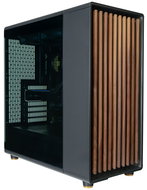
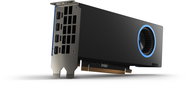
Work Station , Intel Core Ultra 7 265K 5,4 GHz, NVIDIA RTX 2000 Ada Generation 16GB, RAM 64GB DDR5, SSD 1000GB, Without Optical Drive, miniDisplayPort, 4× USB 3.1, 2× USB 2.0, Case Type: Desktop, Windows 11 Pro
Work Station , Intel Core Ultra 7 265 5,3 GHz, NVIDIA RTX A1000 8GB, RAM 32GB DDR5, SSD 1000GB, Without Optical Drive, HDMI, DisplayPort and miniDisplayPort, 3× USB 2.0, Case Type: Desktop, Windows 11 Pro
Work Station , Intel Core Ultra 7 265K 5,5 GHz, NVIDIA RTX A1000 8GB, RAM 32GB DDR5, SSD 1000GB, Without Optical Drive, DisplayPort and miniDisplayPort, 3× USB 2.0, Case Type: Desktop, Windows 11 Pro
Work Station , Intel Core Ultra 9 285K 5,7 GHz, NVIDIA RTX PRO 4000 Blackwell 24GB, RAM 64GB DDR5, SSD 1000GB, Without Optical Drive, Wi-Fi, DisplayPort and miniDisplayPort, 3× USB 2.0, Case Type: Desktop, Windows 11 Pro
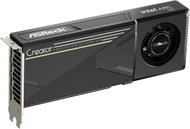
Work Station , Intel Core Ultra 7 265K 5,5 GHz, Intel ARC Pro B50 16GB, RAM 48GB DDR5, SSD 2000GB, Without Optical Drive, Wi-Fi, miniDisplayPort 2,1, 3× USB 3.1, Case Type: Midi Tower, Windows 11 Pro
+3 gifts with a value of 749,-
+ gift with a value of 699,-
Internet Security Bitdefender
+ gift with a value of 49,-
Thermal Paste used in the construction - Thermal Grizzly Hydronaut
Work Station , AMD Ryzen AI Max PRO 380 4,9 GHz, AMD Radeon 8040S, RAM 32GB LPDDR5x, SSD 1000GB, Without Optical Drive, miniDisplayPort and USB-C, 2× USB 2.0, Case Type: Mini Tower, Windows 11 Pro
Work Station , Intel Core Ultra 9 285K 5,7 GHz, NVIDIA RTX PRO 4000 Blackwell 24GB, RAM 32GB DDR5, SSD 1000GB, Without Optical Drive, Wi-Fi, DisplayPort, 3× USB 2.0, Case Type: Desktop, Windows 11 Pro
Work Station , Intel Core Ultra 7 265 5,3 GHz, NVIDIA RTX A1000 4GB, RAM 32GB DDR5, SSD 1000GB, Without Optical Drive, DisplayPort and miniDisplayPort, 2× USB 3.1, 3× USB 2.0, Case Type: Desktop, Windows 11 Pro