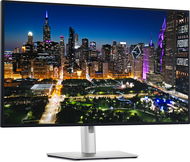
Reviews 32" Dell UltraSharp U3225QE
Interested in reviews of 32" Dell UltraSharp U3225QE? It got 4.1 out of 5 stars from our customers. Find specific customer reviews of 32" Dell UltraSharp U3225QE below. We will appreciate if you also share your experiences with 32" Dell UltraSharp U3225QE after purchasing.
User Reviews

Jiří Štěpánek, Mladá Boleslav
Rated 07/10/2025, variant 32" Dell UltraSharp U3225QE
Verified purchase
I've been loyal to Dell monitors for quite a few years now. They have never failed and have always been top quality for me for office work. So I couldn't wait for this piece, which on paper meets all my requirements and of course gets properly paid for it. Unfortunately there was a huge disappointment in the form of the colour tone. I have not been able to get white on the monitor. Tested all presets, manual settings, calibration, new firmware, switching to another input, plugging into NTB, detailed tuning of settings in NVidia control panel (8/10 bit, output range full/limited, color model, frame rate. ) and none of it worked. The white was either beige, yellow, or bluish. Even with manual fine tuning, I didn't get close to white on either of the two current dell monitors.
120Hz is beautiful, the monitor didn't have a single defective pixel, beautiful and rich color rendition (toning aside), but to spend 23K on a monitor that can't properly display white? I sincerely hope this was an isolated case and a defective piece.
White compared to two other dell 27" monitors (one older FHD, one newer 4K)
0 ×Report
Automatic translation

Pavel, Praha 4
Rated 18/04/2025, variant 32" Dell UltraSharp U3225QE
Verified purchase
So it's finally here! A monitor you can work comfortably all day and play well in the evening without compromise. Normal office work is seamless - the picture is sharp, the colours are pleasing and the desktop is ideal for multitasking. Connect your laptop via Thunderbolt and no more cable is needed. With the built-in KVM switch, you can easily switch from gaming to work without having to unplug your keyboard or mouse. The monitor offers a really wide range of ports on the back, and as a bonus it also has a slide-out panel with USB ports on the front, which is extremely handy for quickly connecting peripherals. For gaming, it offers a 4K picture in beautiful colours and - compared to previous models - a 120Hz refresh rate! This makes the gameplay experience great even in competitive titles. I initially had a minor problem with the KVM setup in the monitor menu - even with the DisplayPort and USB cable plugged in correctly, the switching didn't work. Reconfiguration via the official software from Dell was trouble-free. If you are moving from a smaller monitor and have a narrower desk (I specifically from a 25" Dell U2515H), you may need to address the distance between your eyes and the monitor. I solved this by using the Dell MSA20 arm, which allowed me to move the monitor more towards the wall - the standard stand holds the display unnecessarily far from the back edge of the desk. Now, just make it last a long time.
32" 4K resolution (3840×2160)
High brightness and contrast
120 Hz
Thunderbolt 4 (USB-C) - 140W
USB hub - 2× USB-C + 5× USB-A (speed up to 10 Gbps)
HDMI 2.1 and DisplayPort 1.4
KVM
0 ×Report
Automatic translation