


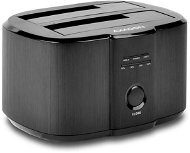
Reviews AXAGON ADSA-ST DUAL HDD
Interested in reviews of AXAGON ADSA-ST DUAL HDD? It got 4.6 out of 5 stars from our customers. Find specific customer reviews of AXAGON ADSA-ST DUAL HDD below. We will appreciate if you also share your experiences with AXAGON ADSA-ST DUAL HDD after purchasing.
User Reviews

Milan, Bratislava
Rated 14/11/2020, variant AXAGON ADSA-ST DUAL HDD
Verified purchase
Easy operation
0 ×Report
Automatic translation

Martin, Stupava
Rated 17/08/2020, variant AXAGON ADSA-ST DUAL HDD
Verified purchase
It will transfer the system disk to the new disk just fine. There is no need to work with programs. The new disk then works without problems. The only condition is that the new disk must be equal to or larger than the one from which the system is being transferred.
Not so much a contradiction as a functional warning - when cloning a system disk starts, the front four lights on the cloning device just start flashing left to right and back. Not to hide - it only means that cloning is already underway. After some time, the first LED from the left (from this flashing band) starts to light up permanently, then the second, then the third. This means that 25, 50, 75% have already been cloned. Disc.
0 ×Report
Automatic translation
Tibor, Bratislava
Rated 04/02/2020, variant AXAGON ADSA-ST DUAL HDD
Verified purchase
simple, fast
nothing
0 ×Report
Automatic translation

Štefan, Skalica
Rated 23/11/2019, variant AXAGON ADSA-ST DUAL HDD
Verified purchase
Fulfills the description. Good to read the questions and answers.
No
0 ×Report
Automatic translation

Jaroslav, Presov
Rated 24/07/2019, variant AXAGON ADSA-ST DUAL HDD
Verified purchase
Max satisfaction I needed something for external drives and it meets my expectations
Nothing
0 ×Report
Automatic translation

Jozef, Ľubotice
Rated 09/02/2019, variant AXAGON ADSA-ST DUAL HDD
Verified purchase
It does exactly what it's supposed to, some drives need to be formatted in the operating system, higher PC knowledge is required. SATA drives only, not ATA. It goes reliably and quietly.
0 ×Report
Automatic translation

Peter, Bratislava
Rated 27/12/2018, variant AXAGON ADSA-ST DUAL HDD
Verified purchase
nice design
clear labels describing the source and destination disk
the name of the drive is not displayed directly, but the name of the docking station (not all do this)
smartctl does not support this docking station, you need to add the -d sat parameter
0 ×Report
Automatic translation

Patrik, Hrochoť
Rated 26/10/2018, variant AXAGON ADSA-ST DUAL HDD
Verified purchase
Well, the possibility of cloning without a pc,
the price jumps +- 10 euri it's probably the green "creature": D
0 ×Report
Automatic translation
Ladislav, Nitra
Rated 31/07/2018, variant AXAGON ADSA-ST DUAL HDD
Verified purchase
The connection of the discs to the PC works perfectly, they are easy to work with.
Disk cloning doesn't work at all.
When the cloning of disks does not turn on, nothing indicates an error, I did not find any troubleshooting info in the manual or on the manufacturer's website. I'll have to return it.
0 ×Report
Automatic translation

Customer, Nitra
Rated 19/12/2017, variant AXAGON ADSA-ST DUAL HDD
Verified purchase
The advantage of cloning disks
I uploaded a lot of data and it uploaded pretty fast
Nothing yet
0 ×Report
Automatic translation
