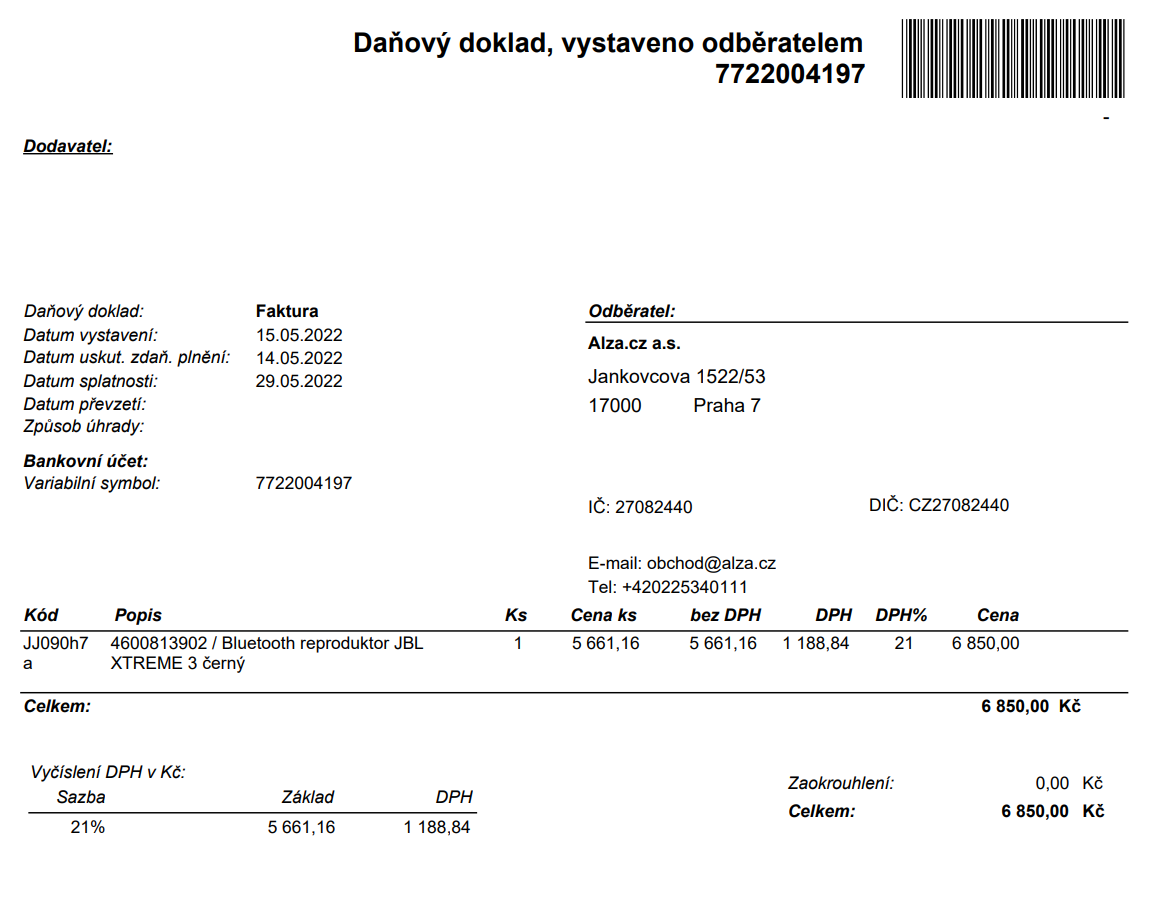
What is Selfbilling?
Selfbilling is a billing method between you and Alza.cz where Alza.cz issues documents on your behalf, and you don't have to worry about billing at all. Alza issues invoices and credit notes with your billing information and pays them according to the set due date.
The issued documents will then be sent to the email of your choice, and you can also find them in the Trade portal under the Documents tab.
You can choose from various frequencies of document issuance:
- 4x per month – on the 1st, 8th, 15th, and 22nd of each month, summarily (linked to individual orders).
- 2x per month– on the 1st and 15th of each month, summarily (linked to individual orders).
- 1x per month – on the 1st day of each month, summarily (linked to individual orders).
Selfbilling covers all the documents you will need while operating on Alza Trade. Alza.cz will issue invoices and credit notes for orders, credit notes for claims, and credit notes for returns on your behalf.
Selfbilling does not apply to deliveries to Alza.cz's warehouse; it only works for cooperation through Alza Trade. To deliver to Alza.cz's warehouse, you need to use EDI.
In case you need to reconcile issued documents, please contact the accounting department: [email protected]. For any discrepancies in documents, incorrect issuance, etc., please contact the Alza Trade team: [email protected]
How to set up Selfbilling?
You can set up Selfbilling yourself in the Alza Trade portal.
- Log in to your Alza Trade account.
- If you have not yet filled in your billing information, go to the Trade settings section in the Billing and contact information and fill in the billing details.
- Go to the Goods section and select Invoice settings.
- Under the "Accounting method between Alza.cz and you" heading, select the option Invoices issued by Alza.cz.
- The account number for settling invoices will be the account number you filled in the billing details.
- Enter the email address to which you want the invoices to be sent. You can use the main contact for accounting.
- Select the frequency of document issuance (4x, 2x, or 1x per month).
- Submit for approval.
Document template: