


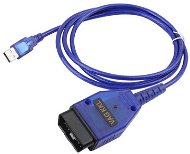
Reviews Mobile USB VAG OBD-II cable
Interested in reviews of Mobile USB VAG OBD-II cable? It got 4.0 out of 5 stars from our customers. Find specific customer reviews of Mobile USB VAG OBD-II cable below. We will appreciate if you also share your experiences with Mobile USB VAG OBD-II cable after purchasing.
User Reviews

Vladimír, Most 1
Rated 24/08/2026, variant Mobile USB VAG OBD-II cable
Verified purchase - review from a price comparison website
Works fine on an older VW Group car.
Works fine on an older VW Group car.
0 ×Report
Automatic translation

Anonymous customer
Rated 12/07/2026, variant Mobile USB VAG OBD-II cable
Verified purchase
This cable does not allow you to adjust the latency, which is necessary for proper communication with the car. I needed to connect to the engine of a 1999 Seat Toledo 1m2, but I couldn’t manage it. It managed to connect to other parts of the car (dashboard instruments, ABS), but the cable is ‘too short’ for the engine.
Cord length
Appearance
A cheap chip that isn’t compatible with every car
Latency settings
0 ×Report
Automatic translation

Jaroslav, Kájov
Rated 08/06/2026, variant Mobile USB VAG OBD-II cable
Verified purchase
Great. Via wine it works beautifully in Linux. The driver is directly in the kernel so you don't have to search for anything. Instructions: Connect to the side of the laptop.
1. ls -l /dev/ttyUSB* - Write down which ttyUSBx you have the cable on. As a rule, if you have no other USB device in your laptop it will be USB0.
2. sudo chmod 666 /dev/ttyUSBx - Resolves permissions (replace x with the number of your port)
3. ln -s /dev/ttyUSBx ~/. wine/dosdevices/com1 - Make a port symlink to the Wine device. (again, replace the x at the end of USBx with your port number)
Then into the terminal - wine VCDSLite. exe and it should work It's still a good idea to edit the "Window size" item in VCDS Options or you'll have everything shrunk.
Super price
Quality of workmanship
Ability to K-line
Works natively on Linux
On cars up to 2005 you do everything from bugs to IMMO or through Adaptation slight modifications
Modifying the maps still requires buying additional hardware, but that's not a defect of the cable, it's how the RCUs work

0 ×Report
Automatic translation
Anonymous customer
Rated 04/06/2026, variant Mobile USB VAG OBD-II cable
Verified purchase
Works on windows 11
are not
0 ×Report
Automatic translation
Customer
Rated 31/03/2026, variant Mobile USB VAG OBD-II cable
Verified purchase - review from a price comparison website
The product is good, working, corresponds to the picture and description.
0 ×Report
Automatic translation
Anonymous customer
Rated 10/01/2026, variant Mobile USB VAG OBD-II cable
Verified purchase
Works perfectly with VCDS
The driver is not included, but with the help of chat gpt it can be easily found and put into operation.
0 ×Report
Automatic translation

Dominik, Nové Dvory
Rated 18/12/2025, variant Mobile USB VAG OBD-II cable
Verified purchase
works, but insufficient documentation
0 ×Report
Automatic translation
Anonymous customer
Rated 01/12/2025, variant Mobile USB VAG OBD-II cable
Verified purchase
Cheap diagnostics what to expect from it, even when plugging it was a concern that it blows up the unit, fortunately at the origo diagnostics from VW functional
It doesn't work
It only works with rosseta light and even then it disconnects
0 ×Report
Automatic translation

Lukáš, Dětřichov
Rated 07/07/2025, variant Mobile USB VAG OBD-II cable
Verified purchase
Not much experience. Used about 2 times then I sold the car
It served its purpose
0 ×Report
Automatic translation
Anonymous customer
Rated 22/06/2025, variant Mobile USB VAG OBD-II cable
Verified purchase
It works in Win on Linux with VAG-COM. Just a generic CH340 adapter.
0 ×Report
Automatic translation
