




The group of API endpoints for suppliers with API integration is public and available on the production swagger here, which also serves as documentation for third-party developers.
Access to API client
To utilize API endpoints for order downloads, you must first request access to your own dedicated API client. You can set up your own API client after logging into the Alza Trade portal in the "Shop settings" tab - "User administration".
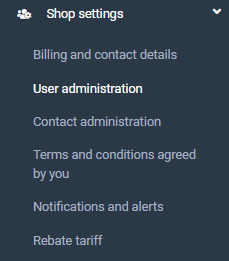
You activate the API client by clicking on the link in the User administration tab, which sends a request for approval.
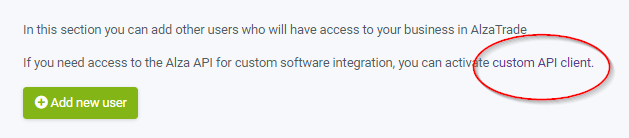
Once your API client, has been created, you will gain access to your API client in the administration, which you use to authenticate and can call the endpoints.
Calling endpoints to download orders
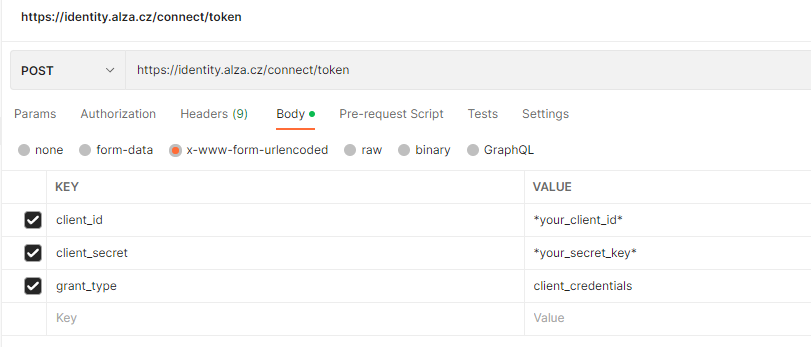
To obtain the login Bearer token, send a POST request to the URL and in the request body, provide the details shown in the following image from the Postman program.
Use the details provided here instead of "your_client_id" and "your_secret_key".
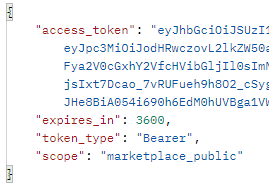
In the response, you will receive a Bearer token, which you use when querying to download orders.
The token must be inserted into the "Headers" of the HTTP GET request. In Postman, you can achieve this as follows:

The token can be used for querying repeatedly until it expires. Once you receive a 401 response, you need to call the token acquisition endpoint again and use it.