



Routers

Co dělat, když nefunguje WiFi?
Ve světě, kde jsme neustále online, může být výpadek WiFi připojení skutečnou katastrofou. Nefunkční WiFi může způsobit nemalé problémy jak v domácnostech, tak v kancelářích. Představte si situaci, kdy potřebujete narychlo odeslat důležitý email, sledovat online přednášku, nebo třeba jen streamovat oblíbený seriál, a najednou se ocitnete bez připojení. Jak postupovat, když váš notebook nevidí WiFi? Případně, když jste připojeni, ale internet stále nejde. V následujících řádcích najdete praktické rady, které vám pomohou vrátit se zpět do digitálního světa.
Co je WiFi 6?
Domácí WiFi sítě zažívají v posledních měsících nebývalý nápor. A proto je nutné zajistit stabilní a rychlé připojení v každém koutě vašeho bytu. Zcela klíčovým krokem je přechod na bezdrátový standard WiFi 6, který nabízí dostatečně široké přenosové pásmo pro větší počet zařízení.
Beamforming
It is an extremely intelligent technology that can significantly improve the WiFi signal. Nowadays, it is included in most routers supporting the 802.11ac transmission standard.

QoS
The QoS technology (Quality of Service) is used to control the bandwidth for individual applications or entire devices (computers, tablets, VoIP phones, etc.). Nowadays, most of the routers can use this technology.

Squid
The Squid is an http caching proxy that can spare you a lot of transferred data within your Internet connection. It only works within the Turris Omnia router.
Majordomo
Majordomo is a special application that monitors your device's communication with the Internet. It works only within the Turris Omnia router.
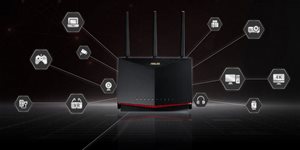
MU-MIMO technology
The MU-MIMO technology was developed by the Qualcomm company and aims to speed up and enhance the wireless WiFi connectivity.
ADSL/VDSL modems
A device that provides Internet access. Compared to ADSL, VDSL offers higher connection speeds and faster data transfer. When it comes to price, there is little difference. VDSL also leaves some room for additional speed increase, which is not possible with ADSL due to technical reasons.
SSID
SSID (Service Set Identifier) is a unique name of a WiFi network, i.e. a WiFi network identifier. Each WLAN network has a selected SSID, which distinguishes it from others.
FTP server
A function that allows for a full access to a storage device (external hard drive, flash disk) connected to a router from a computer on the local network. For example, it is suitable for sharing data between computers.
WLAN
WLAN (Wireless Local Area Network, sometimes also Wireless LAN) marks a local area network typically found in households, offices or schools. The majority of modern WLANs are based on IEEE 802.11, which are marked under WiFi.
Modem
The modem creates an Internet connection. Without other devices, it cannot create a computer network. The modem can be connected to the router through a WAN port.
WiFi card
A WiFi card helps you connect a notebook or computer to a WiFi network. Notebooks, mobile phones and other devices come equipped with a pre-installed WiFi module.
Antenna
The antenna has a major influence on the quality of the received signal.
Bridge
Mode of connecting two computer networks.
Client
A mode for connecting an Ethernet device to a WiFi network via an access point.
Access Point
An access point (AP) is a device or system that allows wireless communication between each client equipped with a wireless card / adapter and the AP. This is a key component for WLAN networks.
Repeater
A repeater is a WiFi device that you plug into an electrical outlet. It is used to extend WiFi network coverage, which it does by receiving your existing WiFi signal, amplifying it, and then transmitting the boosted signal. It is sometimes called an extender and it works exactly as its name suggests.
Router
A router is a device used to create a computer network. It interconnects computers without having to provide Internet access. The router can have an integrated modem, making it a device that allows you to connect to the Internet and create a computer network.