Try our cookies Alza.cz a. s., Company identification number 27082440, uses cookies to ensure the functionality of the website and with your consent also to personalisage the content of our website. By clicking on the “I understand“ button, you agree to the use of cookies and the transfer of data regarding the behavior on the website for displaying targeted advertising on social networks and advertising networks on other websites.
Alzak icon
Catalogue
Price
-
Availability
Order status
Processor series
Graphics card series
(212)
(48)
(147)
(8)
(211)
Model graphics cards
(1)
(1)
(51)
(34)
(40)
Storage capacity (total)
0 GB
7,000 GB
- 0 TB 7 TB
Storage Type
(624)
(2)
(1)
(6)
Colour
(583)
(25)
(23)
(2)
(1)
(2)
Wardrobe size
Size of operational RAM
0 GB
496 GB
-
Operating system
(270)
(232)
(114)
(7)
Newest orders

Desktop PCs

The motherboard ensures collaboration between individual computer components. It is an important part of every PC.

Continue

Motherboard Socket

The socket is used to connect the motherboard and the processor. The processor and the particular motherboard must have a compatible (identical) socket.

First, choose the processor, and then select a motherboard with a matching socket.

Motherboard Format

eATXATXmATXmITX
eATXATXmATXmITX

eATX (Extended ATX)

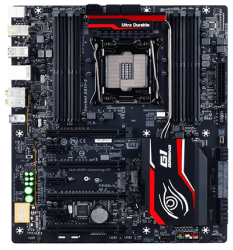
These are rare and very expensive gaming motherboards that are mainly used by people who want to install three or four graphics cards into CrossFireX or SLI. Other features are similar to what you can find on the most expensive ATX models. To install an eATX motherboard, you will need a really large PC case (Big Tower).

ATX (Standard ATX)

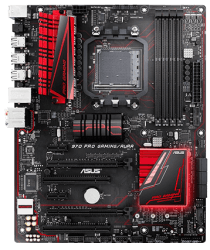
Standard ATX motherboards are suitable for powerful and well-equipped computers (either gaming or workstations) and they allow you to install multiple expansion cards, including several graphics cards in CrossFireX/SLI. On the back panel, you can expect a wide range of ports for external devices. These motherboards have plenty of connector space, so you can easily connect individual components and keep your computer cool (assuming you pick a good PC case).

mATX (Micro ATX).

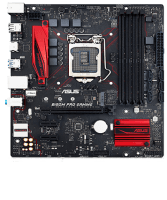
If you don’t want to spend much money on a motherboard and only need one graphics card (the most expensive mATX motherboards will give you two or three) and one or two expansion cards, a Micro ATX motherboard is exactly what you need. This type is ideal for office computers and multimedia PCs. Additionally, most mATX motherboards are spacious enough to let you install powerful CPU heatsinks. Their compact size, however, makes them suitable for Mini Tower PC cases.

mITX (Mini ITX)

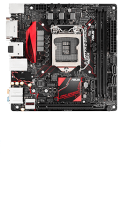
Ideal for very compact office and multimedia computers (Desktop). These motherboards are really small, so you can forget about installing any large tower CPU coolers, as well as having any expansion slots except for a single graphics card. While these motherboards do include some gaming models, keep in mind that you would need to choose the PC case very carefully in order to keep the powerful PC components cool enough. (Generally speaking, we do not recommend buying a Mini ITX motherboard if you want to build a powerful gaming PC or a workstation).

What Chipset Should You Choose?

The chipset affects how many expansion cards and peripherals you can attach to the motherboard and what types, though it also has a significant impact on performance. They also determine whether you can overclock the processor or not (assuming your processor supports overclocking).

If you plan to upgrade your computer occasionally, it pays to splurge on a model with a higher number of modern connectors and slots (in other words, a more expensive chipset). However, if you buy or build a whole new PC with each new generation of processors or you are the so-called casual user, then you don’t have to worry about this too much.

Intel Chipsets

  • H110 (socket 1151) - for office and multimedia computers, usually used in systems where the graphics card is integrated in the processor.
  • B150/B250 and H170/H270 (socket 1151) - games, amateur video and 3D graphics creation and editing, does not support overclocking.
  • Z170/Z270 (socket 1151) - games, VR, amateur video and 3D graphics creation and editing, supports overclocking.
  • X299 (socket 2066) - workstations and servers, professional gaming, VR, professional video and 3D graphics creation and editing, supports overclocking.
  • C612 (2× socket 2011-3) - specialised server motherboards with extra space for the installation of two Intel Xeon processors.

You can find a more detailed comparison of Intel chipsets in our Glossary.

AMD Chipsets

  • A320 (socket AM4), AM1 (socket AM1) - for office and multimedia, usually used in systems where the graphics unit is integrated in the processor.
  • B350, X370 (socket AM4) - games, VR, video and 3D graphics creation and editing, supports overclocking. CrossFire works on both chipssets, SLI requires X370.
  • X399 (socket TR4) - workstations and servers, professional video and 3D graphics creation and editing, supports overclocking.

You can find a more detailed comparison of AMD chipsets in our Glossary.

RAM System Memory

Motherboard specifications usually include the maximum clock speeds you can achieve by overclocking (OC). If you want to make use of everything your PC offers, get RAM modules with a higher clock speed than that of the processor memory controller – this will give you enough room for overclocking. As long as you stay below the speed listed by the manufacturer, you can use your modules without any worries. If you want to use automatic overclocking (available with some Intel processors), you should use memory modules with XMP technology.

  • Dual/Triple/Quad Channel - if you equip your system with the recommended number of multi-channel (2/3/4) modules or double it, you can increase your computer’s performance, especially when dealing with demanding computing tasks and games. For proper operation, you may have to use the same memory modules in all slots.
  • Maximum number of modules - corresponds to the number of memory slots in the motherboard.
  • Memory type (DDR3/DDR4, etc.) - the memory type must always match the motherboard or processor specifications.
  • Voltage - the RAM voltages must always be the same or lower than the maximum voltage supported by the motherboard.
  • Capacity - When installing RAM modules, you must not exceed the maximum capacity of the memory slot on the motherboard, or the total maximum capacity of all the modules counted together.

Some Mini ITX motherboards use the SO-DIMM system memory you normally find in laptops, so if you want to upgrade your PC, you must choose your RAM modules from the laptop memory category.

Motherboard Expansion Slots

  • PCI-Express ×16 - used for installing graphics cards. If you plan on installing several high-performance graphics cards, check how many PCI-Express lanes are available in each slot.
  • PCI-Express ×8/×4 - for expansions with additional cards that require exceptionally fast data bandwidth, such as network cards or RAID controllers.
  • PCI-Express ×1 - for non-demanding cards, such as sound cards, TV cards, capture cards, etc.
  • PCI - conventional output interface. If you are not planning to install any older cards, chances are that you won’t need it.
  • M.2 and U.2 - used to connect high-speed and highly compact SSDs with NVMe or SATA III interface.

The number of lanes (the number after ×) determines the maximum slot bandwidth. Keep in mind that you can install a PCI-Express x1 card into a PCI-Express x4/x8/x16 etc. slot, but not the other way around, as you would be limited by the insufficient length of the slot. To put it simply, always make sure that the number of lanes supported by your PCI slot is the same or higher than on your card.

External Connectors (I/O Ports - Back Panel)

  • Video (image) - DVI, HDMI, DisplayPort, miniDisplayPort (used by Thunderbolt 1/2), USB-C (used by Thunderbolt 3).
  • Audio (sound) - 3.5mm jacks (speakers and headphones), optical connections (TosLink - external DAC, A/V receivers, etc.).
  • Data - USB 2.0/3.0/3.1, USB-C, PS/2, RJ-45, eSATA, COM/LPT, WiFi antenna(s).
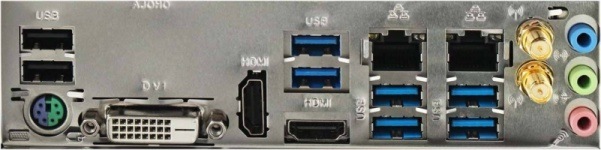
I / O ports on the back panel
Motherboard I/O connectors on the back panel of a PC case

If you're a fan of clear, undistorted sound and use high-quality speakers (Hi-Fi or studio monitors) or audiophile headphones, you should expand your motherboard with a good sound card or an external DAC.

Internal Connectors (I/O Ports)

  • Serial ATA (SATA III, SATA Express) - classic hard drives, SSHDs, and 2.5" SSDs.
  • USB - serve to feed external USB ports on the front/top/side panel of the PC case (supported by every motherboard).
  • Front audio panel - to feed the headphone and microphone connectors on the front/top/side panel of the PC case (supported by every motherboard).

I/O stands for Input and Output. I/O connectors therefore serve to provide bidirectional communication of peripherals and components with the motherboard.

Power Supply and PC Cooling Systems

Motherboards with multiple fan connectors allow you to efficiently cool even powerful PCs. Fan speed control can be done directly through the BIOS, but more powerful motherboards come with special software that makes the whole setup easier. The basic fan connector types are:

  • CPU FAN - for connecting the CPU fan. The vast majority of motherboards have two of these. The second one is usually called "CPU OPT FAN", "CPU FAN2" and so on, and is used to connect a secondary fan required by powerful CPU tower coolers.
  • Chassis FAN - for connecting additional fans to the case.
  • High AMP FAN - for connecting high-speed fans with a large power draw.
  • Hybrid FAN, W PUMP FAN, etc. - for connecting water pumps or high-speed fans with a large power draw.
  • 3-pin connector - only voltage speed control (if supported by the motherboard) is possible; the speed control range is narrower than what you get with PWM control.
  • 4-pin connector - supports PWM speed control to reduce fan speed down to a very low (almost inaudible) noise level.
  • Temperature sensors - give you the option to control fan speed and water pump performance based on the current motherboard temperature.

4-pin and 3-pin fan connectors are mutually compatible. A fan with a 4-pin connector can be controlled both through PWM and voltage control; a 3-pin fan supports voltage control only, since it does not have a PWM pin.

Motherboard BIOS

The BIOS is primarily used to boot and configure the motherboard hardware and then boot the operating system. Updating the BIOS is only needed when something “doesn’t work” (so to speak), for example, if you need to install a new processor that the old BIOS does not recognise. The motherboard manufacturer always states what new features it has added for each BIOS version.

  • UEFI/EFI BIOS - speeds up computer booting, contains a graphical interface, supports GPT boot partitions, and brings other benefits.
  • Dual BIOS - the motherboard has two BIOSes; if one fails, it automatically boots from the other. This is particularly useful for overclocking.

Other Motherboard Features

  • Bluetooth - wireless connection with keyboards, mice, phones, tablets and other Bluetooth devices.
  • WiFi - wireless connection to home or business networks. For computers that are always hooked up in one place, have a permanent network connection, and require high data rates, it is better to connect them using the more reliable Ethernet (LAN, RJ-45) connectivity. With compact PCs that you occasionally move around, WiFi would be a better choice.
  • HW buttons - usually used to reset or load the latest BIOS function, or to turn on and restart the computer (ideal if you overclock outside the PC case).
  • SW buttons (automatic overclocking) - software that comes with some motherboards; ensures safe automatic overclocking of the processor or memory.
  • NVIDIA SLI/AMD CrossFire - for connecting several graphics cards.
  • AMD Dual Graphics - allows you to connect the integrated graphics processor core with select Radeon dedicated cards for increased performance.
  • Status display - makes identifying errors much easier. Use the appropriate code to find the exact cause of the error in the manual.
  • RAID controller - allows multiple drives to be coupled to a disk array in order to increase speed, reliability, or a combination of both.

If you are planning to use WiFi or Bluetooth, you don’t have to limit yourself only to the models that have built-in Bluetooth and WiFi straight from the product line. Both of these adapters can be connected to any motherboard via a Bluetooth or WiFi USB dongle.


Hide description
Was this information useful?
This form is used only for evaluating the information in the description above.
If you have any question about our products, services, transport or any other request, please contact our customer support.
What should be improved? Is anything missing here? Is anything wrong? Share it with us.
635 Results
AlzaPC GameBox Prime - i5 / RTX5060 / 32GB RAM / 1TB SSD - Gaming PC Free delivery
Alzaboxes and stores
5.0 15×
AlzaPC GameBox Prime - i5 / RTX5060 / 32GB RAM / 1TB SSD
Gaming PC , Intel Core i5 14400F Raptor Lake Refresh 4,7 GHz, NVIDIA GeForce RTX 5060 8GB, RAM 32GB DDR4, SSD 1000GB, Without Optical Drive, Wi-Fi, HDMI 2,1 and DisplayPort 2,1, 4× USB 2.0, Case Type: Midi Tower, Windows 11 Home
+3 gifts with a value of 749,-
35,490,-
Buy
In stock > 5 pcs
Order by midnight, get it at the AlzaBox in the morning.
Info
Order Code: AZgpi5r56a1
HP ProDesk 4 Mini G1i AI Black
Mini PC Intel Core Ultra 5 225T 4.9 GHz, Intel Q870, Intel Graphics, RAM 16GB DDR5-SDRAM, 512 GB SSD, No mechanics, Wi-Fi, HDMI and DisplayPort, 3× USB 3.2, type of cabinet: Desktop, mouse and keyboard, Windows 11 Home
17,990,-
Buy
In stock 1 pcs
Order Code: HPBD1010m5
AlzaPC GameBox Prime - U5 / RTX5070 / 32GB RAM / 2TB SSD - Gaming PC Free delivery
Alzaboxes and stores
5.0
AlzaPC GameBox Prime - U5 / RTX5070 / 32GB RAM / 2TB SSD
Gaming PC , Intel Core Ultra 5 225F 4,9 GHz, NVIDIA GeForce RTX 5070 12GB, RAM 32GB DDR5, SSD 2000GB, Without Optical Drive, Wi-Fi, HDMI 2,1 and DisplayPort 2,1, 2× USB 3.1, 4× USB 2.0, Case Type: Midi Tower, Windows 11 Home
+4 gifts with a value of 1,878,-
Discounted -5 % 47,490,- 49,990,-
Buy
In stock > 5 pcs
Order by midnight, get it at the AlzaBox in the morning.
Info
Order Code: AZgpu5r57a3
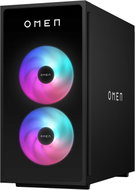
OMEN by HP TG03-0910nc Black - Gaming PC
Free delivery
Alzaboxes and stores
OMEN by HP TG03-0910nc Black - záruka 3 roky
Gaming PC , AMD Ryzen 5 8400F 4,7 GHz, NVIDIA GeForce RTX 5060 8GB, RAM 32GB DDR5-SDRAM, SSD 1000GB, Without Optical Drive, Wi-Fi, HDMI and DisplayPort, 2× USB 3.1, 4× USB 2.0, Case Type: Big Tower, Windows 11 Home
29,990,-
Buy
In stock > 5 pcs
Order by midnight, get it at the AlzaBox in the morning.
Info
Order Code: HPCD131a4
AlzaPC GameBox Core - R5 / RX7600 / 32GB RAM / 1TB SSD - Gaming PC Free delivery
Alzaboxes and stores
AlzaPC GameBox Core - R5 / RX7600 / 32GB RAM / 1TB SSD
Gaming PC , AMD Ryzen 5 5500 4,2 GHz, AMD Radeon RX 7600 8GB, RAM 32GB DDR4, SSD 1000GB, Without Optical Drive, Wi-Fi, HDMI 2,1 and DisplayPort 1,4, 4× USB 3.1, 2× USB 2.0, Case Type: Midi Tower, Windows 11 Home
+4 gifts with a value of 878,-
New arrival 26,490,-
Buy
In stock > 5 pcs
Order by midnight, get it at the AlzaBox in the morning.
Info
Order Code: AZgcr5r76a4
HAL3000 Alpha Gamer Pro (R7 7700, RTX 5070) - Gaming PC
Free delivery
Alzaboxes and stores
5.0
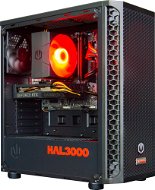
HAL3000 Alpha Gamer Pro (R7 7700, RTX 5070)
Gaming PC , AMD Ryzen 7 7700 5,3 GHz, NVIDIA GeForce RTX 5070 12GB, RAM 32GB DDR5, SSD 1000GB, Without Optical Drive, Wi-Fi, HDMI and DisplayPort, 4× USB 3.1, 4× USB 2.0, Case Type: Midi Tower, Windows 11 Home
+Gift Promo Electronic Key Resident Evil Requiem GeForce RTX 50 Series Bundle - must be redeemed by 30.4.2026 with a value of 1,699,-
49,990,-
Buy
In stock > 5 pcs
Order by midnight, get it at the AlzaBox in the morning.
Info
Order Code: HAL3hpc115
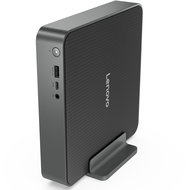
17,990,-
Buy
In stock 4 pcs
Order by midnight, get it at the AlzaBox in the morning.
Info
Order Code: TD140t01a01
HP Pro 400 G9 Black - Computer
Free delivery
Alzaboxes and stores
5.0
HP Pro 400 G9 Black (záruka 3 roky ON-SITE)
Computer , Intel Core i5 12500 Alder Lake 4,6 GHz, Intel Intel UHD Graphics 770, RAM 16GB DDR4, SSD 512GB, Without Optical Drive, HDMI and DisplayPort, 3× USB 3.1, 2× USB 2.0, Case Type: Big Tower, Windows 11 Pro
+Gift Warranty HP Worry-free Service with a value of 1,-
25,990,-
Buy
In stock > 5 pcs
Order by midnight, get it at the AlzaBox in the morning.
Info
Order Code: HPBD1010g10
AlzaPC GameBox Core - i7 / RX7600 / 32GB RAM / 1TB SSD - Gaming PC Free delivery
Alzaboxes and stores
AlzaPC GameBox Core - i7 / RX7600 / 32GB RAM / 1TB SSD
Gaming PC , Intel Core i7-12700KF Alder Lake 5 GHz, AMD Radeon RX 7600 8GB, RAM 32GB DDR4, SSD 1000GB, Without Optical Drive, Wi-Fi, HDMI 2,1 and DisplayPort 1,4, 4× USB 2.0, Case Type: Midi Tower, Windows 11 Home
+4 gifts with a value of 878,-
New arrival 29,990,-
Buy
In stock > 5 pcs
Order by midnight, get it at the AlzaBox in the morning.
Info
Order Code: AZgci7r76a2
ASUS ROG Xbox Ally X - Game Console
Free delivery
Alzaboxes and stores
4.5 44×
ASUS ROG Xbox Ally X
Game Console handheld - 7" IPS display, 1920×1080, 120 Hz, luminance 500 Nits, SSD 1024 GB, RAM LPDDR5x, no optical drive, weight 0.715 kg, black colour, Windows 11 Home
24,490,-
Buy
In stock > 5 pcs
Order by midnight, get it at the AlzaBox in the morning.
Info
Order Code: NA999a12
AlzaPC GameBox Core Mini - i7 / RX7600 / 32GB RAM / 1TB SSD - Gaming PC Free delivery
Alzaboxes and stores
AlzaPC GameBox Core Mini - i7 / RX7600 / 32GB RAM / 1TB SSD
Gaming PC , Intel Core i7-12700KF Alder Lake 5 GHz, AMD Radeon RX 7600 8GB, RAM 32GB DDR4, SSD 1000GB, Without Optical Drive, Wi-Fi, HDMI 2,1 and DisplayPort 1,4, 4× USB 2.0, Case Type: Midi Tower, Windows 11 Home
+4 gifts with a value of 878,-
New arrival 29,490,-
Buy
In stock > 5 pcs
Order by midnight, get it at the AlzaBox in the morning.
Info
Order Code: AZgcmi7r76a2
5.0
Dell Pro Slim QCS1250
Computer , Intel Core i5 14500 Raptor Lake Refresh 4,8 GHz, Intel Intel UHD Graphics 770, RAM 16GB DDR5, SSD 512GB, Without Optical Drive, HDMI and DisplayPort, 3× USB 3.1, 4× USB 2.0, Case Type: Desktop, Windows 11 Pro
19,990,-
Buy
In stock > 5 pcs
Order by midnight, get it at the AlzaBox in the morning.
Info
Order Code: TD140s01e3
Lenovo ThinkCentre M70t Gen 6 - Computer
Free delivery
Alzaboxes and stores
5.0
Lenovo ThinkCentre M70t Gen 6 (3 roky ONSITE servis)
Computer , Intel Core Ultra 7 265 5,2 GHz, Intel Graphics, RAM 32GB DDR5, SSD 1000GB, DVD, Wi-Fi, HDMI and DisplayPort, 6× USB 3.1, Case Type: Big Tower, Windows 11 Pro
+Gift Electronic License Carefree Lenovo Think service - no registration/activation required with a value of 1,-
34,690,-
Buy
In stock > 5 pcs
Order by midnight, get it at the AlzaBox in the morning.
Info
Order Code: TI021j8k19
Dell Slim ECS1250 - Computer
Free delivery
Alzaboxes and stores
5.0
Dell Slim ECS1250
Computer , Intel Core Ultra 7 265 5,3 GHz, Intel Intel UHD Graphics, RAM 16GB DDR5, SSD 1000GB, Without Optical Drive, Wi-Fi, HDMI and DisplayPort, 3× USB 3.1, 4× USB 2.0, Case Type: Desktop, Windows 11 Pro
24,990,-
Buy
In stock > 5 pcs
Order by midnight, get it at the AlzaBox in the morning.
Info
Order Code: TD140t01a04
HP Pro 290 G9 Black
Computer , Intel Core i5 12500 Alder Lake 4,6 GHz, Intel Intel UHD Graphics 750, RAM 16GB DDR4-SDRAM, SSD 512GB, Without Optical Drive, VGA D-SUB and HDMI, 4× USB 3.1, 4× USB 2.0, Case Type: Desktop, Windows 11 Pro
15,990,-
Buy
In stock > 5 pcs
Order by midnight, get it at the AlzaBox in the morning.
Info
Order Code: HPBD1010f26
AlzaPC OfficeBox Prime - U5 / 32GB RAM / 1TB SSD / W11 Pro - Computer Free delivery
Alzaboxes and stores
AlzaPC OfficeBox Prime - U5 / 32GB RAM / 1TB SSD / W11 Pro
Computer , Intel Core Ultra 5 225 4,9 GHz, Intel Graphics, RAM 32GB DDR5, SSD 1000GB, Without Optical Drive, HDMI 2,1 and DisplayPort 1,4, 2× USB 3.1, 4× USB 2.0, Case Type: Midi Tower, Windows 11 Pro
+2 gifts with a value of 700,-
29,490,-
Buy
In stock > 5 pcs
Order by midnight, get it at the AlzaBox in the morning.
Info
Order Code: AZopu5d32c3
HP EliteDesk 8 G1i Black - Mini PC
Free delivery
Alzaboxes and stores
HP EliteDesk 8 G1i Black
Mini PC , AMD Ryzen AI 5 340 4,8 GHz, AMD Radeon 840M, RAM 32GB DDR5-SDRAM, SSD 1000GB, Without Optical Drive, Wi-Fi, HDMI and DisplayPort, Case Type: Desktop, Windows 11 Pro
37,190,-
Buy
In stock > 5 pcs at the supplier's
Order Code: HPBD1031c
5.0
Dell Slim ECS1250
Computer , Intel Core i5 14400 Raptor Lake Refresh 4,7 GHz, Intel Intel UHD Graphics 730, RAM 16GB DDR5, SSD 1000GB, Without Optical Drive, Wi-Fi, HDMI and DisplayPort, 3× USB 3.1, 4× USB 2.0, Case Type: Desktop, Windows 11 Pro
19,990,-
Buy
In stock > 5 pcs
Order by midnight, get it at the AlzaBox in the morning.
Info
Order Code: TD140t01a06
4.5
Lenovo ThinkCentre neo 30s Gen 5
Computer , Intel Core i5 13420H Raptor Lake 4,6 GHz, Intel Intel UHD Graphics, RAM 16GB DDR5, SSD 512GB, Without Optical Drive, VGA D-SUB and HDMI, 5× USB 3.1, 2× USB 2.0, Case Type: Desktop, without Operating System
15,790,-
Buy
In stock 5 pcs at the supplier's
Order Code: TI025a3i7c
HAL3000 WC Finale Pro 5060 - Gaming PC
Free delivery
Alzaboxes and stores
4.8 34×
HAL3000 WC Finale Pro 5060
Gaming PC , Intel Core i5 14400F Raptor Lake Refresh 4,7 GHz, NVIDIA GeForce RTX 5060 8GB, RAM 32GB DDR4, SSD 1000GB, Without Optical Drive, Wi-Fi, HDMI and DisplayPort, 2× USB 3.1, 4× USB 2.0, Case Type: Midi Tower, Windows 11 Home
+2 gifts with a value of 1,460,-
Buy with code 1000HAL2026 The discount code gives the option of applying a discount on a given product when entering the code in the shopping cart. 33,990,-
34,990,-
Buy
In stock > 5 pcs
Order by midnight, get it at the AlzaBox in the morning.
Info
Order Code: HAL3hpc03u
HAL3000 MEGA Gamer Pro 3050 (12th gen) - Gaming PC
Free delivery
Alzaboxes and stores
4.7 17×
HAL3000 MEGA Gamer Pro 3050 (12th gen)
Gaming PC , Intel Core i5 12400F Alder Lake 4,4 GHz, NVIDIA GeForce RTX 3050 6GB, RAM 16GB DDR4, SSD 1000GB, Without Optical Drive, HDMI and DisplayPort, 2× USB 3.1, 4× USB 2.0, Case Type: Midi Tower, Windows 11 Home
+Gift Electronic License Bezstarostný servis HAL3000 - bez nutnosti registrace / aktivace with a value of 1,-
24,990,-
Buy
In stock > 5 pcs
Order by midnight, get it at the AlzaBox in the morning.
Info
Order Code: HAL3hpc57
HAL3000 WC Finale Pro 5060 - Gaming PC
Free delivery
Alzaboxes and stores
4.9 13×
HAL3000 WC Finale Pro 5060
Gaming PC , AMD Ryzen 5 7500F 5 GHz, NVIDIA GeForce RTX 5060 8GB, RAM 16GB DDR5, SSD 1000GB, Without Optical Drive, Wi-Fi, HDMI and DisplayPort, 3× USB 3.1, 5× USB 2.0, Case Type: Midi Tower, Windows 11 Home
+Gift Electronic License Bezstarostný servis HAL3000 - bez nutnosti registrace / aktivace with a value of 1,-
Buy with code 1000HAL2026 The discount code gives the option of applying a discount on a given product when entering the code in the shopping cart. 31,990,-
32,990,-
Buy
In stock > 5 pcs
Order by midnight, get it at the AlzaBox in the morning.
Info
Order Code: HAL3hpc03x
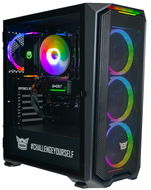
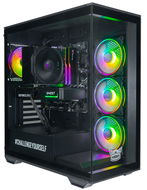
LYNX Challenger Ryzen 7 RTX 5070 - Gaming PC
Free delivery
Alzaboxes and stores
3.9 11×
LYNX Challenger Ryzen 7 RTX 5070
Gaming PC , AMD Ryzen 7 8700F 5 GHz, NVIDIA GeForce RTX 5070 12GB, RAM 32GB DDR5, SSD 1000GB, Without Optical Drive, Wi-Fi, HDMI and DisplayPort, 5× USB 3.1, 2× USB 2.0, Case Type: Midi Tower, Windows 11 Home
+2 gifts with a value of 2,198,-
43,990,-
Buy
In stock > 5 pcs
Order by midnight, get it at the AlzaBox in the morning.
Info
Order Code: LYNchl61
HAL3000 Online Gamer (R5 5600, RTX 5050) - Gaming PC
Free delivery
Alzaboxes and stores
HAL3000 Online Gamer (R5 5600, RTX 5050)
Gaming PC , AMD Ryzen 5 5600 4,4 GHz, NVIDIA GeForce RTX 5050 8GB, RAM 32GB DDR4, SSD 1000GB, Without Optical Drive, Wi-Fi, HDMI and DisplayPort, 6× USB 3.1, 2× USB 2.0, Case Type: Midi Tower, Windows 11 Home
29,990,-
Buy
In stock > 5 pcs
Order by midnight, get it at the AlzaBox in the morning.
Info
Order Code: HAL3hpc124
 

Desktop PCs

ASUSKupte si vybrané produkty ASUS a získejte DOOM: The Dark Ages! Máte zálusk na herní pecku DOOM: The Dark Ages? Můžete ji dostat zadarmo od společnosti ASUS jako poděkování za nákup vybraných produktů. O které jde? Co je potřeba udělat?
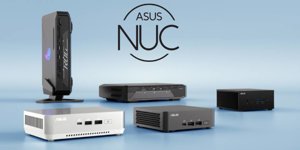
ASUS NUC 15 Pro a Pro+ představují novou generaci kompaktních počítačů, které spojují špičkový výkon s elegantním designem. Díky nejnovějším procesorům Intel Core Ultra, podpoře umělé inteligence a prémiové konektivitě jsou ideálním řešením pro profesionály i náročné...
Společnost Apple oznámila příchod M3 Ultra, nového procesoru pro Mac Studio. Čip přináší vylepšený výkon oproti předchozím verzím, podporu Thunderbolt 5, vzájemné propojování a vyšší paměťovou kapacitu.
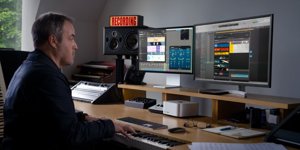
AppleMac Studio s čipem M4 Max a M3 Ultra: Ultimátní výkon pro profesionály Nový Mac Studio zcela mění uvažování o výkonu malých počítačů. Apple totiž nasadil čipy M4 Max a M3 Ultra, které přinášejí bezprecedentní výkon, až 512GB jednotné paměti a podporu AI nástrojů. Díky Thunderboltu 5 a podpoře osmi Pro Displayů XDR nabízí nekompromisní...
Už téměř dva roky je s námi úspěšná architektura Ada Lovelace v podobě grafických karet GeForce RTX 4000. Je tak správná doba se blíže podívat na novou platformu GeForce RTX 5000 postavenou na architektuře Blackwell. Jaké očekáváme novinky? O kolik vzroste výkon? A kdy...
Apple právě oznámil novou generaci počítačů iMac, které nabízí výkon vyladěný pro multitasking a umělou inteligenci díky inovativnímu M4 čipu. Díky tomu slibují zážitek, který nadchne jak běžné uživatele, tak profesionály. Jde o nejlepší all‑in‑one desktop na světě?...
All articles

Desktop PCs

Computers, or PCs, are currently used in almost all fields of human activity. They have become an integral part of our lives. Few, however, would believe that the word "computer" originally referred to a person who performed calculations. The modern definition of the word first occurred when American scientists began work on the production of the first atomic bomb. The term "PC" (personal computer) first entered the lexicon in 1981, with the introduction of the first IBM PC (IBM 5150) to the market.


Since the first IBM PC, computers have evolved beyond recognition. Monochrome CRT monitors have been replaced by thin, modern LCD displays; cumbersome computer cases have been replaced with sleeker, more stylsh designs. Individual components inside the computer have also seen rapid progress. Today's processors contain at least two cores and operate at frequencies thousands of times higher than those of the first PCs. Graphics cards achieve such high levels of performances that gamers can enjoy lifelike visual experiences. Sound cards offer true multichannel audio as immersive as an action movie.

So what should you look for when selecting a new computer? Important parameters include a good motherboard, a powerful processor and graphics card, a sufficient amount of RAM, expansion capabilities, and the size of the hard drive. You should also consider whether you want a DVD burner or Blu-ray drive, and which operating system (usually a version of Microsoft Windows) the computer runs. Last but not least, consider the overall appearance and design of the computer.

Was this information useful?
This form is used only for evaluating the information in the description above.
If you have any question about our products, services, transport or any other request, please contact our customer support.
What should be improved? Is anything missing here? Is anything wrong? Share it with us.
Check out products sorted by price starting with the lowest price in the category cheap desktop PCs Find products sorted from the most expensive to the cheapest in the category most expensive desktop PCs Check out products sorted by price starting with the highest price in the category best sellers, best desktop PCs You’ll find products sorted by reviews starting from the highest ranked in desktop PCs reviews
P-DC1-WEB17