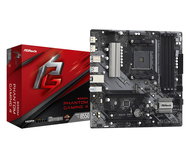
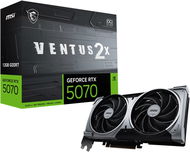
We have prepared a detailed tutorial that will teach you how to build your own PC. The whole process is surprisingly easy and there are step by step instructions for you to follow. The guide also contains useful tips and tricks that should make things even easier and will also tell you what to watch out for. If you still don’t feel confident enough to build a PC, don’t worry. With our Custom-built PC service, you can simply select the components and let us build the PC for you, all practically for free.
Building a PC - Table of Contents
What do I need to build a PC?
Building a PC is like putting together a large puzzle. What tools do you absolutely need to have before you start? Aside from the regular tools (screwdriver, pliers, etc.), the key to success lies in selecting the right PC components and operating system. So what components do you need?
How to select the components for your PC
Choosing the right components is crucial and we strongly recommend that you carefully consider various processor and graphics card setups. If you want to build a gaming PC for example, you can check our special Alza GameBox systems to see what gaming systems often look like. Once you receive your components, you can start building. If you are building your first PC, make sure to clear at least one afternoon for the task, so you don’t have to hurry. Just take your time and be careful. As the old saying goes, better safe than sorry.
PC assembly step by step
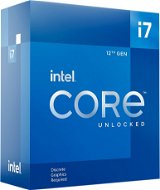
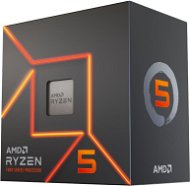
- Place the processor in the socket
- Insert the system memory
- Install the CPU heatsink
- Connect the dedicated graphics card
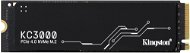
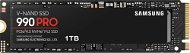
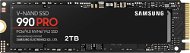
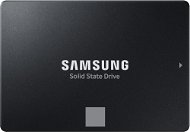
- Connect the SSD
- Plug the power cables from the PSU into the motherboard, graphics card, SSD and cooler
- Install the components in the PC case
Getting started
There are many ways how to build a PC, but let’s make one thing clear: We do not recommend mounting the components straight into the case. If you don’t have much experience with this, it’s better to first put the key computer components together and check if everything works as it should. It’s more time-consuming and you're essentially building the computer twice, but in the end, it can make things easier for you—you won’t have to disassemble the whole PC system if anything goes wrong. Mounted components are easier to check and adjust if they are outside the case. Cardboard makes for a good work surface, so you can start by unfolding the box your motherboard came in and placing the motherboard on it. Before that, make sure unpack all the necessary accessories, including the manual.
Assembling the PC components. Step 1: Install the processor in the socket
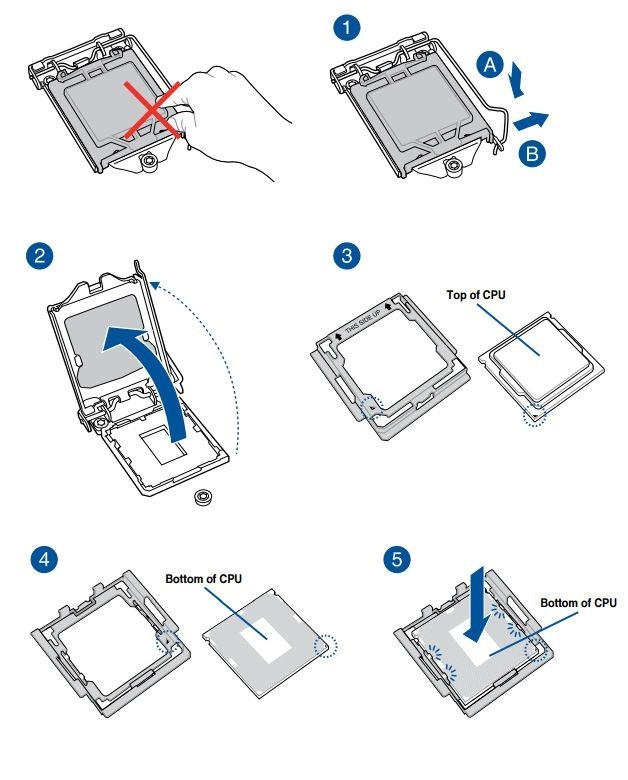
How to plug an Intel processor in the motherboard socket | How to build a PC - step 1

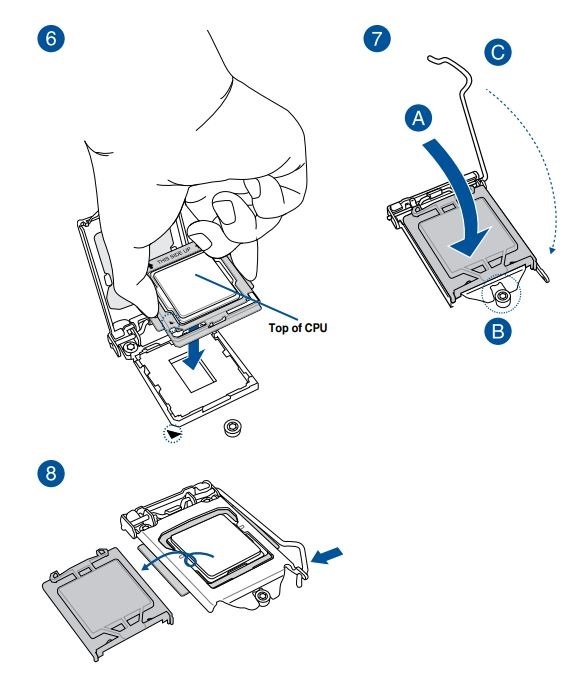
This is probably the hardest part of the whole assembly process. The socket pins are very sensitive and you have to make sure you don’t damage them in any way (don’t bend, pull or break them under any circumstances). A damaged socket is very difficult to repair and you will lose the warranty on the motherboard. First, open the socket using the locking mechanism (see the motherboard manual for details). If you look at the socket and processor more closely, you will find that both components have matching notches.
These notches ensure that that there is only one possible way to install the processor correctly. Note that there is a small arrow on both the processor and the socket. The arrow tells you how you should orient the processor in the socket. The processor must be inserted gently, so that it snaps into the socket on your first attempt. Don’t even think about adjusting it inside the socket; if you feel it doesn’t fit, simply remove it and try again.
Some motherboards have a CPU installation tool, most commonly found on Z170 and Z270 chipsets. Once the processor has been properly inserted, relatch the socket cover and you are done.
Want to learn how to install an AMD processor? Read on.
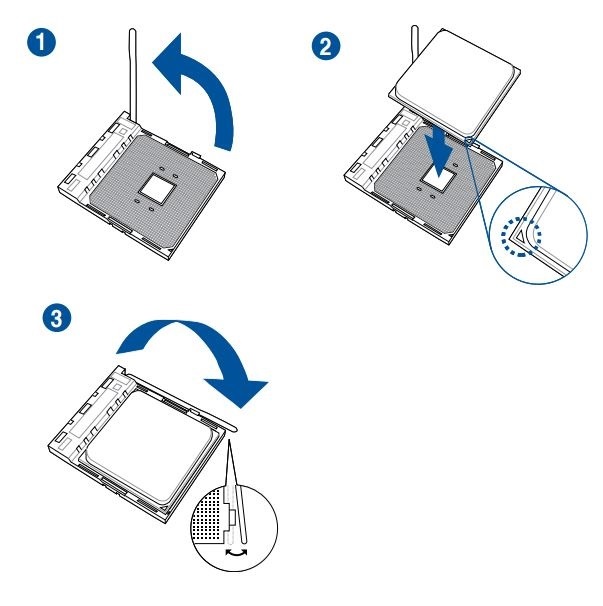
How to plug an AMD processor in the motherboard socket | How to build a PC - step 1
Unlike Intel processors, the AMD CPUs have pins directly on the processor itself, so you must be extra careful when handling them. On the upside, snapping them into the socket is easier and also less risky. Open the socket by sliding the lever into the vertical position, place the processor in the socket as indicated by the arrows (works the same as with Intel; see the included manual for details), and then lock the socket by sliding the lever back to the horizontal position. Make sure to insert the processor very gently and without applying any pressure.
Assembling the PC components. Step 2: Install the CPU heatsink
The first part of the PC assembly process is done. Now you should install the CPU heatsink. Follow the instructions as specified in the manual. With Intel 6th and 7th gen processors, be extra careful to make sure all the bolts are tightened evenly. Take your time, pay close attention to what you are doing, and tighten the bolts in a crosswise pattern. These processors have very thin printed connections and tend to bend at the corners. Once you're done, it's time for the Step 3 - installing the RAM.
Assembling the PC components. Step 3: Install memory modules in the motherboard
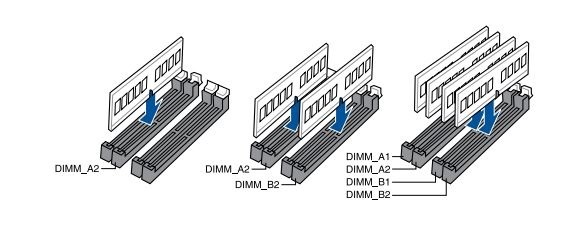
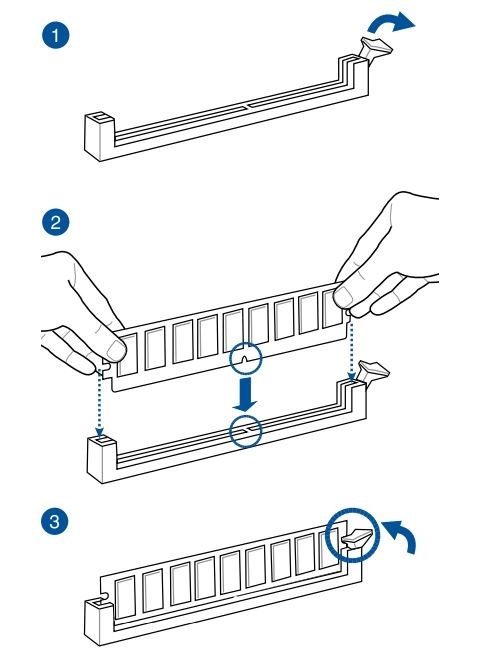
The installation process may vary depending on the motherboard type and model. Some motherboards have only two memory slots, others four. With dual-slot motherboards, you just fill them all; with four-slot motherboards, you have to mount at least two RAM sticks to ensure dual-channel operation. Check the manual for details.
In the figure, you see the correct procedure for installing a RAM module in the DIMM slot. The module must fit into the slot securely; sometimes you may even need to apply a slight force to snap the toggle in place (see figure). In the next step, we'll show you how to install GPUs.
Assembling the PC components. Step 4: Install the graphics card
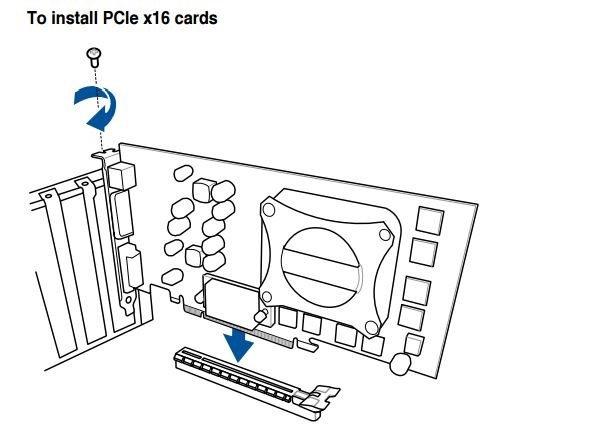
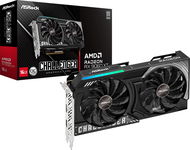
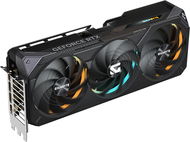
The next step in building your PC is to install the graphics card. Most modern graphics cards are rather hefty, so you need to hold up the card during installation. In most cases, you use the first PCI-E 16x slot to mount the card—it’s the one closest to the CPU socket. If you have any questions or doubts, check the motherboard manual. Next, it's time to plug in an SSD or HDD.
Assembling the PC components. Step 5: Connect the SSD/HDD drive
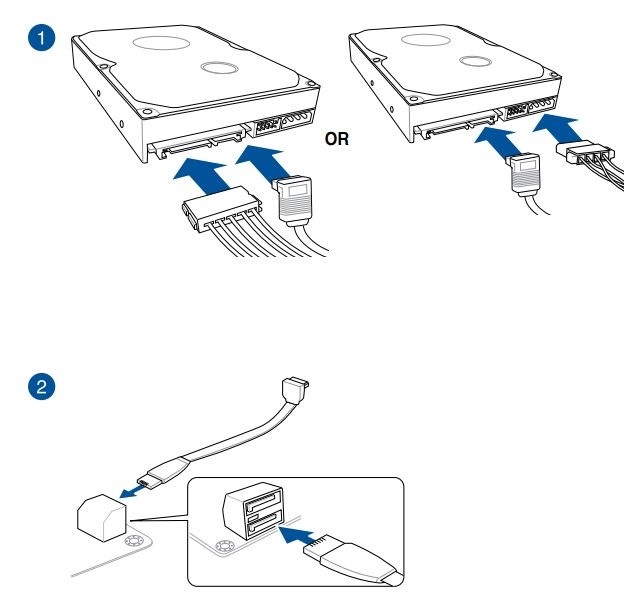
This figure shows the proper way to plug a HDD into the SATA connectors. The same procedure applies to optical drives as well.
Assembling the PC components. Step 6: Connect the PSU to the motherboard
? Control check - are you doing it right?
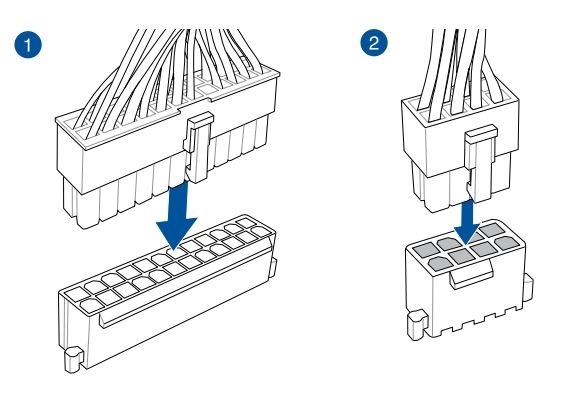
To see if everything is working as it should, plug in the motherboard power supply (24-pin ATX) and the processor power supply (8-pin EPS). The corresponding LED on the bottom of the board should light up. Some boards require only 4-pin EPS, others 8 + 4 EPS or even 2X8 16-pin EPS.
Assembling the PC components. Step 7: Test the assembled PC components
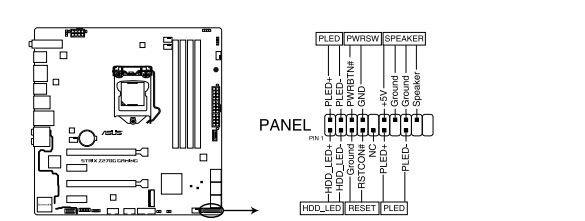
If your motherboard doesn’t have a dedicated "Power" or "Start" switch, you have to connect two PWRSW contacts to turn the board on. It’s not that hard, so just use a screwdriver. If you get a picture and can get into UEFI, then everything is probably fine. At this stage, you can either install the operating system or mount the components in the PC case and leave the OS installation for later. It’s up to you.
Assembling the PC components. Step 8: Install the motherboard in the PC case with the components aleady mounted
Our "How to build a PC" guide is nearing the end and this step is the last time we have to work with the hardware. Now disconnect the power supply, SSD, and graphics card, and you can begin installing the motherboard in your PC case. Some coolers also allow you to install the motherboard with the cooler already mounted.
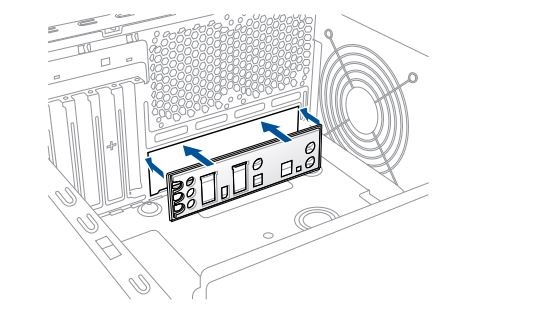
Start by installing the motherboard I/O panel | How to build a PC - step 8
First, you have to install the so-called I/O shield, which is the back panel of the motherboard and comes included with other motherboard accessories.
Assembling the PC components - installing the motherboard in the case.
How to install the motherboard in the PC case | How to build a PC - step 8
Insert the motherboard into the case by snapping the rear part (the one with the connectors) into the I/O panel. Make sure you align it correctly and check if the holes on the motherboard fit with the standoff locations on the case.
Carefully tighten all the screws to firmly attach the motherboard to the case.
Cable management | How to build a PC - step 8
We recommend reading the manual that came with your PC case, as it will give you some idea how cable management is supposed to work in this particular case. Cable management and the way power supply cables are laid out has a significant impact on the overall design and airflow efficiency. The manual will also tell you where and how you should place the disks (SSD/HDD) or optical drives, which is important, because every PC case model is different.
Plugging in the cables (connectors, switches, etc.) | How to build a PC - step 8
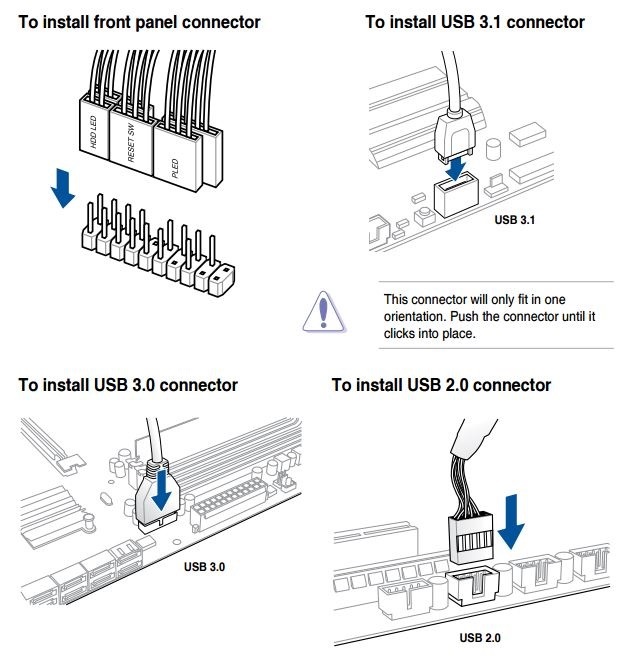
Once you have the motherboard installed, plug in the rest of the connectors, such as USB, AUDIO, FAN connectors, and PC case cabling.
The figure shows how you should connect the USB connectors to the case. Keep in mind that every motherboard has a slightly different connector layout, so always follow the instructions as specified in the manual included in the packaging. Now your PC is pretty much complete; the only thing left are the peripherals such as a keyboard, mouse and monitor.
Connecting the peripherals (keyboard, mouse, monitor, etc.) | How to build a PC - step 8
Once everything is plugged in, you can attach both side panels. Then connect the power cord to the power supply and connect the LAN cable to the rear I/O panel equipped with the keyboard, mouse, headphone, or audio connectors. If you don’t have a dedicated graphics card, connect the monitor to the appropriate connector (HDMI/DisplayPort) on the I/O panel; otherwise, connect it to the graphics card.
! How to build a PC - we're done!
Now your PC is complete and ready for work. Turn it on and enjoy.
The PC is complete. Installing the operating system and stability testing
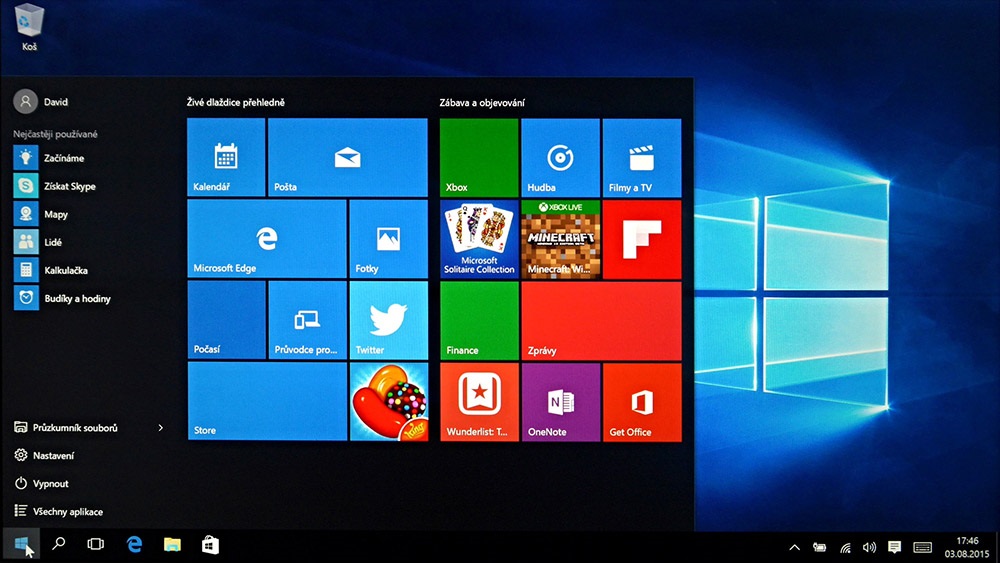
The hardest part is done, so now it’s time to install the operating system. Namely Windows 10, because anything else would be a waste of time and money. Even the manufacturers of the latest Ryzen and Kaby Lake processors agree. The era of Windows 7 and 8.1 is simply over.
Installing Windows 10 at home means you have two options to choose from. Either you have an installation DVD or you make a bootable USB flash drive. The second option is usually significantly faster, especially if you use USB 3.0. If everything goes well, you should be able to log-in into your Windows account in less than 15 minutes.
Potential point of interest:
A few words of advice
- Think hard before you choose the power supply. It’s the most important PC component and has a significant impact on the overall service life of your whole system. We recommend Seasonic PSUs, renowned for their quality, long service life, and very low failure rates. We recommend buying the so-called "modular" PSUs, which have fully detachable cabling. With this type, you only use the cables you actually need.
- Also pay attention when choosing the PC case. If want your PC components to last, it's worth investing in a case equipped with dust filters and well-designed and efficient airflow. Cheap cases tend to accumulate dust and aren’t very good at venting hot air. Both of these harm PC components and reduce the length of their service life. A well-designed case is also necessary if you want your PC to run as quietly as possible.
- Building a PC involves plenty of cables, so it’s good to have some cable management tools at hand. If nothing else, at least get some cable ties.