



Monitors

Technologické limity přenosných počítačů | Mobilní revoluce
Určitě si ještě pamatujete staré krabicové monitory, které zabíraly půlku pracovního stolu, byly těžké a spotřebou se vyrovnaly celému počítači. Navrhnout notebook s tímto typem panelu bylo nemyslitelné, proto se zkoumaly jiné možnosti zobrazování obrazu. Jak jsme se dostaly od mrkví k dnešním plochým obrazovkám se dočtete v následujícím článku.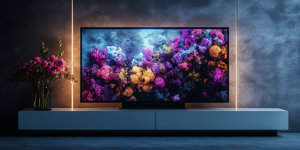
Maximum brightness
The maximum brightness of a monitor, often quoted in units of candelas per square metre (cd/m2), refers to the maximum luminance the monitor can produce. Higher values mean that the monitor is capable of producing a brighter image, which is advantageous in brightly lit environments.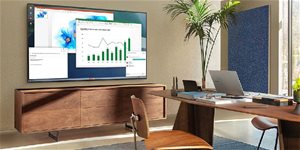
Direct LED: Co to je a jak funguje?
Direct LED je jednou z technologií podsvícení obrazu, kterou využívají LED televize. V čem spočívá, jaké má výhody a nevýhody a jak se odlišuje od RGB LED nebo Edge LED?
Co je P-OLED displej?
P-OLED displeje využívají plastový podklad, díky němuž mohou být ohebné. Plastový podklad ale využívají i displeje, které nejsou P-OLED, a toto označení navíc používá jen jeden výrobce. Co tedy P-OLED ve skutečnosti je a jak se liší například od technologie AMOLED?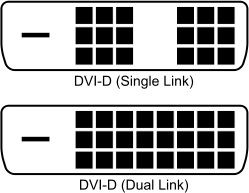
Dual-link DVI vs. Single-link DVI
In addition to the fact that DVI can be adapted to transmit a purely digital DVI-D signal or a combination of analog and digital DVI-I, there are two different versions that differ in data throughput. The original version is called single-link, and you can get by with it on all Full HD monitors at the standard 60Hz refresh rate. The dual-link version doubles the bandwidth and can be used for resolutions such as 2,560 × 1,440 at 60 Hz.
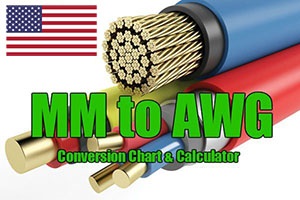
American Wire Gauge (AWG)
Jednotka American Wire Gauge (AWG) vznikla již v devatenáctém století a je jistou obdobou palcových měr. V Evropě ji neznáme, ale za oceánem se stále hojně používá.
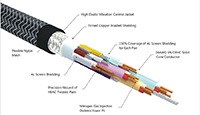
Stínění kabelu (INFORMACE)
Stínění kabelu slouží jako „filtr“ nežádoucího šumu. Šum se může projevovat zhoršenou kvalitou obrazového, zvukového nebo datového výstupu. Proti rušení je vybavena i celá řada napájecích kabelů (zpravidla ferritový váleček u konektoru), u kterých jde však spíše o určitou pojistku. Většina koncových zařízení, například notebooků, obsahuje ještě přímo ve svém těle kondenzátory, jež mají na starost právě filtraci napětí.
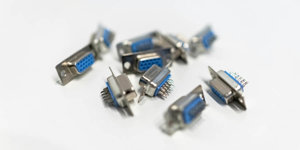
Co je analogový výstup?
Víte, co je analogový výstup, k čemu slouží a jaké jsou hlavní rozdíly mezi analogovým a digitálním výstupem? Máme pro vás článek, který i naprostému počítačovému laikovi přehledně vysvětlí, jak analogový výstup funguje. Začněme jednoduchou zkušební otázkou. Co znamená zkratka VGA? VGA je standard pro zobrazování grafiky na počítačovém monitoru. Poprvé ho použila společnost IBM už v roce 1987.
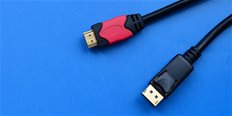
Co je HDMI?
HDMI (High Definition Multimedia Interface) je dnes nejpoužívanější digitální standard pro přenos videa, audia i internetu. Velmi často se využívá pro připojení televizí, monitorů nebo projektorů k multimediálnímu zařízení. Díky jeho rozšířenosti a všestrannosti existují různé verze a tvary konektoru. Více v článku.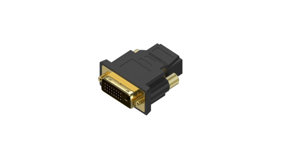
Co je DVI?
Rozhraní DVI (Digital Visual Interface) slouží k propojení monitoru s počítačem a zvládne přenášet analogový i digitální signál. Konektor, včetně redukcí pro zpětnou kompatibilitu, existuje v různých variantách. Rozhraní DVI je stále rozšířené, byť se jedná o starší technologii, která již pomalu ustupuje. Co je DVI? Jaká je budoucnost DVI? A jaký je rozdíl mezi DVI-A, DVI-D a DVI-I? Odpovědi najdete v dnešním článku.
Ghosting
Ghosting is an effect seen on some monitors with fast image changes. It occurs especially on screens that have a slow response time. As the screen refreshes the image, the human eye can still perceive the previous image that was displayed. This causes the blurring or smearing affect to appear. It does not have to be shown on all background colors.
Input lag
Input lag can be described as delay between input and output. It occurs mainly during fast scenes where there is a shift between images that comes from the graphics card (or the computer in general) and the real image at output.
Imagine a situation where there are two monitors connected to one computer. On the PC, you run a stopwatch and shoot the monitors in slow-motion mode. If you make a video, you will find the monitors differ slightly from the input lag and the stopwatches will show a different time.
Overdrive
Overdrive is a feature that shortens the monitor response and therefore speeds up image recovery. Monitors use a voltage change on individual pixels to make it happen - the bigger the voltage change, the faster the colours change. It also depends on the accuracy with which the tension changes.
Overdrive describes when the manufacturer increases the voltage to shorten the response. As a result, the pixel on the screen gets more energy than needed to display the colours properly, which causes a slight shift in colour.
Backlight bleeding
Backlight bleeding is a phenomenon seen in LCD monitors, which is characterized by uneven backlight illumination, especially in dark scenes with minimal ambient illumination. It occurs mainly in IPS panels around the corners or edges. Sometimes this is called IPS glow or light bleeding.
Colour model
A colour model is a colour space that uses the basic colours and blends them into the resulting colour.
Anti-reflective Display
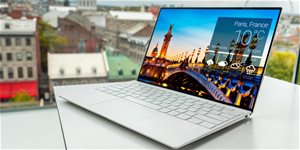
Antireflexní displej je displej s povrchovou úpravou, která má zabránit odrazům okolního světla. Jak se ale liší od matného displeje, už nemusí být tak zřejmé. V tomto článku vám to vysvětlíme.
TV tuner
A TV tuner (or television tuner) is a component that receives and decodes television broadcasts. With the tuner, you can display individual TV programs on a TV, monitor, or other devices. TV tuners are divided by the type of TV reception they can receive:
1) DVB-T / T2 - tuner for receiving digital terrestrial (aerial) television broadcasts
2) DVB-S / S2 - tuner for receiving satellite TV
3) DVB-C - tuner for receiving cable TV broadcasting
G-Sync a FreeSync
Some game monitors feature G-Sync or FreeSync. Both are used to sync the monitor's refresh rate with the graphics card, thus enhancing image smoothness while playing games. While G-Sync is compatible with selected NVIDIA, FreeSync is compatible with selected AMD graphics cards.
Viewing angle
The viewing angle is the maximum angle from which you can still see the image on the monitor without changing the colour or contrast. Larger the viewing angles are better. The size of the viewing angle is directly related to the monitor panel type. While IPS and S-IPS monitors have the largest viewing angles (up to 178 degrees), PVA and MVA screens are a bit worse. TN monitors have the lowest viewing angles out of all of the monitor types.
Monitor Resolution
This specifies the number of pixels that a monitor can draw, horizontally and vertically. In general, the higher the maximum resolution a monitor has, the more detailed the image will be and the larger the work or game area can be. The standard of today's monitors is to have Full HD resolution (1920×1080 pixels).