




Dobrý den, mám MacBook Pro 13" s retina displejem, nativní rozlišení: 2560 × 1600 pixelů (Retina), škálovaná rozlišení: 1680 × 1050, 1440 × 900 a 1024 × 640 pixelů. Chtěl bych si koupit LCD monitor. Našel jsem u vás monitor EIZO FlexScan EV2455-BK s rozlišením 1920X1200. Poraďte prosím, zda je tato volba vhodná, popř. mi doporučte jiný vhodný monitor. Děkuji.
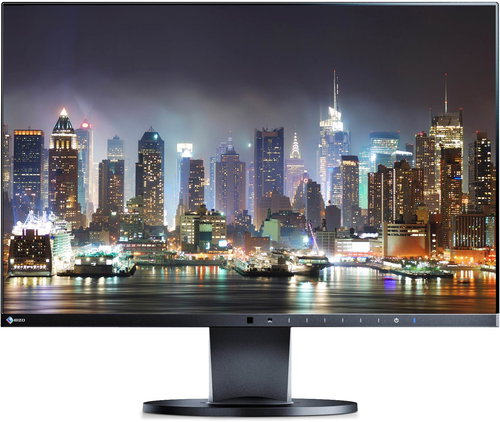
EIZO FlexScan EV2455-BK 24"
Don't like the alternatives? Choose from the full product list

EIZO FlexScan EV2455-BK 24"
Discontinued
EIZO FlexScan EV2455-BK 24"
The EIZO EV2455 comes in an energy-saving range of EV-EcoView, and comes with a new attractive design in the form of an ultra-thin frame just 1 mm thick. It is equipped with an IPS panel offering high-quality display, which is also equipped with a sophisticated matte anti-reflection mask, with virtually zero screen glow. The 24.1" diagonal ensures always the easy-to-read text of the most widely used office applications, as well as a correct color display thanks to the color range of the monitor that conforms to the IEC61966-2.1 sRGB photographic standard.
Off
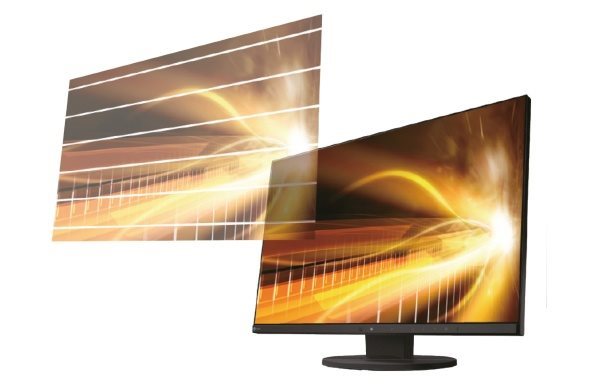
Farewell with tired eyes
The brightness of the LCD panels can be controlled, for example, by adjusting the brightness of their backlighting LED system. Often manufacturers choose simpler brightness control circuits to achieve the lowest price, but they only result in brightness control for a limited range (eg 30-100% of the monitor's luminance value), and some users can call up higher brightness levels, even with the impression of a fast vibrating image.
The state-of-the-art system of automatic LED backlight control for EIZO monitors results not only in a significant reduction in power consumption that does not exceed 12 watts in normal operation, but also provides a completely stable, and non-blinking setting of the desired brightness level.
Automatic brightness control
The monitor uses a unique, optimized, nonlinear control to adjust the brightness of the monitor according to ambient lighting, which, compared to a simple and commonly used linear control, can better respond to light changes to match the brightness of the monitor with the human eye. The control curves are even based on two seasons, winter and summer. The brightness of the monitor is therefore always in balance with the intensity of ambient light for the observer, and the monitor thus affects the viewer's eyes in much the same way as if he was staring at the paper.
Auto white balance
An interesting new feature is automatic white paper intensity limitation when reading/writing documents with a large white area. For color reproduction purposes, of course, this feature can be turned off and perfectly simulated bright white photo papers.
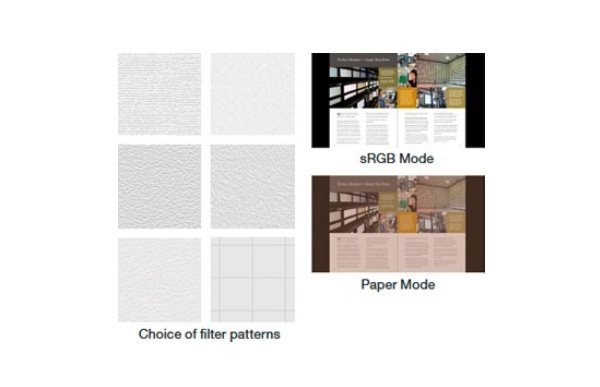
In addition, each user can choose a "software" adjustable "image filter" to maximize visual fatigue with long-term reading on a white background.
Off
Off
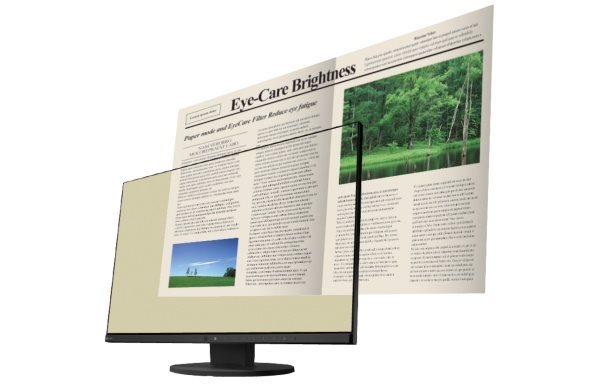
Monitor as a Reader & "Paper Mode"
For longer reading of electronic documents, the monitor has a preset "Paper" mode, where the contrast ratio of the monitor drops to 1: 00 and can perfectly simulate the usual electronic "reading" device.
Reduce the proportion of "blue" light components in the night hours
(Less Blue Light)
A monitor enabled in "read" mode can also automatically reduce the proportion of the blue component of the visible light of the backlighting LED system, thereby ensuring lower nighttime visual and artificial lighting fatigue, while also ensuring proper melatonin release during the night hours (melatonin is the substance of which Human leakage prevents sleep disorders). The user may even set the time when the blue component of the backlighting LED system starts to decrease automatically and the time when its level automatically starts to gradually change to its original level.
Automatic turn on/off the monitor according to user presence
Significant power savings also contribute to a sensor that continually evaluates the presence of the user on the basis of heat sensing from the human body, enabling the monitor to automatically switch on, or off, depending on whether it is present or not. Almost 30% savings are also achieved by the unique technology of continuous histogram evaluation (brightness distribution) of the currently displayed scene. At the same time, the user will appreciate the sound of the power supply, which is also independent of the currently set brightness of the monitor.
Amateur photography - no problem
The color range of the monitor is close to the IEC61966-2.1 sRGB standard, so immediately after unpacking, the monitor can accurately display color sRGB color photographs without having to calibrate the monitor in any way to create an accurate color profile. Viewing images with the sRGB range is true even in browsers without Color Management support (without CMS), such as in Internet browsers or other applications that were not originally intended for reproduction of color photographs.
This is a great advantage especially for beginners, or amateurs, who may not always be familiar with color reproduction issues on modern wide-screen monitors. For even more accurate color reproduction of sRGB photos, the sRGB button is used, which automatically adjusts the corresponding white point temperature, and automatically sets the gradient curve.
Easily connect to a PC
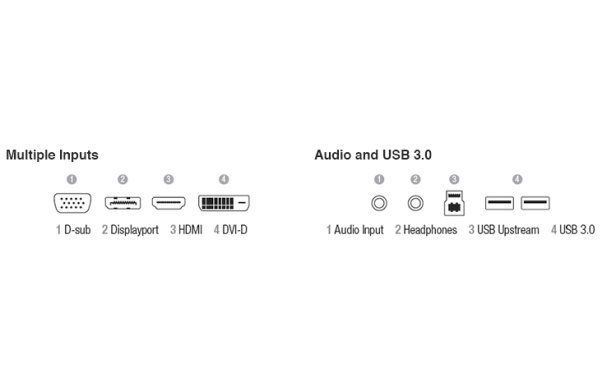
For seamless connectivity to modern computers, the monitor is equipped with four inputs - DisplayPort, HDMI, DVI-D, and also VGA for connection to older notebooks. With the integrated 2×USB (3.0) hub, it is then possible to connect some basic peripherals directly to the monitor - flash drives, keyboard, mouse, and more.
Of course, support for the analog (3.5 mm jack), digital (DisplayPort) audio stereo channel, and integrated 2 x 1 W speakers.
Off
Excellent ergonomics - a new flexible stand
With the new stand, it is possible to easily manipulate the 24" panel at all times and for each user, with a height adjustment of 21-161 mm (range up to 140 mm), 344° shooting, tilting up to + 35 ° / -5 ° and finally even rotating the panel by 90 ° - turning the panel to a "portrait" position (pivot function) for convenient viewing of "long" web pages. To provide more convenience when setting up the monitor, the touch panel with automatic help function rests above the "pressed" button.
Off

Off
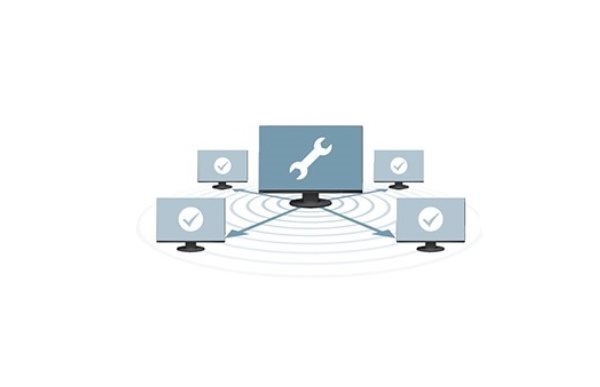
EIZO Monitor Configurator for Administrators
Easily manage and configure multiple monitors connected to a local PC that are connected to the corporate network. The administrator does not have to move the workstations individually and set each monitor separately, but can set up multiple monitors at the same time.
Zero tolerance
Each pixel of the LCD monitor is made up of three RGB sub pixels. EIZO guarantees zero tolerance for permanently illuminated, or permanently illuminated pixels, or sub-pixels in their monitors.
Thanks to the high quality of all the components used in the monitor, the manufacturer provides a 5 year warranty for this model, including the LCD panel and its backlighting system.
Off

Additional information:
Screen:
Surface: Matt layer with zero glitter and hardened surface 3H
Point size: 0.27 mm
Contrast (static): 1000: 1
Viewing angles (horizontally / vertically): 178 ° / 178 °
Color: 16.7 million
Preset Video Modes: User1, User2, Movie, sRGB, Paper, DICOM (for Roentgen Images)
Special Features & Special Features:
Auto EcoView - ambient light sensor for automatic brightness control
EcoView Sense - Sensor to automatically switch off / off the monitor according to the presence of the user
EcoView Optimizer II - Automatically optimizes the intensity of "white"
Saves electricity by evaluating the histogram of the displayed scene
Software control of the monitor via USB-channel
(ScreenManager Pro and Admin-Configurator)
Connectors:
1 × DisplayPort v1.1a (with HDCP encoded video)
1 x HDMI v1.3 (with HDCP encoded video)
1 × Dual-Link DVI-D (with HDCP encoded video)
1 × D-Sub15
1 × analog audio 2 × 1 W (3.5 mm jack) I / O (headphones)
1 x digital audio transmission 2x1W (DP / HDMI) video input
2 x USB 3.0 hub (for connecting low-power peripherals)
Base:
Tilting + 35 ° / -5 °, shooting 344 °
Rotate 90 ° (pivot)
Height adjustment in 140 mm range
Support for VESA 100 × 100 mm wall mount or ergonomic brackets
Other features:
Security Lock Lock Slot (Kensington)
Compliance with Standards: TCO Displays 6.0, ECO Sense Gold (US), EPA Energy Star, TUV / Ergonomics (including ISO9241-307), TUV / GS, CE, CB, FCC-B,
Design, dimensions, weight:
Dimensions without stand: 531 × 347 × 50 mm
Dimensions with rack: 531 × 357 ~ 488 - 233 mm
Weight without stand: 4.1 kg
Weight including stand: 6.5 kg
Recommended ambient operating temperature: 5-35 ° C
Standard accessories:
Cables: power cord, video cable 1- DP / DP, USB cable
CD: EIZO Utility Disk (PDF-User Manual, ScreenManager Pro)
Note:
Specifications can be changed without notice. Images are for illustrative purposes only.
