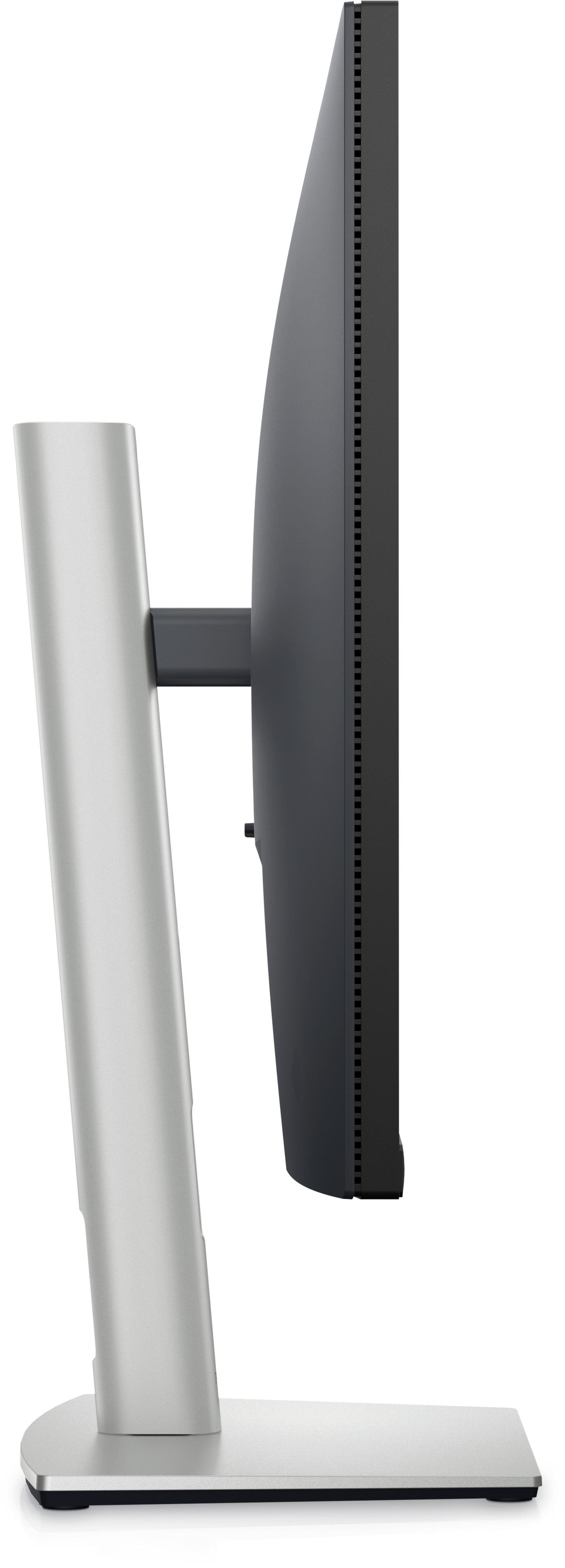
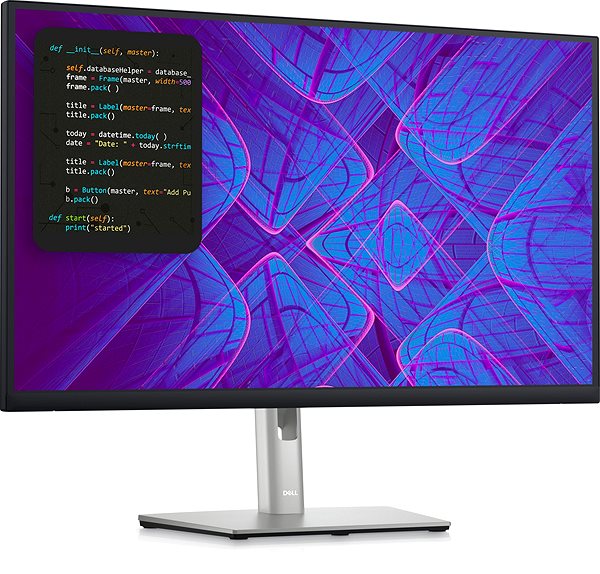
This Dell LCD monitor will expand your PC with panel with a screen measuring 27". The aspect ratio of this device is 16:9. The LCD monitor works on the basis of IPS technology, notable for its high image quality and excellent viewing angles. The screen resolution of this monitor is 3840 × 2160. The response time of 5 ms is sufficiently fast for ordinary PC users, as well as media and games. Its refresh rate of 60 Hz is the regular standard. This Dell monitor boasts a brightness of 350 cd/m2. The HDMI, USB-C and DisplayPort must be utilised for connecting to a PC.
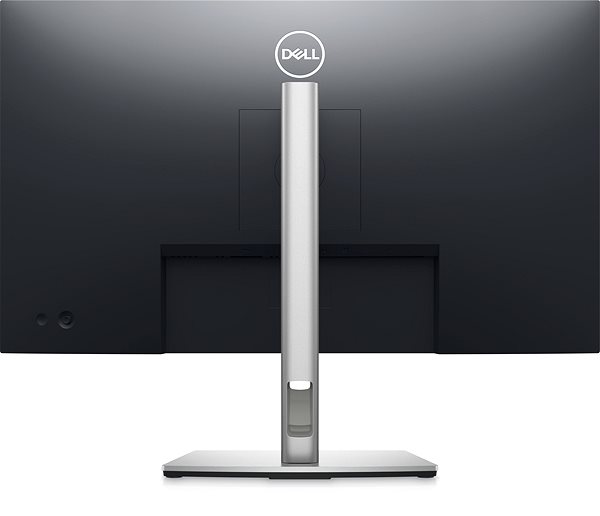
27" Dell P2723QE Professional LCD Monitor Key Features
LCD monitor screen size: 27"
Maximum supported resolution: 3840 × 2160
LCD monitor made with IPS technology
The matte finish of this LCD monitor reduces sun glare
5 ms response time, refresh rate of 60 Hz
Brightness of 350 cd/m2
LCD monitor compatible with 100×100 VESA mounts
Monitor pivot
Stand lets you adjust the height
Practical USB hub for connecting other electronics
Blue light filter
27" Dell P2723QE Professional Monitor Construction
This Dell monitor has a size of 61.16 × 53.52 × 18.5 cm, and it's fully height-adjustable. Besides a classic stand, the computer monitor can be mounted onto the wall with a VESA stand. This monitor model has a weight of 7.21 kg. A useful degree of versatility is provided by the pivot function, meaning the monitor may be turned up to 90°. For ease of use, this model can also serve as a USB hub. The interface for the input signal is essential. The 27" Dell P2723QE Professional is equipped with the HDMI, USB-C and DisplayPort type. The Dell monitor allows fast charging via Power Delivery.

Practical Functions of the 27" Dell P2723QE Professional Monitor
While working at night, you will undoubtedly appreciate the blue light filter built into this monitor, which helps improve sleep quality. The Flicker-Free function provides a competent shield against eye strain by eliminating image flickering.
Specifications
3D/AR
3D model + AR model in Android app, 3D model + AR model in iOS app
Denotes the distance between the lower left and upper right corner of the screen. It is quoted in inches,while 1 "= 2.54 cm. How big a diagonal measurement to choose with which device and what are the benefitsand the disadvantages?
The monitor resolution type refers to the number of pixels that can be displayed on the monitor screen. Choosing the right resolution type can have a significant impact on the overall experience of using your monitor, whether it's for work, gaming or watching movies.
Monitor resolution refers to the number of pixels on the monitor screen, expressed as width × height. Higher resolutions provide a more detailed and clearer image, while lower resolutions may be suitable for smaller monitors or to save power.
3840 × 2160
Construction
Straight
3D/AR
3D/AR
3D model + AR model in Android app, 3D model + AR model in iOS app
Denotes the distance between the lower left and upper right corner of the screen. It is quoted in inches,while 1 "= 2.54 cm. How big a diagonal measurement to choose with which device and what are the benefitsand the disadvantages?
The monitor resolution type refers to the number of pixels that can be displayed on the monitor screen. Choosing the right resolution type can have a significant impact on the overall experience of using your monitor, whether it's for work, gaming or watching movies.
Monitor resolution refers to the number of pixels on the monitor screen, expressed as width × height. Higher resolutions provide a more detailed and clearer image, while lower resolutions may be suitable for smaller monitors or to save power.
The monitor connection type refers to the interface that is used to transmit the video signal from the source (e.g. computer) to the monitor. Different connection types support different resolutions and refresh rates and can affect the quality and performance of the display on the monitor.
The sRGB colour coverage of a monitor is a measure of how much of the range of colours defined in the sRGB (Standard Red Green Blue) standard the monitor is able to display. A higher percentage of sRGB coverage means that the monitor can display a wider and richer range of colors.
Dell Products, Raheen Business Park, Limerick, Ireland, [email protected], www.dell.com
This American multinational corporation based in Round Rock (Texas, USA) is a leading player in the field of information technology. The Dell brand carries the hallmark of quality and is known throughout the world. In 2010, it ranked fifth in the poll of most admired computer companies.
Dell's operations are incredibly broad - the company can be found not only in personal computers, servers, storage devices, switches, software and peripherals, but also HDTV, cameras, printers and MP3 players. The company, whose history began in 1984, now ranks among the giants in the field.
Note:
Specifications can be changed without notice. Images are for illustrative purposes only.

Dobrý den, potřeboval bych poradil ohledně tohoto monitoru.
Tento monitor využívám s Macbookem air M4. Mám je propojený a zároveň macbook napájím přes USB-C do USB-C. Problém je, že se macbook i přes nulové zatížení výrazně zahřívá. ChatGPT mi poradil, že by bylo lepší nabíjet macbook přes originální nabíječku a propojit monitor a mac s HDMI do USB-C. Mohla by tato možnost snížit teplotu macbooku? Máte jiné možné řešení, které bych mohl vyzkoušet? Moc děkuji a přeji hezký den.
Dobrý den, potřeboval bych poradil ohledně tohoto monitoru.
Tento monitor využívám s Macbookem air M4. Mám je propojený a zároveň macbook napájím přes USB-C do USB-C. Problém je, že se macbook i přes nulové zatížení výrazně zahřívá. ChatGPT mi poradil, že by bylo lepší nabíjet macbook přes originální nabíječku a propojit monitor a mac s HDMI do USB-C. Mohla by tato možnost snížit teplotu macbooku? Máte jiné možné řešení, které bych mohl vyzkoušet? Moc děkuji a přeji hezký den.
Dobrý den,
Rád bych se zeptal, jestli tento monitor ma barevou hloubku 10-bit? Model P2723QE - 4K Dell Professional 27".
Děkuji.
...Podle stránek výrobce ano, ale Alza to nepíše. Link:
External Link
Dobrý den,
Rád bych se zeptal, jestli tento monitor ma barevou hloubku 10-bit? Model P2723QE - 4K Dell Professional 27".
Děkuji.
...Podle stránek výrobce ano, ale Alza to nepíše. Link:
External Link
Dobry den, ma tento monitor Display Port daisy chain? Mam doma jeden monitor DELL P2723QE, chcem ho rozsirit o dalsi, najlepsie rovnaky. Pripajam ho s PC cez display port kabel. K PC mam este pripojeny usb-a -> usb-b kabel.
Rad by som pripojil k tomuto monitoru druhy monitor, tiez 4k 27". Na ktorom by som taktiez chcel vyuzivat usb porty. Obcas vsak potrebujem pripojit notebook lenovo - to by som chcel pripajat cez usb-c usb-c. Da sa to v takomto setupe, ze ked pripojim notebook, monitor by prepol obraz, na usb-c signal a taktiez by bol primarny zdroj pre usb - usb-c (teda by sa mi prepla aj klavesnica aj mys)? Aky druhy monitor si mam k dell p2723qe dokupit, kedze tento ma len jeden display port a preto si nemyslim, ze bude fungovat display port -> display port daisy chaining, kedze display port z grafickej karty pc by som nemal kam dat.
Dakujem
Dobry den, ma tento monitor Display Port daisy chain? Mam doma jeden monitor DELL P2723QE, chcem ho rozsirit o dalsi, najlepsie rovnaky. Pripajam ho s PC cez display port kabel. K PC mam este pripojeny usb-a -> usb-b kabel.
Rad by som pripojil k tomuto monitoru druhy monitor, tiez 4k 27". Na ktorom by som taktiez chcel vyuzivat usb porty. Obcas vsak potrebujem pripojit notebook lenovo - to by som chcel pripajat cez usb-c usb-c. Da sa to v takomto setupe, ze ked pripojim notebook, monitor by prepol obraz, na usb-c signal a taktiez by bol primarny zdroj pre usb - usb-c (teda by sa mi prepla aj klavesnica aj mys)? Aky druhy monitor si mam k dell p2723qe dokupit, kedze tento ma len jeden display port a preto si nemyslim, ze bude fungovat display port -> display port daisy chaining, kedze display port z grafickej karty pc by som nemal kam dat.
Dakujem
Dobrý den, měl jsem za to, že když propojím PC a monitor kabelem USB (A/A) a vložím do USB monitoru stick k bezdrátové klávesnici, tak že to bude fungovat. Bohužel nic :( Mělo by to tak fungovat ? Trošku mě zaráží, že všechny USB A v monitoru jsou definované jako downstream.
Díky moc Jirka
Dobrý den, měl jsem za to, že když propojím PC a monitor kabelem USB (A/A) a vložím do USB monitoru stick k bezdrátové klávesnici, tak že to bude fungovat. Bohužel nic :( Mělo by to tak fungovat ? Trošku mě zaráží, že všechny USB A v monitoru jsou definované jako downstream.
Díky moc Jirka
Dobrý den,
vlastním starší notebook Lenovo IdeaPad 700-17ISK Gaming Black a koupil jsem si tenhle monitor. Mám ale problém s propojením. Monitor se mi odpojuje když to je zapojené pres HDMI. Jiná možnost propojení se mi nedari, DP nemám na NTB. Mužete mi napsat, jestli je to na výmenu monitoru nebo poradit, co s tým udelat ? Dekuji.
Dobrý den,
vlastním starší notebook Lenovo IdeaPad 700-17ISK Gaming Black a koupil jsem si tenhle monitor. Mám ale problém s propojením. Monitor se mi odpojuje když to je zapojené pres HDMI. Jiná možnost propojení se mi nedari, DP nemám na NTB. Mužete mi napsat, jestli je to na výmenu monitoru nebo poradit, co s tým udelat ? Dekuji.
Try our cookiesAlza.cz a. s., Company identification number 27082440, use cookies and other data to ensure the proper functioning of the website and, with your consent, also, among other things, to personalize advertising and the content of our websites. By clicking on the “I understand“ button, you agree to the use of cookies and the transfer of data regarding the behavior on the website for displaying targeted advertising on social networks and advertising networks on other websites.
We use 8 categories of cookies on our website:
Technical cookies
These are strictly necessary for the functioning of the website and the features you choose to use. Without them, our website would not work; you wouldn't be able to log in to your user account, for example.
Functionality cookies
These cookies allow us to remember your basic choices and improve the user experience. These include remembering your preferred language or allowing you to stay logged in permanently.
Social media cookies
These cookies allow us to easily link you to your social media profile and, for example, allow you to share products and services with your friends and family.
Content personalisation
These cookies allow us to show you content and ads according to the information we have about you to best meet your needs. This includes what content you have viewed, or on what device you are accessing our website.
Non-personalised advertising
These cookies allow us to show you general ads for products and services.
Personalised advertising
Thanks to these cookies, we and our partners can offer you relevant products and services based on your purchases, your shopping behaviour and your preferences.
Audience metrics
These cookies allow us to optimise our site for your convenience based on how you use it. The aim is to remember or anticipate your choices. This includes, for example, the use of features, their location, or the behaviour on the page.
By giving your consent to the processing of cookies, functionality and analytical cookies will be installed on the device you use to browse the website (click on the "I understand" button for both categories, or you can select only one of the categories by clicking on the "Settings" button). We always install technical cookies on your device, even without your explicit consent, because without them our website would simply not work.
You can revoke your consent to the processing of cookies. In connection with our company's cookie processing, you also have the following rights: the right to access cookies, delete, modify, supplement and correct them, restrict processing and the right to lodge a complaint with the Office for Personal Data Protection. Read more about your rights.