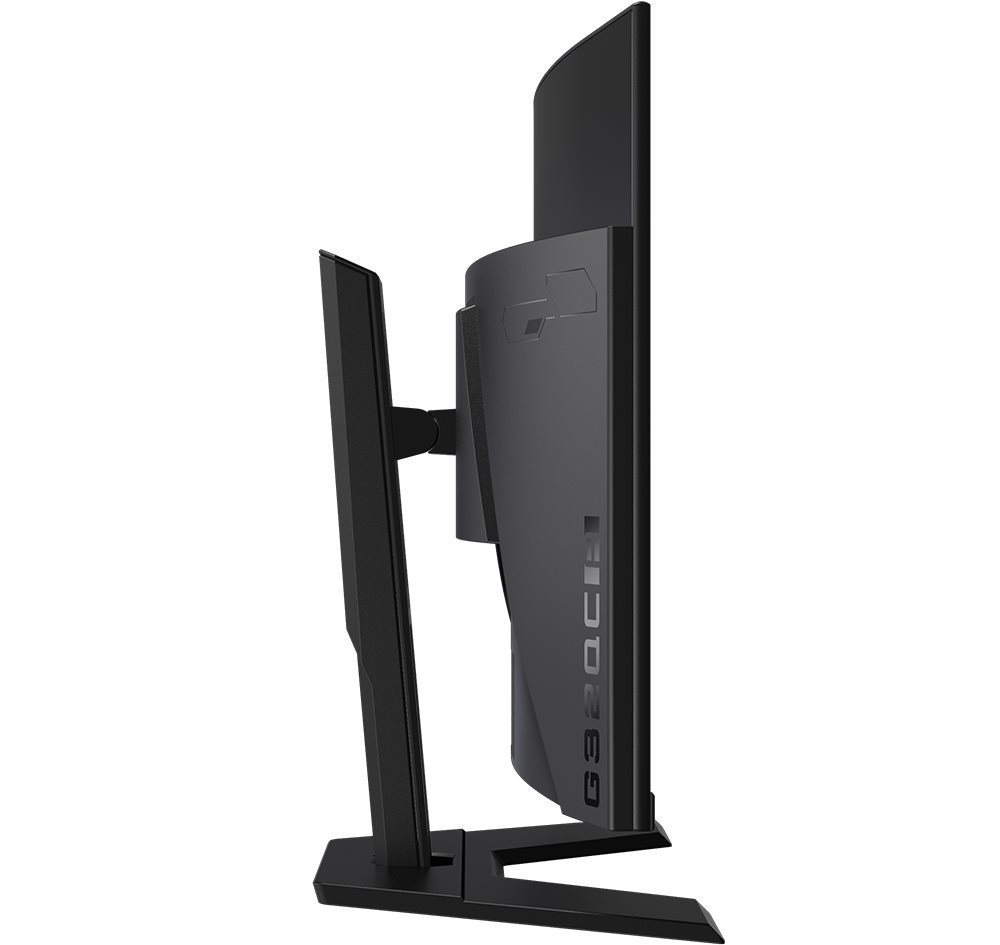
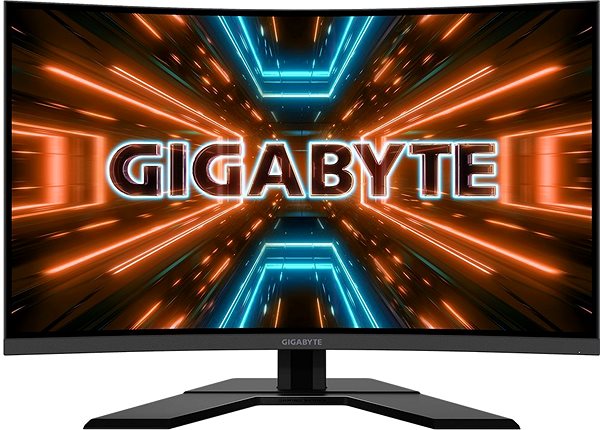
This GIGABYTE LCD monitor will enrich your PC experience with panel boasting a screen size of 31.50". The aspect ratio is 16:9. The LCD monitor works on the basis of VA technology, which is known for faithful image reproduction with a high contrast. The screen resolution of the monitor is 2560 × 1440. The fast response time of 1 ms is good for intense games and keeps the image clear. Its refresh rate of 165 Hz is well above the standard, notably reduces eye strain and fatigue, and it seamlessly renders content. The GIGABYTE PC monitor boasts a brightness of 350 cd/m2. For graphic designers, colour intensity is extremely important. Luckily, the colour depth of this computer monitor is 8 bit. One impressive feature is the slight screen curvature, which will enhance your gaming and film-watching experience. The HDMI and DisplayPort is used for connecting to your computer.
31.5“ GIGABYTE G32QC A LCD Monitor Key Features
LCD monitor with a size of 31.50"
Curved LCD monitor will pull you into the world of your favourite games and films
Maximum supported resolution: 2560 × 1440
LCD monitor works with VA technology
The matte finish of this LCD monitor for improved readability
1 ms response time and refresh rate of 165 Hz
Brightness: 350 cd/m2
FreeSync with AMD graphics cards
LCD monitor compatibility: 100×100 VESA mounting
Mount with adjustable height
Practical USB hub for connecting other electronics
Blue light filter reduces eye strain
Picture in picture (PIP) allows you to watch two media sources at once
31.5“ GIGABYTE G32QC A Monitor Construction and Equipment
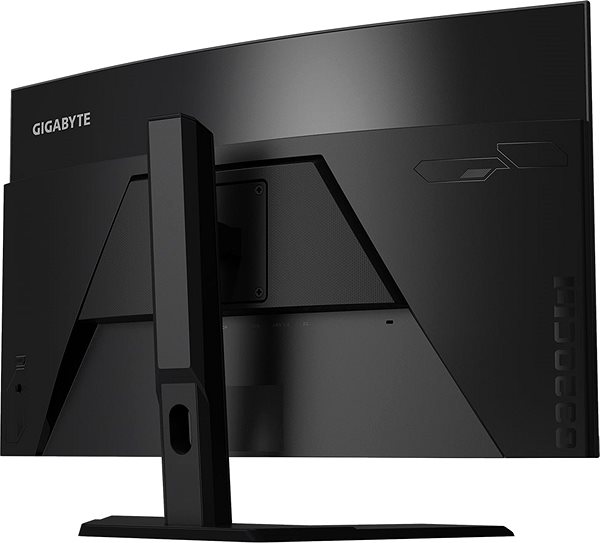
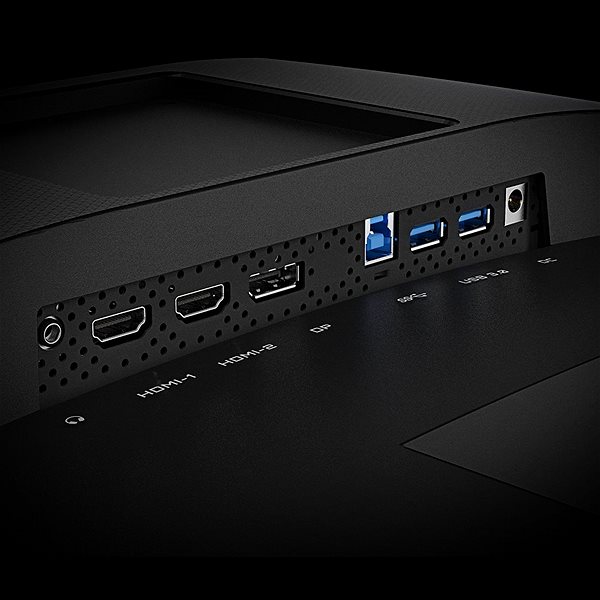
The GIGABYTE monitor has a size of 71.1 × 55.2 × 23.5 cm, and you can adjust the height according to your preferences. In addition to a classic stand, the computer monitor can sit on the wall with a VESA stand. The monitor model weighs 7.8 kg. For ease of use, this model works as a USB hub. The input signal interface is essential. This 31.5“ GIGABYTE G32QC A has the HDMI and DisplayPort type. You can connect headphones directly to the PC monitor.
Practical Functions of the 31.5“ GIGABYTE G32QC A Monitor
While working in the night, you will appreciate the blue light filter built into the monitor, which makes it easier for you to fall asleep after work. Flicker-Free mode provides a competent shield against eye fatigue by eliminating image flickering. The monitor includes an exclusive feature for any gamer called FreeSync, which is image synchronisation with AMD graphics cards. The 31.5“ GIGABYTE G32QC A monitor also fully supports the practical picture in picture (PIP) function that lets you view two image sources at once.
Denotes the distance between the lower left and upper right corner of the screen. It is quoted in inches,while 1 "= 2.54 cm. How big a diagonal measurement to choose with which device and what are the benefitsand the disadvantages?
The monitor resolution type refers to the number of pixels that can be displayed on the monitor screen. Choosing the right resolution type can have a significant impact on the overall experience of using your monitor, whether it's for work, gaming or watching movies.
Monitor resolution refers to the number of pixels on the monitor screen, expressed as width × height. Higher resolutions provide a more detailed and clearer image, while lower resolutions may be suitable for smaller monitors or to save power.
Denotes the distance between the lower left and upper right corner of the screen. It is quoted in inches,while 1 "= 2.54 cm. How big a diagonal measurement to choose with which device and what are the benefitsand the disadvantages?
The monitor resolution type refers to the number of pixels that can be displayed on the monitor screen. Choosing the right resolution type can have a significant impact on the overall experience of using your monitor, whether it's for work, gaming or watching movies.
Monitor resolution refers to the number of pixels on the monitor screen, expressed as width × height. Higher resolutions provide a more detailed and clearer image, while lower resolutions may be suitable for smaller monitors or to save power.
The monitor connection type refers to the interface that is used to transmit the video signal from the source (e.g. computer) to the monitor. Different connection types support different resolutions and refresh rates and can affect the quality and performance of the display on the monitor.
The sRGB colour coverage of a monitor is a measure of how much of the range of colours defined in the sRGB (Standard Red Green Blue) standard the monitor is able to display. A higher percentage of sRGB coverage means that the monitor can display a wider and richer range of colors.
The European Commission has recently approved new energy labels for household appliances. You will find them in stores starting from the 2021. Which appliances are affected by the changes? What should the consumer prepare for and what will the new energy labels look like? In this article, we bring you an overview of the most important changes.
62 kWh/1000h
Energy efficiency class in HDR mode
G
More Specifications
SIL Servis Partner a.s., Těšínská 1970/56, 710 00 Slezská Ostrava, Czech Republic, +420 552 301 141, [email protected]
Gigabyte, founded in 1986, is an irreplaceable player in the field of computer components. They put great emphasis on key technologies and the strictest quality standards. The company produces a wide range of basic computer components such as motherboards and graphics cards, but also have many computer peripherals, laptops, tablets, desktops and even network solutions and servers on offer. Recently they also introduced a line of Gigabyte mobile phones.
Note:
Specifications can be changed without notice. Images are for illustrative purposes only.

Dobrý den, mám dotaz.
Před třemi dny jsem si pořídil tento monitor a teď jsem si všiml, že při zobrazování černé barvy (pro lepší představu např. titulková scéna na černém pozadí ), monitor jako kdyby prosvítá ze čtyř stran zeshora, chtěl jsem se tedy zeptat, zda-li je to schválně a je nějakým tímto způsobem vyřešeno zakřivení panelu, či je to chyba už z výroby.
Děkuji
Dobrý den, mám dotaz.
Před třemi dny jsem si pořídil tento monitor a teď jsem si všiml, že při zobrazování černé barvy (pro lepší představu např. titulková scéna na černém pozadí ), monitor jako kdyby prosvítá ze čtyř stran zeshora, chtěl jsem se tedy zeptat, zda-li je to schválně a je nějakým tímto způsobem vyřešeno zakřivení panelu, či je to chyba už z výroby.
Děkuji
Dobrý den, rád bych upozornil na chybu, která se vyskytla např. v porovnání. Udává se totiž, že monitor disponuje pouze HDMI (čemuž se mi nechtělo věřit vzhledem k frekvenci monitoru) podíval jsem se tedy na obrázky, které jsou k monitoru na stránkách. A jako naschvál, byl na jedné z fotek, kde jsou vyfoceny porty pro monitor i DP. Chyba se vyskytuje i v popisu produktu. ;)
Dobrý den, rád bych upozornil na chybu, která se vyskytla např. v porovnání. Udává se totiž, že monitor disponuje pouze HDMI (čemuž se mi nechtělo věřit vzhledem k frekvenci monitoru) podíval jsem se tedy na obrázky, které jsou k monitoru na stránkách. A jako naschvál, byl na jedné z fotek, kde jsou vyfoceny porty pro monitor i DP. ;)
Zdravím, dávnejšie som si zakúpil tento monitor no hral som len na ntb no teraz by som chcel nový pc tak sa chcem spýtať že akú grafickú kartu a procesor je najvhodnejšie vybrať aby sa nerobil ghosting a aby sa využili aspoň 144hz alebo tých 165hz ? dakujem.
Magyarországra történő kiszállításért tekintse meg ezt a termékoldalt: 31.5" GIGABYTE G32QC A
Try our cookiesAlza.cz a. s., Company identification number 27082440, use cookies and other data to ensure the proper functioning of the website and, with your consent, also, among other things, to personalize advertising and the content of our websites. By clicking on the “I understand“ button, you agree to the use of cookies and the transfer of data regarding the behavior on the website for displaying targeted advertising on social networks and advertising networks on other websites.
We use 8 categories of cookies on our website:
Technical cookies
These are strictly necessary for the functioning of the website and the features you choose to use. Without them, our website would not work; you wouldn't be able to log in to your user account, for example.
Functionality cookies
These cookies allow us to remember your basic choices and improve the user experience. These include remembering your preferred language or allowing you to stay logged in permanently.
Social media cookies
These cookies allow us to easily link you to your social media profile and, for example, allow you to share products and services with your friends and family.
Content personalisation
These cookies allow us to show you content and ads according to the information we have about you to best meet your needs. This includes what content you have viewed, or on what device you are accessing our website.
Non-personalised advertising
These cookies allow us to show you general ads for products and services.
Personalised advertising
Thanks to these cookies, we and our partners can offer you relevant products and services based on your purchases, your shopping behaviour and your preferences.
Audience metrics
These cookies allow us to optimise our site for your convenience based on how you use it. The aim is to remember or anticipate your choices. This includes, for example, the use of features, their location, or the behaviour on the page.
By giving your consent to the processing of cookies, functionality and analytical cookies will be installed on the device you use to browse the website (click on the "I understand" button for both categories, or you can select only one of the categories by clicking on the "Settings" button). We always install technical cookies on your device, even without your explicit consent, because without them our website would simply not work.
You can revoke your consent to the processing of cookies. In connection with our company's cookie processing, you also have the following rights: the right to access cookies, delete, modify, supplement and correct them, restrict processing and the right to lodge a complaint with the Office for Personal Data Protection. Read more about your rights.