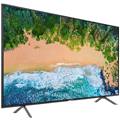
The Philips 55PUS6272 is not just an ordinary 4K Ultra HD TV but offers many advanced features and latest technologies. It gives you extra functionality, elegance and smart connections. It also boasts an ultra-slim and sophisticated design that makes it perfect for every living room. Ambilight's unique 3- sided backlighting also deserves your attention. The wide shine from three sides of the screen to the surrounding walls creates exciting colour combinations that intensify the viewing experience. It will create a unique atmosphere in your living room.
Key features of the Philips 55PUS6272
Smart TV features
Micro Dimming - Smart Dimming
4K Ultra HD resolution - sharp razor image
3-sided Ambilight backlight
Support for HDR Plus
H.265 / HEVC
Smart Dimming Smart Backlight
Micro Dimming analyses the image in real time, in 6400 different areas of the screen. Based on this analysis, it then adjusts the backlight intensity. The results are fantastic contrast, sharpness and overall high image quality from the Philips 55PUS6272.
HDR Plus
High Dynamic Range Plus is a new feature in video standards that will be appreciated by movie enthusiasts. It brings a revolution to home entertainment - as a result of this standard, you can get the ultimate in brightness, rich contrast or truly vivid colours that you have never seen on TV before. You will no longer have to go to the cinema and can now enjoy this top quality image in the comfort of your home with the Philips 55PUS6272 TV.
High Definition 4K Ultra HD
With 4K Ultra HD the Philips 55PUS6272 has a 4x higher resolution than a standard Full HD panel. More than 8 million pixels combined with unique Ultra Resolution technology deliver a superior image quality regardless of the original source. Experience greater sharpness, better depth render, top contrasts, natural smooth motion and perfect details without any errors.
A smart TV: Explore a whole new world
Discover smarter experiences with the Philips 55PUS6272 Smart TVthat traditional TVs cannot provide. Borrow and stream movies, videos and games from an online video store. Watch your favourite TV channels via Catch-Up and enjoy the choice of online applications with your Smart TV.
Pixel Plus Ultra HD
Experience Pixel Plus Ultra HD 4K with Pixel Plus Ultra HD from Philips which optimises the image quality and delivers super smooth images with incredible detail and depth.
Panel refresh rate is a critical parameter that affects the quality and smoothness of the image displayed on the TV screen. The frequency is expressed in Hertz (Hz) and indicates how many times per second the screen image is refreshed. Higher refresh rates, such as 120 Hz, provide a blur-free and jerk-free picture, which is ideal for watching fast-paced sporting events or playing action video games. A refresh rate of 140 Hz or higher can only be achieved in game mode by connecting an external graphics adapter (connecting to a PC with a GPU or to a console).
Television technology refers to the type of display or screen used in the television. Different technologies offer different advantages and disadvantages in terms of picture quality, performance, cost and other factors. Common technologies include LED (Light Emitting Diodes), LCD (Liquid Crystal Display), OLED (Organic Light Emitting Diodes), QLED (Quantum Dot Light Emitting Diodes), and others. Each technology provides a unique viewing experience and it is important to choose the right technology based on your specific needs and preferences.
Backlighting is a key aspect of display technology that affects the picture quality of the TV. It is the light source used behind the TV screen to illuminate the pixels. Different types of backlights such as Edge LED, Direct LED, Mini LED, FALD and Dual LED provide different benefits in terms of contrast, brightness and image uniformity. Choosing the right type of backlight can have a big impact on the overall TV viewing experience.
Panel refresh rate is a critical parameter that affects the quality and smoothness of the image displayed on the TV screen. The frequency is expressed in Hertz (Hz) and indicates how many times per second the screen image is refreshed. Higher refresh rates, such as 120 Hz, provide a blur-free and jerk-free picture, which is ideal for watching fast-paced sporting events or playing action video games. A refresh rate of 140 Hz or higher can only be achieved in game mode by connecting an external graphics adapter (connecting to a PC with a GPU or to a console).
Television technology refers to the type of display or screen used in the television. Different technologies offer different advantages and disadvantages in terms of picture quality, performance, cost and other factors. Common technologies include LED (Light Emitting Diodes), LCD (Liquid Crystal Display), OLED (Organic Light Emitting Diodes), QLED (Quantum Dot Light Emitting Diodes), and others. Each technology provides a unique viewing experience and it is important to choose the right technology based on your specific needs and preferences.
Backlighting is a key aspect of display technology that affects the picture quality of the TV. It is the light source used behind the TV screen to illuminate the pixels. Different types of backlights such as Edge LED, Direct LED, Mini LED, FALD and Dual LED provide different benefits in terms of contrast, brightness and image uniformity. Choosing the right type of backlight can have a big impact on the overall TV viewing experience.
The multimedia features of TVs include various technologies and functions that enhance the viewing experience. These can include features such as Ambilight (a lighting effect created by some Philips TVs), gaming features such as VRR (Variable Refresh Rate), AMD FreeSync, Nvidia G-Sync, and more.
Wireless TVs include technologies that allow the TV to communicate with other devices without the need for cables. This can include Wi-Fi to access the internet and stream content, Bluetooth to connect headphones or speakers, and technologies such as AirPlay, DLNA, Chromecast, Miracast to share content between devices.
A tuner is a component of a television set that decodes the signal from an antenna, cable system or satellite reception and converts it into images and sound that can be displayed on the television. There are different types of tuners, including DVB-T, DVB-T2, DVB-S, DVB-S2, DVB-C and others, which vary depending on the type and quality of signal they can receive.
Specifications can be changed without notice. Images are for illustrative purposes only.

Dobrý den, chtěl bych se zeptat, zda televize převádí videa s nižším rozlišením (např. HD, Full HD) do 4k?
Dále bych se chtěl zeptat zda televize podporuje nějakou možnost zrcadlení obrazovky z telefonu či PC případně nějakou jinou možnost bezkabelového připojení?
Dobrý den, chtěl bych se zeptat, zda televize převádí videa s nižším rozlišením (např. HD, Full HD) do 4k?
Dále bych se chtěl zeptat zda televize podporuje nějakou možnost zrcadlení obrazovky z telefonu či PC případně nějakou jinou možnost bezkabelového připojení?
Když zapnu televizi o trochu dřív než satelitní přijímač, objeví se na obrazovce hláška Není signál, přestože programy hrají a nemohu se jí jen tak zbavit. Co s tím mám dělat, když nechci zbytečně vypínat televizi?
Dobrý den, chtěl bych se Vás zeptat na načítání souborů z USB. Po připojení exter. disku / flash disku do USB se disk načte jen v případě, když se TV vytáhne ze zásuvky a znovu zapne. Poté se tedy konečně načte exter. disk a mohu vybrat soubor k prohlížení (foto, film). Vše funguje jak má jen do té doby, než se spustí první film, nebo nějaký jiný soubor. Po shlédnutí prvního filmu a následného návratu do souborů na disku nastává problém - už to další film nepřehraje (tv vypíše: Soubor není podporován) a když bych chtěl zapnout znovu film, co mi předtím šel, tak to znovu vypíše hlášku: Soubor není podporován. Jediné řešení - vytáhnou ze zásuvky a vše znovu. Děkuji za vysvětlení a rady.
Kúpili sme tento TV, ale potrebujeme ho reklamovať. TV sme kúpili v Petržalke, ale darovali sme ho synovi do Prahy. Akým spôsobom ho môžeme reklamovať? Je nutné ho niekam odviezť, alebo pre jeho obrovské rozmery je možnosť opravy ako u iných veľkých spotrebičov doma? Keďže je problematická preprava. Nikde na Vašich stránkach sme nenašli kontakt, kde by sme sa vedeli spýtať. RB
Try our cookiesAlza.cz a. s., Company identification number 27082440, use cookies and other data to ensure the proper functioning of the website and, with your consent, also, among other things, to personalize advertising and the content of our websites. By clicking on the “I understand“ button, you agree to the use of cookies and the transfer of data regarding the behavior on the website for displaying targeted advertising on social networks and advertising networks on other websites.
We use 8 categories of cookies on our website:
Technical cookies
These are strictly necessary for the functioning of the website and the features you choose to use. Without them, our website would not work; you wouldn't be able to log in to your user account, for example.
Functionality cookies
These cookies allow us to remember your basic choices and improve the user experience. These include remembering your preferred language or allowing you to stay logged in permanently.
Social media cookies
These cookies allow us to easily link you to your social media profile and, for example, allow you to share products and services with your friends and family.
Content personalisation
These cookies allow us to show you content and ads according to the information we have about you to best meet your needs. This includes what content you have viewed, or on what device you are accessing our website.
Non-personalised advertising
These cookies allow us to show you general ads for products and services.
Personalised advertising
Thanks to these cookies, we and our partners can offer you relevant products and services based on your purchases, your shopping behaviour and your preferences.
Audience metrics
These cookies allow us to optimise our site for your convenience based on how you use it. The aim is to remember or anticipate your choices. This includes, for example, the use of features, their location, or the behaviour on the page.
By giving your consent to the processing of cookies, functionality and analytical cookies will be installed on the device you use to browse the website (click on the "I understand" button for both categories, or you can select only one of the categories by clicking on the "Settings" button). We always install technical cookies on your device, even without your explicit consent, because without them our website would simply not work.
You can revoke your consent to the processing of cookies. In connection with our company's cookie processing, you also have the following rights: the right to access cookies, delete, modify, supplement and correct them, restrict processing and the right to lodge a complaint with the Office for Personal Data Protection. Read more about your rights.