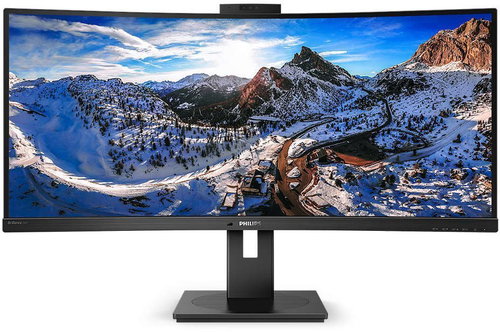
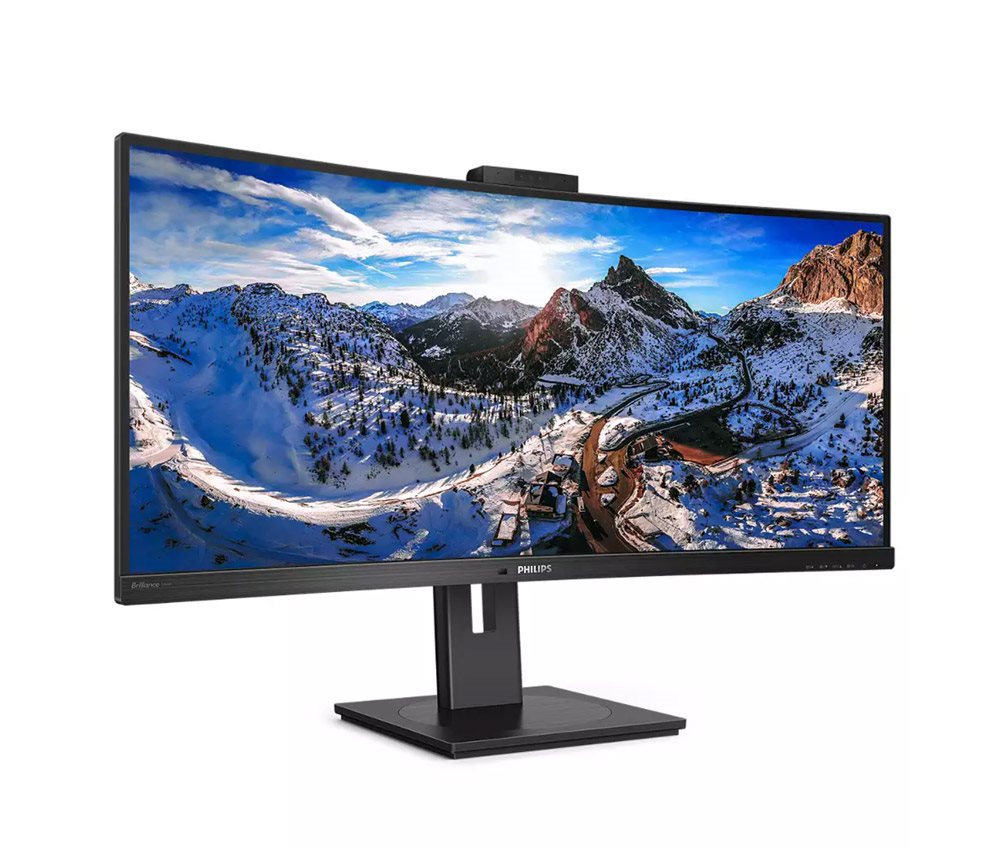
Philips 346P1CRH ultra-widescreen monitor with curved screen
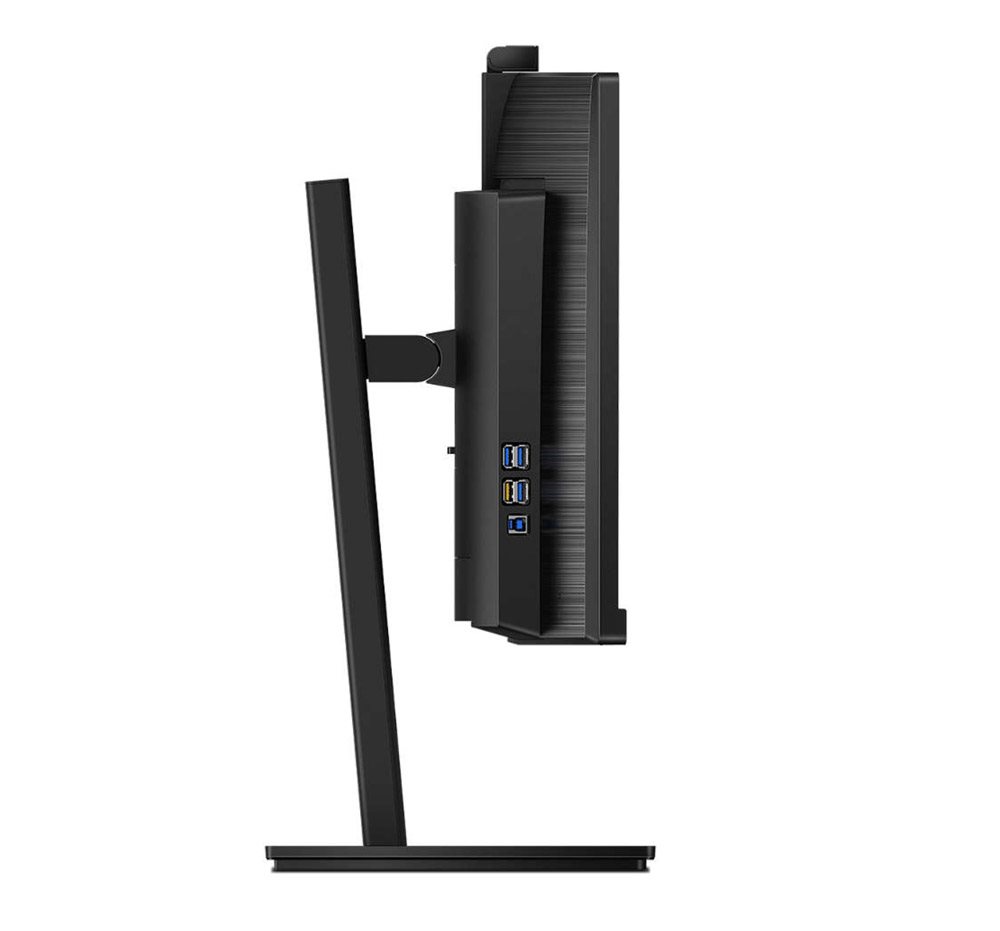
If you need to work with professional efficiency at speed, not only will you need a modern laptop or computer, you will also need a large display. Fortunately, the Philips 346P1CRH monitor with a USB-C Dock is here to deliver spectacular entertainment on its ultra-wide 34" screen. The monitor features an integrated docking station that gives you access to HDMI, USB3.2 and Ethernet connectors. A further bonus is the integrated Windows Hello webcam.
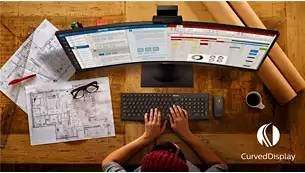
Curved display
The curved screen of the Philips 346P1CRH monitor provides an enjoyable yet discreet effect that puts you in the centre of the action.
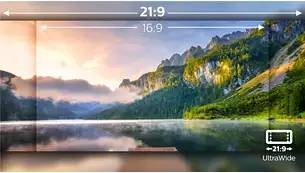
Philips 346P1CRH supports UltraWide resolution
Playing games should always be a total pleasure. That's why you will appreciate the Philips 346P1CRH monitor's extraordinary UltraWide 21:9 format, which immerses you in the gaming environment. It also comes in handy when performing work tasks and delivers higher productivity with more space for side-by-side comparisons and easier to view table columns.
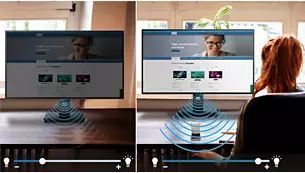
PowerSensor
This built-in 'people sensor' transmits and receives harmless infrared signals, which detect when you are not at your desk. It then automatically reduces monitor brightness and cuts energy costs by up to 70% in the process.
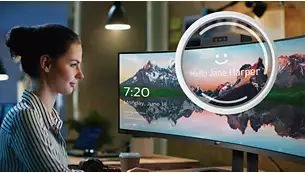
The Philips 346P1CRH has a webcam
An innovative and secure webcam is an integral part of the Philips 346P1CRH monitor. When don't need it, you can fold it away. Otherwise, it is securely concealed directly in the monitor frame.
Active eye protection
Do you often work long hours without a break? The Philips 346P1CRH monitor significantly reduces harmful blue light with its LowBlue Mode.
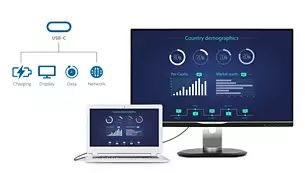
USB-C connection
Times have advanced, which in the world of monitors means new connectivity options. Thankfully, the Philips 346P1CRH is at the cutting edge of technology and boasts a USB-C port, so you can connect your laptop to your monitor with a single cable that transmits images, data and power.
The Philips 346P1CRH will be your partner for work and play
Simplify your work by connecting all your peripherals, such as your keyboard, mouse and RJ-45 Ethernet cable to the Philips 346P1CRH monitor's docking station. You can watch high-definition video and transfer data at super-high speeds while powering and recharging your laptop.
Key Features—Philips 346P1CRH monitor
Superb UltraWide monitor suitable for office and multimedia use
3440×1440p resolution
Integrated docking station (4 × USB 3.2, LAN, HDMI 2.0, DisplayPort 1.4)
Denotes the distance between the lower left and upper right corner of the screen. It is quoted in inches,while 1 "= 2.54 cm. How big a diagonal measurement to choose with which device and what are the benefitsand the disadvantages?
The monitor resolution type refers to the number of pixels that can be displayed on the monitor screen. Choosing the right resolution type can have a significant impact on the overall experience of using your monitor, whether it's for work, gaming or watching movies.
Monitor resolution refers to the number of pixels on the monitor screen, expressed as width × height. Higher resolutions provide a more detailed and clearer image, while lower resolutions may be suitable for smaller monitors or to save power.
Denotes the distance between the lower left and upper right corner of the screen. It is quoted in inches,while 1 "= 2.54 cm. How big a diagonal measurement to choose with which device and what are the benefitsand the disadvantages?
The monitor resolution type refers to the number of pixels that can be displayed on the monitor screen. Choosing the right resolution type can have a significant impact on the overall experience of using your monitor, whether it's for work, gaming or watching movies.
Monitor resolution refers to the number of pixels on the monitor screen, expressed as width × height. Higher resolutions provide a more detailed and clearer image, while lower resolutions may be suitable for smaller monitors or to save power.
The monitor connection type refers to the interface that is used to transmit the video signal from the source (e.g. computer) to the monitor. Different connection types support different resolutions and refresh rates and can affect the quality and performance of the display on the monitor.
The sRGB colour coverage of a monitor is a measure of how much of the range of colours defined in the sRGB (Standard Red Green Blue) standard the monitor is able to display. A higher percentage of sRGB coverage means that the monitor can display a wider and richer range of colors.
The European Commission has recently approved new energy labels for household appliances. You will find them in stores starting from the 2021. Which appliances are affected by the changes? What should the consumer prepare for and what will the new energy labels look like? In this article, we bring you an overview of the most important changes.
Dobrý den, potřeboval bych k monitoru připojit delší USB-C kabel než ten dodávaný přímo v balení (2 m nebo delší).
Vyzkoušel jsem některé co mám doma, včetně originálního kabelu od Apple (připojuji monitor k MacBooku Pro), i jeden nově zakoupený, ale většinou funguje jen nabíjení a nepřenáší se obraz.
S tím Apple kabelem mi funguje jiný podobný setup (se Samsung monitorem o stejném rozlišení a I-TEC dokovací stanicí), takže věřím, že ten by měl být schopen přenášet jak obraz tak napájení – s tímto monitorem se mi to ale nedaří rozchodit.
Než si budu zkoušet kupovat další kabely, abych je hned vracel, když to nebude fungovat – neměli byste nějaké doporučení, který kabel by měl zaručeně fungovat (napájení, obrazovka, kamera v monitoru, USB porty monitoru)?
Dobrý den, potřeboval bych k monitoru připojit delší USB-C kabel než ten dodávaný přímo v balení (2 m nebo delší).
Vyzkoušel jsem některé co mám doma, včetně originálního kabelu od Apple (připojuji monitor k MacBooku Pro), i jeden nově zakoupený, ale většinou funguje jen nabíjení a nepřenáší se obraz.
S tím Apple kabelem mi funguje jiný podobný setup (se Samsung monitorem o stejném rozlišení a I-TEC dokovací stanicí), takže věřím, že ten by měl být schopen přenášet jak obraz tak napájení – s tímto monitorem se mi to ale nedaří rozchodit.
Než si budu zkoušet kupovat další kabely, abych je hned vracel, když to nebude fungovat – neměli byste nějaké doporučení, který kabel by měl zaručeně fungovat (napájení, obrazovka, kamera v monitoru, USB porty monitoru)?
Dobrý den,
plánuji tento, nebo obdobný širokoúhlý či 4K monitor připojovat k mini PC HP Prodesk 400 G6, který má pouze integrovanou grafickou kartu. Bude to chodit? Nebudou nějaká omezení? Samozřejmě to je na kancelářskou práci a ne na nějaké grafické programy a hry. Děkuji za odpověď.
Dobrý den,
plánuji tento, nebo obdobný širokoúhlý či 4K monitor připojovat k mini PC HP Prodesk 400 G6, který má pouze integrovanou grafickou kartu. Bude to chodit? Nebudou nějaká omezení? Samozřejmě to je na kancelářskou práci a ne na nějaké grafické programy a hry. Děkuji za odpověď.
Dobrý deň, web výrobcu (External Link uvádza obe multiview funkcie - PiP, PbP s poznámkou. V poznámkach však žiadne obmedzenie nevidím, chcem sa spýtať konkrétne na Picture by Picture - sú tam nejaké obmedzenia, ktoré sú známe Vám? Alebo pri 2 pripojených zariadeniach funguje všetko bez problémov.
Dobrý deň, web výrobcu (External Link uvádza obe multiview funkcie - PiP, PbP s poznámkou. V poznámkach však žiadne obmedzenie nevidím, chcem sa spýtať konkrétne na Picture by Picture - sú tam nejaké obmedzenia, ktoré sú známe Vám? Alebo pri 2 pripojených zariadeniach funguje všetko bez problémov.
Myslím si správně, že když jeden ntb připojím skrze USB-C a druhý skrze displayport, tak už není potřeba žádného dodatečného USB kabelu, který mi spojí ten ntb s displayportem a monitor (dokinu)? Moje úvaha vychází z toho, že displayport také umí přenášet zvuk i USB (klávesnice a myš z dokiny). S tím, že je mi jasné, že napájení do ntb s displayportem musím přivést, protože to displayport neumí. Díky za potvrzení.
Myslím si správně, že když jeden ntb připojím skrze USB-C a druhý skrze displayport, tak už není potřeba žádného dodatečného USB kabelu, který mi spojí ten ntb s displayportem a monitor (dokinu)? Moje úvaha vychází z toho, že displayport také umí přenášet zvuk i USB (klávesnice a myš z dokiny). S tím, že je mi jasné, že napájení do ntb s displayportem musím přivést, protože to displayport neumí. Díky za potvrzení.
Magyarországra történő kiszállításért tekintse meg ezt a termékoldalt: 34" Philips 346P1CRH
Try our cookiesAlza.cz a. s., Company identification number 27082440, use cookies and other data to ensure the proper functioning of the website and, with your consent, also, among other things, to personalize advertising and the content of our websites. By clicking on the “I understand“ button, you agree to the use of cookies and the transfer of data regarding the behavior on the website for displaying targeted advertising on social networks and advertising networks on other websites.
We use 8 categories of cookies on our website:
Technical cookies
These are strictly necessary for the functioning of the website and the features you choose to use. Without them, our website would not work; you wouldn't be able to log in to your user account, for example.
Functionality cookies
These cookies allow us to remember your basic choices and improve the user experience. These include remembering your preferred language or allowing you to stay logged in permanently.
Social media cookies
These cookies allow us to easily link you to your social media profile and, for example, allow you to share products and services with your friends and family.
Content personalisation
These cookies allow us to show you content and ads according to the information we have about you to best meet your needs. This includes what content you have viewed, or on what device you are accessing our website.
Non-personalised advertising
These cookies allow us to show you general ads for products and services.
Personalised advertising
Thanks to these cookies, we and our partners can offer you relevant products and services based on your purchases, your shopping behaviour and your preferences.
Audience metrics
These cookies allow us to optimise our site for your convenience based on how you use it. The aim is to remember or anticipate your choices. This includes, for example, the use of features, their location, or the behaviour on the page.
By giving your consent to the processing of cookies, functionality and analytical cookies will be installed on the device you use to browse the website (click on the "I understand" button for both categories, or you can select only one of the categories by clicking on the "Settings" button). We always install technical cookies on your device, even without your explicit consent, because without them our website would simply not work.
You can revoke your consent to the processing of cookies. In connection with our company's cookie processing, you also have the following rights: the right to access cookies, delete, modify, supplement and correct them, restrict processing and the right to lodge a complaint with the Office for Personal Data Protection. Read more about your rights.