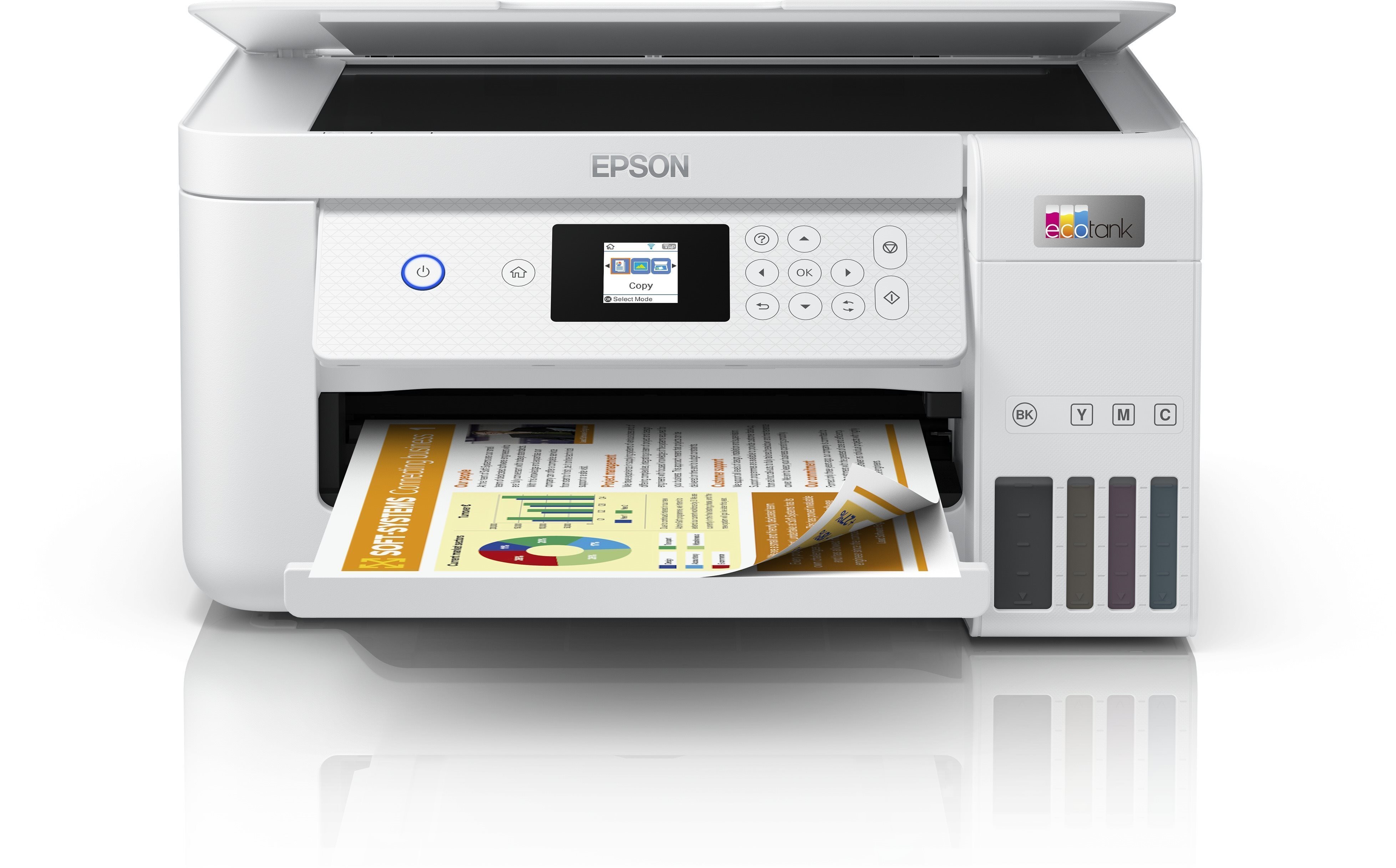
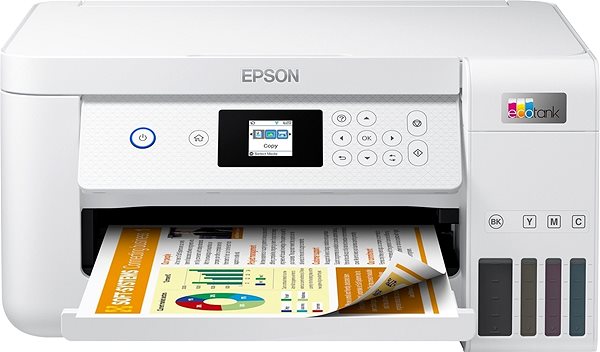
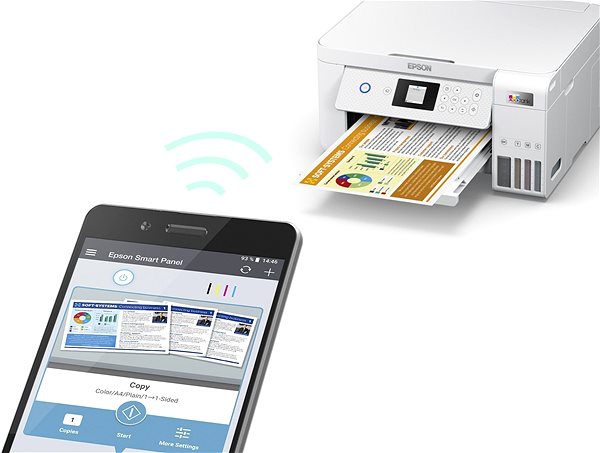
The Epson inkjet printer is a great tool to have at home. This printer is a 3-in-1 model that can print, copy and scan, so it'll take care of all your paper needs. This printer can print in colour. When printing in colour, the Epson EcoTank L4266 can print at 15 PPM print speeds. This inkjet printer has a maximum print resolution of 5760 x 1440 DPI, which is fine for text, but it won't print sharply detailed images. Borderless printing makes it possible to use an entire paper for printing. This model has a duplex printing feature, can print on both sides of one paper, which saves you plenty of time. You can quickly connect to your computer or other devices through the USB and Wi-Fi interface. There's no need to deal with annoying cables, since you can take advantage of the wireless printing feature. The Epson Inkjet Printer has a graphic display that makes it easy to use. It will save you money thanks to the tank system, which allows you to easily refill the cartridges.
Epson EcoTank L4266 Key Features Inkjet Printer
Epson Inkjet Printer features duplex printing
Easily print documents by connecting to Wi-Fi
Epson EcoTank L4266 prints on A4, A5 and A6 paper
Input tray fits 100 papers
Epson inkjet printer can also scan and copy
Printer has borderless printing function
Tank system allows you to refill ink, which is cost-efficient
Coloured inkjet printer ideal for home use
Includes: Documentation, 5 bottles of ink, Software and Power cable
Epson EcoTank L4266 Scanning and Copy Features
The Epson EcoTank L4266 inkjet printer has multifunctional features, and it can scan, copy and print and take care of everything you'll need to do with documents. The Epson EcoTank L4266 inkjet printer can print on A4, A5 and A6 formats. Clean sheets are stored in the input tray, which fits up to 100 pieces of paper. Printed paper is then collected in the output tray that can hold up to 30 sheets of paper.
Printing technology determines how data is transferred to paper, affecting quality, speed and cost, and varies by type of application - from home to professional.
Printing technology determines how data is transferred to paper, affecting quality, speed and cost, and varies by type of application - from home to professional.
The resolution of a flatbed scanner is a parameter that determines the quality of the scan, measured in DPI (dots per inch) and the higher the resolution, the more detailed the scan.
The print resolution determines how detailed and sharp the output from the printer will be, measured in DPI, the higher the value the better the print quality, ideal for high quality photos and documents.
Black and White Print Speed - ISO measures the number of pages the printer prints per minute in a standard ISO test, determining the printer's efficiency for black and white documents.
Color Print Speed - ISO measures the speed of printing color documents according to the ISO standard, usually lower than black and white printing due to more complex technology.
The number of printer colours determines the amount of ink used, with more than four colours ensuring higher print quality, especially for professional graphics and photos.
Zobrazovací jednotka tiskárny sloužící k informaci o stavu či nastavení tiskárny. V případě dotykového displeje slouží i k přímému nastavení a ovládání tiskárny.
5 bottles of ink, Documentation, Power cable, Software
More Specifications
Epson is a technology company based in Japan. It is a subsidiary of the Seiko Group, and on of the most important manufacturers of printers, scanners and multimedia projectors. The company's offerings are much broader though, encompassing industrial robots, cash registers, and more.
Note:
If there is no "package contains" box in the product parameters and the data or USB cable is not specifically mentioned in there, the package does not contain it and must be purchased separately.
Specifications can be changed without notice. Images are for illustrative purposes only.
Dobrý den,
přes všechny kroky v menu "údržba" tiskárna pořád tiskne šikmě.
Rozdíl okraje na horní a dolní straně je zhruba 1-2mm. Není to zas tak hrozné, ale jde to poznat okem a tiskárna je nová. Takže bychom byli rádi samozřejmě, kdyby byl tisk rovný. Neví někdo, co se s tím dá udělat ? Neřešil někdo stejný problém ?
Děkuji
Dobrý den,
přes všechny kroky v menu "údržba" tiskárna pořád tiskne šikmě.
Rozdíl okraje na horní a dolní straně je zhruba 1-2mm. Není to zas tak hrozné, ale jde to poznat okem a tiskárna je nová. Takže bychom byli rádi samozřejmě, kdyby byl tisk rovný. Neví někdo, co se s tím dá udělat ? Neřešil někdo stejný problém ?
Děkuji
Dobrý den. Umožňuje tato tiskárna alespoň černo-bílý tisk, když jsou barevné tonery prázdné? Nebo je na tisk nutné, aby bylo v každém toneru nějaké množstvo náplně, i když tyto barvy ve výtisku nebudou? (Stará tiskárna odmítala černobílý tisk, když byl nějaký z tonerů prázdný).
Děkuji.
Dobrý den. Umožňuje tato tiskárna alespoň černo-bílý tisk, když jsou barevné tonery prázdné? Nebo je na tisk nutné, aby bylo v každém toneru nějaké množstvo náplně, i když tyto barvy ve výtisku nebudou? (Stará tiskárna odmítala černobílý tisk, když byl nějaký z tonerů prázdný).
Děkuji.
Poprosím zástupcu spoločnosti Epson v Alze, aby sa vyjadril k otázke, kde sa dá objednať nádržka na odpadový atrament pre túto tlačiareň (prípadne aj iné). ďakujem
Poprosím zástupcu spoločnosti Epson v Alze, aby sa vyjadril k otázke, kde sa dá objednať nádržka na odpadový atrament pre túto tlačiareň (prípadne aj iné). ďakujem
Dobrý den. Objednala jsem nám tiskárnu a máme problém s barevným tiskem, barevně to tiskne s vadou, obrázky a písmo je rozmazané a nečitelné, obrázky jsou nekvalitní a částečně chybí barevný tisk. Opakovaně jsme zkoušeli čistění a centrování, ale stále stejné. Můžete mi poradit co s tím, děkuji.
Dobrý den. Objednala jsem nám tiskárnu a máme problém s barevným tiskem, barevně to tiskne s vadou, obrázky a písmo je rozmazané a nečitelné, obrázky jsou nekvalitní a částečně chybí barevný tisk. Opakovaně jsme zkoušeli čistění a centrování, ale stále stejné. Můžete mi poradit co s tím, děkuji.
Dobrý den, tato tiskárna je zde za velice příznivou cenu a já jako obyčejný spotřebitel občas něco vytisknuvší mám dilema jestli dát přednost duplexu u této a nebo raději podomácku vyměnitelnému zásobníku u modelu 3560. Poradí někdo co je výhodnější?
Děkuji.
Dobrý den, tato tiskárna je zde za velice příznivou cenu a já jako obyčejný spotřebitel občas něco vytisknuvší mám dilema jestli dát přednost duplexu u této a nebo raději podomácku vyměnitelnému zásobníku u modelu 3560. Poradí někdo co je výhodnější?
Děkuji.
Dobrý den,
ráda bych se zeptala na problém, který se mi stal.
Tiskárnu mám cca 14 dní a doted nebyl problém na ní tisknout samolepky Mate gramáž cca 100g/m2-120g/m2. Vždy vše nastavím, jak na počítači, tak i na tiskárně.
Dnes se mi bohužel začalo dít to, že příslušný papír dám do podavače, nastavím vše, jak jsem zvyklá, papír zajede, tiskárna začne s tiskem a pak cca v jedné třetině se papír zastaví uvnitř a tiskárna začne tiše hvízdat jako když se načítá. Dialogové okno hlásí jen to, že probíhá tisk, ale tiskárna se zasekne a nepokračuje v tisku.
Mohu se zeptat, co v takovém případě mám dělat? Už jsem zkusila klasické návody jako je restart nebo se podívat, jestli v tiskárně není nějaký uvíznutý papír nebo materiál.
Nebo je nutná reklamace?
Děkuji za odpověď.
Dobrý den,
ráda bych se zeptala na problém, který se mi stal.
Tiskárnu mám cca 14 dní a doted nebyl problém na ní tisknout samolepky Mate gramáž cca 100g/m2-120g/m2. Vždy vše nastavím, jak na počítači, tak i na tiskárně.
Dnes se mi bohužel začalo dít to, že příslušný papír dám do podavače, nastavím vše, jak jsem zvyklá, papír zajede, tiskárna začne s tiskem a pak cca v jedné třetině se papír zastaví uvnitř a tiskárna začne tiše hvízdat jako když se načítá. Dialogové okno hlásí jen to, že probíhá tisk, ale tiskárna se zasekne a nepokračuje v tisku.
Mohu se zeptat, co v takovém případě mám dělat? Už jsem zkusila klasické návody jako je restart nebo se podívat, jestli v tiskárně není nějaký uvíznutý papír nebo materiál.
Nebo je nutná reklamace?
Děkuji za odpověď.
Dobrý den, prosím o radu s následujícím problémem. Mám tiskárnu cca rok a poslední dobou se mi děje to, že tiskárna hodně špiní papír. Jinak řečeno na náhodných místech papíru se objevují většinou černé, ale někdy i barevné skvrny a to i v případě, kdy tisknu černobíle. Tiskárnu jsem nyní otevřel a když jsem sáhnul do prostoru, kde se pohybuje tisková hlava, setřel jsem poměrně dost černého inkoustu. Díky, Vašek
Dobrý den, prosím o radu s následujícím problémem. Mám tiskárnu cca rok a poslední dobou se mi děje to, že tiskárna hodně špiní papír. Jinak řečeno na náhodných místech papíru se objevují většinou černé, ale někdy i barevné skvrny a to i v případě, kdy tisknu černobíle. Tiskárnu jsem nyní otevřel a když jsem sáhnul do prostoru, kde se pohybuje tisková hlava, setřel jsem poměrně dost černého inkoustu. Díky, Vašek
Magyarországra történő kiszállításért tekintse meg ezt a termékoldalt: Epson EcoTank L4266
Try our cookiesAlza.cz a. s., Company identification number 27082440, use cookies and other data to ensure the proper functioning of the website and, with your consent, also, among other things, to personalize advertising and the content of our websites. By clicking on the “I understand“ button, you agree to the use of cookies and the transfer of data regarding the behavior on the website for displaying targeted advertising on social networks and advertising networks on other websites.
We use 8 categories of cookies on our website:
Technical cookies
These are strictly necessary for the functioning of the website and the features you choose to use. Without them, our website would not work; you wouldn't be able to log in to your user account, for example.
Functionality cookies
These cookies allow us to remember your basic choices and improve the user experience. These include remembering your preferred language or allowing you to stay logged in permanently.
Social media cookies
These cookies allow us to easily link you to your social media profile and, for example, allow you to share products and services with your friends and family.
Content personalisation
These cookies allow us to show you content and ads according to the information we have about you to best meet your needs. This includes what content you have viewed, or on what device you are accessing our website.
Non-personalised advertising
These cookies allow us to show you general ads for products and services.
Personalised advertising
Thanks to these cookies, we and our partners can offer you relevant products and services based on your purchases, your shopping behaviour and your preferences.
Audience metrics
These cookies allow us to optimise our site for your convenience based on how you use it. The aim is to remember or anticipate your choices. This includes, for example, the use of features, their location, or the behaviour on the page.
By giving your consent to the processing of cookies, functionality and analytical cookies will be installed on the device you use to browse the website (click on the "I understand" button for both categories, or you can select only one of the categories by clicking on the "Settings" button). We always install technical cookies on your device, even without your explicit consent, because without them our website would simply not work.
You can revoke your consent to the processing of cookies. In connection with our company's cookie processing, you also have the following rights: the right to access cookies, delete, modify, supplement and correct them, restrict processing and the right to lodge a complaint with the Office for Personal Data Protection. Read more about your rights.