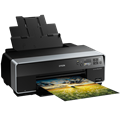

Zdravím, chci se zeptat jestli tato tiskárna podporuje vynechání prázdné stránky při oboustranném skenovaní jestli dam do zásobníku mix dokumenty a nastavim sken do PDF?
OKI MC573dn

LED Printer - multifunctional, colour, A4, copier and scanner, fax, black-and-white print speed of 30 pages/min., colour print speed of 30 pages/min., print resolution: 1200 x 1200 DPI, duplex, ADF scanner, touchscreen, USB and LAN (46357102)
Show full description
Code:
PI020p2
Producer's Website:
Don't like the alternatives? Choose from the full product list
- Help and manuals 4
- Specifications
- Photos & Videos 17
- Alternatives 7
- Accessories and suggested products

OKI MC573dn
Discontinued
OKI MC573dn


The LED Printer is a practical and efficient tool for every office. Printed texts and documents will be sharp and clear. This model is able to print in colour. The OKI MC573dn reaches a resolution of 1200 x 1200 DPI. Its printing speed is 30 pages/min. and it is able to print in A4 formats. It can print on both sides, which saves you plenty of time. Tweaking the settings on this OKI LED printer is quick and easy thanks to the easy-to-read and intuitive touchscreen display. You can quickly connect to your computer through the USB and LAN interface. Some advantages of LED printers are that they're cost-efficient, have a great print speed and they're effective even with demanding printing. Another advantage is that LED technology is less likely to fail, which is why these types of printers are one of the most reliable designs in the market. The OKI LED printer is a multifunctional 3-in-1 model that is also able to copy and scan.
OKI MC573dn LED Printer Key Features
- LED printer features double-sided printing
- Fast and efficient printing even for demanding use
- Printing speed can reach 30 pages/min.
- Prints with a maximum resolution of 1200 x 1200 DPI
- Touch integrated display
- Printing format A4
- Features fax function
- OKI MC573dn can hold up to 250 sheets in the input tray
- Scanner has an ADF
- Connects via USB and LAN interface
- Colour LED printer perfect for office use
OKI MC573dn LED Printer Scanning and Copy Features
Since this OKI LED printer is a practical, multifunctional device, it can replace a copy machine and scanner. This saves you plenty of space and costs, since you don't have to invest in new devices. It can scan at a resolution of 600 x 600 DPI with a speed of 30 pages/min.. One advantage of this OKI MC573dn multifunctional printer is the automatic feeder, so you won't have to feed each page by hand.
- Printers are usually supplied with a starter toner and/or cartridges with an approximate 60% capacity of regular cartridges which are available to purchase separately.
Specifications
Print colour
Usage
Connection
Type
Function
Connection
Connection
Supported Paper Sizes
Standard Paper Sizes
Scanning
Printing parameters
1200 x 1200 DPI
Print speed in black and white - maximum
Print speed in colour - maximum
Input trays
60,000 pages/month
150 sheets
Dimensions
Height
Depth
Width
Weight
Equipment
Touch
Colour
Colour
More Specifications
Note:
If there is no "package contains" box in the product parameters and the data or USB cable is not specifically mentioned in there, the package does not contain it and must be purchased separately.
Specifications can be changed without notice. Images are for illustrative purposes only.