Try our cookies Alza.cz a. s., Company identification number 27082440, uses cookies to ensure the functionality of the website and with your consent also to personalisage the content of our website. By clicking on the “I understand“ button, you agree to the use of cookies and the transfer of data regarding the behavior on the website for displaying targeted advertising on social networks and advertising networks on other websites.
Alzak icon
Catalogue
Price
-
Availability
Order status
Brands
(1)

PC configurator - TV Tuner Equipped Monitors

Monitors with TV tuners allow you to easily tune in to TV broadcasts, much like regular TVs. However, unlike TVs, they can also be used as a regular computer monitor. Some monitors with TV tuners come equipped with speakers and even a remote control.
 

Continue

When choosing a monitor with a TV tuner, consider the types of broadcasts you will watch.

  • DVB-T/T2 - tuner for receiving digital terrestrial (aerial) television
  • DVB-S/S2 - tuner for receiving satellite television
  • DVB-C  - tuner for receiving cable television

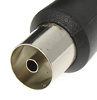
It is important to make sure that the place where the TV will be used has access to the same type of broadcast that the TV itself supports. Don't forget to buy a cable to connect the TV to a satellite, antenna, or a cable TV socket.

What else should I consider when choosing a monitor with a TV tuner?

Resolution

The larger the monitor, the higher the resolution should be. With higher resolution, you get a more detailed picture and a larger workspace.

Screen Size (1" = 2.54cm)20" (51cm)21" and larger (53cm +)
Resolution to ensure adequate image qualityXGA (1024x768 pixels) or higherFull HD (1920×1080 pixels) or higher

Panel Type

  • IPS/S-IPS monitors - excel in natural colours, low power consumption and wide viewing angles. The disadvantage is a higher purchase price.
  • TN monitors - often characterised by low response times. Compared with IPS monitors they are cheaper, offer lower-quality colour reproduction and narrower viewing angles. While cheaper TN monitors are sufficient for less demanding users, models with 4ms response times are popular with gamers.
  • MVA/PVA monitors - in terms of price and picture quality, these are somewhere between IPS/S-IPS and TN monitors. They provide more realistic colour reproduction and wider viewing angles than TN monitors and are cheaper than IPS monitors.

Screen Surface

  • Matte - reflects only a little ambient light; provides less-saturated colour reproduction.
  • Glossy - provides vibrant and realistic colours but more ambient light is reflected so the display can be hard to see in bright sunlight.
  • Anti-glare - a compromise between glossy and matte screens; they are easier to view in direct sunlight than glossy screens but also offer lower quality colour reproduction.

Connectors

Before buying, make sure the monitor has at least one compatible port your computer. If not, you won't be able to connect the monitor to it.

basic connectors 23 "or 24" monitor - VGA, DVI, HDMI, DisplayPort

Useful Functions and Features

  • Eyestrain-minimising technology - Flicker-free, Flicker-safe, etc.
  • Adjustable height - allows you to adjust the monitor to a comfortable position.
  • VESA mount - allows you to mount the monitor on a bracket.
  • Web camera - useful if you plan to make calls over the Internet.
  • USB Hub - play data from portable drives; connect a keyboard or mouse.
  • Pivot - allows the screen to rotate horizontally; suitable for office work and reading texts from your computer.
Hide description
Was this information useful?
This form is used only for evaluating the information in the description above.
If you have any question about our products, services, transport or any other request, please contact our customer support.
What should be improved? Is anything missing here? Is anything wrong? Share it with us.
1 item
4.7 43×
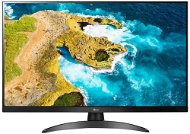
27" LG 27TQ615S-PZ
Monitor - IPS, Full HD 1920 × 1080 (16:9), 60 Hz, matte display, 8 bit, 14 ms, speakers, HDMI, RJ-45 (LAN) data interface, VESA
-10 % off new 4,039,- New 4,490,-
As good as new - in stock 1 pcs
Order by midnight, get it at the AlzaBox in the morning.
Info
Order Code: WK060a1h9k
IT v podnikání: Víte, co děláte? Zní to banálně, ale IT odborník by neměl radit podnikatelům, co přesně potřebují pro své podnikání. Důvod je jednoduchý – podnikatel zná své podnikání nejlépe, nikoliv obecný IT specialista. Pokud si podnikatel a „jeho ajťáci“ rozumějí, mohou vytvářet zajímavé synergie....
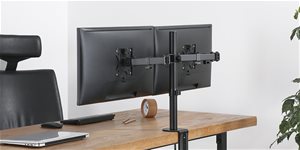
Zařizujete si pracovnu nebo herní doupě? Držáky pro monitory by v žádném lepším počítačovém prostoru rozhodně neměly chybět. Pokud se ztrácíte v řadě kategorií, typů konstrukcí a dalších parametrech, zkuste našeho průvodce výběrem. Vše vám podrobně vysvětlíme a poradíme...
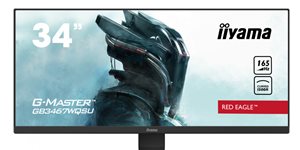
Monitory iiyama „Red Eagle“ nabízejí obnovovací frekvenci 165 Hz, dobu odezvy kratší než 1 ms a nestojí mnoho. Povíme si o nich více, jsou totiž důkazem toho, že špičkové herní vybavení si lze dnes pořídit za rozumné peníze.
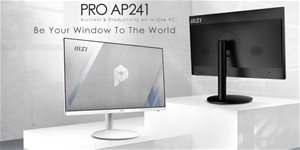
MSIMSI je pecka nejen v gamingu, kraluje i v kanceláři S výbavou od MSI zdoláš jak herní, tak i ty karierní žebříčky. Pracuj při vysoké úrovni ochrany tvého zdraví, rozšiř svůj pracovní prostor a dodej své kanceláři eleganci.
Profesionální monitory Samsung HRM spojuje vysoké rozlišení (QHD nebo 4K) a praktické kancelářské funkce, jako jsou například konektory, které dělají z monitoru zároveň dokovací stanici. Jak novinky pomůžou vaší produktivitě, to se dočtete v tomto článku.
Špičkový herní monitor nemusí stát mnoho a iiyama G-Master GB2470HSU-B1 to dokazuje. Za velmi přijatelnou cenu nabízí obnovovací frekvenci 165 Hz, 0,8ms odezvu a IPS panel s dobrými barvami. Ve své recenzi se na něj podívali i autoři YouTube kanálu AlzaTech.
All articles

PC configurator - TV Tuner Equipped Monitors

Monitors with TV tuners allow you to easily tune in to TV broadcasts, much like regular TVs. However, unlike TVs, they can also be used as a regular computer monitor. Some monitors with TV tuners come equipped with speakers and even a remote control.
 

How to choose the right LCD Monitor

Do you need a widescreen monitor or one with a classic 4:3 aspect ratio? Widescreen monitors are ideal for watching movies, playing games, and browsing the internet, while classic 4:3 monitors with diagonals of 17"-19" are ideal for office work. As for the display surface, you can choose from matte or glossy. Glossy displays deliver enhanced colour contrasts and better readability while matte displays reduce screen reflection.

It's not only the number of pixels on the screen (display resolution) that determines the quality of a monitor, the size of a monitor's dot pitch is also important. Comparing monitors of two different sizes but of the same resolution, you'll find that the larger one produces a coarser image. This can be slightly reduced by font-smoothing functions, which are integrated in most operating systems. To get the most out of your monitor, you'll need to adjust the screen resolution, as the native resolution might differ from model to model.

Response time indicates how many milliseconds it takes for a pixel to change - the lower the response time, the smoother the change. Brightness determines the luminous intensity of an image and higher contrast ensures blacker blacks and whiter whites.
 

In addition to basic D-Sub analog inputs, modern monitors also feature digital DVI inputs. Some monitors offer multiple options together with HDMI inputs. Before you select a particular model, be sure to check whether it is compatible with your graphics card.

We recommend choosing a monitor with a larger diagonal size and higher resolution. Opt for a model with a lower response time, higher brightness and contrast, and check that the monitor features DVI/HDMI inputs.

Was this information useful?
This form is used only for evaluating the information in the description above.
If you have any question about our products, services, transport or any other request, please contact our customer support.
What should be improved? Is anything missing here? Is anything wrong? Share it with us.
P-DC1-WEB21