


Dobrý den. Když se k této dokovací stanici do vstupního USBC zapojí níže uvedená USBC 65W nabíječka, bude to notebook přes výstup USBC tohoto zařízení rovnou i napájet? FYI - Notebook co máme má napájení i přes USBC Děkuji https://www.alza.cz/acer-65w-usb-type-c-d12370246.htm
Acer 4in1 Type C dongle

Don't like the alternatives? Choose from the full product list
- Reviews 2
- Help and manuals 4
- Specifications
- Photos & Videos 5
- Alternatives 8
- Accessories and suggested products

Acer 4in1 Type C dongle
Discontinued
Acer 4in1 Type C dongle
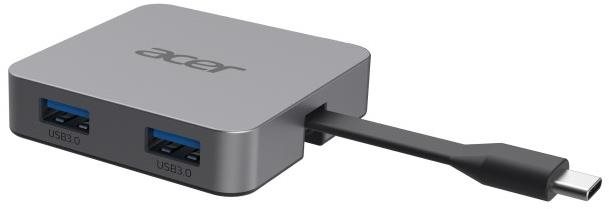
This Acer 4in1 Type C dongle is a practical accessory for your laptop. Especially when it comes to compact ultrabooks that are less-equipped, a docking station allows you to connect to much more ports at one time. You'll be able to fully use your laptop , keep your workspace clutter-free and instantly connect to other accessories. The docking station's construction is made of USB-C connector is used to connect the Acer 4in1 Type C dongle docking station and laptop. The docking station is made of plastic. A connection cable is also included. In terms of dimensions, this docking station measures 5,9 × 1,4 × 5,94 cm and weighs 38 g.
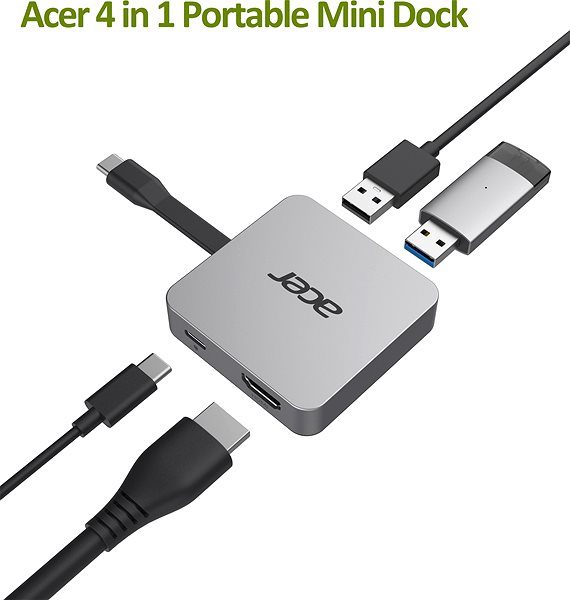
Key Parameters of the Acer 4in1 Type C dongle Docking Station
- This Acer docking station enhances your laptop's connectivity and functionality
- The docking station is connected to your laptop with USB-C
- Measurements: 5.9 × 1.4 × 5.94 cm
- Weight: 38 g
- Power Delivery feature with a maximum power of 100 W
- The package also includes connecting cable
- This Acer docking station is made of plastic
Specifications
Width
Height
Depth
Weight
Power supply (cable)
Dimensions and weight
Width
Height
Depth
Weight
Laptop power port
Power supply (cable)
Laptop power port
Max. Power Delivery value
Most common ports
Common data ports
Common graphics ports
Data ports - Number and standards
USB-A standards
USB-C standards
USB-C power supply (PD)
USB-A 2.0
Power ports for electrical devices
USB-A
USB-C
Graphics ports - Number and standards
HDMI standards
HDMI 1.4
Features
Support
Colour
Material
Packaging
Package contents
Compatibility
Type
More Specifications

Acer Czech Republic s.r.o., Na Hřebenech II 1718/10, 140 00 Praha 4, Česká republika, https://www.acer.com/cz-cs
Acer has focused on developing and selling its branded products in the field of information technology. Acer offers its products in Europe, Middle East, Africa, the Americas, Asia Pacific, China and Taiwan. The company was founded in 1976 and the milestones include the takeover of the IT division of the American Society of Texas Insrumets (1997) or the takeover of Gateway and Packardbell (2008). Acer Group is among the four largest producers of personal computers globally and employing over 7,400 employees. The current success of Acer's mission is to break the barriers between people and technology.
Note:
Specifications can be changed without notice. Images are for illustrative purposes only.
