




dobry den, aka HW (B1,C1,E1, ...) verzia sa aktualne nachadza na sklade v Bratislave, centrale?
ASUS RT-AC68U

WiFi Router with WiFi 5, 802.11with/b/g/n/ac, up to 1900 Mb/s, dual-band, 4× GLAN, 3× external antenna, WPS, WEP 64bit, WEP 128bit, WPA-PSK, WPA2-PSK, WPA-Enterprise and WPA2-Enterprise, detachable antenna, gigabit LAN, USB for printserver, QoS (Quality of Service), port Triggering, UPnP, VPN and parental control
Show full description
Code:
NM145n85
Producer's Website:
Don't like the alternatives? Choose from the full product list
- Reviews 50
- Help and manuals 42
- Specifications
- Photos & Videos 14
- Alternatives 8
- Accessories and suggested products

ASUS RT-AC68U
Discontinued
ASUS RT-AC68U

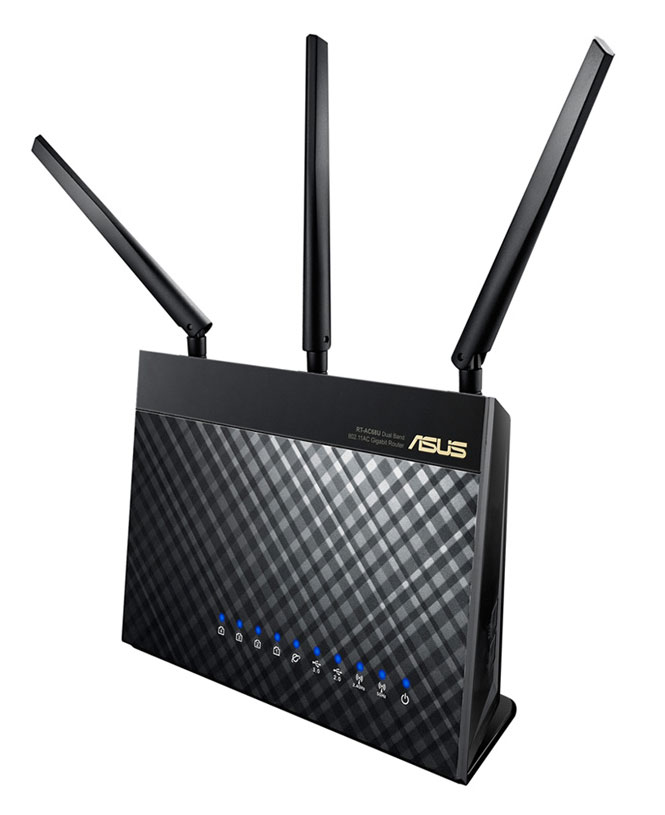
Dual-Band Wireless - AC1900 Gigabit Router
- Combined speed data transfer in both bands
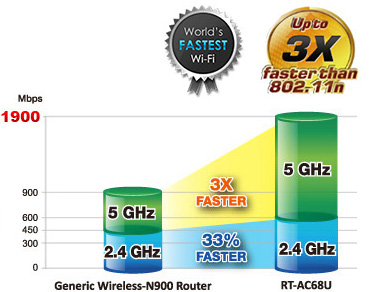
1900Mb/s - Broadcom TurboQAM technology increases the speed of data transfer. It's 33% faster performance than generic wireless-N routers, reaching up to 600Mb/s
- The dual-core processor, a cloud-based service ASUS AiCloud access, synchronization, streaming and sharing of data
- Dimensions 220 x 83.3 x 160mm (W x D x H)



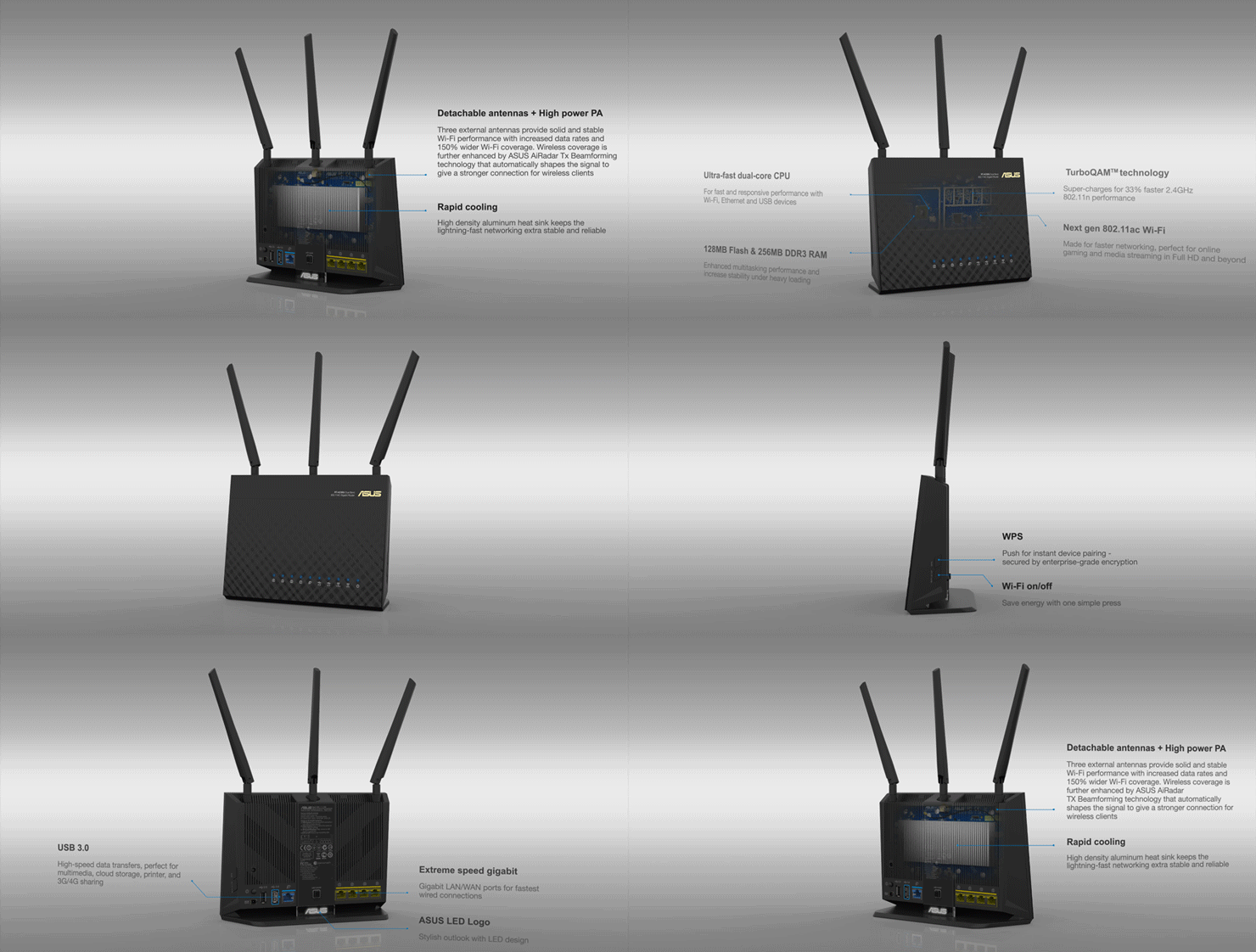
* Animation, wait for turning the router








High-speed USB
Enjoy technologies such as Download Master or AiCloud and many other
Dual-Band connection increasing compatibility and performance
Perfect control and optimization of the ASUSWRT interface
Enhanced signal range and stability
Easy 3-step setup
Powerful online multitasking with 300,000 data sessions
Download and stream from anywhere
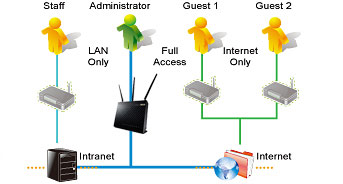
supports up to three wireless networks in the 2.4GHz and three networks in the 5GHz, so you can set the usage limit and restrict access using advanced management, including parental controls.
Own a secure wireless network

It links your home network and online WebStorage service and lets you access it through the AiCloud mobile application on your iOS or Android smartphone or through the personalized URL
Synchronize your media using AiCloud


Easily set up a VPN server to browse the web and access data no matter where you are.
VPN Server enabled

At 2.4GHz, it's 33% faster than standard 802.11ac routers reaching the speed of 600Mb/s, while on the 5GHz band, the speed blazes up to 1300Mb/s - that is three times faster than 802.11n rates.
Fast AC Wi-Fi with TurboQAM acceleration

Download Master

Download Master and enhanced multimedia server let you download and stream multimedia files stored on router-attached USB storage on a wide range of compatible devices such as PC, pad, PS3, Xbox, or smart TV.


Why dual-band connectivity?
Delivering 2.4 GHz band, you can perform basic tasks such as Web browsing or downloading files, while delivering 5 GHz band simultaneoulsy allows multiple devices to stream in Full HD, support online gaming or other bandwidth-demanding applications smoothly.
Veškeré nastavení, funkce a grafické rozhraní v češtině ASUSWRT naleznete zde.
Specifications
Standards and frequency
Functions
Features
Speed
WiFi transmission speed
Security
Antenna features
Antenna type
Advanced parameters
Advanced functions
Service quality
USB functions
DHCP functions
Maximum SSID count
Dimensions and weight
Width
Height
Depth
Colour
Colour
More Specifications

ASUSTek COMPUTER INC. 1F.,No.15, Lide Rd., Beitou Dist., Taipei City 112 Tel: +886-2-2894-3447 Tel: +886-2-2890-7798 https://gr.asus.com/ProductSafety ASUS COMPUTER GmbH Harkortstrasse 21-23 40880 Ratingen Germany, Europe Email: [email protected]
ASUS COMPUTER GmbH, Harkortstrasse 21-23, 40880 Ratingen, Germany, Europe, [email protected]
ASUS is a symbol of the growth of Taiwan's economy. The firm's beginnings date back to April 2, 1989, when as a small manufacturer of motherboards began his work with a few employees. Today, Asus employs more than 12,500 employees worldwide.
ASUS products can be found in almost every category of the information technology marketplace. ASUS is focused on desktops, laptops, phones, optical drives and components. In the manufacture of motherboards, the company is now the dominant player with a staggering 40% market share.
Note:
Specifications can be changed without notice. Images are for illustrative purposes only.
