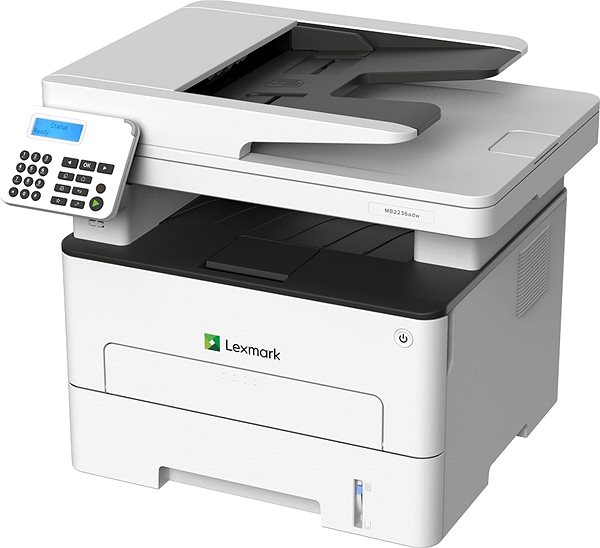
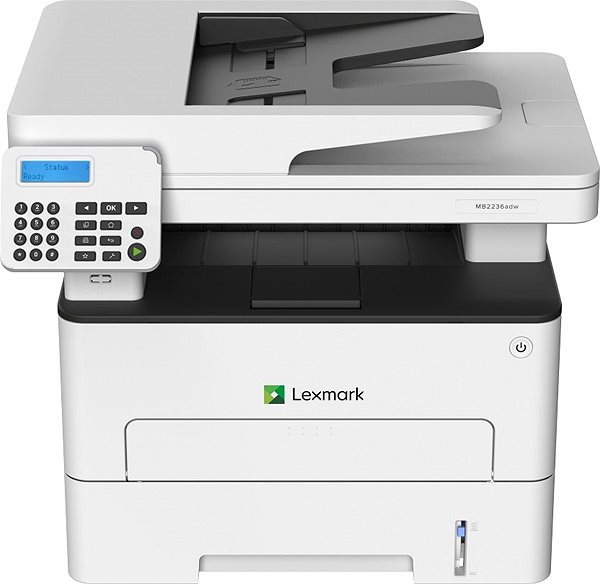
Laser Printer - multifunctional, black and white, A4, copier and scanner, fax, black-and-white print speed of 34 pages/min., print resolution: 600 x 600 DPI, duplex, ADF scanner, display, AirPrint, USB, LAN and Wi-Fi
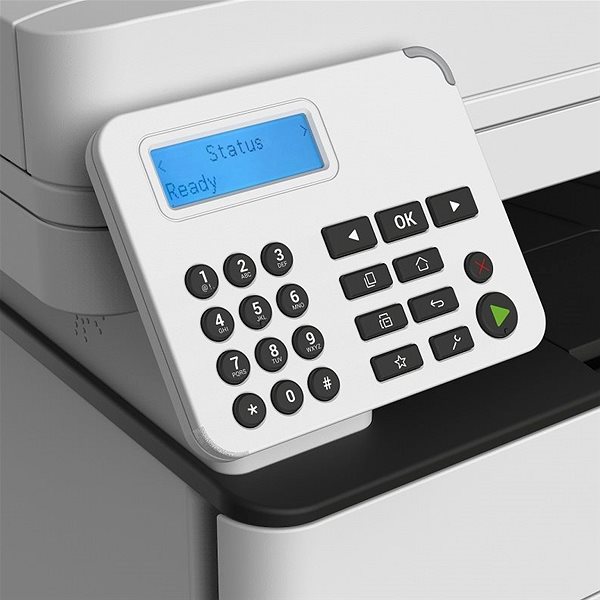
A laser printer is a good helper to have at home or in the office. With this laser printer, you can print documents and texts in sharp, high-quality. This model can print in black and white colours. This Lexmark MB2236adw reaches a resolution of 600 x 600 DPI. It's designed to print A4, A5 and A6 formats. This model can print on both sides of one paper, which saves you time. Operating this LEXMARK printer is quick and easy thanks to the simple segment display. You can connect to your computer or other devices through the USB, LAN and Wi-Fi interface. Laser printers excel in their economical operation. Therefore, you can print more quantities of black-and-white papers at a lower cost when compared to inkjet printers. This LEXMARK laser printer is a 3-in-1 model that can copy and scan. A useful function is that it can print legal and letter format envelopes.
Lexmark MB2236adw Laser Printer Key Features
LEXMARK laser printer can print on both sides of one paper
ISO print speed up to 34 pages/min.
Information/Segment display
Maximum print resolution 600 x 600 DPI
Printing format A4, A5 and A6
LEXMARK laser printer can also fax documents
Lexmark MB2236adw can hold up to 251 sheets in the input tray
Scanner has an ADF
Connections provided by USB, LAN and Wi-Fi interface
You can print right from your smartphone via AirPrint
Black-and-white laser printer perfect for office or home use
Prints envelopes in legal and letter format
Lexmark MB2236adw Laser Printer Scanning and Copy Features
Since this LEXMARK laser printer is a very useful, multifunctional device, it'll replace a copy machine and scanner. This will save you desk space and money, since you don't have to invest in new devices. The printer can scan at a resolution of 600 x 600 DPI at a speed of 23 pages/min.. One special feature that the Lexmark MB2236adw laser printer's scanner has is its automatic feeder, so you there's no need to manually input each paper.
Printers are usually supplied with a starter toner and/or cartridges with an approximate 60% capacity of regular cartridges which are available to purchase separately.
Printing technology determines how data is transferred to paper, affecting quality, speed and cost, and varies by type of application - from home to professional.
Printing technology determines how data is transferred to paper, affecting quality, speed and cost, and varies by type of application - from home to professional.
The resolution of a flatbed scanner is a parameter that determines the quality of the scan, measured in DPI (dots per inch) and the higher the resolution, the more detailed the scan.
Scan speed determines how fast the scanner can scan documents, measured in pages per minute (ppm), ideal for efficiently scanning large volumes of documents.
The print resolution determines how detailed and sharp the output from the printer will be, measured in DPI, the higher the value the better the print quality, ideal for high quality photos and documents.
Black and White Print Speed - ISO measures the number of pages the printer prints per minute in a standard ISO test, determining the printer's efficiency for black and white documents.
The time between the computer receiving the print job command to the printing of the first page of the document, during which the initial preparation of the printer takes place (control, warming up, etc.).
Zobrazovací jednotka tiskárny sloužící k informaci o stavu či nastavení tiskárny. V případě dotykového displeje slouží i k přímému nastavení a ovládání tiskárny.
Documentation, Power cable, Software, Starter Toner
More Specifications
Note:
If there is no "package contains" box in the product parameters and the data or USB cable is not specifically mentioned in there, the package does not contain it and must be purchased separately.
Specifications can be changed without notice. Images are for illustrative purposes only.
Dobrý den. U této tiskárny uvádíte v úvodu rozlišení 2400 x 1200dpi. V parametrech a specifikacích uvádíte maximální tiskové rozlišení 600dpi. V uživatelské příručce ke stažení jsem našel, že rozlišení tisku je buď 300dpi nebo 600dpi nebo 1200 Image Q nebo 2400 Image Q s poznámkou, že rozlišení se určuje v bodech na jeden palec, čemu bych rozuměl, nebo v kvalitě obrazu, což mi není zcela jasné. Předpokládám, že onou kvalitou obrazu se myslí ony údaje 1200 nebo 2400 Image Q, ale nepodařilo se mi nikde najít, co to má přesně znamenat. Můžete mi tyto údaje objasnit? Děkuji za odpověď
Dobrý den. U této tiskárny uvádíte v úvodu rozlišení 2400 x 1200dpi. V parametrech a specifikacích uvádíte maximální tiskové rozlišení 600dpi. V uživatelské příručce ke stažení jsem našel, že rozlišení tisku je buď 300dpi nebo 600dpi nebo 1200 Image Q nebo 2400 Image Q s poznámkou, že rozlišení se určuje v bodech na jeden palec, čemu bych rozuměl, nebo v kvalitě obrazu, což mi není zcela jasné. Předpokládám, že onou kvalitou obrazu se myslí ony údaje 1200 nebo 2400 Image Q, ale nepodařilo se mi nikde najít, co to má přesně znamenat. Můžete mi tyto údaje objasnit? Děkuji za odpověď
Dobrý deň. 2 hodiny sedím a hľadám na internete nejaký ovládač na túto tlačiareň, nenašiel som. CD je síce pribalené, ale môj PC nemá CD-ROM. Neviem si teda tlačiareň nainštalovať. Našiel som len ovládač k MB2200, tak aspoň cez to tlačím. Ale ako spustiť skener? Neviem nájsť žiaden ovládač, na paneli tlačiarne nevidím voľbu skenovania. Tlačiareň vyzerá skvele a má úžasný potenciál, no zatiaľ som sklamaný z non-user friendly možností.
Dobrý deň. 2 hodiny sedím a hľadám na internete nejaký ovládač na túto tlačiareň, nenašiel som. CD je síce pribalené, ale môj PC nemá CD-ROM. Neviem si teda tlačiareň nainštalovať. Našiel som len ovládač k MB2200, tak aspoň cez to tlačím. Ale ako spustiť skener? Neviem nájsť žiaden ovládač, na paneli tlačiarne nevidím voľbu skenovania. Tlačiareň vyzerá skvele a má úžasný potenciál, no zatiaľ som sklamaný z non-user friendly možností.
Dobrý den,mohl by mi prosím někdo poslat vzor jak má vypadat nastavení na webu tiskárny aby to ukládalo přes wi-fi skeny do počítače?? V návodu to vůbec není. Už jsem vyzkoušel asi všechno a nejde mi to. Anebo - jak jinak ukládáte naskenované dokumenty? Děkuji
Dobrý den,mohl by mi prosím někdo poslat vzor jak má vypadat nastavení na webu tiskárny aby to ukládalo přes wi-fi skeny do počítače?? V návodu to vůbec není. Už jsem vyzkoušel asi všechno a nejde mi to. Anebo - jak jinak ukládáte naskenované dokumenty? Děkuji
Magyarországra történő kiszállításért tekintse meg ezt a termékoldalt: Lexmark MB2236adw
Try our cookiesAlza.cz a. s., Company identification number 27082440, use cookies and other data to ensure the proper functioning of the website and, with your consent, also, among other things, to personalize advertising and the content of our websites. By clicking on the “I understand“ button, you agree to the use of cookies and the transfer of data regarding the behavior on the website for displaying targeted advertising on social networks and advertising networks on other websites.
We use 8 categories of cookies on our website:
Technical cookies
These are strictly necessary for the functioning of the website and the features you choose to use. Without them, our website would not work; you wouldn't be able to log in to your user account, for example.
Functionality cookies
These cookies allow us to remember your basic choices and improve the user experience. These include remembering your preferred language or allowing you to stay logged in permanently.
Social media cookies
These cookies allow us to easily link you to your social media profile and, for example, allow you to share products and services with your friends and family.
Content personalisation
These cookies allow us to show you content and ads according to the information we have about you to best meet your needs. This includes what content you have viewed, or on what device you are accessing our website.
Non-personalised advertising
These cookies allow us to show you general ads for products and services.
Personalised advertising
Thanks to these cookies, we and our partners can offer you relevant products and services based on your purchases, your shopping behaviour and your preferences.
Audience metrics
These cookies allow us to optimise our site for your convenience based on how you use it. The aim is to remember or anticipate your choices. This includes, for example, the use of features, their location, or the behaviour on the page.
By giving your consent to the processing of cookies, functionality and analytical cookies will be installed on the device you use to browse the website (click on the "I understand" button for both categories, or you can select only one of the categories by clicking on the "Settings" button). We always install technical cookies on your device, even without your explicit consent, because without them our website would simply not work.
You can revoke your consent to the processing of cookies. In connection with our company's cookie processing, you also have the following rights: the right to access cookies, delete, modify, supplement and correct them, restrict processing and the right to lodge a complaint with the Office for Personal Data Protection. Read more about your rights.