



Catalogue

Kaspersky Internet Security multi-device for 1 device for 12 months, new license

4.8 432 ratings
Internet Security - Kaspersky Internet Security intended for 1 device(s), subscription lasts 12 months, subscription, install through download (electronically), appropriate for households, intended for mobile device and PC, compatible with Windows, macOS and Android operating system(s), restricted geographically to only in the EU, license key can be found in: "My Library" - "License"
Code:  WZ992c7
Kaspersky Internet Security multi-device for 1 device for 12 months, new license Discontinued

Kaspersky Internet Security multi-device for 1 device for 12 months, new license

The product requires an up-to-date operating system.


Security for multiple devices

The versatile Kaspersky Internet Security 2016 delivers extensive anti-virus technologies that prevent malware, automatically scans files and running programs and last but not least, it monitors all Internet communication, making it safer.

And it’s compatible with several different platforms, including Windows OS, Mac OS X, but also smart Android devices. In addition, on iOS and Windows Phones you can take advantage of an extremely secure Internet browser, Kaspersky Safe Browser.

Apple Mac OS

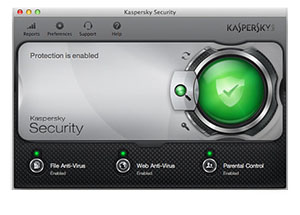
Kaspersky supports the latest OS X, offering the same features as on Windows computers. With minimal impact on performance achieved by low processing power consumption Kaspersky doesn’t slow you down. The software meets all the requirements of modern Retina displays. All in all, Kaspersky provides a real-time, cloud-assisted protection against malware targeted at Mac computers.

Microsoft Windows

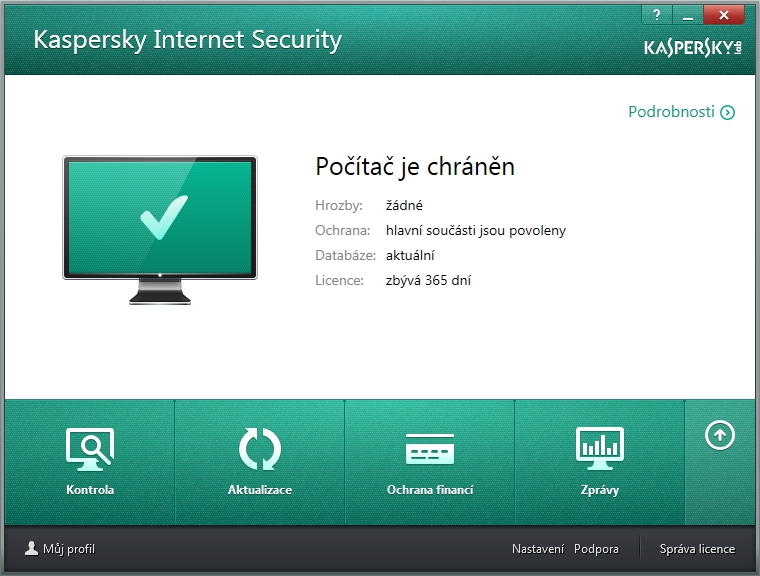
Kaspersky is a reliable protection for all computers running Windows, fighting against computer malware and securing your online banking and shopping. It also checks Web links, downloaded files and installed programs. Featuring a virtual keyboard technology, it offers an effective keylogger protection.

Google Android

Mobile devices are just as vulnerable as computers. If you happen to lose your smartphone for example, Kaspersky software enables a remote access to locate and manage the device, safeguarding your privacy and defending you against identity thefts.

Always within reach

Kaspersky’s remote management goes a long way if you lose your smartphone. It allows you to locate your device, delete files and even take a picture of the unauthorised user via the web interface. Moreover, you can remotely activate the Alarm feature which makes the device ring until you enter a special code.

Elegantly boxed

Protect one of your devices, such as a desktop, laptop or phone for 12 months.

Kaspersky Internet Security 2016 multi-device system features:


The main Windows features:

  • Real-time protection against all new and emerging malware and Internet threats
  • Safe Money technology provides an additional layer of protection for Internet banking
  • System Watcher feature detects malicious behaviour on your computer
  • Advanced Parental Control feature allows your children to safely browse the Internet
  • Virtual Keyboard protects you from keyloggers when entering passwords
  • Trusted Applications feature warns you of Kaspersky-unauthorized programs and lets you know if you start a potentially unsafe application
  • Effective protection against Ransomware
  • Optimized for Microsoft Windows


The main Mac OS X features:

  • All the functions listed above, plus:
  • Interfaces that match the Mac style
  • It supports the latest versions of OS X
  • It meets all the requirements of Retina display
  • Optimized for minimal power consumption on your Mac computers


The main Android features:

  • Checking URLs in text messages protects you against phishing
  • Any downloaded or installed apps can be scanned automatically
  • Filtering calls and text messages lets you receive only those that are important
  • Safeguards your privacy in the case of a theft and enables a remote access
  • Finding a lost or stolen mobile devices using 3G, GPS, Wi-Fi or Google Maps
  • Pokud jste si již stáhli zkušební verzi antiviru, můžete ji aktivovat pomocí licenčního kódu, který jsme vám poslali. Pro zadání kódu klikněte v antiviru v pravém dolním rohu na informaci o omezení licence na 30 dní.

Náš tip: V případě potřeby kontaktujte technickou podporu Kaspersky na adrese: https://my.kaspersky.com/

How to install:

  • Dear Customer, you have obtained an electronic licence for Kaspersky security software
  • If you want to use the application in English, please use the installation file available here: https://www.kaspersky.com/home-security#pcity-trialspersky.cz/#internet-security-trial
  • Select the version and click on "Free Trial", then choose your platform (Windows, MAC, Android)
  • After the installation is complete, enter the Activation Code listed below into the application

How to install Kaspersky Internet Security on your device from Google Play:

  • Open the Google Play app on your device
  • Locate the Kaspersky Internet Security app
  • On the app detail page, click the Install button
Note:

Dobrý den, mám od vás koupený antivir Kaspersky. Musím přeinstalovat pc. Půjde potom antivir obnovit na stejné licenční číslo?? Děkuji
Dotaz

Dobrý den, mám antivir Kaspersky na svém osobním počítači. Zakoupeno v dobré víře po přečtení kladných recenzí. Co byste teď poradili prosím úplně běžným uživatelům, kteří se v tom zas tak nevyznají? A určitě mi rozumíte. Děkuji.

Dobry den, v com je iny tento antivirus voci tomu co sa da kupit priamo od kaspersky? je tam cenovy rozdiel , ze kaspersky predava za 40eur to iste co tu stoji 24eur- v com je hacik? lebo bezne tie ceny byvaju prave opak alebo rovako.

Dobrý den, chtěla jsem nainstalovat tento antivir na nový ntb od Alzy s windows S, který jsem přepnula na windows 10. V průběhu instalace antiviru se po mě chtělo odstranit program McAfee, což jsem odmítla a zablokovalo to celý ntb. Opět jsem v režimu windows S, tudíž mi nejdou otevřít ani stáhnout programy, které nejsou od Microsoftu a antivir už nejde nainstalovat. Opětovné přepnutí z režimu S už ale nefunguje. Navíc mi ntb hlásí chybnou bitovou kopii, stav chyby 0xc0e090002. Klidně už program McAfee odstraním (jen teď nevím jak takhle mimo instalaci antiviru), hlavně ať na notebooku fungují všechny programy, je to přepnuto z režimu S a antivir jde nainstalovat. Prosím o Vaši pomoc.

Dobrý den, mohu se zeptat jestli na toto funguje, že si nakoupím více aktivačních kódů a budu si je zadávat postupně?

Dobrý den, nemohu nikde ani v e-mailu najít zakoupený klíč a odkaz z e-mailu mě opět hodí do sekce licence, kde klíč stále nelze nijak zobrazit? Jedná se o objednávku č.: 445 015 578

Dobrý den, spolu s nákupem nového ntb a O 365 jsem koupil Kaspersky, který bych potřeboval nainstalovat. Mám elektronickou licenci, ale nevím, kde si mohu stáhnout samotný prg. ? Děkuji za radu :)

Žádám o zaslání instalačního kódu Kaspersky Internet Security

Dobrý den, mám zakoupenou elektronickou licenci na tento antivirus (respektive dostala jsem ho od vás k microsoft office), ale když na něj kliknu v sekci Moje licence, píše mi to "Tuto licenci nelze stáhnout, naleznete ji v emailu". Přes mail jsem se do sekce Moje licence dostala, tak nechápu, co to po mně chce. Chci se zeptat, co mám tedy dělat aby se mi zobrazil kód a já si program mohla nainstalovat?? Děkuji.

123...
Questions and answers: Kaspersky Internet Security multi-device for 1 device for 12 months, new license
Accessories for Kaspersky Internet Security multi-device for 1 device for 12 months, new license
Try our cookies Alza.cz a. s., Company identification number 27082440, use cookies and other data to ensure the proper functioning of the website and, with your consent, also, among other things, to personalize advertising and the content of our websites. By clicking on the “I understand“ button, you agree to the use of cookies and the transfer of data regarding the behavior on the website for displaying targeted advertising on social networks and advertising networks on other websites.
Detailed settings
Alzak icon
P-DC1-WEB14