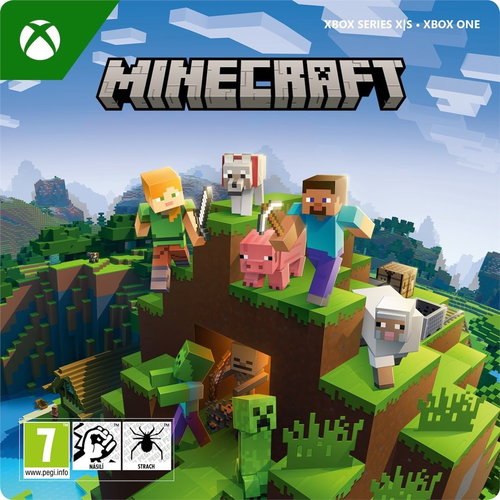
Console Game - Xbox One S / Xbox One X, Xbox Series X, Xbox Series S, digital licence, Xbox Live key, Czech subtitles, genre: action and strategy games, Xbox Live Gold subscription required for online play
Minecraft Xbox is a fascinating sandbox game that allows players to build, explore and survive in an endlessly generated world full of blocks.
Get the raw materials
You will mine resources, build structures, create tools and interact with various monsters and animals.
It's about survival
Minecraft Xbox features several game modes, such as Survival mode, where you have to worry about health and hunger, and Creative mode, which offers unlimited resources and opportunities for free experimentation.
SOURCES
Collect raw materials
Collecting resources is a key element of your journey in Minecraft Xbox, which starts with hitting a tree and collecting wood, the basic building material for your first tools and shelter. Once you have the basic equipment, you can start mining various resources, from stone to rare ores such as gold, diamonds and obsidian. Each type of material has its own specific use and value. Don't forget the importance of food supplies to help you stay healthy and energetic while exploring dangerous habitats or building.
NOC
Get ready for a night adventure
Surviving the night in Minecraft Xbox is a crucial test of your courage and preparation. As the sun dips below the horizon, the sky darkens and hordes of hostile creatures such as zombies, skeletons and spiders emerge from the shadows, ready to attack you. Your first decision is whether to confront these threats or find a safe haven where you can spend the night. It is important to have shelter prepared, whether it is a simple wooden hut or an underground shelter, as the darkness can hide more dangers than you can imagine. If you decide to stay outside, you need to have a strategy to defend yourself and make the best use of your weapons and equipment. But even in the darkness underground you need to be careful, hidden traps and aggressive mobs can be waiting at every turn.
GUNS
From simple tools to automated farms
Once you've gathered the necessary materials, you can get to work crafting tools to make your adventures easier, whether it's a simple wooden axe or a powerful diamond sword. You can then create your own modest shelter where you can hide from night enemies and have space to rest and plan. For those who crave a challenge, there is the opportunity to build a formidable base in the Nether, a mysterious and dangerous world where new threats and opportunities are faced. Using redstone, one of Minecraft's coolest and most complex features, you can create sophisticated mechanisms, from simple automated farms to complex defence systems.
MODES
Play alone, with friends and in the online world
Playing online in Minecraft opens the door to endless opportunities to connect and collaborate with players around the world. With over 1 million active players, you can easily find kindred spirits. Playing in your own world allows you and your friends to explore, build and survive together, while community-managed servers offer a variety of activities and game modes that attract thousands of players. For those looking for a permanent and secure environment, a private server or Realm Plus is the ideal choice, where you can play with up to 11 players and have access to over 150 items from the Marketplace, updated monthly. You can easily create and manage your own server for up to 10 friends on the Java Realms platform.
The purchased product key must be activated in the Xbox Store, located in the main console Menu
1) Go to the "Store" tab.
2) Select "Use a code" and press "A" to confirm.
3) Enter the 25-character code - press "Next" once you are done.
4) Finish the activation by pressing "Confirm".
5) You can leave the information screen by pressing the "Close" button (for downloadable content, the download will start automatically).
Detailed instructions complete with pictures can be found here: instructions-for-applying-electronic-licences-games#xbox-store
If you have any problems redeeming your prepaid code, please contact Microsoft Support: beta.support.xbox.com
a digital store account with a particular service - MS Store, Origin, Steam, Uplay etc. (you can find out more in our article on how to apply your electronic licences)
broadband internet connection for online gaming, initial setup, updates, and more
a monthly subscription fee for online multiplayer gaming (Xbox Live, PlayStation Plus, etc.)
Try our cookiesAlza.cz a. s., Company identification number 27082440, use cookies and other data to ensure the proper functioning of the website and, with your consent, also, among other things, to personalize advertising and the content of our websites. By clicking on the “I understand“ button, you agree to the use of cookies and the transfer of data regarding the behavior on the website for displaying targeted advertising on social networks and advertising networks on other websites.
We use 8 categories of cookies on our website:
Technical cookies
These are strictly necessary for the functioning of the website and the features you choose to use. Without them, our website would not work; you wouldn't be able to log in to your user account, for example.
Functionality cookies
These cookies allow us to remember your basic choices and improve the user experience. These include remembering your preferred language or allowing you to stay logged in permanently.
Social media cookies
These cookies allow us to easily link you to your social media profile and, for example, allow you to share products and services with your friends and family.
Content personalisation
These cookies allow us to show you content and ads according to the information we have about you to best meet your needs. This includes what content you have viewed, or on what device you are accessing our website.
Non-personalised advertising
These cookies allow us to show you general ads for products and services.
Personalised advertising
Thanks to these cookies, we and our partners can offer you relevant products and services based on your purchases, your shopping behaviour and your preferences.
Audience metrics
These cookies allow us to optimise our site for your convenience based on how you use it. The aim is to remember or anticipate your choices. This includes, for example, the use of features, their location, or the behaviour on the page.
By giving your consent to the processing of cookies, functionality and analytical cookies will be installed on the device you use to browse the website (click on the "I understand" button for both categories, or you can select only one of the categories by clicking on the "Settings" button). We always install technical cookies on your device, even without your explicit consent, because without them our website would simply not work.
You can revoke your consent to the processing of cookies. In connection with our company's cookie processing, you also have the following rights: the right to access cookies, delete, modify, supplement and correct them, restrict processing and the right to lodge a complaint with the Office for Personal Data Protection. Read more about your rights.