Try our cookies Alza.cz a. s., Company identification number 27082440, uses cookies to ensure the functionality of the website and with your consent also to personalisage the content of our website. By clicking on the “I understand“ button, you agree to the use of cookies and the transfer of data regarding the behavior on the website for displaying targeted advertising on social networks and advertising networks on other websites.
Alzak icon
Catalogue
Price
-
Availability
Order status
Brands
(6)
(5)
(2)
(8)
(5)
Diagonal
24 "
43 "
- 60.96 cm 109.22 cm
Resolution Type
(6)
(7)
(1)
(9)
(6)
Construction
(25)
(1)
Refresh rate
60 Hz
180 Hz
-
Response time
1 ms
19 ms
-
Backlight
(19)
(2)
Graphical user interface
(23)
(19)
(20)
(2)
(5)
(3)
(1)
Features
(18)
(13)
(14)
Colour
(3)
(18)
(8)
(1)

PC configurator - Monitors for Graphic Design

Monitors for graphic designers and photographers are designed for editing photos and images. They offer excellent colour reproduction and have at least 10-bit colour depth.

Continue

When choosing a monitor for editing photographs and images, screen size and resolution are important factors to consider.

Screen Size and Resolution

The larger the diagonal and resolution you choose, the better working conditions the monitor will provide. With a higher resolution, you get a more detailed picture, whereas a larger diagonal means a larger workspace.

Screen Size (1" = 2.54cm)24"25-32"33" and larger
Resolution needed to ensure adequate image qualityFull HD (1920×1080 pixels) or higherWQHD (2560×1440 pixels) or higher4K (3840×2160 pixels) or higher

1 or 2 Monitors

When choosing the size of the monitor, also take into consideration how many monitors you plan to work with.

  • 1 monitor - models with 27" or more provide a sufficiently clear and spacious workspace.
  • 2 or more monitors - to work effectively on multiple simultaneous applications, 24" monitors are sufficient. If you plan to work using multiple monitors, we recommend selecting the same models to avoid differences in colour reproduction.

What else should I consider when selecting a monitor for editing photos and images?

Panel Type

  • IPS/S-IPS monitors - excel in natural colours, low power consumption and wide viewing angles. The disadvantage is a higher purchase price.
  • TN monitors - often characterised by low response times. Compared with IPS monitors they are cheaper, offer lower-quality colour reproduction and narrower viewing angles. While cheaper TN monitors are the sufficient for less demanding users, models with 4ms response times are popular with gamers.
  • MVA/PVA monitors - in terms of price and picture quality, these are somewhere between IPS/S-IPS and TN monitors. They provide more realistic colour reproduction and wider viewing angles than TN monitors and are cheaper than IPS monitors.

Screen Surface

  • Matte - reflects some ambient light; provides less-saturated colour reproduction.
  • Glossy - provides vibrant and realistic colours but more ambient light is reflected, so the display can be hard to see in bright sunlight.
  • Anti-glare - a compromise between glossy and matte screens; they are easier to view in direct sunlight than glossy screens but offer lower quality colour reproduction.

Connectors

Before buying, make sure the monitor has at the least one compatible port with your computer. If not, you will not be able to connect the monitor to it.

basic connectors 23 "or 24" monitor - VGA, DVI, HDMI, DisplayPort

Useful Functions and Features

  • Eyestrain-minimising technology - Flicker-free, Flicker-safe, etc.
  • Adjustable height - allows you to adjust the monitor to a comfortable position.
  • USB Hub - play data from portable drives; connect a keyboard or mouse.
  • Pivot - allows the screen to rotate horizontally; suitable for office work and reading texts from your computer.
  • Anti-glare shade
Hide description
Was this information useful?
This form is used only for evaluating the information in the description above.
If you have any question about our products, services, transport or any other request, please contact our customer support.
What should be improved? Is anything missing here? Is anything wrong? Share it with us.
29 Results
4.9
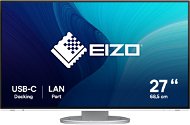
27" EIZO FlexScan EV2795-WT
Monitor - IPS, Quad HD 2560 × 1440 (16:9), 60 Hz, Anti-Glare display, 8 bit, 5 ms, adjustable height, pivot, automatic brightness adjustment, Daisy Chain, speakers, HDMI, USB-C and DisplayPort, RJ-45 (LAN) data interface, VESA
17,990,-
In stock 2 pcs
Order Code: WL579l6a2
5.0
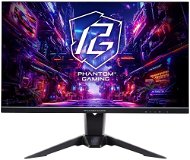
27" ASRock PG27QFT2A Phantom Gaming
Monitor - IPS, Quad HD 2560 × 1440 (16:9), 180 Hz, matte display, 1 ms, FreeSync, adjustable height, speakers, HDMI and DisplayPort, VESA
5,749,-
In stock 1 pcs
Order Code: WAS001d
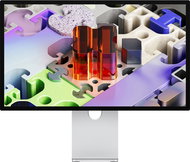
27" Apple Studio Display XDR - Standard Glass - VESA Mount Adapter - Monitor
Free delivery
Alzaboxes and stores
27" Apple Studio Display XDR - Standard Glass - VESA Mount Adapter
Monitor - IPS, 5K Ultra HD 5120 × 2880 (16:9), 120 Hz, glossy display, mini LED backlight, webcam, speakers, ThunderBolt
Discounted -11 % 74,990,- 84,990,-
In stock 3 pcs
Order Code: WA426f8
4.7
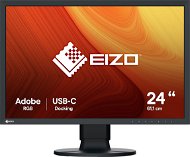
24" EIZO colour Edge CS2400S
Monitor - IPS, Full HD 1920 × 1200 (16:10), 61 Hz, matte display, 10 bit, 19 ms, adjustable height, pivot, HDMI, USB-C and DisplayPort, VESA
-15 % off new 15,290,- New 17,990,-
Unsealed - in stock 1 pcs
Order Code: WL579l6e
4.9 12×
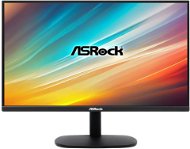
24.5" ASRock CL25FF
Monitor - IPS, Full HD 1920 × 1080 (16:9), 100 Hz, matte display, 1 ms, FreeSync, HDMI and VGA, VESA
-15 % off new 1,849,- New 2,199,-
Unsealed - in stock 1 pcs
Order Code: WAS000
12
 

PC configurator - Monitors for Graphic Design

Monitors for graphic designers and photographers are designed for editing photos and images. They offer excellent colour reproduction and have at least 10-bit colour depth.

Was this information useful?
This form is used only for evaluating the information in the description above.
If you have any question about our products, services, transport or any other request, please contact our customer support.
What should be improved? Is anything missing here? Is anything wrong? Share it with us.
P-DC1-WEB21