


Dobrý den, mám po domě mesh wifi síť. Nyní potřebuji připojit vzdálené zařízení, které má pouze RJ45 vstup. Uvažuji správně, že bych koupil tento router, zapnul do režimu Client a použil pro "překlad" mezi wifi a ethernetem? Nechci v domě žádnou další wifi síť, kromě hlavní stávající sítě.
Strong Wi-Fi router 300
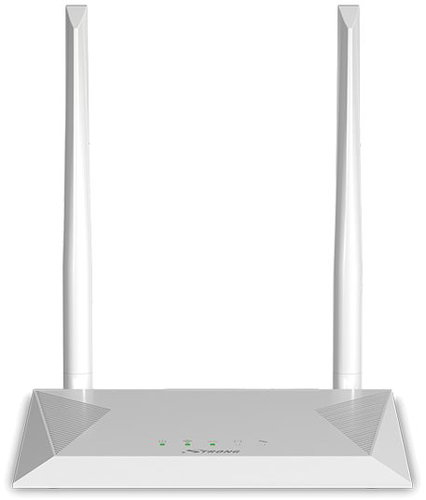
WiFi Router with WiFi 4, 802.11/b/g/n, up to 300 Mb/s, single-band, 4 × LAN up to 100 Mbit, 2× external antenna, WPS, WPA and WPA2
Show full description
Code:
STRwr02
Producer's Website:
Don't like the alternatives? Choose from the full product list
- Reviews 4
- Help and manuals 12
- Specifications
- Photos & Videos 3
- Alternatives 8
- Accessories and suggested products

Strong Wi-Fi router 300
Discontinued
Strong Wi-Fi router 300
Share a single internet connection across your home or office. The Strong 300 Wi-Fi router creates an 802.11n wireless network where data flows at speeds of up to 300Mbps. The device simplifies Wi-Fi connectivity through the Connect & Secure (WPS) button, which enables the connection to be automatically set-up and secured with the push of a button. If a device does not have Wi-Fi capabilities, 4 LAN connectors are available. For the Wi-Fi network to have sufficient reach, 2 antennas with a 5dBi gain are used.
Key Features of the Strong Wi-Fi router 300
- Sharing the Internet for everyday activities on the network
- 802.11n standard for Wi-Fi up to 300Mbps
- Stable Wi-Fi over 2 powerful (5dBi) antennas
- 4 LAN ports for connecting devices without Wi-Fi
- Setup & Security with Connect & Secure (WPS)
- The highest level of Wi-Fi security (data encryption via WPA 2)
Specifications
802.11b, 802.11g, 802.11n
2,4 GHz
WiFi transmission speed
Standards and frequency
Speed
WiFi transmission speed
Type
Security
Antenna features
Antenna gain
Advanced parameters
DHCP functions
Dimensions and weight
Width
Height
Depth
Weight
More Specifications

STRONG Ges.m.b.H, Teinfaltstraße 8-8A/4, AT-1010 Vídeň, Rakousko, [email protected], https://www.strong-eu.com/
Note:
Specifications can be changed without notice. Images are for illustrative purposes only.
