


Dobrý den, v popisu je uvedeno, že v tiskárně je pouze Startovací toner. Kolik stran se s tímto tonerem vytiskne? (standardní toner je pro 3000 stran)
Brother MFC-L2802DW

Laser Printer - multifunctional, black and white, A4, copier and scanner, fax, (ISO) black-and-white print speed of 32 PPM, print resolution: 1200 x 1200 DPI, duplex, ADF scanner, display, AirPrint, USB, LAN and Wi-Fi
Show full description
5,259,-
Price Guarantee
 Installment calculator
4,9%
interest
from 121,- monthly
Installment calculator
4,9%
interest
from 121,- monthly
Shop faster with pickup at AlzaBox or in-store.
Warranty 24 months
Code:
PB399t3
Producer's Website:

Brother MFC-L2802DW
5,259,-
In stock > 5 pcs
Buy
Brother MFC-L2802DW
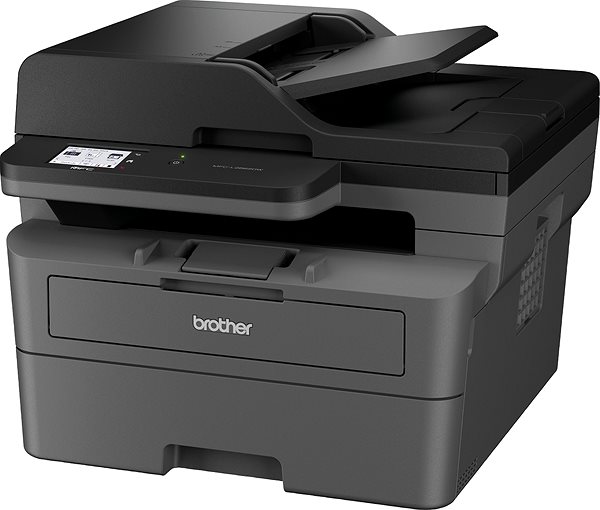
A laser printer is a useful accessory to have at home and in the office. Thanks to this laser printer, you can print various texts in high-quality with sharp details. This is a black and white printer. This Brother MFC-L2802DW reaches a resolution of 1200 x 1200 DPI. It's able to print A4, A5 and A6 formats. It can print on both sides of one paper, which saves you time. Operating this Brother printer is quick and easy thanks to the simple segment display. You can quickly connect to your computer through the USB, LAN and Wi-Fi interface. Laser printers are generally more cost-efficient, so you can print more quantities of documents at a lower cost than with inkjet printers. The Brother laser printer is a 3-in-1 model that can also scan and copy. Another function it has is that it can print letter and DL format envelopes.
Brother MFC-L2802DW Laser Printer Key Features
- Brother laser printer features duplex printing
- ISO print speed up to 32 PPM
- Information/Segment built-in display
- Max. print resolution: 1200 x 1200 DPI
- Paper format: A4, A5 and A6
- Brother laser printer can also fax papers
- Brother MFC-L2802DW can fit up to 251 sheets in the input tray
- Scanner automatically feeds documents
- Connects through USB, LAN and Wi-Fi interface
- Print straight from your smartphone via AirPrint
- Black-and-white laser printer perfect for home or office use
- Prints envelopes in letter and DL format
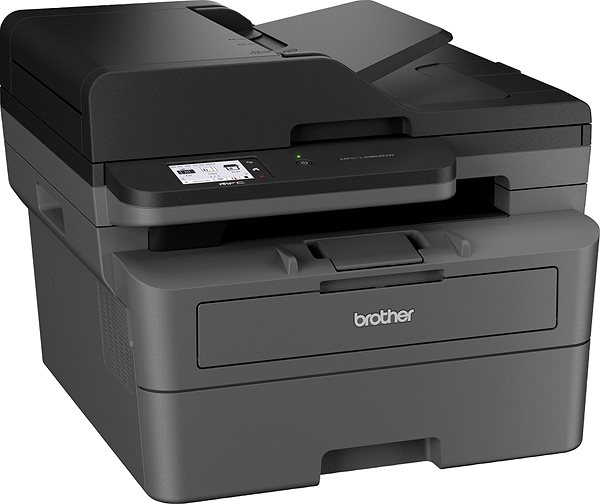
Brother MFC-L2802DW Laser Printer Scanning and Copy Functions
Since this Brother laser printer is a multifunctional device, it can replace a scanner and copy machine. This will save you desk space and costs, since you have everything in one device. It can scan at a resolution of 1200 x 1200 DPI with a scanning speed of 22,5 PPM. A big bonus feature that the Brother MFC-L2802DW laser printer's scanner has is the automatic feeder, so you there's no need to input each piece of paper by hand.
- Printers are usually supplied with a starter toner and/or cartridges with an approximate 60% capacity of regular cartridges which are available to purchase separately.
Specifications
Print colour
Usage
Connection
Type
Function
Connection
Connection
Supported Paper Sizes
Standard Paper Sizes
DL, Letter
Scanning
Printing parameters
1200 x 1200 DPI
Input trays
35,000 pages/month
120 sheets
Available alternative refill
Dimensions
Height
Depth
Width
Weight
Equipment
Colour
Colour
Package includes
Package Includes
Services
Services
More Specifications

Brother CEE GmbH, branch office, Veveří 102, Brno 616 00, Česká republika
Note:
If there is no "package contains" box in the product parameters and the data or USB cable is not specifically mentioned in there, the package does not contain it and must be purchased separately.
Specifications can be changed without notice. Images are for illustrative purposes only.
