


Dobry den. Na nekterych ibrazkach mate verze z QEERTY a na nekterych ina. ktera je opravdu?
Brother PT-D610BTVP
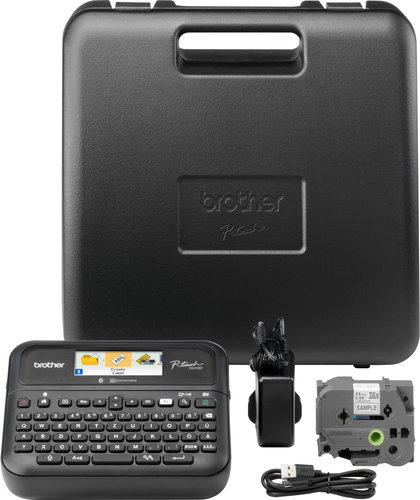
Label Maker - thermotransfer, max tape width: 24mm, print resolution: 180DPI, 30mm/s print speed, Information/Segment display, P-Touch editor support, USB and Bluetooth
Show full description
3,089,-
Price Guarantee
 Installment calculator
from
780,-
monthly
Installment calculator
from
780,-
monthly
Shop faster with pickup at AlzaBox or in-store.
Warranty 24 months
Code:
PB097j4e
Producer's Website:

Brother PT-D610BTVP
3,089,-
In stock > 5 pcs
Buy
Brother PT-D610BTVP
No alternative text for the photo!
Brother PT-D610BTVP professional label printer for high volume printing
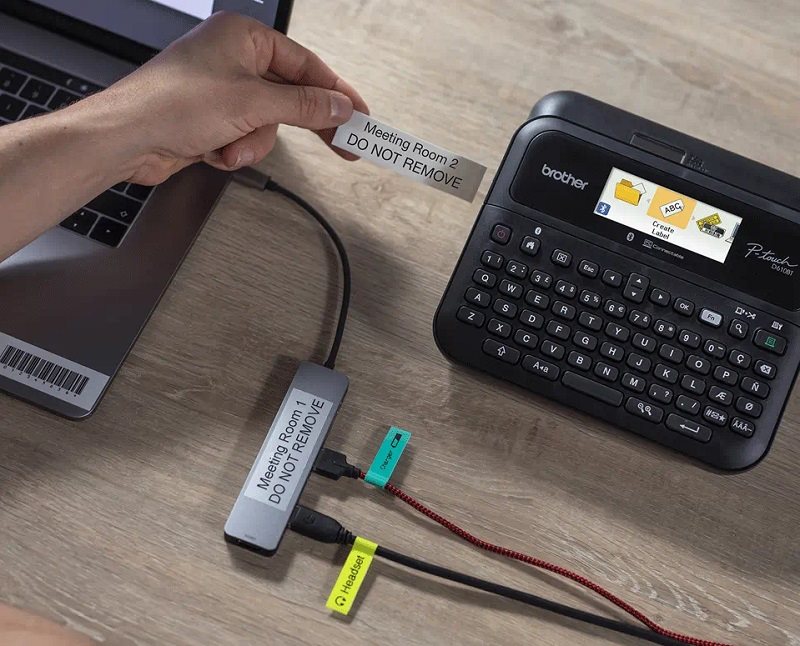
The Brother label maker is a great tool, especially in professional environments, as its print speeds of up to 30mm/sec and automatic cut-off allow for high volume printing of high quality, sharp and laminated labels to label everything you need. The Brother PT-D610BTVP prints labels up to 24mm wide and is compatible with Brother's high quality durable TZe ribbons. This type of belt can withstand water, abrasion, chemicals and extreme temperatures. A colour display and keypad make working on the labeller easier. For additional labelling functions, you can use the P-touch Editor 6.0 software, which offers a large number of templates for your labels and much more. The Brother PT-D610BTVP also features Bluetooth connectivity, making it easy to connect to your smartphone.
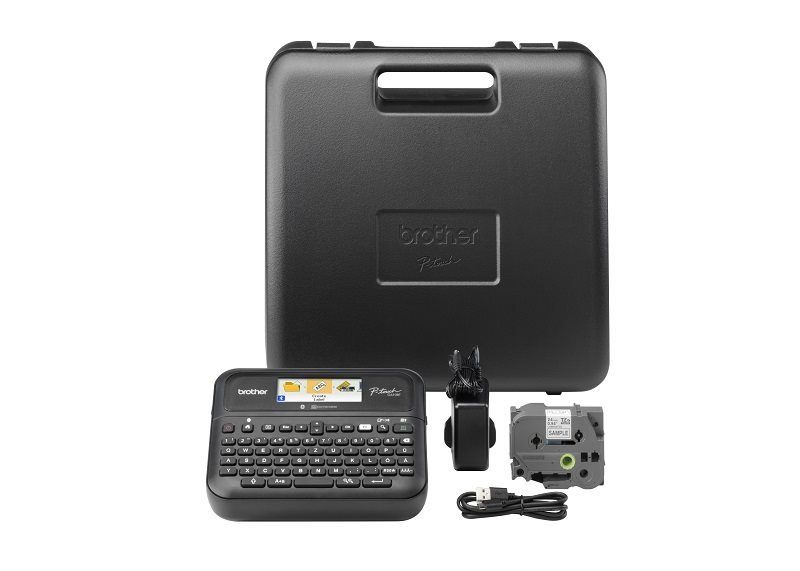
Package includes Brother label maker, ribbon cartridge, power adapter, travel case and USB cable.
Key features of the Brother PT-D610BTVP label maker
- The tagger can be used standalone or connected to a PC via USB
- Easy pairing with a smart device via Bluetooth interface
- Suitable for high-volume printing with speeds up to 30 mm/s and automatic cut-off
- Store up to 99 labels for fast printing
- Brother PT-D610BTVP already has integrated editable label designs
- The high-resolution colour display and keypad make label creation easy
- Via USB, the Brother PT-D610BTVP can be connected to your PC and create labels using the P-touch Editor 6.0 software
- Brother iPrint&Label app
- Preview labels before printing
- Printing on tapes up to 24 mm wide
- Compatible with Brother TZe durable tapes
- Adjustable units mm/inch
- Labeller works on 6× AA (LR6, Ni-MH)
- Automatic shutdown function
- Package includes tape cartridge, power adapter, travel case and USB cable
No alternative text for the photo!
No alternative text for the photo!
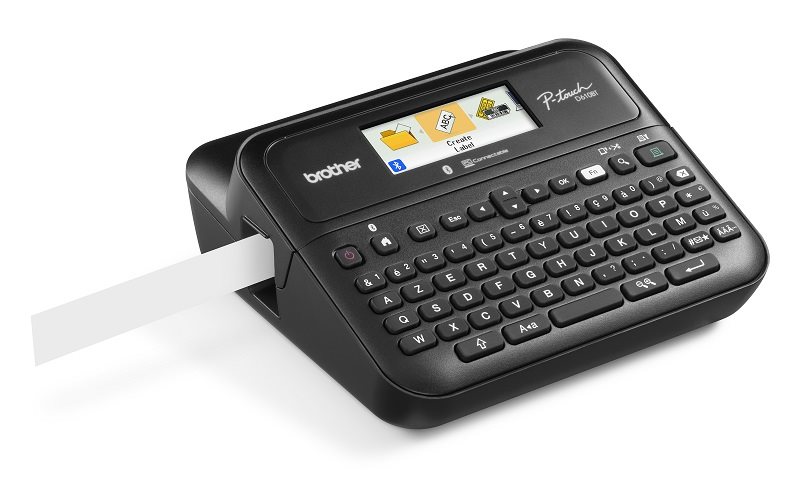
Colour display and large keypad for easy operation
Easily create your own customized labels with the keypad and high-resolution 2×20 character colour display. You can also choose the text alignment, frame or font. The Brother PT-D610BTVP allows you to view the final label form before printing. Up to 99 labels can be stored in memory for quick printing. After a long period of inactivity, the Brother PT-D610BTVP label maker automatically switches off.
Edit labels via P-touch Editor 6.0
The Brother PT-D610BTVP can be easily connected to your PC/laptop via USB interface. You can then use the free P-touch Editor 6.0 software, which offers a wide range of options for editing labels before printing. You can choose from pre-made templates or design your own. Key features of the software include:
- Large number of pre-made templates
- Flexible template editing using over 1200 symbols or over 30 fonts
- Easily find labels created in the past
- Share labels to Brother label editing apps on your smartphone
- Import data from Excel and other databases directly to labels
- Direct creation of barcode/2D code labels
- Creating multilingual labels containing different
- language symbols using Unicode
- Customize labels to include your company logo
iPrint&Label app for easy connection to a smart device
Download the free Brother iPrint&Label app and connect the Brother PT-D610BTVP label maker to your smartphone using Bluetooth wireless technology. You can then edit the labels on your phone and prepare them for final printing. Key features of the app include:
- Completely customizable layout with the ability to move objects, resize or add frames
- Access to many already created templates
- Large number of symbols and clipart
- Images, photos and logos can be added to the labels
- Add barcodes to labels, including QR code
- Innovated user interface for ease of use
- Ability to reprint saved or frequently used labels
- Import contact details directly from the device
- for labels
- Printers are usually supplied with a starter toner and/or cartridges with an approximate 60% capacity of regular cartridges which are available to purchase separately.
Specifications
Connection
Height
Depth
Width
Weight
Connection
Connection
Dimensions
Height
Depth
Width
Weight
Equipment
Colour
Colour
Type
Features
Print resolution
Max. tape width
Max. recommended print speed
Function
Power Supply
Battery type
Number of batteries
More Specifications
Brother CEE GmbH, branch office, Veveří 102, Brno 616 00, Česká republika
Note:
If there is no "package contains" box in the product parameters and the data or USB cable is not specifically mentioned in there, the package does not contain it and must be purchased separately.
Specifications can be changed without notice. Images are for illustrative purposes only.
