


Alza Days – Our Brands - DisplayPort Adapters

- The offer is valid from October 5th, 2026, to October 26th, 2026, and applies to selected products listed on this page.
- The complete terms and conditions of the campaign can be found here.
Was this information useful?
This form is used only for evaluating the information in the description above.
If you have any question about our products, services, transport or any other request, please contact our customer support.
If you have any question about our products, services, transport or any other request, please contact our customer support.
What should be improved? Is anything missing here? Is anything wrong? Share it with us.
2
items
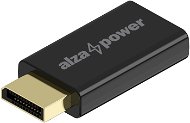


AlzaPower DisplayPort (M) to HDMI (F) 4K 30Hz Black
Adapter - HDMI output, DisplayPort input, UltraHD 4K@30Hz (2160p) resolution, Plug & Play, ABS construction, gold-plated connectors, unidirectional use from DP to HDMI, for laptops, tablet PC and other devices with DP connector, dimensions 50x23x10mm
Buy with code
ALZADNY50
The discount code gives the option of applying a discount on a given product when entering the code in the shopping cart.
Získejte slevu 50% s kódem ALZADNY50. Klikněte a kód se uplatní automaticky.
125,-
Great price
249,-
In stock > 10 pcs

Order by midnight, get it at the AlzaBox in the morning.
Info
Order Code:
APWCB713x2
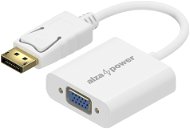


AlzaPower DisplayPort (M) to VGA (F) 0.18m white
Adapter - VGA output, DisplayPort input, transfer speeds up to 21.6Gb/s, resolutions up to FullHD 1920×1080, gold-plated connectors, for TVs, monitors and similar devices with a VGA connector
Buy with code
ALZADNY30
The discount code gives the option of applying a discount on a given product when entering the code in the shopping cart.
Získejte slevu 30% s kódem ALZADNY30.
174,-
Great price
249,-
In stock > 10 pcs
Order by midnight, get it at the AlzaBox in the morning.
Info
Order Code:
APWCB710w
Alza Days – Our Brands - DisplayPort Adapters - articles
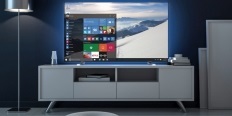
ArticleJak propojit notebook s TV nebo monitorem (NÁVOD)
Bádáte, jak připojit notebook k televizi či monitoru? Připravili jsme pro vás článek, který celý postup přehledně shrnuje, a navíc poskytuje informace o drátovém i bezdrátovém přenosu obrazu. Jak nastavit druhou obrazovku ve Windows, jaký propojovací kabel vybrat nebo...
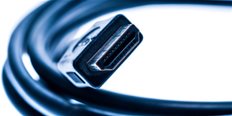
Jestliže si stále nejste jisti, co je HDMI, DisplayPort, DVI, VGA, je tento článek právě pro vás. Polopatě vás seznámíme s tím, jak tyto konektory fungují, co je analogový, co digitální signál a jak to udělat, když má monitor či televize jiný konektor než počítač.
