




Dobrý den, umí tiskárna poslat scan přímo na email, který se nadefinuje v tiskárně jako email kontakt přes nastavený SMTP server ? Děkuji.
Lexmark MX317dn
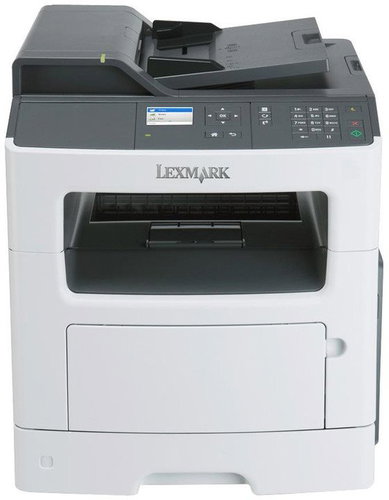
Laser Printer - black and white multifunctional A4 printer, scanner, copier, fax up to 33 pages per minute, 1200x1200dpi, max. 50 000 pages per month, 800MHz CPU, 256MB, LCD colour display, duplex, ADF, USB 2.0, LAN
Show full description
Code:
LX3317dn2
Producer's Website:
Don't like the alternatives? Choose from the full product list
- Help and manuals 14
- Specifications
- Photos & Videos 15
- Alternatives 8
- Accessories and suggested products

Lexmark MX317dn
Discontinued
Lexmark MX317dn
More Work in Less Time
The Lexmark MX317dn multifunctional laser printer will find its place in a company of any size thanks to its speed and efficiency. High quality printing output with a 1200x1200dpi resolution and plenty of practical features like, for example, scanning, faxing, or printing from your mobile device will help you take your business to the next level.
Off
Off

Fast and Efficient
Print and copy up to 33 pages per minute. Thanks to this state of the art printer you can print 6,000 pages per month without having to worry about maintenance. The high efficiency is guaranteed by additional paper trays with a total capacity of 850 sheets, so you do not have to worry about having to refill them frequently. Another paper and time saving option available to you is two-sided printing.
Reliable Performance
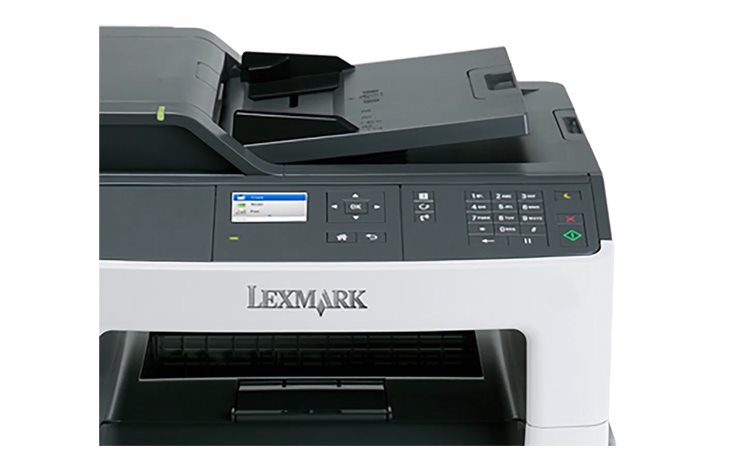
For quick task processing, the printer is equipped with 256MB expandable memory and a dual-core processor. It is also easy to use thanks to its colour LCD display and a keyboard. The printer can be simply connected to a network with a standard ethernet cable for easy sharing with other computers. There is also an option to print from mobile devices.
Off
Off
Reduce Your Costs
The exclusive Unison toner by Lexmark helps you maintain low print costs and provides high yield and consistent quality from the first to the last printed page. The printer is equipped with an instant fuser and economical print modes, including the hibernation function, which minimize noise and save both material and energy.
- Printers are usually supplied with a starter toner and/or cartridges with an approximate 60% capacity of regular cartridges which are available to purchase separately.
Specifications
Print colour
Features
Connection
Standard Paper Sizes
Type
Print colour
Function
Features
Connection
Connection
Supported Paper Sizes
Standard Paper Sizes
Scanning
Scanner features
Printing parameters
Print speed in black and white - maximum
Print speed in colour - maximum
Input trays
6,000 pages/month
150 sheets
Dimensions
Height
Depth
Width
Package includes
Package Includes
More Specifications
Note:
If there is no "package contains" box in the product parameters and the data or USB cable is not specifically mentioned in there, the package does not contain it and must be purchased separately.
Specifications can be changed without notice. Images are for illustrative purposes only.
