Catalogue

CorelDRAW Graphics Suite Special Edition 2024, CZ/PL (electronic license)

4.7 7 ratings
Graphics Software - Corel DRAW intended for 1 device(s), subscription lasts forever, permanent license, software type: vector graphics, photo editing and 2D graphics, version in CZ, EN, PL, install through download (electronically), appropriate for households and for businesses, intended for PC, compatible with Windows operating system(s), license key can be found in: "My Library" - "License"
Code:  SWlC0075

Don't like the alternatives? Choose from the full product list

CorelDRAW Graphics Suite Special Edition 2024, CZ/PL (electronic license) Discontinued

CorelDRAW Graphics Suite Special Edition 2024, CZ/PL (electronic license)

The product requires an up-to-date operating system.


CorelDRAW Graphics Suite 2024 Education, Win/Mac, CZ/EN/DE (electronic licence)

Graphics software CorelDRAW Graphics Suite Special Edition 2024, Windows, CZ/PL (electronic licence)

When you combine creativity with productivity, you get CorelDRAW Graphics Suite - a complete set of professional design tools,that lets you create stunning vector illustrations, page layouts, photo editing and typography projects with maximum efficiency. With a perpetual license, you get incredible ongoing value that includes instant access to exclusive new features and content, as well as maximum performance and support for the latest technologies.

CorelDRAW Graphics Suite Special Edition 2024

Key features of CorelDRAW Graphics Suite Special Edition 2024

  • This is a permanent licence
  • Combines creativity and productivity
  • It has a complete set of professional design tools
  • Create vector illustrations and edit photos with maximum efficiency
  • CorelDRAW Graphics Suite 2024 includes exclusive features and the latest technologies
  • Includes: CorelDRAW, Corel PHOTO PAINT, PowerTRACE, CAPTURE, AfterShot 3 and PhotoMirage Express
CorelDRAW Graphics Suite 2024 Education, Win/Mac, CZ/EN/DE (electronic licence)

Design

Create unique illustrations, signs, logos and other creative projects on your Windows PC, but also on the go with CorelDRAW. app.
CorelDRAW Graphics Suite 2024 Education, Win/Mac, CZ/EN/DE (electronic licence)

Collaboration

Collaborate with clients and with CorelDRAW. app and get real-time suggestions and feedback from one or more reviewers.
CorelDRAW Graphics Suite 2024 Education, Win/Mac, CZ/EN/DE (electronic licence)

Quick preparation

Achieve excellent results in a short time with highly productive tools suitable for different types of output.

CorelDRAW Graphics Suite 2024 is still under development

With CorelDRAW Graphics Suite, you get exclusive cloud features, applications and content you won't find anywhere else. Discover 100 new ultra-realistic pixel brushes based on the proven Corel Painter brush technology. With the new CorelDRAW paintbrushes you get unlimited creative freedom. With the improved anchor panel/Inspector Effects, you get a smooth workflow for image editing in all CorelDRAW and Corel PHOTO-PAINT applications. With the new CorelDRAW Graphics Suite 2024, you get stability, performance and optimization of frequently used features, allowing you to create winning designs even faster.

CorelDRAW Graphics Suite 2024 Education, Win/Mac, CZ/EN/DE (electronic licence)

Create brochures and multi-page documents

Engage in professional design with powerful tools right at your fingertips in CorelDRAW Graphics Suite 2024. With CorelDRAW's vector illustration tools, you can turn basic lines and shapes into complex works of art. Create curves with many versatile drawing and shaping tools. Add creative effects to your vector designs with features like Silhouette, Wrap, Blend, Mesh Fill and more.

CorelDRAW Graphics Suite 2024 Education, Win/Mac, CZ/EN/DE (electronic licence)

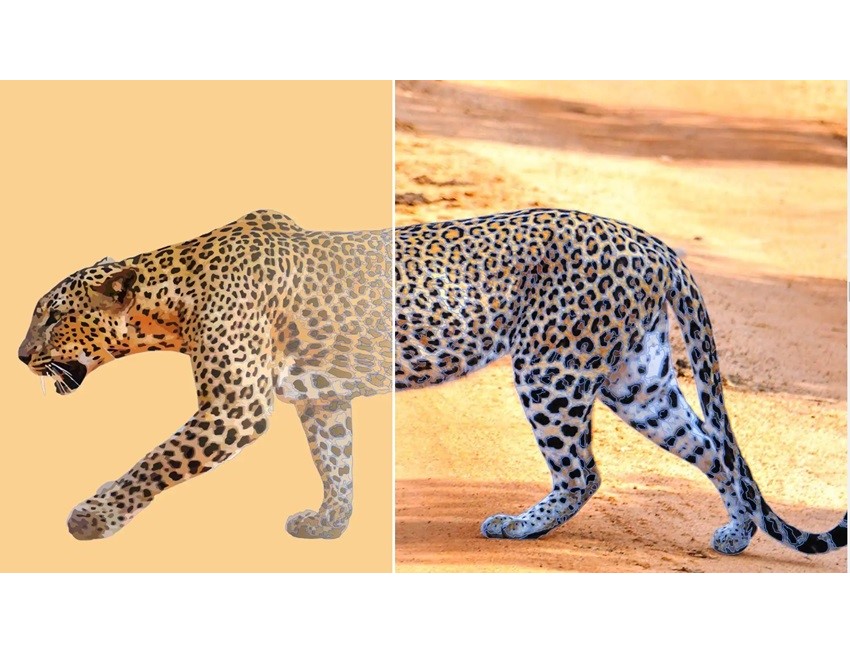
Convert bitmaps to vectors

Achieve exceptional results when converting bitmaps to vectors with AI-powered PowerTRACE technology.Optimize your images with advanced features that improve their quality during the vectorization process in CorelDRAW Graphics Suite 2024.
CorelDRAW Graphics Suite 2024 Education, Win/Mac, CZ/EN/DE (electronic licence)

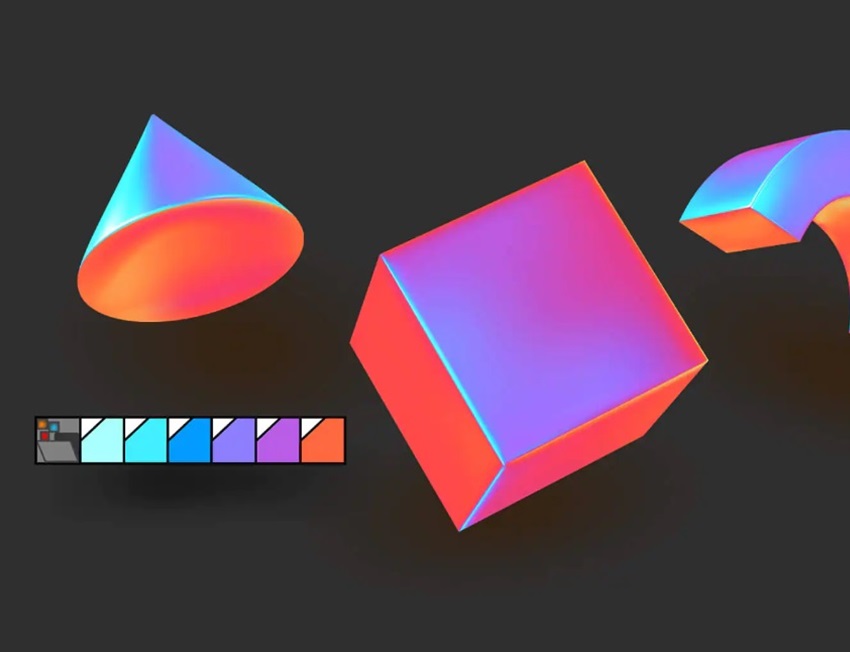
Handle objects like a pro

Optimise your workflow with the anchorable Object Styles panel, which makes it easy to format and quickly edit objects. With the Objects panel, you have complete control over every element in the document,which makes it easy to hide, search and change objects without the risk of losing your selection. In CorelDRAW Graphics Suite 2024, you can customize your workspace by importing workspaces from previous versions or using predefined workspaces.
CorelDRAW Graphics Suite 2024 Education, Win/Mac, CZ/EN/DE (electronic licence)

Draw in perspective

Gain a new level of precision and speed when drawing illustrated objects or scenes. With the perspective drawing feature, you can easily select a 1-, 2- or 3-point perspective and draw or add existing objects to a shared plane. V CorelDRAW Graphics Suite 2024 you can freely move and edit objects, without losing perspective, allowing you to create complex and realistic illustrations with minimal effort.


CorelDRAW Graphics Suite 2024 Education, Win/Mac, CZ/EN/DE (electronic licence)

Multi-page documents

Create brochures and multi-page documents. Switch between pages, giving you the creative freedom to work exactly how you want.

Easy photo editing

Take advantage of the powerful photo editing tools in Corel PHOTO-PAINT based on layers, colour and tone changes, defect removal and more.

Create shadows and silhouettes

Optimise your font work with a wide range of typographic tools. Add text effects such as block shadows and silhouettes, optimize fonts.

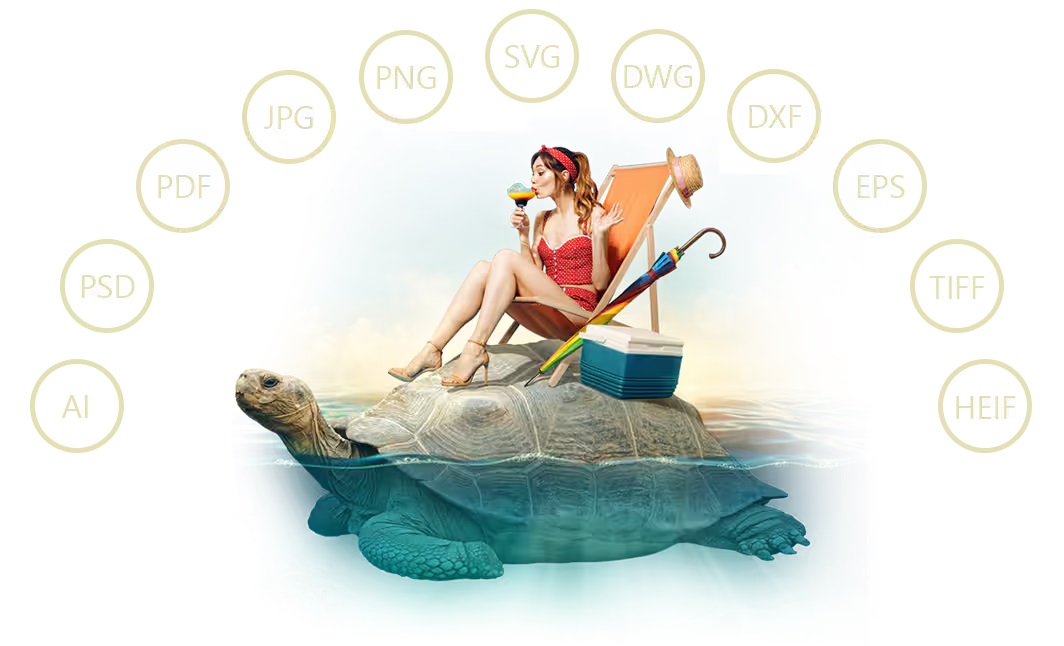
Collection of 1 400 fonts

Organise and manage your font collection with Corel's simple font manager and use your favourite fonts without installing them.
CorelDRAW Graphics Suite 2024 Education, Win/Mac, CZ/EN/DE (electronic licence)

Windows technical specifications:

Windows 11 or Windows 10 (version 21H2 or later), 64-bit, with the latest updates
Intel Core i3/5/7/9 or AMD Ryzen 3/5/7/9/Threadripper, EPYC
OpenCL 1.2 compatible graphics card with more than 3GB of VRAM 8GB of RAM
5.5 GB of hard disk space for applications and installation files
Mouse, graphics tablet or multi-touch screen
Screen resolution 1280 × 720 at 100%
For optimal performance, make sure you have the latest device drivers provided by the manufacturer.
An internet connection is required to install and verify CorelDRAW Graphics Suite and to access some of the included software components, online features and content.

Postup instalace
Note:

Dobrý den, jaký je rozdíl mezi plnou verzí a touto SE? Děkuji, Martin Mach

tuto verziu viem prepnut aj do EN alebo iba ako je pisane CZ/PL ?

Používam monitor s rozlíšením 3840x2160. Budú s touto verziou CorelDraw problémy pri zobrazení? Maličké príkazove ikonky a pod.

Dobrý den, umí tato verze generovat QR kódy?

Dobry den, muzu se zeptat od kdy je verze 2024 v prodeji .. resp. kdy by mela byt dostupna verze 2025? predem dekuji

Má to byť verzia CZ/PL ale je to ENG... prečo?

Dobrý deň. Viete prosím overiť, či je možné nainštalovať aj na MacOS, alebo vieme takúto licenciu zabezpečiť? Ďakujem

Pro koho je tato verze určena, pro domácnost nebo i firemní použití.

Dobry den, je mozne nainstalovat s touto licenciou aj anglicku verziu?

Fakt to je omezené pouze na Win? Nemůžu si s licencí stáhnout Mac verzi?

Questions and answers: CorelDRAW Graphics Suite Special Edition 2024, CZ/PL (electronic license)
Accessories for CorelDRAW Graphics Suite Special Edition 2024, CZ/PL (electronic license)
Try our cookies Alza.cz a. s., Company identification number 27082440, use cookies and other data to ensure the proper functioning of the website and, with your consent, also, among other things, to personalize advertising and the content of our websites. By clicking on the “I understand“ button, you agree to the use of cookies and the transfer of data regarding the behavior on the website for displaying targeted advertising on social networks and advertising networks on other websites.
Detailed settings
Alzak icon
P-DC1-WEB08