Try our cookies Alza.cz a. s., Company identification number 27082440, use cookies and other data to ensure the proper functioning of the website and, with your consent, also, among other things, to personalize advertising and the content of our websites. By clicking on the “I understand“ button, you agree to the use of cookies and the transfer of data regarding the behavior on the website for displaying targeted advertising on social networks and advertising networks on other websites.
Alzak icon
Catalogue
Price
-
Availability
Order status
Brands
(22)
(27)
(21)
(24)
(41)

PC configurator - Curved Monitors

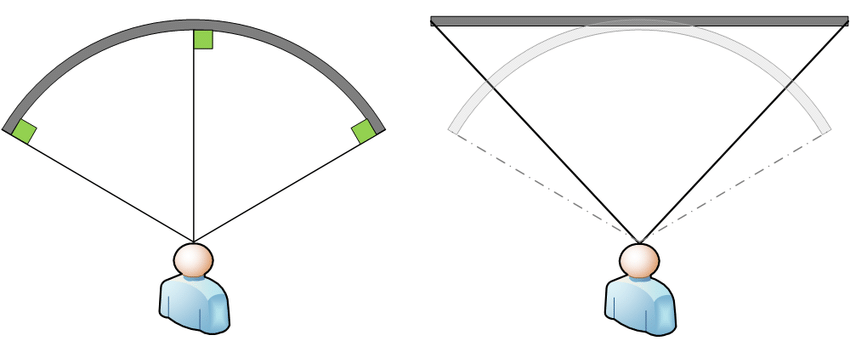
With curved monitors, each point of the concave screen is the same distance from your eyes. This provides a more natural view that fits the curvature of the human eye, and provides a wider field of view. This effect is particularly apparent in larger models.
 

Continue

Curved Monitors – Pros and Cons

Curved monitors offer several advantages over regular monitors.

  • You can see every pixel clearly without turning your head.
  • Less effort and slower eye fatigue.
  • Partial protection against glare.
  • Immersion into the game thanks to the illusion of peripheral vision.
  • Stylish modern design.
  • They can take up more space.
  • Other viewers can't really see well.
  • They are not suitable for multi-monitor setups.
Flat monitor

The difference between displaying content on a curved monitor and a flat monitor. With a curved monitor, your eyes see every point on the screen.

How to Use a Curved Monitor?

Curved monitors can be used for everyday activities at home or in the office, and even for gaming.

Universal Curved PC Monitor

Any curved PC monitor can be used in the office and at home. If you know you'll be spending more time in front of the monitor on a regular basis, choose a model with adjustable height and technology to minimise eye fatigue.

Curved Gaming Monitor

Choose a curved gaming monitor the same way you would choose a flat gaming monitor - based on its response times and refresh rate. The lower the response time and the higher the refresh rate, the smoother the visuals displayed on the curved gaming monitor. For great visuals even in the most intense gaming moments, try a 144Hz curved monitor.

For gaming purposes, we recommend a curved gaming monitor with FreeSync or G-Sync, which synchronise the image and ensure perfect smoothness even when the monitor or computer can't keep up with the visuals.

Choosing a Curved Monitor - What to Consider?

When choosing a curved monitor, focus on the following parameters:

Curved PC Monitor Resolution

The larger the curved PC monitor you choose, the higher the resolution should be. With a higher resolution, you get a more detailed picture and a larger workspace.

i

Choose the curved monitor resolution and screen size according to the use. We recommend a 27″ monitor as a minimum for gamers of all genres. For work and other purposes, a 24" curved monitor will suffice.

Curved Monitors - Panel Type

  • Curved TN monitors - often characterised by low response times. Compared with IPS monitors they are cheaper, offer lower-quality colour reproduction and narrower viewing angles. While cheaper TN monitors are sufficient for less demanding users, models with 4ms response times are popular with gamers.
  • Curved IPS/S-IPS monitors - excel in natural colours, low power consumption and wide viewing angles. The disadvantage is a higher purchase price.
  • Curved MVA/PVA monitors - in terms of price and picture quality, these are somewhere between IPS/S-IPS and TN monitors. They provide more realistic colour reproduction and wider viewing angles than TN monitors and are cheaper than IPS monitors.

When choosing a new curved PC monitor, pay attention to the aspect ratio. A wide-angle, curved monitor offers much more working space than a flat monitor, and the curvature reduces eye strain and fatigue.

Curved Monitors - Screen Surface

  1. Matte curved monitor - reflects some ambient light; provides less-saturated colour reproduction.
  2. Glossy curved monitor - provides vibrant and realistic colours but reflects more ambient light, so the display can be hard to see in bright sunlight.
  3. Anti-glare curved monitor- a compromise between glossy and matte screens; they are easier to view in direct sunlight than glossy screens but offer lower quality colour reproduction.

i

In our Curved monitor accessories section, you can find stands, mounts and cleaners suitable for monitors.

How to Connect a Curved Monitor?

Before buying, make sure the curved PC monitor has at least one port that is compatible with your computer. If not, you will not be able to connect the monitor.

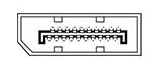
DisplayPort
DisplayPort

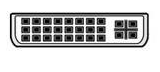
DVI
DVI

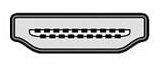
HDMI
HDMI

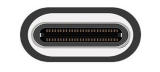
USB-C
USB-C

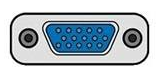
VGA
VGA

Looking for cables to connect your monitor? Visit our Curved monitor cables section.

Curved Monitor - Useful Functions, Features and Technologies

The best curved monitors boast features that you'll surely appreciate.

  • Flicker-Free eliminates monitor flicker and minimises eye fatigue.
  • Blue Light Filter reduces blue light and prevents sleep disruption.
  • Adjustable Height allows you to place the curved PC monitor in a position that is comfortable for you.
  • Pivot offers the option to rotate the screen to portrait mode.
  • VESA Mount allows you to mount your curved PC monitor.

i

Haven't found what you were looking for? Check our article How to Choose a Monitor.

Hide description
Was this information useful?
This form is used only for evaluating the information in the description above.
If you have any question about our products, services, transport or any other request, please contact our customer support.
What should be improved? Is anything missing here? Is anything wrong? Share it with us.
247 Results
4.3
34" ASUS TUF Gaming VG34WQML5A
Monitor - VA, curved, Ultra Wide QHD 3440 × 1440 (21:9), 250 Hz, 10 bit, 0,5 ms, Adaptive-Sync, adjustable height, HDR, speakers, HDMI and DisplayPort, VESA
-7 % off new 10,090,- New 10,890,-
Unsealed - in stock 1 pcs
Order Code: WA043v299a1
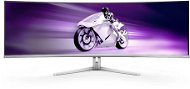
49" Philips 49M2C8900 OLED Gaming - Monitor
Free delivery
Alzaboxes and stores
4.6 15×
49" Philips 49M2C8900 OLED Gaming
Monitor - QD-OLED, curved, Dual QHD 5120 × 1440 (32:9), 240 Hz, Anti-Glare display, 10 bit, 0,03 ms, G-Sync, FreeSync and FreeSync Premium, adjustable height, Power Delivery max. 45 W, speakers, HDMI, USB-C and DisplayPort, VESA
21,690,-
Unsealed - in stock 1 pcs
Order Code: WC130d81
4.8 23×
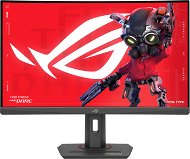
27" ASUS ROG Strix XG27WCS
Monitor - VA, curved, Quad HD 2560 × 1440 (16:9), 180 Hz, matte display, 1 ms, FreeSync, adjustable height, HDR, HDMI, USB-C and DisplayPort, VESA
-5 % off new 5,349,- New 5,690,-
Unsealed - in stock 1 pcs
Order Code: WA043bc10i
4.6
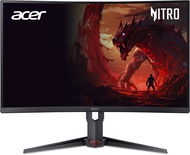
27" Acer Nitro XZ273UP2
Monitor - VA, curved, Quad HD 2560 × 1440 (16:9), 180 Hz, matte display, 8 bit, 0,5 ms, FreeSync Premium, adjustable height, pivot, HDR, speakers, HDMI and DisplayPort, VESA
-8 % off new 4,579,- New 4,979,-
Unsealed - in stock 1 pcs
Order Code: WO097h8c18
34" Philips 34B2U3600C
Monitor - VA, curved, Ultra Wide QHD 3440 × 1440 (21:9), 60 Hz, Anti-Glare display, 10 bit, 4 ms, speakers, HDMI, USB-C and DisplayPort, USB, USB-C and RJ-45 (LAN) data interface, VESA
-7 % off new 8,169,- New 8,790,-
Unsealed - in stock 1 pcs
Order Code: WC130b9a66
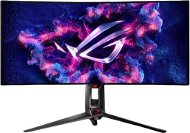
34" ASUS ROG Swift PG34WCDM - Monitor
Free delivery
Alzaboxes and stores
34" ASUS ROG Swift PG34WCDM
Monitor - curved, Ultra Wide QHD 3440 × 1440, 0,03ms, 240Hz, G-Sync Compatible, 10bit, 1300cd/m2, DisplayPort 1.4, HDMI 2.1, USB, headphone output, VESA
-7 % off new 92,990,- New 99,990,-
As good as new - in stock 1 pcs
Order Code: WA053a
49" Samsung Odyssey G9 Neo - LCD Monitor
Free delivery
Alzaboxes and stores
4.2 15×
49" Samsung Odyssey G9 Neo
LCD Monitor - curved, Dual QHD 5120 × 1440, VA, 32:9 wide-angle, 1ms, 240Hz, FreeSync, 420cd/m2, 2000:1 contrast, HDMI and DisplayPort, USB, headphone output, adjustable height, VESA
-6 % off new 35,790,- New 38,090,-
As good as new - in stock 1 pcs
Order Code: WH605Q1

PC configurator - Curved Monitors - additional info

With curved monitors, each point of the concave screen is the same distance from your eyes. This provides a more natural view that fits the curvature of the human eye, and provides a wider field of view. This effect is particularly apparent in larger models.
 

Was this information useful?
This form is used only for evaluating the information in the description above.
If you have any question about our products, services, transport or any other request, please contact our customer support.
What should be improved? Is anything missing here? Is anything wrong? Share it with us.
P-DC1-WEB21