




24" HP EliteDisplay E243i- dá sa tento monitor pripevniť k držiaku https://www.alza.sk/alzaergo-ergoarm-s40b-wall-d5626018.htm alebo https://www.alza.sk/alzapower-ergoarm-ar1-d5272654.htm
24" HP EliteDisplay E243i
+ ON-SITE servis 3 roky
Monitor - Full HD 1920 × 1200, IPS, 16:10, 5ms, 300cd/m2, 1000:1 contrast, DisplayPort, DisplayPort 1.2, HDMI 1.4, VGA, USB, adjustable height, pivot, VESA
Show full description
Code:
HPBM2005v
Producer's Website:
Don't like the alternatives? Choose from the full product list
- Help and manuals 2
- Specifications
- Photos & Videos 10
- Alternatives 8
- Accessories and suggested products

24" HP EliteDisplay E243i
Discontinued
24" HP EliteDisplay E243i

The 24 "HP EliteDisplay E243i is designed for work comfort.
This work monitor combines excellent ergonomics with superb picture quality with enhanced WUXGA resolution and IPS technology. In addition, it can be connected to other monitors, because of the sleek design with thin frames, increasing not only work comfort but also productivity.

Key Features of the HP EliteDisplay E243i Monitor
- WUXGA resolution 1920 × 1200
- Anti-glare screen
- IPS for vivid colours, darker blacks and wide viewing angles
- Response time: 5ms
- HDMI, DisplayPort, VGA, USB 3.1
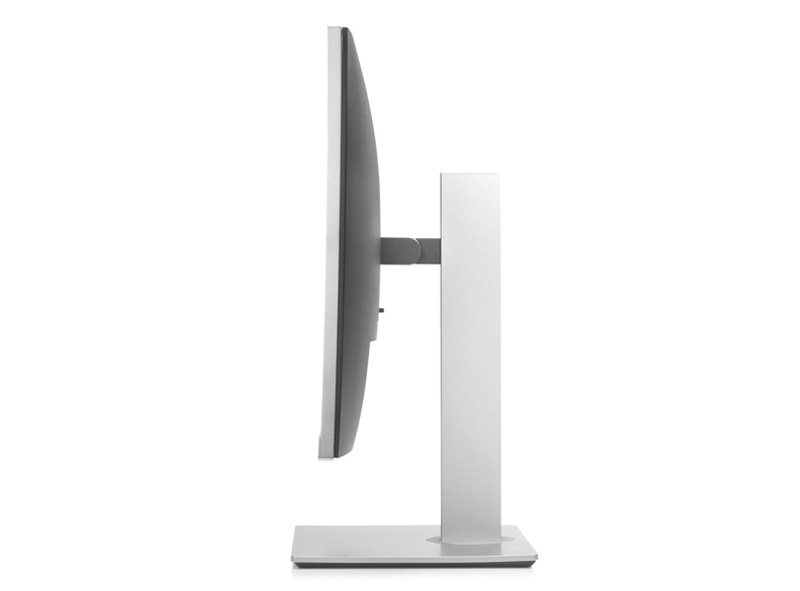
- Adjustable tilt, pivot and height adjustment up to 150mm
- Pivot rotation for portrait view
- Low power consumption
IPS display with amazing colours
The display is equipped with a state-of-the-art IPS technology, delivering top-quality picture reproduction with vivid colours and rich contrast. The monitor’s wide viewing angles of up to178° guarantee that the displayed content is always visible and the matt finish with anti-glare provide an even greater comfort. It also features Flicker Free and Low Blue Light technology that protect your eyes by eliminating blinking and blue light.


Excellent Ergonomics
For maximum comfort during everyday work, the monitor can be set according to your needs.You can rotate it or adjust the height within a large 150mm range. With the swivel joint, you can easily set it to portrait or landscape view. The monitor has a cleverly designed cabling to help you get rid off clutter on your desk.
User comfort
The thin frame coupled with wide viewing angles allows multiple monitors to be connected side by side with minimal spacing. You can easily expand your workspace and make it more comfortable not only for work but also for fun. The monitor comes with the HP Display Assistant software so that you can adjust the display and colour correction to suit your needs.


Advanced Connectivity
Connect to a desktop or a notebook via standard VGA or DisplayPort or the advanced HDMI interface. You can easily connect multiple signal sources to a single monitor and split the display with the HP Display Assistant app. You'll definitely appreciate the integrated USB hub for easier access to USB connectors.
Specifications
Extended warranty
609.6 mm (24 ")
1920 × 1200 Full HD+
Construction
Warranty
Extended warranty
Display diagonal and resolution
Construction
Construction
Panel and screen technology
Panel type
Refresh rate
Response time
Maximum brightness
Native contrast
Surface display
Aspect Ratio
Aspect Ratio Type
Aspect Ratio
Connection
Graphical user interface (GUI) standards
HDMI
DisplayPort
VGA
USB
Features and functions
Features
Functions
Dimensions and weight
Width
Height
Depth
Weight
VESA mounting
Packaging
Cables included
Colour
Grey
More Specifications

HP Inc Czech Republic s.r.o Za Brumlovkou 5/1559 140 00 Praha 4 VAT ID: CZ 03208427 Radek Mattas, [email protected]"
GO Europe GmbH, Zum Kraftwerk 1, Hattingen 45527, Germany, +49232468010, [email protected]
Hewlett-Packard was founded in the difficult times of the Great Depression. The founders were a pair of friends whose name the company still proudly bears. They started their business in an unobtrusive garage near the city of Palo Alto. It is now a national monument. HP’s success lay not in copying existing products, but in the ability and courage to come up with something new.
The first commercial triumph was an oscillator that surpassed all competition in quality, yet sold at a quarter of the price. In 1968, HP released their first desktop computer - a desktop calculator. The company currently manufactures products primarily related to computer technology - computers and laptops, printers, scanners, digital cameras, servers, and last but not least, calculators.
Note:
Specifications can be changed without notice. Images are for illustrative purposes only.
