


Dobrý den, pokud tento dock připojím k macbook air M2, zakryje napájecí magsafe konektor. Lze počítač napájet přes tento dock? Jaký napájecí kabel k tomu dokoupit?
Baseus Thunderbolt Pro 7in1 smart Dock Grey
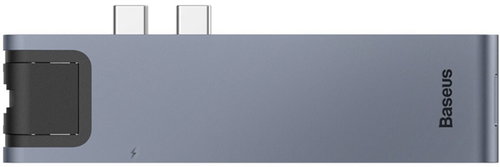
Docking Station - connection using USB-C USB 3.2 Gen 1 (3.0), power delivery 87 W
Show full description
Code:
BASE205a14
Producer's Website:
Don't like the alternatives? Choose from the full product list
- Reviews 2
- Help and manuals 4
- Specifications
- Photos & Videos 6
- Alternatives 3
- Accessories and suggested products

Baseus Thunderbolt Pro 7in1 smart Dock Grey
Discontinued
Baseus Thunderbolt Pro 7in1 smart Dock Grey
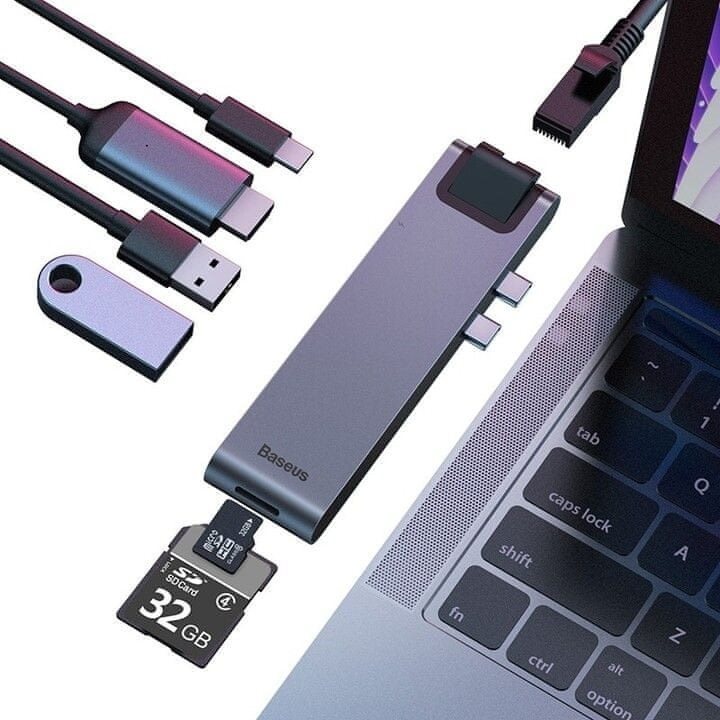
The Baseus Thunderbolt Pro 7-in-1 Smart Dock Grey will be quite reliable for your laptop. Especially when it comes to compact ultrabooks with less connecting ports, a docking station has an advantage in that you can connect to much more accessories at once. You can be sure to use all the functions of your laptop, save room on your work desk and instantly connect to other accessories. The USB-C connector is used to connect the Baseus Thunderbolt Pro 7-in-1 Smart Dock Grey docking station and laptop. It has the connector standard of USB 3,2 Gen 1 (USB 3,0). The Docking Station has a stylish look thanks to the aluminium design. A power adapter is also provided. You can connect a maximum of 1 piece(s) displays. Power Delivery lets you charge your device even faster.
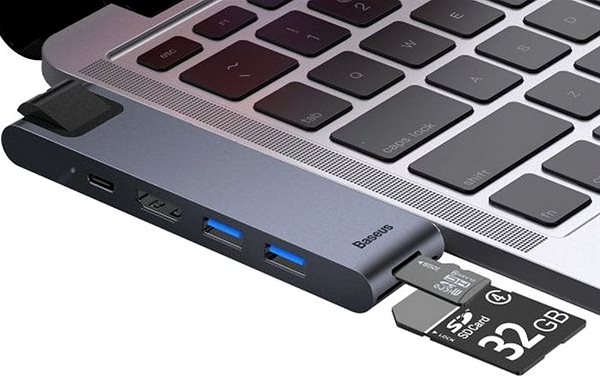
Main Features of the Baseus Thunderbolt Pro 7-in-1 Smart Dock Grey Docking Station
Specifications
Power supply (cable)
Laptop power port
Standard male connector
Max. Power Delivery value
USB-C power supply (PD)
Laptop power port
Power supply (cable)
Laptop power port
Standard male connector
Max. Power Delivery value
Most common ports
Common data ports
Common graphics ports
Data ports - Number and standards
USB-A standards
USB-C standards
USB-C power supply (PD)
USB-A 3.2 Gen 1 (3.0)
MicroSD
SD
Power ports for electrical devices
USB-A
USB-C
Graphics ports - Number and standards
HDMI standards
HDMI 2.0
Features
Support
Colour
Material
Packaging
Package contents
Compatibility
Type
More Specifications

C.P.A. CZECH s.r.o., U Panasonicu 376, 53006 Pardubice - Staré Čívice, Česko, [email protected],www.cpa.cz
Note:
Specifications can be changed without notice. Images are for illustrative purposes only.
