


Dobrý den, mohu tuto redukci použít k připojení externího disku (hdd) ? A pokud ne, prosím doporučte mi redukci, která to zvládne. Mám macbook pro 14" a má nabíjecí káblík pouze s macsafe, znamená to že musím koupit usb-c kablik abych ho mohl dát do redukce (hubu) abych tím mohl nabíjet samotný hub a disk? Děkuji za objasnění!
D-Link DUB-M810

Docking Station - connection using USB-C USB 3.2 Gen 1 (USB 3.0), other connectors: 3 piece(s) USB-A USB 3.2 Gen 1, 1 piece(s)HDMI , 1 piece(s)SD , 1 piece(s)MicroSD , 1 piece(s) USB-C Thunderbolt 3, 1 piece(s) RJ-45 power delivery 100 W
Show full description
Code:
NN2020Mi008
Producer's Website:
Don't like the alternatives? Choose from the full product list
- Reviews 3
- Help and manuals 7
- Specifications
- Photos & Videos 5
- Alternatives 8
- Accessories and suggested products

D-Link DUB-M810
Discontinued
D-Link DUB-M810

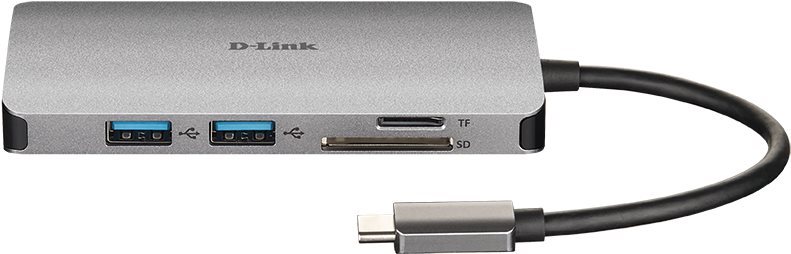
This D-Link DUB-M810 will be quite reliable for your laptop. Especially when it comes to compact laptops, a docking station has an advantage in that you can connect to much more accessories at once. You can be sure to use all the functions of your laptop, keep your workspace tidy and instantly connect to other accessories. The USB-C connector is used to connect the D-Link DUB-M810 docking station and your laptop. It has the connector standard of USB 3,2 Gen 1 (USB 3,0). The Docking Station offers high quality thanks to the metal design. Thanks to Power Delivery significantly accelerated recharging.
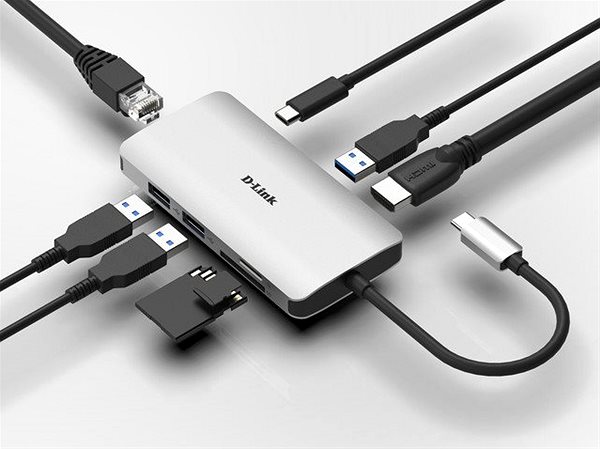
Key Parameters of the D-Link DUB-M810 Docking Station
Specifications
Power supply (cable)
Laptop power port
Standard male connector
Max. Power Delivery value
Colour
Laptop power port
Power supply (cable)
Laptop power port
Standard male connector
Max. Power Delivery value
Features
Colour

D-Link s.r.o., Na Strži 65/1702, 140 62 Praha 4, [email protected]
Note:
Specifications can be changed without notice. Images are for illustrative purposes only.
