



Dobrý den, umí prosím tato tiskárna skenovat a kopírovat oboustranné dokumenty ? Díky
HP LaserJet Pro MFP M426dw JetIntelligence

Laser Printer - multifunction A4 printer/scanner/copier, 38ppm, 1200X, 1200dpi, ADF, display, HP ePrint, Apple AirPrint, duplex, USB 2.0, LAN, WiFi
Show full description
Code:
PA404g9i
Producer's Website:
Don't like the alternatives? Choose from the full product list
- Help and manuals 8
- Specifications
- Photos & Videos 4
- Alternatives 8
- Accessories and suggested products

HP LaserJet Pro MFP M426dw JetIntelligence
Discontinued
HP LaserJet Pro MFP M426dw JetIntelligence
Off
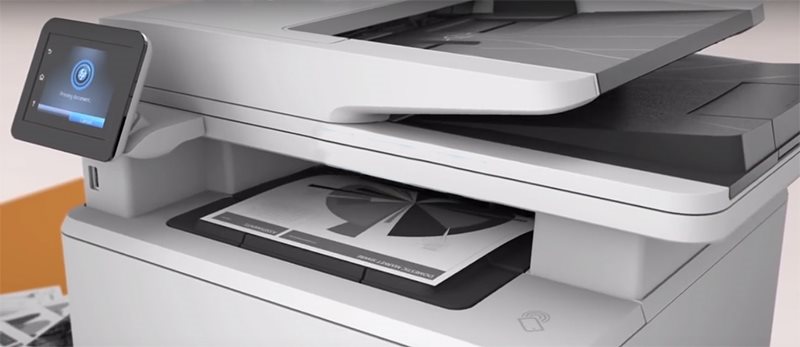
The HP LaserJet Pro MFP M426dw offers high performance and productivity in a compact body. With an incredible 38 pages per minute and up to 80,000 pages per month, the printer is perfect for larger offices with a large volume of printed documents. The device offers the ability to scan and copy documents, and wireless printing via WiFi is available directly from mobile devices.
Off

Ready for a High Load
The printer is equipped with a spacious stack that holds up to 250 sheets. There is also a manual feeder for easy scanning or copying of multiple documents, and the two-sided printing option that is the fastest in its class. You can easily select individual parameters on the colour touchscreen.
JetIntelligence Technology
JetIntelligence printers use new toners with a breakthrough chemical composition where each toner particle forms a hard shell and a soft core. This composition ensures high yield and low energy consumption during toner fusing. Printing is faster and more economical while maintaining high quality.
Off

Off

More sites, Performance and Protection
Intelligent edge-maximizing technology detects wear on the cassette system and always offers the best performance to print as many pages as possible. During operation, the printer collects key toner cartridge and component status information to intelligently determine its life.
Multifunctional Use
The built-in scanner with a maximum resolution of 1200 DPI delivers ultra-fast scanning of documents at 26ppm. You can scan directly into email, network folders, or the cloud. The USB connector lets you print documents directly from your flash drive.
Off

Off

Advanced Security and Sharing
The printer offers a number of features to perfectly secure and manage your data through HP Web Jet Admin. You can easily set up printer Share and Print over Ethernet and wireless. The NFC mobile printing features also support Apple Airprint , or HP ePrint.
- Printers are usually supplied with a starter toner and/or cartridges with an approximate 60% capacity of regular cartridges which are available to purchase separately.
Specifications
Print colour
Features
Connection
Scanner features
Type
Print colour
Function
Features
Connection
Connection
Scanning
Scanner features
26 PPM
Printing parameters
Print speed in black and white - maximum
Input trays
4,000 pages/month
150 sheets
Dimensions
Height
Depth
Width
Equipment
Touch
More Specifications

HP Inc Czech Republic s.r.o Za Brumlovkou 5/1559 140 00 Praha 4 VAT ID: CZ 03208427 Radek Mattas, [email protected]"
GO Europe GmbH, Zum Kraftwerk 1, Hattingen 45527, Germany, +49232468010, [email protected]
Hewlett-Packard was founded in the difficult times of the Great Depression. The founders were a pair of friends whose name the company still proudly bears. They started their business in an unobtrusive garage near the city of Palo Alto. It is now a national monument. HP’s success lay not in copying existing products, but in the ability and courage to come up with something new.
The first commercial triumph was an oscillator that surpassed all competition in quality, yet sold at a quarter of the price. In 1968, HP released their first desktop computer - a desktop calculator. The company currently manufactures products primarily related to computer technology - computers and laptops, printers, scanners, digital cameras, servers, and last but not least, calculators.
Note:
If there is no "package contains" box in the product parameters and the data or USB cable is not specifically mentioned in there, the package does not contain it and must be purchased separately.
Specifications can be changed without notice. Images are for illustrative purposes only.
