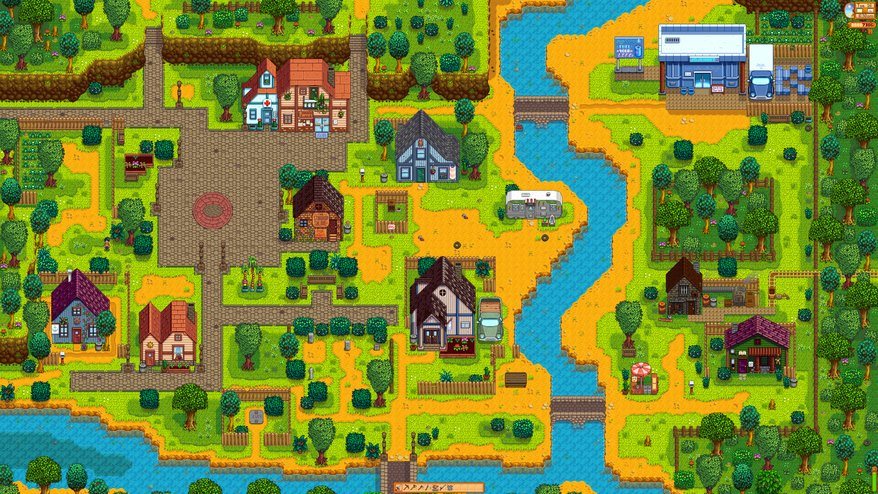
Stardew Valley - PC DIGITAL1,591,- 1,006,- Available for download
Buy
Stardew Valley - PC DIGITAL
Destiny 2 arrives at the beginning of September 2017 and it's going to be a blast. After all, the first game was played by many millions of players all over the world.
88%
A well-developed and complex sandbox with a staggering amount of content. It will caress you with its calming mood and win you over with its refined gameplay. Relaxing with a game has not been this fun and fulfilling for a long time.
You've inherited your grandfather's old farm in Stardew Valley.
Can you handle the difficult start? Will you make do with old equipment and a little bit of money?
A demanding task
To turn a slowly forgotten farm into a prosperous one, you'll have to contend with more than just pests and the weather. The Joja Corporation has rejected the old way of life, so the biggest challenge will be to restore Stardew Valley to its former glory.
Off on an adventure!
Harvest crops, raise animals. On your way to becoming a seasoned farmer, you will have to improve in 5 areas: farming, mining, combat, fishing and foraging. But you won't be alone. There are 30 different characters in the town, each living their own life. But the game isn't just about farming. There are lots of monsters hiding in the mysterious cave, but also valuable treasures and equipment.
The purchased product key must be activated in Steam:
1) Go to https://store.steampowered.com/ and click on the green button that says "Install Steam".
2) Install and run the Steam client and log in with your existing account or create a new one.
3) Click "Add Game" at the bottom left corner of the screen and then select "Activate a Product on Steam"
4) The "Product Activation" window will pop up. Follow the onscreen instructions and enter your purchased code.
5) Once the activation is complete, you can find the new game in your "Library" tab.
6) Press the blue "Install" button to install the game.
If you have any problems redeeming your prepaid code, please contact Steam Support: help.steampowered.com/en
Note:
Note that some games may require:
a digital store account with a particular service - MS Store, Origin, Steam, Uplay etc. (you can find out more in our article on how to apply your electronic licences)
broadband internet connection for online gaming, initial setup, updates, and more
a monthly subscription fee for online multiplayer gaming (Xbox Live, PlayStation Plus, etc.)
Try our cookiesAlza.cz a. s., Company identification number 27082440, use cookies and other data to ensure the proper functioning of the website and, with your consent, also, among other things, to personalize advertising and the content of our websites. By clicking on the “I understand“ button, you agree to the use of cookies and the transfer of data regarding the behavior on the website for displaying targeted advertising on social networks and advertising networks on other websites.
We use 8 categories of cookies on our website:
Technical cookies
These are strictly necessary for the functioning of the website and the features you choose to use. Without them, our website would not work; you wouldn't be able to log in to your user account, for example.
Functionality cookies
These cookies allow us to remember your basic choices and improve the user experience. These include remembering your preferred language or allowing you to stay logged in permanently.
Social media cookies
These cookies allow us to easily link you to your social media profile and, for example, allow you to share products and services with your friends and family.
Content personalisation
These cookies allow us to show you content and ads according to the information we have about you to best meet your needs. This includes what content you have viewed, or on what device you are accessing our website.
Non-personalised advertising
These cookies allow us to show you general ads for products and services.
Personalised advertising
Thanks to these cookies, we and our partners can offer you relevant products and services based on your purchases, your shopping behaviour and your preferences.
Audience metrics
These cookies allow us to optimise our site for your convenience based on how you use it. The aim is to remember or anticipate your choices. This includes, for example, the use of features, their location, or the behaviour on the page.
By giving your consent to the processing of cookies, functionality and analytical cookies will be installed on the device you use to browse the website (click on the "I understand" button for both categories, or you can select only one of the categories by clicking on the "Settings" button). We always install technical cookies on your device, even without your explicit consent, because without them our website would simply not work.
You can revoke your consent to the processing of cookies. In connection with our company's cookie processing, you also have the following rights: the right to access cookies, delete, modify, supplement and correct them, restrict processing and the right to lodge a complaint with the Office for Personal Data Protection. Read more about your rights.