


Dobrý den, rád bych se zeptal konkrétně na zapojení uvnitř PC. Jaký kabel bude potřeba, zda jsou i nějaké varianty kabelů atd. Předem děkuji za odpověď.
QNAP QDA-U2MP
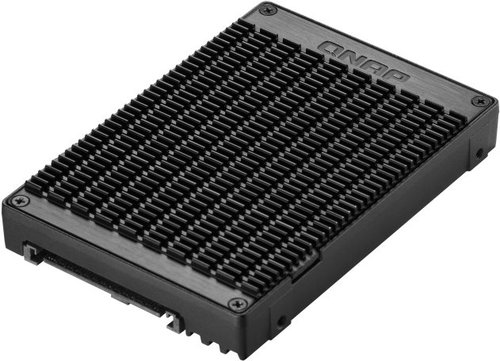
Wireless Adapter - U.2 NVMe to dual M.2 NVMe SSD adapter
Show full description
3,199,-
Warranty 24 months
Code:
QL273i3
Producer's Website:

QNAP QDA-U2MP
3,199,-
In stock 3 pcs at the supplier's
Buy
QNAP QDA-U2MP
The QNAP QDA-U2MP drive adapter offers a more economical solution for your computer. Instead of one 2.5'' U.2 PCIe 3.0 x4 NVMe SSD, you can install two M.2 PCIe 3.0 x4 NVMe SSDs, which are a cheaper, yet sufficiently powerful option. The thermal pads also help to dissipate heat more effectively. You can easily check the QNAP drive adapter with the QTS application. The aluminium alloy construction with thermal pads dissipates heat from the installed components and maintains a stable operating temperature. The device works with a U.2 SFF-8639 PCIe 3.0 x4 host interface and can be used in computers and NAS systems.

Key Features of the QNAP QDA-U2MP Wireless Adapter
- The QNAP adapter saves you money
- Instead of a 2.5'' U.2 SSD, you can insert two M.2 SSDs
- Thermal pads dissipate heat faster
- The aluminium alloy frame improves performance
- With the QNAP adapter, you can achieve PCIe 3.0 x4 transfer speeds

Transfer Speed
The adapter supports transfer speeds of up to PCIe 3.0 x4. This speed reduces the time needed to move large volumes of data. This allows users to work with demanding files without unnecessary delays. The fast interface facilitates smooth file transfers on both the local network and the local computer. The device is suitable for use in workstations and servers.

Adapter Cooling and Construction
The metal frame, made from an aluminium alloy, forms the mechanical base of the entire adapter. The package includes thermal pads designed for installation directly onto both inserted M.2 SSDs. The combination of the metal frame and thermal pads dissipates heat from the memory modules into the surrounding environment. A stable operating temperature prevents a drop in transfer speed during prolonged use and helps maintain consistent performance.

Adapter Utilisation
Installing the adapter in compatible NAS devices helps to optimise data-intensive applications. Users can configure an SSD cache to increase the IOPS performance of the entire disk array. Drive management is handled via the native QTS Storage & Snapshots Manager application. This tool displays the current status and wear of both inserted drives.

Wide Operating System Support
The adapter works in various software environments without the need to install special drivers. It supports Windows 7, 8.1, and 10, as well as Windows Server 2012 R2. The manufacturer also declares compatibility with Ubuntu and the proprietary systems QTS and QuTS hero. This allows users to easily integrate the adapter into their existing infrastructure.

Monitoring SSD Health
PC users can monitor the health of the inserted drives using third-party tools. Programmes like CrystalDiskInfo provide detailed information about temperature and cell wear. Monitoring drive status helps prevent the loss of important data due to unexpected hardware failure. Diagnostics are performed directly through the operating system's standard interface.
Supported drives:
2× M.2 2280 PCIe 3.0 × 4 NVMe SSD
Host interface:
U.2 (SFF-8639) PCIe 3.0 × 4
Supported operating systems:
QTS 4.4.2 (or later), QuTS hero h4.5.2 (or later), Windows: Windows 7, 8.1, 10, Windows Server 2012 R2, Ubuntu
Dimensions:
1.5 × 7 × 10cm
Weight:
140g

QNAP GmbH, Karl-Arnold-Straße 26, 47877 Willich, +492154884280, [email protected]
Note:
Specifications can be changed without notice. Images are for illustrative purposes only.
