


Určitě by se hodila variace pro leváky. Aktuálně jsou myši pro leváky s devíti tlačítky na opačné straně dosti nedostatkové zboží na trhu, dříve to tu nabízel Razer, ale teď se to maximálně dá objednat od nich ze zahraničí.
Rapture ANACONDA Black


Gaming Mouse – wired, optical sensor Pixart PMW3325, DPI up to 10,000, response time 1 ms, tracking speed 100 IPS, acceleration 20G, frame rate 5200 fps, RGB backlight, interchangeable side covers, left side cover - 3 buttons (forward, backward, action button) or 9 buttons, suitable for MMO gamers, 2 right side covers to adjust the shape of the mouse, 8 or 14 programmable buttons, switches Kailh GM 4. 0 (main buttons), lifetime up to 60 million clicks, Kailh switches (side buttons), lifetime up to 5 million clicks, Teflon glides, Plug & Play, cord length 1.8 m, braided cable, USB-A connector, software (DPI change, backlight, macros)
Show full description
Buy with code
ALZADNY20
479,-
-7 % off new
599,-
New 649,-
Shop faster with pickup at AlzaBox or in-store.
Warranty 36 months
Code:
RPTGM004a
Producer's Website:

Rapture ANACONDA Black
599,-
Unsealed - in stock 1 pcs
Buy
Rapture ANACONDA Black


Rapture ANACONDA Black is an almost new item, in perfect condition, and comes with a full warranty. However, someone opened the original packaging before you. Why? It could have been an unwanted gift. For detailed information, click here.
RAPTURE ANACONDA GAMING MOUSEThe ultimate MMO weapon!
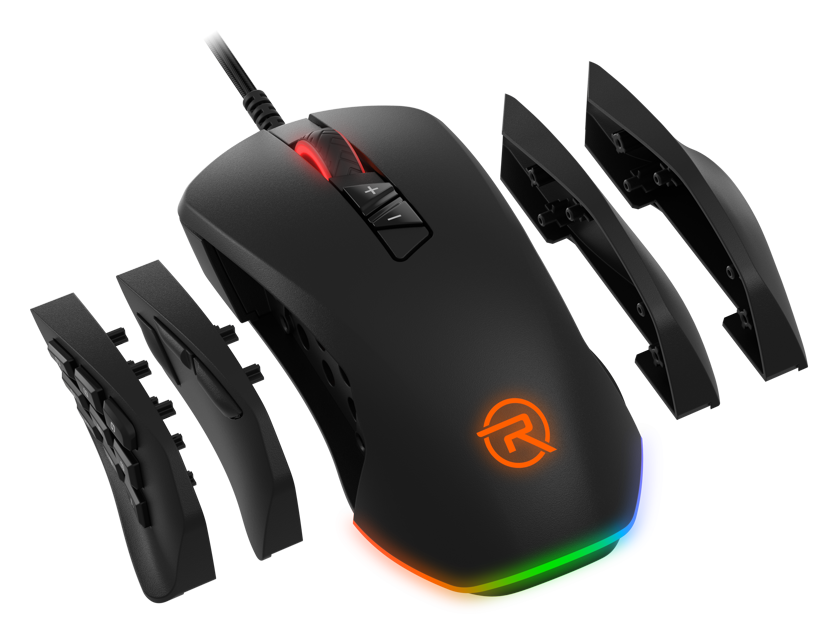
The top-tier Rapture ANACONDA gaming mouse is specially designed for MMO players. So if your favourite games are World of Warcraft, Lost Ark, Black Desert Online, The Elder Scrolls Online, Final Fantasy XIV and other MMO hits, this mouse should definitely be in your arsenal. You can look forward to a host of technological features, including a PixArt PMW3325 optical sensor with top-of-the-range specs, interchangeable side panels, Teflon gliders and stylish customisable RGB backlighting – letting you tune the Rapture ANACONDA mouse to your exact liking. The mouse weighs 130g and it's also worth mentioning that it comes with its own easy-to-use setup software, which you can download here.

Technical specification
Rapture ANACONDA
PixArt PMW3325
optical sensor
800–10000 DPI
sensitivity
1ms
response
1000MHz
polling rate
20G
ACCELERATION
100 IPS
tracking speed
5200 fps
FRAME RATE
Kailh GM 4.0
SWITCHES
8 or 14
BUTTONS
65 ± 10g
actuation force
What makes the RAPTURE ANACONDA gaming mouse stand out
WHAT YOU CAN LOOK FORWARD TO
PIXART PMW3325 SENSORExceptionally precise and fast
The Rapture ANACONDA is equipped with a top-of-the-line, ultra-fast and incredibly precise PixArt PMW3325 optical sensor with adjustable sensitivity from 800 to 5000 DPI for maximum control over your mouse movement. You can easily adjust the sensitivity to your requirements using the dedicated button or the included intuitive software, which also lets you increase the mouse sensitivity up to 10000 DPI. Each DPI level has its own backlight colour – 800 (red), 1600 (green), 2400 (blue), 3600 (orange), 5000 (purple) and 10000 (white). With this precision sensor, your chances of victory will be much higher!
PERFECT IN EVERY WAYPaving the way to victory
The PixArt PMW3325 optical sensor won't let you down under any circumstances, perfectly transferring your every move to the gaming arena. It precisely registers acceleration up to 20G and handles even very fast movements with ease. The tracking speed reaches 100 IPS (inches per second) and reliably registers a distance of up to 254cm per second, so it won't limit your gaming skills, and the Rapture ANACONDA mouse certainly won't hold you back in the game. A polling rate of 1000Hz guarantees a fast response between the computer and the mouse.
INTERCHANGEABLE SIDE PANELSA truly flexible MMO mouse
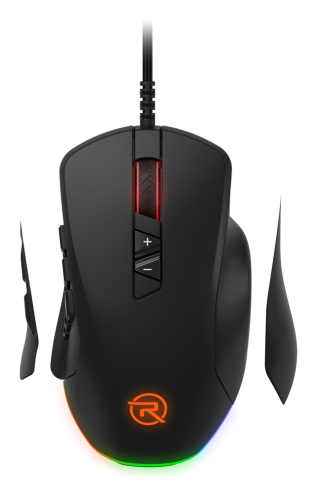
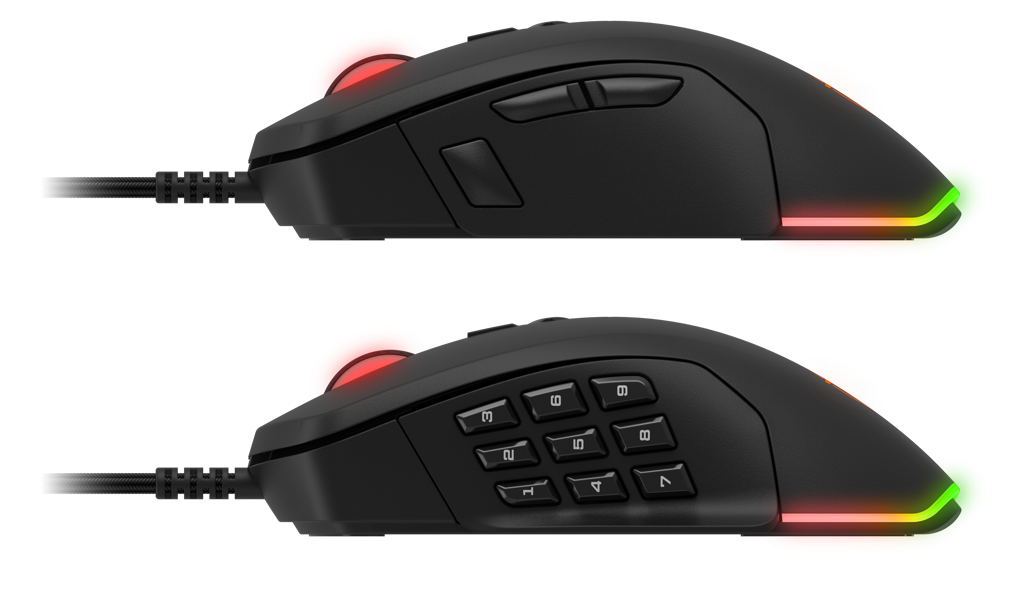
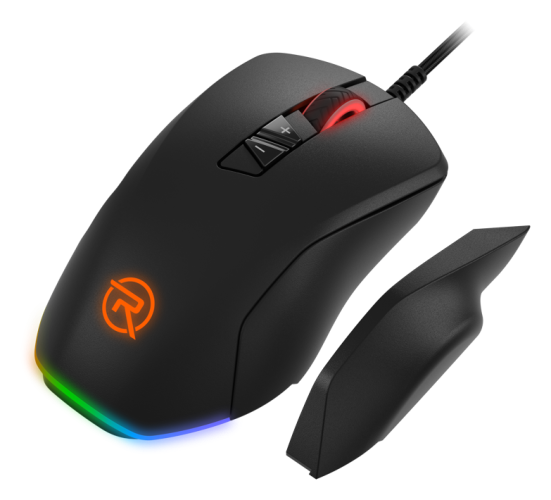
Included are two interchangeable left side panels, either with three control buttons (forward / back / triple-click) or an MMO panel with nine programmable buttons. You can also customise the right side of the mouse. Two interchangeable right side panels, each with a different shape, are used to adjust the final look and ergonomics of the mouse. The panels can be combined with each other, letting you fine-tune the Rapture ANACONDA gaming mouse to fit perfectly in your palm while having all the controls you need at your fingertips.
KAILH GM 4.0 SWITCHESIndestructible buttons
A gaming mouse is expected to have top-quality mechanical design with high durability, reliability, and a long lifespan. That's why the Rapture ANACONDA is equipped with upgraded Kailh GM 4.0 switches on the left and right buttons, with an incredible lifespan of over 60 million clicks. The other buttons (Kailh GM 3.0) can handle 3 million clicks without issue, and the scroll wheel (Huano) 5 million. Thanks to its highly durable and reliable design, the Rapture ANACONDA gaming mouse is ready for some serious gaming action without any surprises.
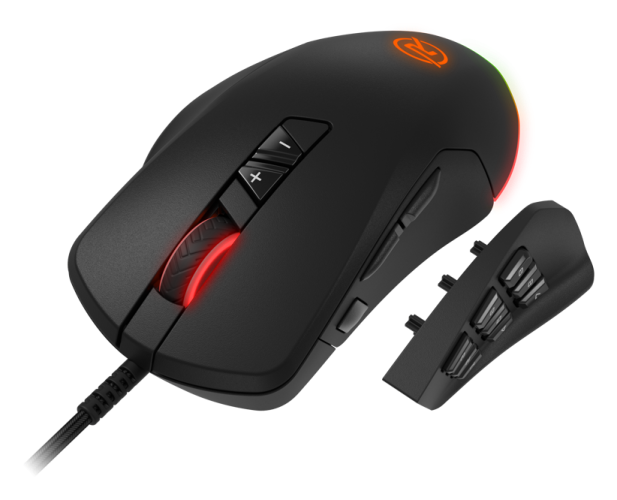
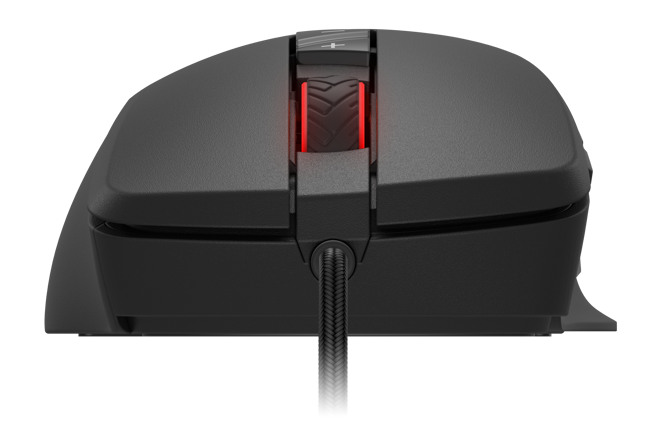
EASILY CUSTOMISABLEUp to 14 programmable buttons
Using the software (downloadable here), you can not only customise the DPI value, but also assign macros for up to 14 buttons (depending on the left panel used), set the backlighting, or dive into advanced mouse optimisation. Thanks to the RGB backlighting, the Rapture ANACONDA mouse will perfectly match your gaming setup. Installation is Plug & Play – just plug the mouse into a free USB port on your computer. You don't need to go through any lengthy setup or install drivers; the mouse is ready to play in seconds. The braided USB cable is 1.8 metres long.
COMFORTABLE AND ERGONOMICFits perfectly in your hand
We designed the mouse to provide you with maximum comfort even during hours of gaming. The Rapture ANACONDA has a natural ergonomic shape and fits perfectly in any hand, plus you can customise it with two interchangeable side panels with different shapes. The mouse is useful not only for gaming but is also great for regular office work, video editing and graphic design. The buttons are placed in their usual positions, so you'll find them right where you're used to. The pleasant-to-the-touch surface is non-slip and provides a firm and secure grip in any situation. The Teflon gliders ensure a great movement experience for both gaming and regular PC work.
Specifications
Mouse interface
Gaming
Usage
Compatibility
Connection
Mouse interface
Mouse interface
Mouse use
Gaming
Usage
Compatibility
Compatibility
Sensor
Mouse buttons
Button functions
Wheel
Switch type
Switch life expectancy (number of clicks)
Other mouse features
Dimensions and weight
Width
Height
Depth
Weight
Colour
Black
In the package
In the package
3D/AR
3D/AR
More Specifications

Alza.cz a.s., Jankovcova 1522/53, 170 00 Praha 7 - Holešovice, +420 225 340 111, [email protected]
A 36-month / 3-year or 48-month / 4-year warranty refers to the total duration of the warranty from the date of receiving the goods. Compared to standard statutory rights, this gives you an additional 12 months / 1 year or 24 months / 2 years, respectively, to file a claim.
Note:
Specifications can be changed without notice. Images are for illustrative purposes only.
