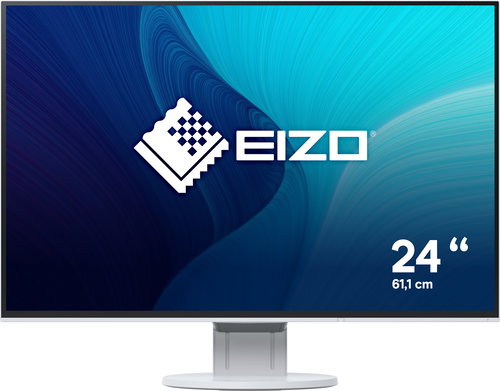
The EIZO EV2456 comes in an energy-saving range of EV-EcoView, and a new attractive design with a 1mm ultra-thin frame. It is equipped with an IPS panel providing high-quality image, which has a sophisticated matt anti-reflection coating ensurng virtually zero screen glare. The 24.1" screen ensures easy use of all the common applications, as well as correct display of colour thanks to the colour range of the monitor that conforms to the IEC61966-2.1 sRGB photographic standard.
Off
A Farewell to Tired Eyes
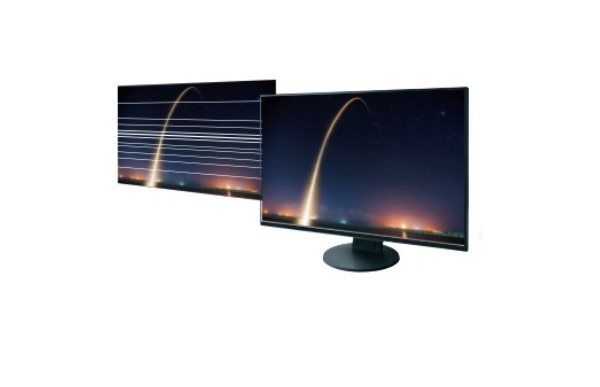
The brightness of the LCD panels can be controlled by adjusting the brightness of their backlighting LED system. Often manufacturers choose simpler brightness controls to achieve the lowest price, but this results in a limited range of control (eg 30-100%) and can even be uncomfrotable to some users by creating the illusion of flickering. This is certainly not an issue with this monitor.
The state-of-the-art LED backlight control system used by EIZO monitors not only reduces the power consumption, it does not exceed 13W under normal circumstances, but also allows for stable and flicker-free adjustments to the desired brightness level.
Automatic Brightness Control
The monitor uses a unique, optimized, nonlinear control mechanism to adjust the brightness of the monitor based on the ambient lighting, which, compared to a simple and commonly used linear control mechanism, can better respond to environmental light changes. There are two separate control settings - for winter and for summer. The brightness of the monitor is therefore always in balance with the intensity of ambient lighting and so it affects the user's eyes in much the same way as if they were looking at paper.
Automatic White Balance
An interesting new feature of this monitor is the automatic balancing of the intesity of the colour white, for example when reading/writing text documents since they display large white areas and put much strain on the user's eyes. This feature can of course be turned off, which comes in handy especially when editing images and similar work.
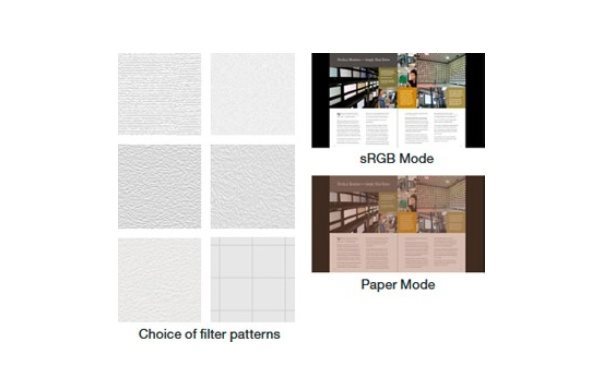
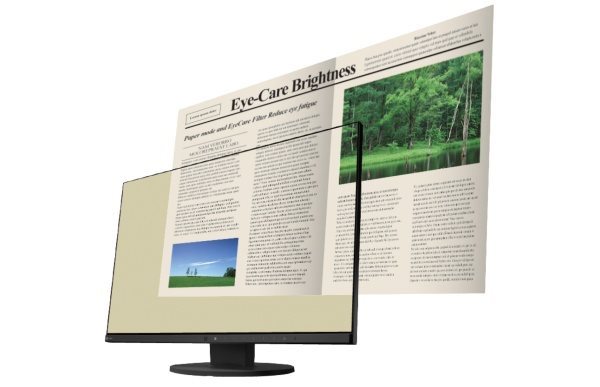
In addition, each user can choose an adjustable "image filter" to minimize eye fatigue caused by long-term reading of texts on a white background.
Off
Off
Use It as a Reader & "Paper Mode"
For longer reading of electronic documents, the monitor has a preset "Paper" mode, where the contrast ratio of the monitor drops to 1:100 and therefore perfectly simulates an electronic reader.
Less Blue Light at Night
When the monitor is in "read" mode it also automatically reduces the amount of blue light in the backlighting LED system, thereby preventing night-time eye fatigue caused by artificial lighting, while also ensuring proper levels of melatonin during the night hours (melatonin is a hormone which prevents sleep disorders and helps get a healthy sleep). The user may even set the time when the blue light amount starts to decrease and the time when its level automatically starts to return to its original setting.
Efficient, Powerful and Silent
Due to the unique technology of continuous histogram evaluation (brightness distribution) of the currently displayed scene, the monitor needs up to 30% less power while providing a stunning image. At the same time, the power supply is also practically silent - a small miracle for such a powerful monitor.
For the Amateur Photographer
The colour range of the monitor is close to the IEC61966-2.1 sRGB standard, so right out of the box the monitor can accurately display colour photographs with the sRGB colour gamut without having to calibrate the monitor's colour profile. Viewing images with the sRGB gamut is accurate even in browsers without Colour Management Support (without CMS), such as in Internet browsers or other applications that were not originally designed for displaying colour photographs.
This is a great advantage especially for beginners or amateurs who may not always be familiar with colour display issues on modern wide-screen monitors. For even more accurate colour representation of sRGB photos, you can push the sRGB button, which automatically adjusts the corresponding white point temperature and automatically sets the gradient curve.
Easily Connects to a PC
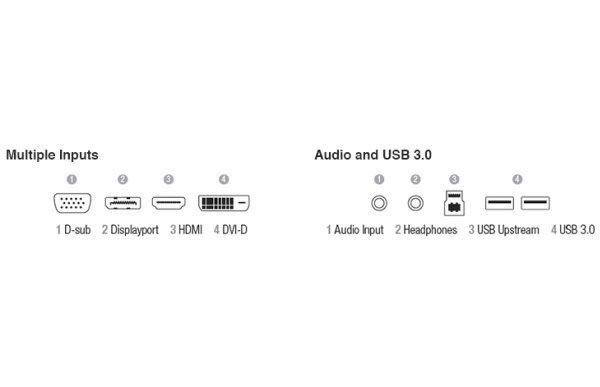
The monitor is equipped with four connectors - DisplayPort, HDMI, DVI-D and also VGA for connecting to older notebooks. Thanks to the integrated 2× USB (3.0) hub, it is possible to connect devices directly to the monitor - flash drives, keyboards, mouses and more.
The monitor naturally supports both analog (3.5 mm jack) and digital (DisplayPort) stereophonic sound and has two integrated 1W speakers.
Off
Excellent Ergonomics
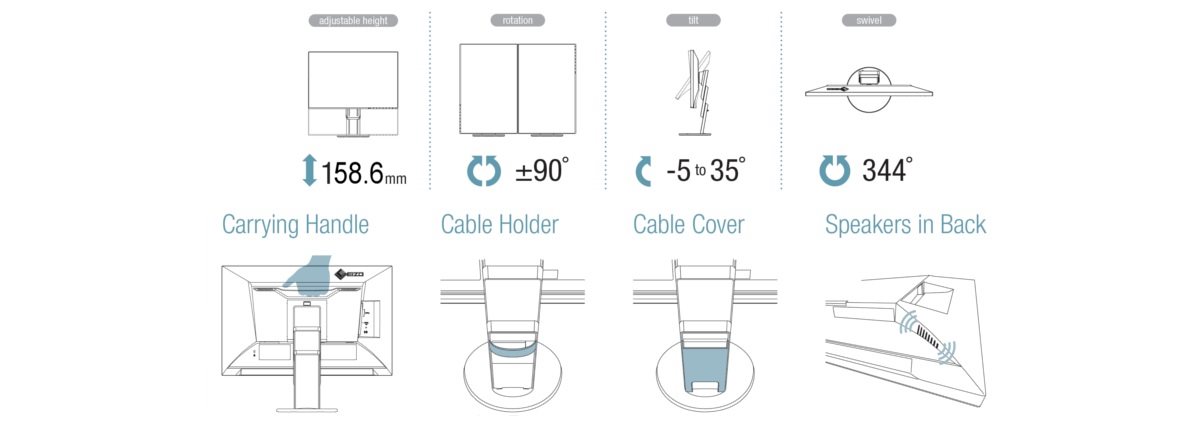
With a new flexible stand, it is possible to easily adjust the 24" panel to every user's liking, you can adjust the height of the stand in the range of 9-168mm (159mm range), swivel it up to 344°, tilt the panel +35°/-5° and even pivot the panel 90° - turning the panel to a "portrait" position for convenient viewing of long web pages. To help set up the monitor, the touch panel has an automatic hint feature which shows a pressed button's function to provide maximum support to the user.
Off
Off
EIZO Monitor Configurator for Administrators
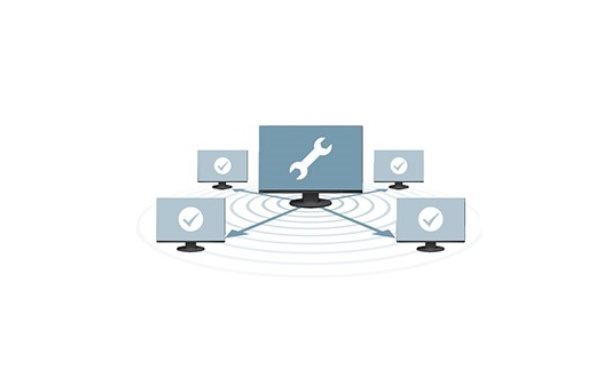
With this feature, you can easily manage and configure multiple monitors connected to local PCs that are in turn connected to the a wider network. The administrator does not have to visit the workstations individually and set-up each monitor separately, but instead set-up multiple monitors at once.
Zero Tolerance
Each pixel on the LCD monitor is made up of three R-G-B sub-pixels. EIZO guarantees zero tolerance of permanently bright or permanently dark pixels or sub-pixelsin their monitors .
Thanks to the high quality of all the components used in the monitor, the manufacturer provides a 5 year warranty for this model, including the LCD panel and its backlighting system.
Off
Additional information:
Screen: Surface: Matt layer with zero glare and a 3H hardened surface Pixel Pitch: 0.27 mm Contrast (static): 1000:1 Viewing Angles (horizontal/vertical): 178°/178° Display Colours: 16.7 million Preset Video Modes: User1, User2, Movie, sRGB, Paper, DICOM (for Roentgen Images)
Special Features: Auto EcoView - Ambient light sensor for automatic brightness control EcoView Optimizer II - Automatically optimizes the intensity of the colour white Saves electricity by evaluating the histogram of the displayed scene Software control of the monitor via a USB channel (Screen InStyle and Admin Configurator - Quickly set-up multiple monitors at once)
Base: Tilt +35°/-5°, Swivel 344° Pivot 90° Heigh Adjustment Range 159 mm Support for VESA 100×100mm wall mount or ergonomic brackets
Other Features: Security Lock Lock Slot (Kensington) Compliance with Standards: TCO Displays 6.0, ECO Sense Gold (US), EPA Energy Star, TUV/Ergonomics (including ISO9241-307), TUV/GS, CE, CB, FCC-B,
Design, Dimensions, Weight: Dimensions without stand: 531×342×45.5mm Dimensions with stand: 531×351~510×190 mm Weight without stand: 3.7kg Weight including stand: 5.7kg Recommended Operating Temperature: 5-35°C
Standard Accessories: Cables: Power cord, 1x DP/DP video cable, USB cable CD: EIZO Utility Disk (PDF-User Manual, Screen InStyle)
Denotes the distance between the lower left and upper right corner of the screen. It is quoted in inches,while 1 "= 2.54 cm. How big a diagonal measurement to choose with which device and what are the benefitsand the disadvantages?
Monitor resolution refers to the number of pixels on the monitor screen, expressed as width × height. Higher resolutions provide a more detailed and clearer image, while lower resolutions may be suitable for smaller monitors or to save power.
Denotes the distance between the lower left and upper right corner of the screen. It is quoted in inches,while 1 "= 2.54 cm. How big a diagonal measurement to choose with which device and what are the benefitsand the disadvantages?
Monitor resolution refers to the number of pixels on the monitor screen, expressed as width × height. Higher resolutions provide a more detailed and clearer image, while lower resolutions may be suitable for smaller monitors or to save power.
The monitor connection type refers to the interface that is used to transmit the video signal from the source (e.g. computer) to the monitor. Different connection types support different resolutions and refresh rates and can affect the quality and performance of the display on the monitor.
Specifications can be changed without notice. Images are for illustrative purposes only.
Dobrý den, tak provádím první sledovanost monitoru EV 2456, bohužel mně překvapilo, při otáčení obrazovky o 90%, obraz se otočí také, myslel sem, že zůstane, jde nějak nastavit? Potom se ještě chci zeptat, je někde, nebo jek nastavit optimální obraz, jas ostrost...?
Děkuji Rudolf
Dobrý den, tak provádím první sledovanost monitoru EV 2456, bohužel mně překvapilo, při otáčení obrazovky o 90%, obraz se otočí také, myslel sem, že zůstane, jde nějak nastavit? Potom se ještě chci zeptat, je někde, nebo jek nastavit optimální obraz, jas ostrost...?
Děkuji Rudolf
Dobrý den, pořídila jsem si tento model, ale HDMI kabel nebyl přiložen. Můžete mě prosím nasměrovat, který je ten pravý kabel pro propojení s compem s HDMI vstupem prosím?
Dobrý den, pořídila jsem si tento model, ale HDMI kabel nebyl přiložen. Můžete mě prosím nasměrovat, který je ten pravý kabel pro propojení s compem s HDMI vstupem prosím?
V ponuke máte dva modely Eizo FlexScan EV2456 a síce
EV2456-BK a EV2456-WT. Podľa stránok výrobcu má byť rozdiel vo farbe. Vy ale uvádzate u modelu WT 10 bitovú farebnú škálu a u BK len 8 bitov.
V ponuke máte dva modely Eizo FlexScan EV2456 a síce
EV2456-BK a EV2456-WT. Podľa stránok výrobcu má byť rozdiel vo farbe. Vy ale uvádzate u modelu WT 10 bitovú farebnú škálu a u BK len 8 bitov.
Try our cookiesAlza.cz a. s., Company identification number 27082440, use cookies and other data to ensure the proper functioning of the website and, with your consent, also, among other things, to personalize advertising and the content of our websites. By clicking on the “I understand“ button, you agree to the use of cookies and the transfer of data regarding the behavior on the website for displaying targeted advertising on social networks and advertising networks on other websites.
We use 8 categories of cookies on our website:
Technical cookies
These are strictly necessary for the functioning of the website and the features you choose to use. Without them, our website would not work; you wouldn't be able to log in to your user account, for example.
Functionality cookies
These cookies allow us to remember your basic choices and improve the user experience. These include remembering your preferred language or allowing you to stay logged in permanently.
Social media cookies
These cookies allow us to easily link you to your social media profile and, for example, allow you to share products and services with your friends and family.
Content personalisation
These cookies allow us to show you content and ads according to the information we have about you to best meet your needs. This includes what content you have viewed, or on what device you are accessing our website.
Non-personalised advertising
These cookies allow us to show you general ads for products and services.
Personalised advertising
Thanks to these cookies, we and our partners can offer you relevant products and services based on your purchases, your shopping behaviour and your preferences.
Audience metrics
These cookies allow us to optimise our site for your convenience based on how you use it. The aim is to remember or anticipate your choices. This includes, for example, the use of features, their location, or the behaviour on the page.
By giving your consent to the processing of cookies, functionality and analytical cookies will be installed on the device you use to browse the website (click on the "I understand" button for both categories, or you can select only one of the categories by clicking on the "Settings" button). We always install technical cookies on your device, even without your explicit consent, because without them our website would simply not work.
You can revoke your consent to the processing of cookies. In connection with our company's cookie processing, you also have the following rights: the right to access cookies, delete, modify, supplement and correct them, restrict processing and the right to lodge a complaint with the Office for Personal Data Protection. Read more about your rights.