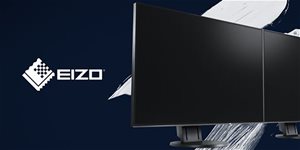
27" EIZO FlexScan EV2740X-BK 23,990,- In stock 3 pcs
Buy
27" EIZO FlexScan EV2740X-BK
The EIZO EV2740X-BK is part of the wider range of professional photo and video monitors in the colourEdge series. This new monitor from the popular series uses a low-energy IPS-LCD panel with a semi-matte surface finish. The screen boasts up to double the contrast (2000:1) compared to current models, and you'll also appreciate the high pixel density (163 PPI). The EIZO colourEdge EV2740X-BK has a detailed 4K resolution of 3840 × 2160. The manufacturer guarantees zero tolerance for defective pixels and their sub-pixels. The monitor comes equipped with a flexibly adjustable stand and two 2W speakers.
27"
screen size
3840 × 2160 (4K)
Resolution (Resolution Type)
IPS
Display Type
60Hz
Refresh Rate
5ms (GtG)
Response Time
Key Features of the 27" EIZO FlexScan EV2740X-BK Monitor
USB-C connector provides 94W of power to laptops
Integrated LAN port offers a stable wired network connection
USB hub includes three USB-A ports and one USB-C port
The stand has a wide range of height, tilt, swivel, and pivot adjustments
The colour space covers 100% of the sRGB standard
The monitor can be mounted on a VESA 100 × 100mm stand
Two integrated speakers have a total power output of 4W
The EIZO colourEdge EV2740X-BK offers Flicker-Free and Blue-reduction technologies
The EIZO colourEdge EV2740X-BK uses Hi-PWM technology for brightness control, which manages the light flux of the LED backlight system using pulse-width modulation operating at a high frequency in the tens of kHz range, so there is no image flickering when the screen brightness is reduced by the user. In the evening, you can significantly reduce the blue spectrum emitted by the EIZO colourEdge EV2740X-BK's backlight system by lowering the monitor's white point below 5000K. The image is therefore always optimal under any lighting conditions.
A Finely Tuned Monitor
The EIZO colourEdge EV2740X-BK has an effective automatic LED backlight regulation system that creates a stable and flicker-free image. This also leads to a reduction in the monitor's electricity consumption. The brightness of the EIZO colourEdge EV2740X-BK LCD monitor can be adjusted in a range from 1 cd/m² up to 350 cd/m² (1% - 100% of the maximum brightness value). This makes the monitor suitable for use both day and night. The monitor can automatically set the optimal brightness level depending on the ambient lighting.
Colour Gamut According to the sRGB IEC61966-2.1 Standard
You can start using the EIZO colourEdge EV2740X-BK monitor to its full potential straight away. Right out of the box, it can display sRGB photos correctly without the need for calibration. The display of images in the sRGB range is correct even in browsers that do not support Colour Management (without CMS), i.e., in internet browsers and other applications. This is also why the EIZO colourEdge EV2740X-BK monitor is suitable for beginners who are not familiar with the issues of Colour Management and the colour reproduction of photos on monitors. The monitor has a dedicated “sRGB” button, which also automatically sets the corresponding white point temperature and correctly selects the gradation curve (the rate of increase of the black point).
The Monitor as a Docking Station
A range of devices and popular peripherals can be connected to the EIZO colourEdge EV2740X-BK monitor. Thanks to USB-C, DP and HDMI, the monitor can process not only video data, but also YCbCr up to a resolution of 3840 × 2160 px at 60 frames per second. The EIZO monitor supports the connection of up to 3 external peripherals via the USB 3.1 interface and one peripheral via USB-C (Out) with the option of charging at up to 15W. An Ethernet cable can be connected to the EIZO LCD monitor for a hard-wired internet connection, providing a stable link to your home or company network. By connecting the EIZO colourEdge EV2740X-BK monitor to a laptop via USB-C, you can also charge the connected laptop with a power input of up to 94W.
The EIZO colourEdge EV2740X-BK has a built-in KVM switch
The USB-B and USB-C ports have a built-in KVM function allowing you to share a single keyboard and mouse between two connected computers. Other peripherals connected to the EIZO colourEdge EV2740X-BK's USB hub can also be shared in this way. You can feed a signal from two computers to the EIZO colourEdge EV2740X-BK monitor simultaneously and use the PbyP function to split the monitor screen into two display areas. Customise the monitor to your needs. Handling the 27-inch panel is a breeze thanks to the new flexible stand. It supports height adjustment up to 195mm, a pivot function, 90° rotation in both directions, and tilting from -5° to +35°.
Smart software for more convenient use
Through intelligent software, you can pre-set a suitable display mode for different applications. Launching an application will also trigger your previously created settings for the EIZO colourEdge EV2740X-BK monitor. The Screen InStyle softwarecan, for example, define “hot keys” for switching input video signals directly from the keyboard, set the white point for “Paper” mode, synchronise brightness changes across multiple monitors simultaneously using a single control, or even match the monitor's white point with the white point of the print proof's lighting.
An Environmentally Friendly Monitor
Using modern display technologies, the EIZO colourEdge EV2740X-BK LCD monitor has an energy-efficient operation with a typical consumption of just 16W. The monitor also meets high environmental sustainability standards, for which it has received certifications according to TCO9 and EPA EnergyStar Displays ver. 8.0. Furthermore, the monitor has earned the highest EPEAT “Gold” rating (Electronic Product Environmental Assessment Tool). High-quality components were used in the monitor's production. The manufacturer provides a 5-year or 30,000-operating-hour warranty on the EIZO colourEdge EV2740X-BK monitor. This also applies to the LCD panel and the backlighting system. This warranty is equivalent to 12 hours of use per day for 5 years.
Technical Specifications of the Monitor
screen size: 27"
Display Type: IPS
Backlight: LED
Aspect Ratio: 16:9
Maximum Brightness: 350 cd/m²
Contrast Ratio: 2,000:1
Viewing Angles: 178°
Response Time: 5ms (GtG)
Refresh Rate: 60Hz
Package Contents
1× Stand
1× USB-A cable
Colour Coverage (Gamut)
Determines how accurately the monitor can display colours. sRGB is ideal for the web, films or games. DCI-P3/Adobe RGB will be appreciated by graphic designers or professionals at work. The higher the stated value, the better the monitor displays colours.
Maximum Brightness
Given in nits or cd/m², this value determines the brightness of the monitor. A brightness above 400 nits is key for HDR content and readability in sunlight, while standard office monitors are sufficient with values above 250.
Refresh Rate and Response Time
Refresh rate (Hz) determines the number of frames displayed per second, so the higher the value, the smoother the image and the less eye strain. A lower response time value (ms) eliminates motion blur. 144Hz+ is ideal for gaming, while values around 75Hz are suitable for office monitors.
Denotes the distance between the lower left and upper right corner of the screen. It is quoted in inches,while 1 "= 2.54 cm. How big a diagonal measurement to choose with which device and what are the benefitsand the disadvantages?
The monitor resolution type refers to the number of pixels that can be displayed on the monitor screen. Choosing the right resolution type can have a significant impact on the overall experience of using your monitor, whether it's for work, gaming or watching movies.
Monitor resolution refers to the number of pixels on the monitor screen, expressed as width × height. Higher resolutions provide a more detailed and clearer image, while lower resolutions may be suitable for smaller monitors or to save power.
Denotes the distance between the lower left and upper right corner of the screen. It is quoted in inches,while 1 "= 2.54 cm. How big a diagonal measurement to choose with which device and what are the benefitsand the disadvantages?
The monitor resolution type refers to the number of pixels that can be displayed on the monitor screen. Choosing the right resolution type can have a significant impact on the overall experience of using your monitor, whether it's for work, gaming or watching movies.
Monitor resolution refers to the number of pixels on the monitor screen, expressed as width × height. Higher resolutions provide a more detailed and clearer image, while lower resolutions may be suitable for smaller monitors or to save power.
The monitor connection type refers to the interface that is used to transmit the video signal from the source (e.g. computer) to the monitor. Different connection types support different resolutions and refresh rates and can affect the quality and performance of the display on the monitor.
The sRGB colour coverage of a monitor is a measure of how much of the range of colours defined in the sRGB (Standard Red Green Blue) standard the monitor is able to display. A higher percentage of sRGB coverage means that the monitor can display a wider and richer range of colors.
Zakoupil jsem u Vás monitor 27" EIZO FlexScan EV2740X-BK , který jsem vybalil, připojil přes dodaný kabel ke svému PC (kabel s koncovkami USB "C") avšak monitor nebyl u počítače nalezen a na neaktívní obrazovce monitoru se zobrazuje, že "USB-C DP Unsupported" . U HDMI 1 a 2 se zobrazuje "No Signal". Koupi jsem tedy kvalitní kabel s koncovkami HDMI, zapojil a opět se vše opakuje a monitor je neaktivní. Napájení monitoru mám připojeno k elektrické síti. Dokážete mi, prosím Vás takto na dálku, pomoci s tímto problémem. Monitor vypadá krásně, reference perfektní a najednou toto.
Děkuji za Vaši radu.
S pozdravem František Šmákal, tel.: 777 903 882, e-mail.: smakalf@volny. cz
Zakoupil jsem u Vás monitor 27" EIZO FlexScan EV2740X-BK , který jsem vybalil, připojil přes dodaný kabel ke svému PC (kabel s koncovkami USB "C") avšak monitor nebyl u počítače nalezen a na neaktívní obrazovce monitoru se zobrazuje, že "USB-C DP Unsupported" . U HDMI 1 a 2 se zobrazuje "No Signal". Koupi jsem tedy kvalitní kabel s koncovkami HDMI, zapojil a opět se vše opakuje a monitor je neaktivní. Napájení monitoru mám připojeno k elektrické síti. Dokážete mi, prosím Vás takto na dálku, pomoci s tímto problémem. Monitor vypadá krásně, reference perfektní a najednou toto.
Děkuji za Vaši radu.
S pozdravem František Šmákal, tel.: 777 903 882, e-mail.: smakalf@volny. cz
V diskuzi na prad.de si někdo stěžuje, že měl dva kusy a oba vydávaly nepříjemné zvuky (pískání ?). Jsem na to velmi cotlivý, tak mně zajímá, jestli je to nějaká běžná závada typu ?
V diskuzi na prad.de si někdo stěžuje, že měl dva kusy a oba vydávaly nepříjemné zvuky (pískání ?). Jsem na to velmi cotlivý, tak mně zajímá, jestli je to nějaká běžná závada typu ?
Try our cookiesAlza.cz a. s., Company identification number 27082440, use cookies and other data to ensure the proper functioning of the website and, with your consent, also, among other things, to personalize advertising and the content of our websites. By clicking on the “I understand“ button, you agree to the use of cookies and the transfer of data regarding the behavior on the website for displaying targeted advertising on social networks and advertising networks on other websites.
We use 8 categories of cookies on our website:
Technical cookies
These are strictly necessary for the functioning of the website and the features you choose to use. Without them, our website would not work; you wouldn't be able to log in to your user account, for example.
Functionality cookies
These cookies allow us to remember your basic choices and improve the user experience. These include remembering your preferred language or allowing you to stay logged in permanently.
Social media cookies
These cookies allow us to easily link you to your social media profile and, for example, allow you to share products and services with your friends and family.
Content personalisation
These cookies allow us to show you content and ads according to the information we have about you to best meet your needs. This includes what content you have viewed, or on what device you are accessing our website.
Non-personalised advertising
These cookies allow us to show you general ads for products and services.
Personalised advertising
Thanks to these cookies, we and our partners can offer you relevant products and services based on your purchases, your shopping behaviour and your preferences.
Audience metrics
These cookies allow us to optimise our site for your convenience based on how you use it. The aim is to remember or anticipate your choices. This includes, for example, the use of features, their location, or the behaviour on the page.
By giving your consent to the processing of cookies, functionality and analytical cookies will be installed on the device you use to browse the website (click on the "I understand" button for both categories, or you can select only one of the categories by clicking on the "Settings" button). We always install technical cookies on your device, even without your explicit consent, because without them our website would simply not work.
You can revoke your consent to the processing of cookies. In connection with our company's cookie processing, you also have the following rights: the right to access cookies, delete, modify, supplement and correct them, restrict processing and the right to lodge a complaint with the Office for Personal Data Protection. Read more about your rights.