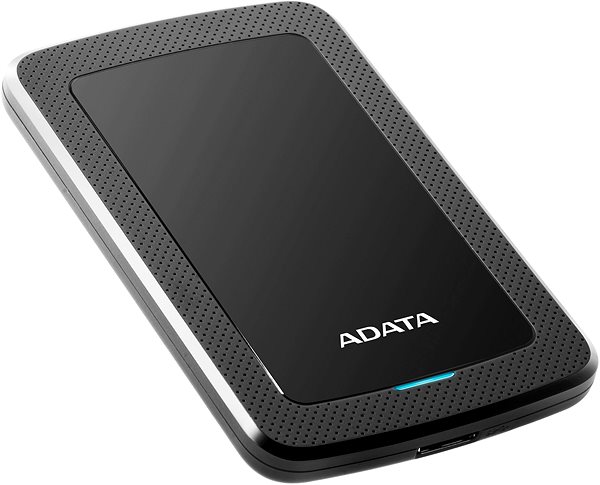
External Hard Drive - 2,5" with Micro USB-B connector, interface: USB 3.2 Gen 1 (USB 3.0), storage capacity of 2000GB
Show full description
Buy with codeALZADNY10The discount code gives the option of applying a discount on a given product when entering the code in the shopping cart.
Získejte slevu 10 % s kódem ALZADNY10. Klikněte a kód se uplatní automaticky.
ADATA HV300 external HDD 2TB 2.5'' USB 3.1, black 3,299,- In stock > 5 pcs
Buy
ADATA HV300 external HDD 2TB 2.5'' USB 3.1, black
When you need to transfer large amounts of data, this ADATA external drive is the perfect choice, with a capacity to hold 2000GB of data. The 2.5" size is primarily suitable for minimalists and users who are short on storage space. It is a smaller version of a drive that does not require an external power supply. A major advantage of this HDD is its excellent price-to-capacity ratio. The drive requires careful handling as it is more susceptible to shocks. It is therefore better suited for the office or home, where it will not be moved around as much.
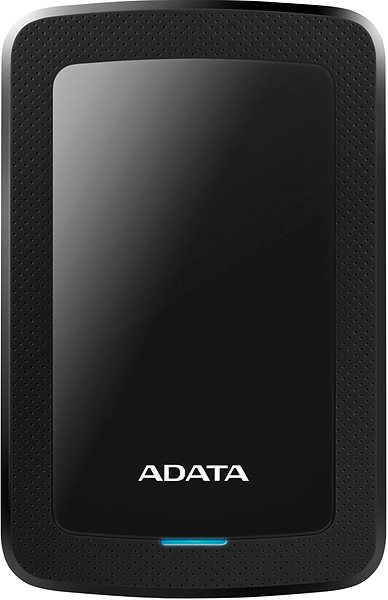
Key features of the ADATA HV300 2TB external HDD USB 3.1, black
The ADATA external drive is used for storing and transferring data
2.5" format
Storage type: HDD
The drive has a capacity of 2000GB
Interface: USB 3.2 Gen 1 (USB 3.0)
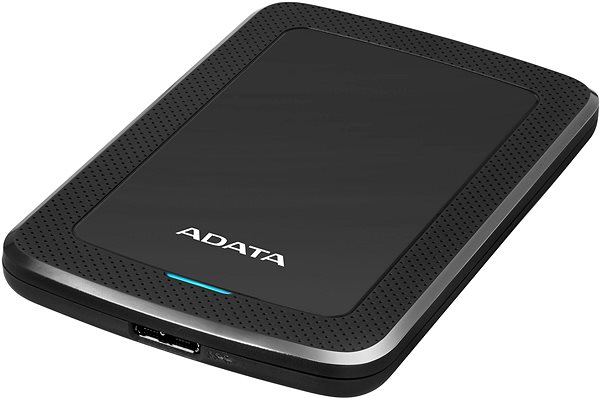
Communication is handled by a Micro USB-B connector
Encryption: AES-256
Made from plastic
The drive's dimensions are 10.3 × 80.5 × 125.7mm (H×W×D)
It weighs 139.8g
Finished in a dominant black colour
Don't worry about losing photos or work files
The ADATA external drive's capacity can store up to 2000GB. This is enough to hold a large amount of content, even in high resolutions like 4K. You can easily connect the drive to any PC or laptop. A Micro USB-B connector handles communication between the external drive and other devices. In addition to the drive, the package also includes a cable.
HDD and SSD drives are used for permanent storage of data on computers and laptops. But what are the differences between the two, and what are their advantages?
Manufacturer's recommended use of the disc. It specifies whether the disk is suitable for desktops, laptops, servers, data storage, or as an external drive. As a rule, it is not possible to inter...
HDD and SSD drives are used for permanent storage of data on computers and laptops. But what are the differences between the two, and what are their advantages?
Manufacturer's recommended use of the disc. It specifies whether the disk is suitable for desktops, laptops, servers, data storage, or as an external drive. As a rule, it is not possible to inter...
Specifications can be changed without notice. Images are for illustrative purposes only.

Dobrý den bud jsem uplně slepý nebo nevím sice se dozvím jaké má disk rozměry ale technické věci uplně chybý nebo jsem je přehlédl.
Kolik má disk otáček 5 nebo7 tis. za sekundu ?
Jaká je rychlost čtení jaká zápisu ?
Jaká je zpětná kompatibilita s usb 2.0 3.0 a pod ?
Předem děkuji za odpověd. Petr
Dobrý den bud jsem uplně slepý nebo nevím sice se dozvím jaké má disk rozměry ale technické věci uplně chybý nebo jsem je přehlédl.
Kolik má disk otáček 5 nebo7 tis. za sekundu ?
Jaká je rychlost čtení jaká zápisu ?
Jaká je zpětná kompatibilita s usb 2.0 3.0 a pod ?
Předem děkuji za odpověd. Petr
Dobrý den, zakoupil jsem tento disk jako náhradu staršího, který odešel. Bohužel není možné z něho v TV přehrávat filmy (kvůli tomu jsem ho koupil). Mám 2 TV a ani na jedné se disk vůbec neobjeví (všechny starší disky na obou TV normálně fungují). Modrá kontrolka na disku vůbec nebliká, ale jen souvisle svítí (což vždy pozoruji u disků, které jsou na konci svého života). Disk jsem zkoušel naformátovat i do exFAT (původně byl NTFS) ale ani to nepomáhá. V PC ale disk normálně funguje, zvažuji, že jej vrátím a koupím jiný (uplně jiný typ) ovšem pokud byste mi poradili co ještě mohu vyzkoušet, tak bych se tomu rád vyhnul. Díky.
Dobrý den, HV300 se mi nepodařilo přes USB propojit s TV. Disk bliká, ale TV nic. Disk jsem i formátoval před prvnímpoužitím. Televize (zkoušel jsem na LG a Panasonic) nezareagovala na disk. Někde jsem četl, že je potřeba stáhnout z internetu ovladač. Je toto opravdu potřeba nebo co je asi špatně ?
Honza
Dobrý den, HV300 se mi nepodařilo přes USB propojit s TV. Disk bliká, ale TV nic. Disk jsem i formátoval před prvnímpoužitím. Televize (zkoušel jsem na LG a Panasonic) nezareagovala na disk. Někde jsem četl, že je potřeba stáhnout z internetu ovladač. Je toto opravdu potřeba nebo co je asi špatně ?
Honza
Try our cookiesAlza.cz a. s., Company identification number 27082440, use cookies and other data to ensure the proper functioning of the website and, with your consent, also, among other things, to personalize advertising and the content of our websites. By clicking on the “I understand“ button, you agree to the use of cookies and the transfer of data regarding the behavior on the website for displaying targeted advertising on social networks and advertising networks on other websites.
We use 8 categories of cookies on our website:
Technical cookies
These are strictly necessary for the functioning of the website and the features you choose to use. Without them, our website would not work; you wouldn't be able to log in to your user account, for example.
Functionality cookies
These cookies allow us to remember your basic choices and improve the user experience. These include remembering your preferred language or allowing you to stay logged in permanently.
Social media cookies
These cookies allow us to easily link you to your social media profile and, for example, allow you to share products and services with your friends and family.
Content personalisation
These cookies allow us to show you content and ads according to the information we have about you to best meet your needs. This includes what content you have viewed, or on what device you are accessing our website.
Non-personalised advertising
These cookies allow us to show you general ads for products and services.
Personalised advertising
Thanks to these cookies, we and our partners can offer you relevant products and services based on your purchases, your shopping behaviour and your preferences.
Audience metrics
These cookies allow us to optimise our site for your convenience based on how you use it. The aim is to remember or anticipate your choices. This includes, for example, the use of features, their location, or the behaviour on the page.
By giving your consent to the processing of cookies, functionality and analytical cookies will be installed on the device you use to browse the website (click on the "I understand" button for both categories, or you can select only one of the categories by clicking on the "Settings" button). We always install technical cookies on your device, even without your explicit consent, because without them our website would simply not work.
You can revoke your consent to the processing of cookies. In connection with our company's cookie processing, you also have the following rights: the right to access cookies, delete, modify, supplement and correct them, restrict processing and the right to lodge a complaint with the Office for Personal Data Protection. Read more about your rights.