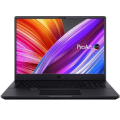
The practical Dell Latitude laptop does everything you need it to do. The Dell Latitude 3510 boasts smartly configured parameters that make it ideal for people who need good computer performance.. The laptop features a powerful and efficient quad-core Intel Core i5 processor. For your data there is a sizable SSD that should delight you with its swift, reliable speed. The notebook is equipped with a wide keyboard with a numeric keypad and backlighting for nightime typing. The computer comes with a preinstalled Windows 10 Pro Academic std operating system.
Key Features of the 15.6" Dell Latitude 3510 Notebook
Dell Latitude laptop is equipped with a 15.6" display
VA panel technology with Full HD resolution
Intel Core i5 10210U Comet Lake processor
256GB SSD capacity
Includes a numeric keypad for quick and comfortable work
The backlit keyboard allows you to work even in the dark
Dell Latitude 3510 Laptop comes with preinstalled Windows 10 Pro Academic std
What Processor and SSD Storage Solution Does the Dell Latitude 3510 Have Offer?
The computer is powered by a quad-core Intel Core i5 10210U Comet Lake processor with a clock speed of 1.6 GHz. In Turbo Boost mode, the processor clock speed rises to up to 4.2 GHz. For quick and easy work, there is RAM memory DDR4 RAM with a total capacity of 8GB. The Dell Latitude 3510 provides a storage capacity of 256GB for your files and program installation. To keep up with the times, the model is equipped with an SSD. Unlike classic hard drives, SSDs don't have any mechanical parts, so they deliver remarkable speed and reliability. The Dell computer can work unplugged for up to 10 hr(s), and the battery has 4 cells. The laptop model includes USB-C charging option.
Dell Graphics Card and Display
The Dell Latitude 3510 sports a 15.6" display with 1920 × 1080 px Full HD resolution, a popular and widely supported variant with a beautifully detailed image. The model's matte display protects you from annoying glare and poor readability in direct sunlight. The VA technology delivers exceptional picture quality. Its advantages include lifelike colour rendering and excellent contrast. The screen of the of the Dell laptop has a refresh rate of 60 Hz. The screen luminosity reaches the standard 220 Nits. The graphics card is integrated into the processor and suitable for lightweight computer tasks. The model has an Intel UHD Graphics 620.
Dell Latitude Connectors and Other Technologies
The notebook is equipped with Bluetooth v5.1 for wireless connection with other devices. The network module uses WiFi 6 technology, though you can also get online using a LAN cable. If you want to hook up some external monitors or projectors, the notebook provides the Dell Latitude 3510 interface HDMI. You will also find the obligatory, 2× USB 3.2 Gen 1 (USB 3.0), 1× USB 2.0 USB interface that allow you to connect plenty of other peripheries. The very popular USB-C connector is also included in the selection and can even be used for charging. The Dell Latitude is also equipped with a 3.5mm jack for your headphones or speakers. Photographers of all stripes will appreciate the integrated memory card reader. A necessary feature is also the webcam, with a resolution of 720 px.
The size of RAM is one of the most important factors affecting overall computer performance. RAM serves as temporary storage for the data that the computer processes. The more RAM a computer has, the more tasks it can process simultaneously without slowing down. 8 GB of RAM is often considered the minimum for most tasks, while demanding applications such as games and professional graphic design or video editing software may require 16 GB of RAM or more.
Processor frequency, often referred to as clock speed, is a key indicator of processor performance. It is measured in gigahertz (GHz) and represents how many operations a processor can perform per second. Higher frequency generally means higher performance, but it can also lead to higher power consumption. It is important to find the right balance between performance and efficiency for your specific needs.
The type of storage in a laptop can have a significant impact on its performance and price. The two most common types are Hard Disk Drive (HDD) and Solid State Drive (SSD). HDD is an older technology with moving parts and provides a large amount of storage space at a low cost. SSDs are faster, quieter and more reliable, but generally more expensive.
The display refresh rate is a critical parameter in computing, indicating how many times per second the image on the monitor is refreshed. Higher values, such as 120 Hz, 144 Hz or 240 Hz, provide smoother and less blurry images, ideal for intense gaming and professional video editing. This can significantly improve the user experience by reducing the effect of image blurring and improving response time.
Generally, the higher the number, the more powerful the processor. For an office PC, a basic processor series will be more than sufficient, but for more challenging work and gaming you will require a more advanced processor.
Počet jader v procesoru ovlivňuje výkon vašeho stolního počítače. Více jader znamená větší možnosti pro multitasking, rychlejší zpracování náročných aplikací a celkově vyšší výkonnost. Jak ale zjistit, kolik jader potřebujete? V tomto článku se podíváme na to, co znamená počet jader, jak ovlivňuje výkon vašeho desktopu, a poradíme, podle čeho se při výběru orientovat.
Processor frequency, often referred to as clock speed, is a key indicator of processor performance. It is measured in gigahertz (GHz) and represents how many operations a processor can perform per second. Higher frequency generally means higher performance, but it can also lead to higher power consumption. It is important to find the right balance between performance and efficiency for your specific needs.
The size of RAM is one of the most important factors affecting overall computer performance. RAM serves as temporary storage for the data that the computer processes. The more RAM a computer has, the more tasks it can process simultaneously without slowing down. 8 GB of RAM is often considered the minimum for most tasks, while demanding applications such as games and professional graphic design or video editing software may require 16 GB of RAM or more.
Dedicated graphics cards have their own integrated memory and are offered by established manufacturers such as NVIDIA and AMD. Integrated cards have lower power consumption and are particularly...
The type of storage in a laptop can have a significant impact on its performance and price. The two most common types are Hard Disk Drive (HDD) and Solid State Drive (SSD). HDD is an older technology with moving parts and provides a large amount of storage space at a low cost. SSDs are faster, quieter and more reliable, but generally more expensive.
Determines the way in which the hard drive is connected to the computer, namely the type of connector through which the drive connects to the device. Each type of connection is...
The graphic outputs on the notebook refer to the types of ports the notebook has for connecting external displays. This can include HDMI, DisplayPort, VGA and more. The type and number of graphic outputs can affect what type and how many monitors can be connected to the laptop.
Network interfaces allow laptops to communicate with other devices and the Internet. The basic types of network interfaces include Ethernet (LAN), Wi-Fi and mobile networks (3G, 4G, 5G). Ethernet is ideal for stable and fast connections, but requires a cable. Wi-Fi is wireless and widespread, but speed and stability can vary depending on signal quality.
Dell Products, Raheen Business Park, Limerick, Ireland, [email protected], www.dell.com
This American multinational corporation based in Round Rock (Texas, USA) is a leading player in the field of information technology. The Dell brand carries the hallmark of quality and is known throughout the world. In 2010, it ranked fifth in the poll of most admired computer companies.
Dell's operations are incredibly broad - the company can be found not only in personal computers, servers, storage devices, switches, software and peripherals, but also HDTV, cameras, printers and MP3 players. The company, whose history began in 1984, now ranks among the giants in the field.
Note:
Specifications can be changed without notice. Images are for illustrative purposes only.
Try our cookiesAlza.cz a. s., Company identification number 27082440, use cookies and other data to ensure the proper functioning of the website and, with your consent, also, among other things, to personalize advertising and the content of our websites. By clicking on the “I understand“ button, you agree to the use of cookies and the transfer of data regarding the behavior on the website for displaying targeted advertising on social networks and advertising networks on other websites.
We use 8 categories of cookies on our website:
Technical cookies
These are strictly necessary for the functioning of the website and the features you choose to use. Without them, our website would not work; you wouldn't be able to log in to your user account, for example.
Functionality cookies
These cookies allow us to remember your basic choices and improve the user experience. These include remembering your preferred language or allowing you to stay logged in permanently.
Social media cookies
These cookies allow us to easily link you to your social media profile and, for example, allow you to share products and services with your friends and family.
Content personalisation
These cookies allow us to show you content and ads according to the information we have about you to best meet your needs. This includes what content you have viewed, or on what device you are accessing our website.
Non-personalised advertising
These cookies allow us to show you general ads for products and services.
Personalised advertising
Thanks to these cookies, we and our partners can offer you relevant products and services based on your purchases, your shopping behaviour and your preferences.
Audience metrics
These cookies allow us to optimise our site for your convenience based on how you use it. The aim is to remember or anticipate your choices. This includes, for example, the use of features, their location, or the behaviour on the page.
By giving your consent to the processing of cookies, functionality and analytical cookies will be installed on the device you use to browse the website (click on the "I understand" button for both categories, or you can select only one of the categories by clicking on the "Settings" button). We always install technical cookies on your device, even without your explicit consent, because without them our website would simply not work.
You can revoke your consent to the processing of cookies. In connection with our company's cookie processing, you also have the following rights: the right to access cookies, delete, modify, supplement and correct them, restrict processing and the right to lodge a complaint with the Office for Personal Data Protection. Read more about your rights.