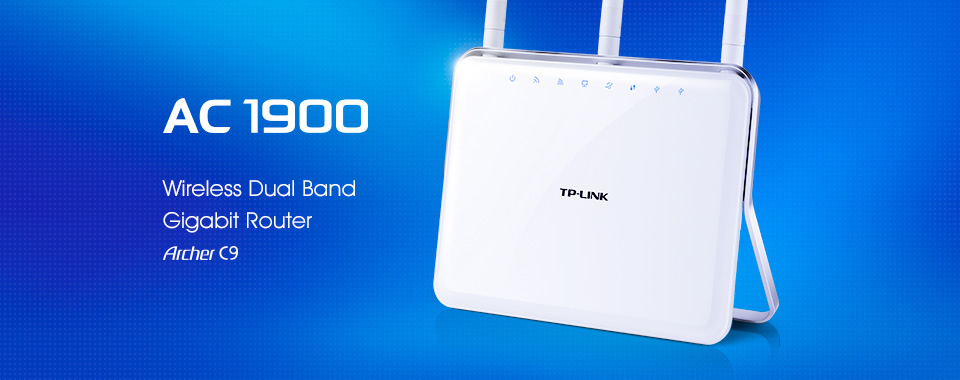
Archer C9 is equipped with next-generation wireless standard 11ac, which enables a total transfer rate of up to 1.9Gbps. With speeds of 1.3 Gbps undisturbed frequency of 5 GHz and a maximum power of 600Mbps in the 2.4 GHz band, which is achieved by using two chips, your entire home will have an excellent wireless coverage. Ultra-fast 1GHz dual-core processor is a powerful "heart" for fast, stable and responsive performance WiFi, Ethernet and USB device.
This photo is from ColorBox off and will not, therefore, appear in it.
Main Features:
Supports 802.11ac - the next generation of WiFi
Simultaneous 2.4GHz 600Mbps and 5GHz 1300Mbps connections, with a total available bandwidth of 1.9Gbps
3 detachable dual band antennas provide maximum wireless coverage in all directions as well as high reliability
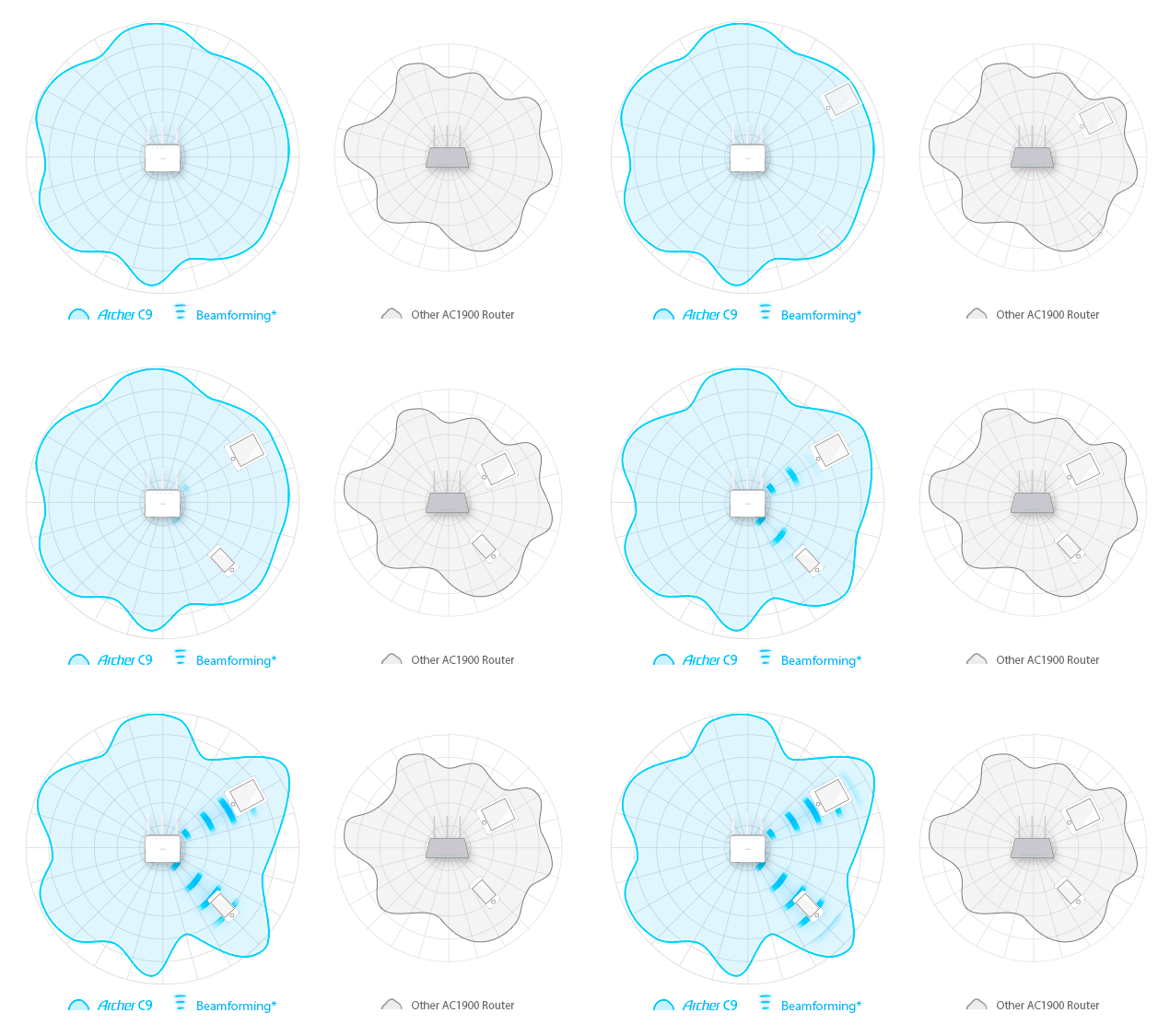
Beamforming technology provides a highly efficient wireless connection
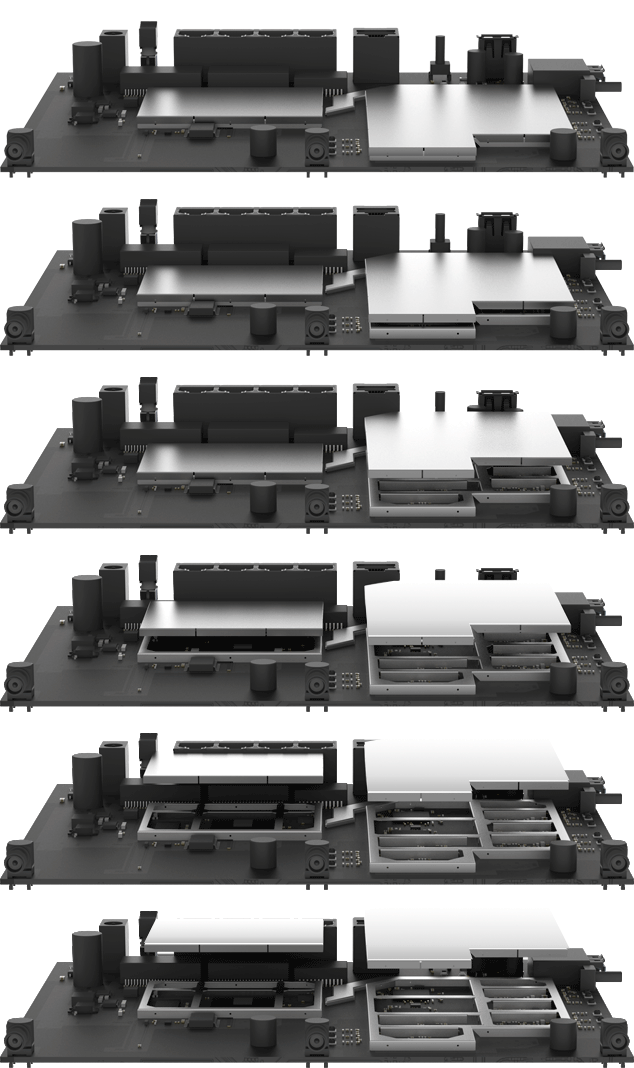
1GHz dual core processor ensures no interruption when several tasks are simultaneously processed in the wireless or wired network
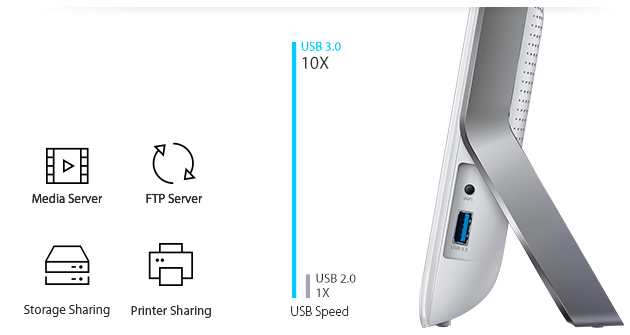
USB 3.0 and USB 2.0 ports - for easy local printer, file and media sharing through networked devices or remotely via an FTP server
This photo is from ColorBox off and will not, therefore, appear in it.
Super Fast Transfer Speed Ensures Perfect Wireless Capabilities
The Archer C9 is equipped with the next-generation 11ac wireless standard, which enables a total transfer speed of up to 1.9Gbps. Speeds of 1.3Gbps at an undisturbed frequency in the 5GHz band and a maximum power of 600Mbps in the 2.4GHz band (achieved using two chips) ensure that your entire home has excellent wireless coverage. The ultrafast 1GHz dual core processor is the Archer C9's powerful "heart", supplying fast, stable and responsive WiFi, Ethernet and USB device performance. With an excellent wireless and wired connection, the Archer C9 is ideal for bandwidth-intensive activities such as HD streaming and uninterrupted online gaming. Enjoy super fast and efficient connectivity throughout your home.
This photo is from ColorBox off and will not, therefore, appear in it.
Greater Coverage and Reliable Wireless Connectivity
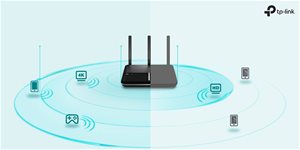
Three dual band antennas with high-performance signal amplifiers ensure continuous wireless signal for all your devices and simultaneously expand coverage throughout your home.
Beamforming Technology for Efficient Wireless Connection
Beamforming technology focuses WiFi signals in the direction of your WiFi devices and aims to transfer data to where you need it most. Its excellent bandwidth usage increases the range of available wireless networks and offers highly targeted and efficient wireless connectivity.
This photo is from ColorBox off and will not, therefore, appear in it.
Dual USB Ports for Easy Sharing
The Archer C9's USB 3.0 and USB 2.0 ports make sharing local printers, files and media within the network and between devices very easy. When you're away from home, you can access files stored on the router using the FTP server. Using USB 3.0 ports is recommended, as they are 10 times faster than traditional USB 2.0 ports.
This photo is from ColorBox off and will not, therefore, appear in it.
The TP-LINK Tether App
The TP-LINK Tether app provides an easier way to access and manage your router via your iOS or Android devices.
Elegant Appearance
The sophisticated design of the Archer C9 could complement any household. Its gentle curves, exquisite workmanship and high quality exude style and elegance. This, coupled with its excellent performance, means the Archer C9 is not to be missed.
This photo is from ColorBox off and will not, therefore, appear in it.
The frequency bands on which a router transmits a WiFi signal, typically including 2.4 GHz for greater coverage and 5 GHz for faster speeds and less interference.
The frequency bands on which a router transmits a WiFi signal, typically including 2.4 GHz for greater coverage and 5 GHz for faster speeds and less interference.
WiFi router type categorizes Wi-Fi routers by frequency bands, speed and range, and includes types such as single-band, dual-band, tri-band and quad-band.
WiFi encryption is a set of protocols and techniques for securing data on WiFi wireless networks, offering various encryption methods to protect against unauthorized access.
A connector on a router or modem for connection to a wide area network (WAN), usually using RJ-45, designed to connect to an external network such as the Internet.
The NAT function, or Network Address Translation, allows multiple devices on a local network to share a single public IP address, increasing the security and efficiency of network traffic.
TP-LINK Czech, s. r. o., Pekařská 695/10, Jinonice, 155 00 Praha 5, CZ +420 212 812 622 / SK +421 233 006 532, [email protected]
Note:
Specifications can be changed without notice. Images are for illustrative purposes only.
Dobrý den. Jelikož jste neodpověděli na můj doplňující dotaz v jiném vlákně, kdy se již jednou ptal jiný tazatel a adekvátní odpověď nedostal, táži se tedy znova, protože mne to zajímá také. Jaká je HW verze tohoto routeru? Tento router má HW verze V1, V2, V3, V4 a V5. A jak zjistíte HW verzi tohoto routeru ? Možná by jste měli kouknout tady na stránky výrobce External Linkředem děkuji za adekvátní odpověď hodnou odborníků, ne jako v minulém případě, kdy byla odpověď hodná amatérů.
Dobrý den. Jelikož jste neodpověděli na můj doplňující dotaz v jiném vlákně, kdy se již jednou ptal jiný tazatel a adekvátní odpověď nedostal, táži se tedy znova, protože mne to zajímá také. Jaká je HW verze tohoto routeru? Tento router má HW verze V1, V2, V3, V4 a V5. A jak zjistíte HW verzi tohoto routeru ? Možná by jste měli kouknout tady na stránky výrobce External Linkředem děkuji za adekvátní odpověď hodnou odborníků, ne jako v minulém případě, kdy byla odpověď hodná amatérů.
V PPPoE nastaveni je v principe Login a heslo.
Po zmene routra na tento tp-link ( kedze mi ASUS odisiel )
mi spojenie PPPoE nefunguje u t-com ( pripojenie dsl )
Ak ho pripojim cez modem, ktory este mam od prvotneho pripojenie od t-com, tak PPPoE spojenie je funkcne.
Lenze teraz mam internet cez 2 zariadenia.
Pri tom ASUS ( ktory fungoval bez toho modemu ),
existovalo nastavenie VPI, VCI, ale tu to nie je.
Co s tym ? Vratit ? Upgrade bol na najnovsi FW a nic.
V PPPoE nastaveni je v principe Login a heslo.
Po zmene routra na tento tp-link ( kedze mi ASUS odisiel )
mi spojenie PPPoE nefunguje u t-com ( pripojenie dsl )
Ak ho pripojim cez modem, ktory este mam od prvotneho pripojenie od t-com, tak PPPoE spojenie je funkcne.
Lenze teraz mam internet cez 2 zariadenia.
Pri tom ASUS ( ktory fungoval bez toho modemu ),
existovalo nastavenie VPI, VCI, ale tu to nie je.
Co s tym ? Vratit ? Upgrade bol na najnovsi FW a nic.
v kolonce obsah balení máte uveden pouze LAN kabel. Podle stránek výrobce by balení mělo obsahovat mnohem více věcí, minimálně napájecí zdroj a odnímatelné antény.
v kolonce obsah balení máte uveden pouze LAN kabel. Podle stránek výrobce by balení mělo obsahovat mnohem více věcí, minimálně napájecí zdroj a odnímatelné antény.
TP-LINK Archer C9 AC1900 Dual Band
Dobrý den, koupil jsem si před nedávnem u vás tento router.
Má výstup USB3.
Dotaz zní, když k zařízení připojím externí HDD bez připojení k síti, nabíjení jen přes USB.
Budou zařízení bez problému fungovat.
Děkuji Balhárek
TP-LINK Archer C9 AC1900 Dual Band
Dobrý den, koupil jsem si před nedávnem u vás tento router.
Má výstup USB3.
Dotaz zní, když k zařízení připojím externí HDD bez připojení k síti, nabíjení jen přes USB.
Budou zařízení bez problému fungovat.
Děkuji Balhárek
Dobrý den,
nedávno jsem pro klienta koupil TP-LINK Archer C9 AC1900 Dual Band včetně prvnostního nastavení.
Bohužel jsem neuvedl, že router má jen poskytovat wifi pro LAN, která je vzdálená od routeru poskytovatele Internetu.
Tento router má sloužit jen jako AP, ale nyní přiděluje všem PC jiný interval IP. Internet sice funguje, ale PC nevidí zbytek LAN.
V nastavení jsem nenašel volbu módu AP nebo router. Můžete mi s nastavením poradit? Díky J. Pilát
Dobrý den,
nedávno jsem pro klienta koupil TP-LINK Archer C9 AC1900 Dual Band včetně prvnostního nastavení.
Bohužel jsem neuvedl, že router má jen poskytovat wifi pro LAN, která je vzdálená od routeru poskytovatele Internetu.
Tento router má sloužit jen jako AP, ale nyní přiděluje všem PC jiný interval IP. Internet sice funguje, ale PC nevidí zbytek LAN.
V nastavení jsem nenašel volbu módu AP nebo router. Můžete mi s nastavením poradit? Díky J. Pilát
Try our cookiesAlza.cz a. s., Company identification number 27082440, use cookies and other data to ensure the proper functioning of the website and, with your consent, also, among other things, to personalize advertising and the content of our websites. By clicking on the “I understand“ button, you agree to the use of cookies and the transfer of data regarding the behavior on the website for displaying targeted advertising on social networks and advertising networks on other websites.
We use 8 categories of cookies on our website:
Technical cookies
These are strictly necessary for the functioning of the website and the features you choose to use. Without them, our website would not work; you wouldn't be able to log in to your user account, for example.
Functionality cookies
These cookies allow us to remember your basic choices and improve the user experience. These include remembering your preferred language or allowing you to stay logged in permanently.
Social media cookies
These cookies allow us to easily link you to your social media profile and, for example, allow you to share products and services with your friends and family.
Content personalisation
These cookies allow us to show you content and ads according to the information we have about you to best meet your needs. This includes what content you have viewed, or on what device you are accessing our website.
Non-personalised advertising
These cookies allow us to show you general ads for products and services.
Personalised advertising
Thanks to these cookies, we and our partners can offer you relevant products and services based on your purchases, your shopping behaviour and your preferences.
Audience metrics
These cookies allow us to optimise our site for your convenience based on how you use it. The aim is to remember or anticipate your choices. This includes, for example, the use of features, their location, or the behaviour on the page.
By giving your consent to the processing of cookies, functionality and analytical cookies will be installed on the device you use to browse the website (click on the "I understand" button for both categories, or you can select only one of the categories by clicking on the "Settings" button). We always install technical cookies on your device, even without your explicit consent, because without them our website would simply not work.
You can revoke your consent to the processing of cookies. In connection with our company's cookie processing, you also have the following rights: the right to access cookies, delete, modify, supplement and correct them, restrict processing and the right to lodge a complaint with the Office for Personal Data Protection. Read more about your rights.