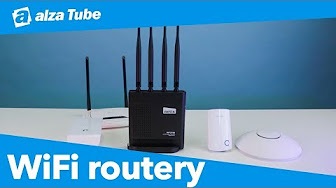
WiFi Router - internal, WiFi 7, standard 802.11/n/ac/ax, maximum Wi-Fi speed 3570 Mb/s, dual-band (2.4 GHz 688 Mb/s + 5 GHz 2882 Mb/s ), 1× WAN, 4× LAN, VPN, parental control, mobile app control and EasyMesh compatibility, WPA2, WPA2-Enterprise and WPA3, 4× external non-detachable antenna, quality of service technology QoS (Quality of Service), Airtime Fairness and Smart Connect, maximum number of SSIDs: 2×, ethernet cable and power adapter included
TP-Link Archer BE230 WiFi7 2,699,- In stock > 5 pcs
Buy
TP-Link Archer BE230 WiFi7
Key features of the TP-Link Archer BE230 WiFi router
Dual-band WiFi 7 with speeds up to 3.6Gbps
1× 2.5Gbps WAN port, 1× 2.5Gbps LAN port and 3× 1Gbps LAN ports
Four external antennas with Beamforming technology
Compatible with EasyMesh
Easy setup and use with the Tether app
Enhanced security with TP-Link HomeShield
Supports all WiFi generations and devices
A new era of home WiFi
Dual-band WiFi 7 router TP-Link Archer BE230
WiFi 7 – WiFi like never before
The TP-Link Archer BE230 router features WiFi 7 technology, which delivers stunning performance, faster throughput, lower latency, stronger anti-interference protection and higher data transfer efficiency. Join the professionals and experience the immense power of the next generation of WiFi.
Multi-Link Operation (MLO)
Increases throughput, reduces latency and improves reliability.
4K-QAM
20% more data than WiFi 6 for higher speed connections.
Multi-RUs
Full use of all resources for maximum efficiency.
Enjoy multi-gigabit wired connections with the TP-Link Archer BE230
It's not just the wireless connection that's top-notch; the wired connection also achieves stunning speeds. The TP-Link Archer BE230 features two 2.5Gbps ports – 1× WAN and 1× LAN. It also offers three gigabit ports to give your devices peak performance.
USB 3.0 port
The USB 3.0 port lets you connect an external drive to the TP-Link Archer BE230 router and share files between devices on your network. This makes it easy to create a personal cloud storage with easy access from anywhere.
The TP-Link router is packed with cutting-edge technologies
The TP-Link Archer BE230 router has a total of four high-performance external antennas with Beamforming technology, covering your entire home with a strong signal that is directed straight to your devices.
TP-Link OneMesh support
Want to create a unified WiFi network with whole-home coverage? The TP-Link Archer BE230 router supports OneMesh technology for seamless whole-home coverage, preventing dropouts and lag as devices switch between signal sources.
Smart roaming Uninterrupted connection even as you move around the house.
Eliminates dead zones TP-Link Archer BE230 eliminates weak signal areas and ensures stable coverage for the entire house.
Unified network name No more switching WiFi network names.
TP-Link HomeShield
With the TP-Link Archer BE230 router, you get advanced security for an unlimited number of clients. HomeShield protects all connected clients from DDoS attacks, malicious websites and port intrusions. This ensures a secure network environment for your data and privacy.
Parental controls
Home network scan
Quality of Service
The TP-Link Archer BE230 supports VPN clients and servers
With this router, you can allow devices on your home network to access remote VPN servers without needing to install VPN software on each one. The TP-Link Archer BE230 can handle both VPN and regular internet connections at the same time, so you don't have to worry about security or flexibility.
The frequency bands on which a router transmits a WiFi signal, typically including 2.4 GHz for greater coverage and 5 GHz for faster speeds and less interference.
WiFi router type categorizes Wi-Fi routers by frequency bands, speed and range, and includes types such as single-band, dual-band, tri-band and quad-band.
WiFi encryption is a set of protocols and techniques for securing data on WiFi wireless networks, offering various encryption methods to protect against unauthorized access.
A connector on a router or modem for connection to a wide area network (WAN), usually using RJ-45, designed to connect to an external network such as the Internet.
The NAT function, or Network Address Translation, allows multiple devices on a local network to share a single public IP address, increasing the security and efficiency of network traffic.
TP-LINK Czech, s. r. o., Pekařská 695/10, Jinonice, 155 00 Praha 5, CZ +420 212 812 622 / SK +421 233 006 532, [email protected]
Note:
Specifications can be changed without notice. Images are for illustrative purposes only.
"1× WAN 2,5 Gbit, 4× LAN 2,5 Gbit," v popisu, ale zařízení má 1x wan 2,5Gbit, 1x lan 2,5Gbit a 3x 1Gbit. Nebalamuťe lidi popiskem který ani výrobce neudává.
"1× WAN 2,5 Gbit, 4× LAN 2,5 Gbit," v popisu, ale zařízení má 1x wan 2,5Gbit, 1x lan 2,5Gbit a 3x 1Gbit. Nebalamuťe lidi popiskem který ani výrobce neudává.
Dobrý den, nedávno se mi začalo dít to, že router se odpojuje od internetu, přestože internetový kabel funguje. Když ho zkouším přepojit do notebooku napřímo, tak jede.
Jen jednou se mi stalo, že měl výpadky i při tomto připojení, ale jinak fungoval normálně. Poskytovatel internetu opakovaně tvrdí, že chyba je jasně v routeru.
Tak mě zajímá, jestli je možné, že to může být chyba routeru a jestli ho tedy můžu reklamovat? Děkuji
Dobrý den, nedávno se mi začalo dít to, že router se odpojuje od internetu, přestože internetový kabel funguje. Když ho zkouším přepojit do notebooku napřímo, tak jede.
Jen jednou se mi stalo, že měl výpadky i při tomto připojení, ale jinak fungoval normálně. Poskytovatel internetu opakovaně tvrdí, že chyba je jasně v routeru.
Tak mě zajímá, jestli je možné, že to může být chyba routeru a jestli ho tedy můžu reklamovat? Děkuji
Má smysl kupovat 2kusy tohoto routeru a dát je do Onemesh (jestli to jde) než kupovat extender RE705x ? Mezi oběma vysílacími místy je natažené UTP, na obou koncích UTP chci mít zároveň připojené zařízení po kabelu. V případě extenderu bych to tedy musel nějak oklikou řešit přes malý switch.
Má smysl kupovat 2kusy tohoto routeru a dát je do Onemesh (jestli to jde) než kupovat extender RE705x ? Mezi oběma vysílacími místy je natažené UTP, na obou koncích UTP chci mít zároveň připojené zařízení po kabelu. V případě extenderu bych to tedy musel nějak oklikou řešit přes malý switch.
Try our cookiesAlza.cz a. s., Company identification number 27082440, use cookies and other data to ensure the proper functioning of the website and, with your consent, also, among other things, to personalize advertising and the content of our websites. By clicking on the “I understand“ button, you agree to the use of cookies and the transfer of data regarding the behavior on the website for displaying targeted advertising on social networks and advertising networks on other websites.
We use 8 categories of cookies on our website:
Technical cookies
These are strictly necessary for the functioning of the website and the features you choose to use. Without them, our website would not work; you wouldn't be able to log in to your user account, for example.
Functionality cookies
These cookies allow us to remember your basic choices and improve the user experience. These include remembering your preferred language or allowing you to stay logged in permanently.
Social media cookies
These cookies allow us to easily link you to your social media profile and, for example, allow you to share products and services with your friends and family.
Content personalisation
These cookies allow us to show you content and ads according to the information we have about you to best meet your needs. This includes what content you have viewed, or on what device you are accessing our website.
Non-personalised advertising
These cookies allow us to show you general ads for products and services.
Personalised advertising
Thanks to these cookies, we and our partners can offer you relevant products and services based on your purchases, your shopping behaviour and your preferences.
Audience metrics
These cookies allow us to optimise our site for your convenience based on how you use it. The aim is to remember or anticipate your choices. This includes, for example, the use of features, their location, or the behaviour on the page.
By giving your consent to the processing of cookies, functionality and analytical cookies will be installed on the device you use to browse the website (click on the "I understand" button for both categories, or you can select only one of the categories by clicking on the "Settings" button). We always install technical cookies on your device, even without your explicit consent, because without them our website would simply not work.
You can revoke your consent to the processing of cookies. In connection with our company's cookie processing, you also have the following rights: the right to access cookies, delete, modify, supplement and correct them, restrict processing and the right to lodge a complaint with the Office for Personal Data Protection. Read more about your rights.