


Dobrý den, mám rputer TP-Link AX53, zvažuji koupi tohoto extenderu. Lze použít funkci OneMesh pokud bude Extender a router spojen utp kabelem v režimu AP? Popř. lze spojit dva rputery AX53 do jedné wifi sítě? Děkuji za odpověď.
TP-Link RE605X WiFi6 Extender
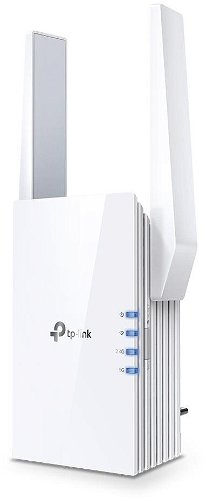
WiFi Booster with WiFi 6, 802.11/n/ac/ax up to 1775 Mb/s, dual-band (2,4 GHz 574 Mb/s + 5 GHz 1201 Mb/s ), 2 × × external antenna, WEP 64bit, WEP 128bit, WPA-PSK and WPA2-PSK
Show full description
1,499,-
Shop faster with pickup at AlzaBox or in-store.
Warranty 24 months
Code:
TpLNk2015
Producer's Website:

TP-Link RE605X WiFi6 Extender
1,499,-
In stock > 5 pcs
Buy
TP-Link RE605X WiFi6 Extender

AX1800 WiFi Range Extender TP-Link RE605X
- Supports WiFi 6 wireless technology
- Creates a Mesh network by connecting to a OneMesh router
- Gigabit Ethernet port
- Intelligent signal light helps find the best location for optimal Wi-Fi coverage
- AP Mode – create a new WiFi access point to enhance your wired network
- Mobile app in Czech and Slovak
- TP-Link Tether app – easy network management using your mobile device
- Ultimate compatibility

Enjoy superior WiFi
AX1800 WiFi 6 Range Extender
RE605X

Wider range
If you don't have enough WiFi coverage,
you don't need to buy a new router. Just get the
TP-Link RE605X extender and enjoy WiFi 6
throughout your home with no dead zones.

WiFi 6 = top performance
The WiFi 6 standard provides higher speed, greater capacity and very
low latency. This means even the most demanding users will be satisfied.
Enjoy bandwidth-intensive tasks like cloud gaming
or 4K UHD video.
AX1800 dual-band WiFi meets all your networking needs

TP-Link OneMesh
OneMesh is a simple way to create a Mesh network with a single WiFi name. Just connect the extender to a OneMesh-enabled router. You will no longer have to search for a spot with a strong signal.

Smart roaming
Uninterrupted streaming as you move around your home.

One WiFi network name
No need to switch between different networks.

Easy to set up
OneMesh Router + OneMesh Range Extender.

Unified management
Manage the entire network in the Tether mobile app.

Mesh network with your existing router?
If you already have a TP-LINK router, just update the firmware, buy this Range Extender and pair the two devices. That's it, you can then enjoy the benefits of a Mesh network.
Advanced features of the RE605X
Adaptive Path Selection
Keeps your network running at top speed. It automatically selects the fastest path to the router.
High-speed mode
Use both WiFi bands to create a single super high-speed connection, ideal for HD streaming and gaming.


Access Point mode
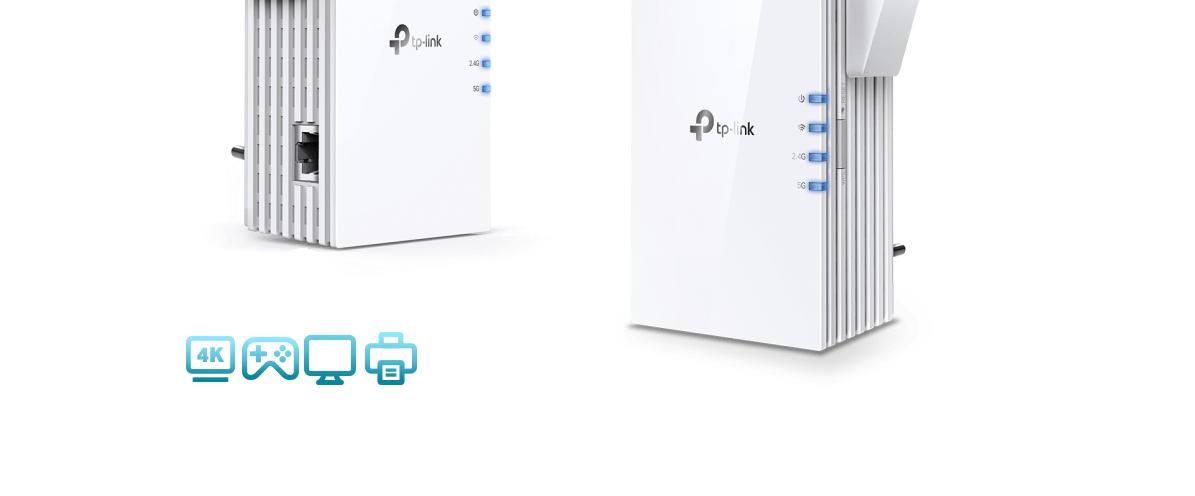
In addition to being an extender, the RE605X also works as a 2×2 MU-MIMO access
point – just plug an Ethernet cable into the relevant port.

Tether App
Set everything up conveniently with the Tether app
from your Android or iOS mobile phone.
Specifications
Usage
Functions
WiFi transmission speed
Speed at 2.4GHz
Usage
Usage
Functions
Functions
Speed
WiFi transmission speed
Speed at 2.4GHz
Speed at 5GHz
Standards and frequency
Connectors
RJ-45
Security
Antenna features
Antenna type
Advanced parameters
Backhaul
Number of LAN ports
Number of LAN ports with 1 Gbit speed
Colour
Colour
Power outlet type
Country
More Specifications

TP-LINK Czech s.r.o., Pekařská 10a, 15500 Praha 5, Česko, [email protected], www.tp-link.com
TP-LINK Czech, s. r. o., Pekařská 695/10, Jinonice, 155 00 Praha 5, CZ +420 212 812 622 / SK +421 233 006 532, [email protected]
Note:
Specifications can be changed without notice. Images are for illustrative purposes only.
