Blockstream JADE Transparent

Hardware Wallet - only supports Bitcoin on the original network and assets on the Liquid network, the seed can also be saved in the form of a QR code, can be connected via USB-C cable or wirelessly via Bluetooth, built-in camera for scanning QR codes, enables bitcoin mining, airgapped mode, creation of 2-factor accounts, TOTP authentication, Native Lightning support, intuitive user interface with built-in help, 240mAh battery, dimensions 60 × 24 ×17 mm, weight 21 g, transparent design
Show full description
Code:
CSTEEL001b2
Don't like the alternatives? Choose from the full product list
- Reviews 5
- Help and manuals
- Specifications
- Photos & Videos 8
- Alternatives 5
- Accessories and suggested products

Blockstream JADE Transparent
Discontinued
Blockstream JADE Transparent
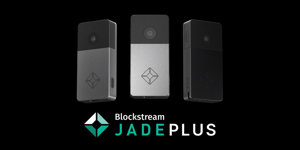
The open-source Blockstream Jade hardware wallet was designed to keep your private keys to bitcoins in complete safety. Its advantage is the ease of initial installation, which will be appreciated especially by beginners in the world of cryptocurrencies, but there are also advanced features for more experienced users. You can connect the Blockstream Jade to your computer using a USB-C cable, wirelessly via Bluetooth and also in "air-gapped" mode, i.e. by scanning QR codes. The Jade wallet works well with the accompanying Blockstream Green app, as well as other popular mobile and desktop wallets such as Sparrow, Electrum, Specter and Nunchuk. Blockstream Jade only supports Bitcoin on the original network and assets on the Liquid network - it does not support other networks such as Ethereum or Monero.

Key Features of the Blockstream Jade Transparent Hardware Wallet
- Open-source wallet Jade keeps your private keys safe
- Easy to install and use
- Blockstream Jade only supports Bitcoin on the original network and assets on the Liquid network
- The backup (seed) for access restoration can also be saved in the form of a QR code
- A range of advanced features for experienced users
- The Blockstream Jade wallet can be connected via USB cable or wirelessly via Bluetooth
- Built-in camera for scanning QR codes
- The device also enables Bitcoin mining
Blockstream Jade ensures the security of your private keys
Transaction security is a very important factor in the world of cryptocurrencies. Therefore, only half of the authentication seed is stored directly in the Blockstream Jade hardware wallet. The other half, which is required for transactions, is obtained by PIN code via the Blockstream server. Thanks to this measure, your crypto will be safe even if you lose your wallet. You can also use the "airgapped mode", in which the Blockstream Jade wallet is not connected to any device and communicates with the PIN server using only QR codes scanned by the built-in camera.

The Jade wallet has intuitive and convenient controls
Blockstream Jade will delight you with an intuitive user interface with built-in help that lets you set up your wallet exactly as you like. The built-in menu wheel, confirmation button and power button are used to conveniently operate the wallet and confirm transactions. Unlike similar devices, the Blockstream Jade is also equipped with a battery (240 mAh), thanks to which you can use the wallet even when it is not connected to your computer with a USB cable.

You can also use more advanced features
Once you're familiar with the basic features of the Blockstream Jade wallet, you can try out more advanced settings and features, including 2-factor account creation, the ability to scan QR codes directly into the wallet, TOTP authentication, and native Lightning support. To create a recovery seed (backup) using QR codes, all you need is a black marker to draw correctly placed dots on the pre-printed template included in the package. This process takes a little more time, but the eventual restoration is then that much easier.

The device is compatible with the following wallets:
- Blockstream Green for Android
- Blockstream Green for iOS
- Blockstream Green for Desktop
- BlueWallet
- Electrum
- Nunchuk
- Sparrow Wallet
- Specter Wallet
- HWI
Specifications
Connection
Connector
Design and functions
Material
Security
Colour
Transparent
Dimensions and weight
Width
Height
Length
Weight
Size and weight
Width
Height
Depth
Weight
Type and safety features
Product type
Safety features
Connectivity and compatibility
Interface
Features
Material
More Specifications
Note:
Specifications can be changed without notice. Images are for illustrative purposes only.
More Information