Catalogue

HP LaserJet Pro MFP M428fdn

5 3 ratings
Laser Printer - multifunction, A4 printer, scanner, copier, fax, 38 ppm/black and white, 3600x600dpi, CPU 1.2GHz, 512MB, LCD colour touch screen, automatic document feeder (ADF), AirPrint, duplex, USB 2.0, LAN
Code:  PA404g9k2 Producer's Website:

Don't like the alternatives? Choose from the full product list

HP LaserJet Pro MFP M428fdn

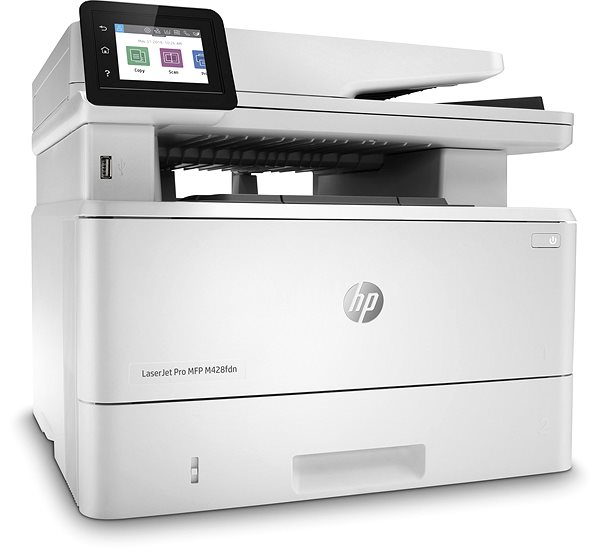
Laser Printer HP LaserJet Pro MFP M428fdn Lateral view

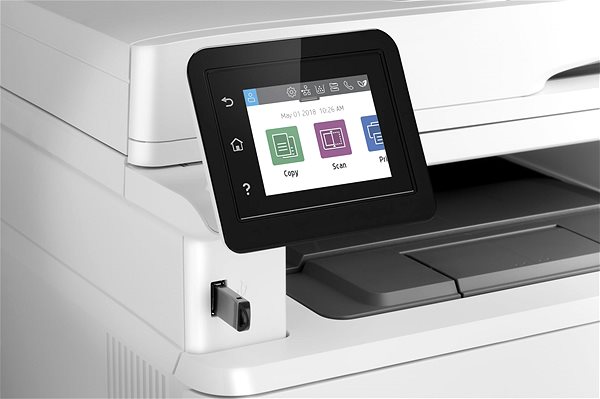
A laser printer is a good tool to have in the office. With this laser printer, you can print text in high-quality. This is a black and white printer. The HP LaserJet Pro MFP M428fdn has the maximum resolution of 1200 x 1200 DPI. It features a print speed of 38 pages/min. and it can print in A4, A5 and A6 formats. It offers duplex printing, so it prints on both sides of one paper, which saves you plenty of time. Operating this HP printer is easy to do thanks to the intuitive touchscreen display. You can connect to devices through the USB and LAN interface. Laser printers are generally cost-effective, so you can print more quantities of black-and-white documents at a lower price than with inkjet printers. The HP laser printer is a 3-in-1 model that can also copy and scan. Another useful function it has is that it can print B5 format envelopes.

HP LaserJet Pro MFP M428fdn Laser Printer Key Features

  • HP laser printer features duplex printing
  • Printing speed can reach 38 pages/min.
  • Touch built-in display
  • Prints with a maximum resolution of 1200 x 1200 DPI
  • Paper format: A4, A5 and A6
  • HP laser printer features fax function
  • HP LaserJet Pro MFP M428fdn fits up to 250 sheets in the input tray
  • Scanner has an ADF
  • Connection via USB and LAN interface
  • You can print right from your smartphone through AirPrint
  • Black-and-white laser printer ideal for the office
  • Able to print envelopes in B5 format
Laser Printer HP LaserJet Pro MFP M428fdn Features/technology
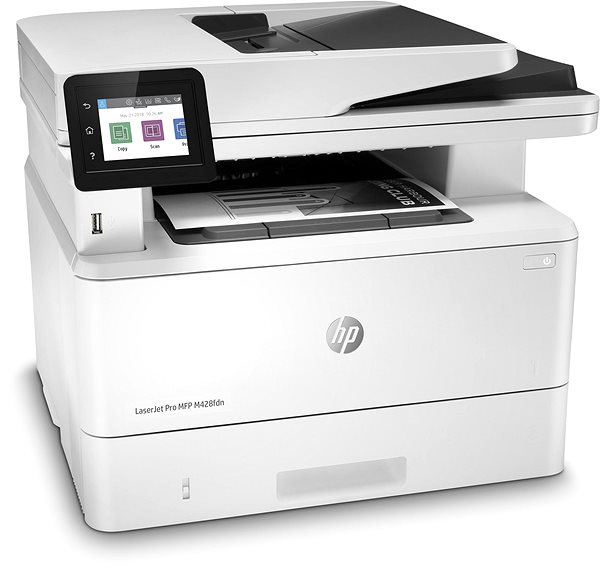
Laser Printer HP LaserJet Pro MFP M428fdn Lateral view

HP LaserJet Pro MFP M428fdn Laser Printer Copy and Scanning Features

Since this HP laser printer is a practical, multifunctional device, it can replace a scanner and copy machine. This saves you plenty of desk space and money, since you don't have to invest in new devices. It can scan at a resolution of 1200 x 1200 DPI. One special feature that the HP LaserJet Pro MFP M428fdn laser printer's scanner has is the automatic feeder, so you there's no need to input each piece of paper by hand.

  • Printers are usually supplied with a starter toner and/or cartridges with an approximate 60% capacity of regular cartridges which are available to purchase separately.
Dynamic security enabled printer

Certain HP printers are intended to work only with cartridges that have a new or reused HP chip or electronic circuitry. These printers use dynamic security measures to block cartridges using a non-HP chip or electronic circuitry. Periodic firmware updates will maintain the effectiveness of these measures and block cartridges that previously worked. Reused Hp ships and electronic circuitry enable the use of reused, remanufactured, and refilled cartridges. Learn more on https://support.hp.com/gb-en/document/ish_7470520-7449625-16


Specifications

Type

Print colour
Black and white
Print technology
Laser
Usage
To the office

Connection

Connection
LAN, USB

Supported Paper Sizes

Standard Paper Sizes
A4, A5, A6
Envelope formats and more
B5

Scanning

Flatbed scanner resolution
1200 x 1200 DPI

Printing parameters

Print resolution
1200 x 1200 DPI
Print speed in black and white - maximum
38 PPM
Input trays
250 sheets

Dimensions

Height
323 mm
Depth
390 mm
Width
420 mm
Weight
12.6 kg

Equipment

Display
Touch

Colour

Colour
White

Package includes

Package Includes
Documentation, Power cable, Software, Starter Toner
More Specifications

HP Inc Czech Republic s.r.o Za Brumlovkou 5/1559 140 00 Praha 4 VAT ID: CZ 03208427 Radek Mattas, [email protected]"


GO Europe GmbH, Zum Kraftwerk 1, Hattingen 45527, Germany, +49232468010, [email protected]

Hewlett-Packard was founded in the difficult times of the Great Depression. The founders were a pair of friends whose name the company still proudly bears. They started their business in an unobtrusive garage near the city of Palo Alto. It is now a national monument. HP’s success lay not in copying existing products, but in the ability and courage to come up with something new.

The first commercial triumph was an oscillator that surpassed all competition in quality, yet sold at a quarter of the price. In 1968, HP released their first desktop computer - a desktop calculator. The company currently manufactures products primarily related to computer technology - computers and laptops, printers, scanners, digital cameras, servers, and last but not least, calculators.

Note:

If there is no "package contains" box in the product parameters and the data or USB cable is not specifically mentioned in there, the package does not contain it and must be purchased separately.

Specifications can be changed without notice. Images are for illustrative purposes only.

dobry den, ma tato tlaciaren automaticky obojstranny scan z ADF(DADF)?
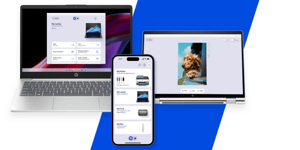
Dobrý deň. Táto tlačiareň sa správa zvláštne. Niekedy nereaguje na tlač. Po spustí tlače napr. wordovského dokumentu sa stane, že netlačí nič, prípadne píše že je tlačiareň offline aj keď je online. Po reštarte PC sa to umúdri. Prípadne niekedy treba vyprázdniť frontu. Avšak taký istý model tlačiarne máme ešte jeden a tam takéto nepríjemnosti nerobí. Pritom obe tlačiarne sú v tej istej sieti a nepomohla ani výmena tonera (či originál alebo alternatíva).Čo sa týka ovládača, používam ten istý pre oba tlačiarne. Ďakujem vopred za pomoc, akýkoľvek názor.

Dobrý deň, mám otázky: 1. Koľko strán vytlačí štartovací toner? 2.Dokáže scannovať obojstranne?

Dobrý deň . Viete mi poradiť Tlaciaren , ktorá by obsahovala tieto služby? Scan Kopirka Duplex Úprava intenzity tlace( bledsie, tmavšie ) Scan priamo do vopred určeného emailu Tlač z priamo iPhone Ďakujem Ludmila Ymalá

Dobrý deň. Je možné nascanovany dokument zaslať priamo na emailovú adresu? A je mozna úprava intenzity farby tlače? A koľko stojí náhradný toner do tlačiarne? Ďakujem LM

Dobrý den, podporuje tato tiskárna OS WIN7 a 8?

Skenuje táto tlačiareň výstup PDF aj do formátu OCR?

dobrý den, skenuje zařízení (např. do USB) i barevně? Děkuji

Dobrý den, 1. je možné zakoupit tiskárnu i s volitelným zásobníkem 3? 2. v příručce se u všech zásobníků udává gramáž papíru 75 g/m2. Nejstandardnější hodnota kancelářského papíru je 80 g/m2. Co s tím? Děkuji.

Dobrý deň, dajú sa na tejto tlačiarni tlačiť aj obálky? Ak áno, podávač na obálky je samostatne alebo v rámci zásobníka na papier A4 ?

Questions and answers: HP LaserJet Pro MFP M428fdn
Accessories for HP LaserJet Pro MFP M428fdn

Related categories

Chcete doručiť tovar na Slovensko? Prezrite si HP LaserJet Pro MFP M428fdn
Für Versand nach Deutschland, besuchen Sie bitte HP LaserJet Pro MFP M428fdn
Für Versand nach Österreich, besuchen Sie bitte HP LaserJet Pro MFP M428fdn
Magyarországra történő kiszállításért tekintse meg ezt a termékoldalt: HP LaserJet Pro MFP M428fdn
Try our cookies Alza.cz a. s., Company identification number 27082440, use cookies and other data to ensure the proper functioning of the website and, with your consent, also, among other things, to personalize advertising and the content of our websites. By clicking on the “I understand“ button, you agree to the use of cookies and the transfer of data regarding the behavior on the website for displaying targeted advertising on social networks and advertising networks on other websites.
Detailed settings
Alzak icon
P-DC1-WEB32