


Dobrý den, chtěl bych se zeptat, zda tato stanice bude bez problémů funkční pro připojení 2 monitorů Dell U2715H (2x 2560x1440, HDMI+DP) + externího USB 3.0 SSD disku + USB Logitech wireless dongle pro myš + USB-C napájecího adaptéru k USB-C portu MacBook Pro 14" 2021 M1 Pro. S jinými huby jsem měl problém např. se sekáním kurzoru myši apod..
i-tec USB-C HDMI DP Docking Station + i-tec Universal Charger 112W
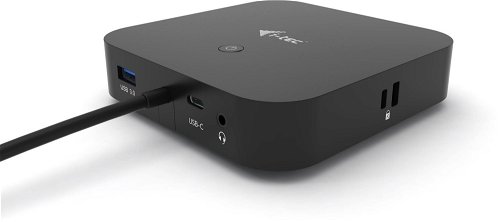
Docking Station - connection using USB-C USB 3.2 Gen 2 (3.1), power delivery 100 W
Show full description
3,699,-
Shop faster with pickup at AlzaBox or in-store.
Warranty 24 months
Code:
JP913a3
Producer's Website:
- Reviews 7
- Help and manuals 18
- Specifications
- Photos & Videos 10
- Alternatives 7
- Accessories and suggested products

i-tec USB-C HDMI DP Docking Station + i-tec Universal Charger 112W
3,699,-
In stock > 5 pcs at the supplier's
Buy
i-tec USB-C HDMI DP Docking Station + i-tec Universal Charger 112W
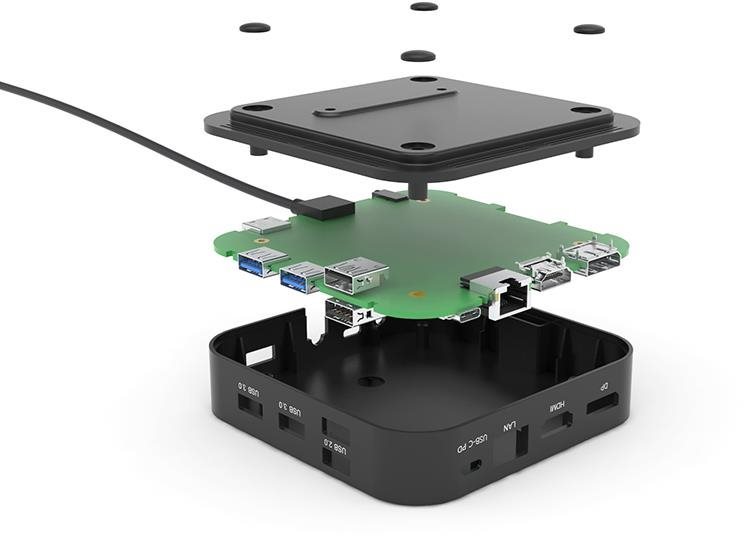
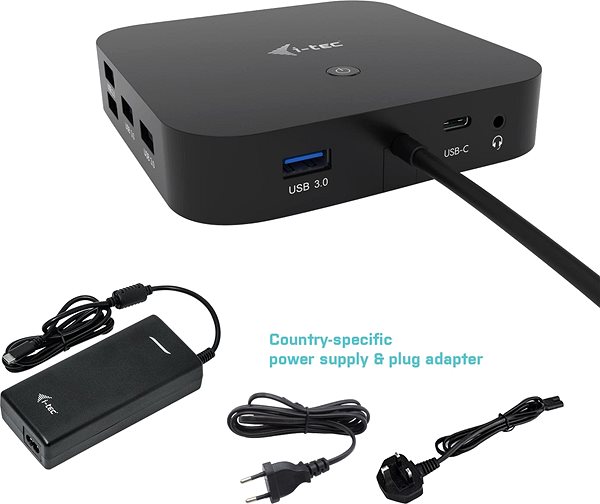
The i-tec USB-C HDMI DP Docking Station + i-tec Universal Charger 112W is an exceptional laptop accessory. It brings the convenience of a large number of connectors and ports, especially for ultrabooks with modest connectivity options. They then significantly expand the usability of your laptop, help you better organise your desk, and allow you to disconnect from your electronics instantly. The i-TEC docking station and your laptop connect via a USB-C interface. The connector standard is USB 3.2 Gen 2 (3.1). The docking station is made of plastic. The package also includes a connecting cable and a power adapter. For demanding users, it offers support for multiple monitors. Thanks to the LED indicator, you'll know the most important information at a glance.
Key Features of the i-tec USB-C HDMI DP Docking Station + i-tec Universal Charger 112W
- The i-TEC docking station is designed to improve the connectivity and functionality of your laptop
- The docking station connects to your laptop via USB-C
- It offers expansion connectors with USB 3.2 Gen 2 (3.1) standards
- Weight: 0.245kg
- It also features Power Delivery with a maximum output of 100W
- Other features of the docking station include support for multiple monitors, an LED indicator, a power switch, and VESA mount compatibility
- The package also includes a connecting cable and a power adapter
- The i-TEC docking station is made of plastic
Specifications
Power supply (cable)
Laptop power port
Standard male connector
Max. Power Delivery value
USB-C Thunderbolt 4
Laptop power port
Power supply (cable)
Laptop power port
Standard male connector
Max. Power Delivery value
Most common ports
Common data ports
Common graphics ports
Data ports - Number and standards
USB-A standards
USB-C standards
USB-C Thunderbolt 4
USB-C 3.2 Gen 2 (3.1)
USB-A 3.2 Gen 1 (3.0)
USB-A 2.0
Power ports for electrical devices
USB-A
USB-C
Graphics ports - Number and standards
DisplayPort standards
HDMI standards
HDMI 2.0
DisplayPort 1.4
Network ports
Maximum LAN speed
Bandwidth
Audio ports
Audio ports
Features
Features
Support
Colour
Cable length
Material
Maximum number of monitors
Device refresh rate
Packaging
Package contents
Compatibility
Type
Dimensions and weight
Width
Height
Depth
Weight
More Specifications
Note:
Specifications can be changed without notice. Images are for illustrative purposes only.
