


Dobrý den. Koupil jsem si tento monitor k notebooku Dell Inspiron 14 Plus (7440) kvůli power delivery 100W. Notebook mi však hlásí "slabý stav nabíjení". Notebook mám připojen skrze usb-c dodaný k monitoru. Monitor má ještě jeden usb-c port, ale ten neumožnuje přenos obrazu. Je to tedy tak, že tich 100W je ve skutečnosti kombinace obou usb-c portů?
23.8" HP E24d G4 Advanced Docking Monitor


Monitor - Full HD 1920 × 1080, IPS, 16:9 wide-angle, 5ms, 60Hz, 250cd/m2, 1000:1 contrast, HDMI, USB-C and DisplayPort, LAN, adjustable height, pivot, VESA, Power Delivery up to 100 W
Show full description
3,299,-
Shop faster with pickup at AlzaBox or in-store.
Add to list
Warranty 36 months
Code:
HPBM2005c5f
Product Fiche
Producer's Website:

23.8" HP E24d G4 Advanced Docking Monitor
3,299,-
Unsealed
23.8" HP E24d G4 Advanced Docking Monitor

23.8" HP E24d G4 Advanced Docking Monitor is an almost new item, in perfect condition, and comes with a full warranty. However, someone opened the original packaging before you. Why? It could have been an unwanted gift. For detailed information, click here.
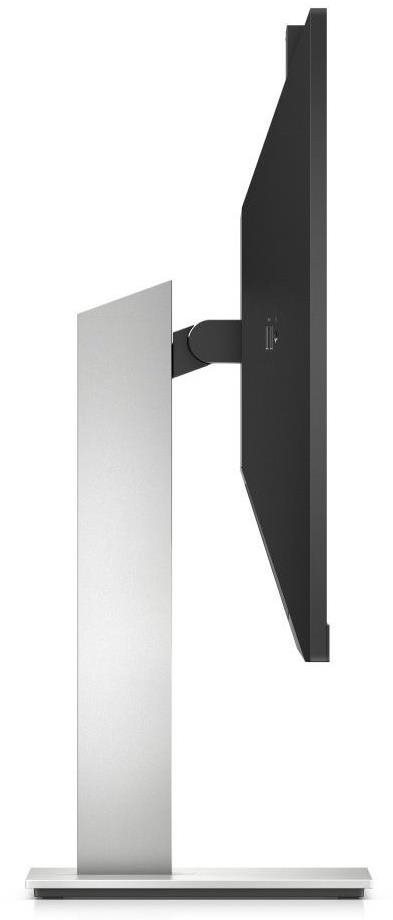
This HP LCD monitor will enrich your PC setup with display with a screen size of 23.8". The aspect ratio is 16:9. The LCD monitor works using IPS technology, which is well-known for its high colour quality and very good viewing angles. The image resolution of this monitor is 1920 × 1080. The response time of 5 ms is quite fast for ordinary PC users, as well as media and games. Its refresh rate of 60 Hz is the regular standard. The HP monitor brings you a brightness of 250 cd/m2. The HDMI, USB-C and DisplayPort is utilised to connect to a PC.
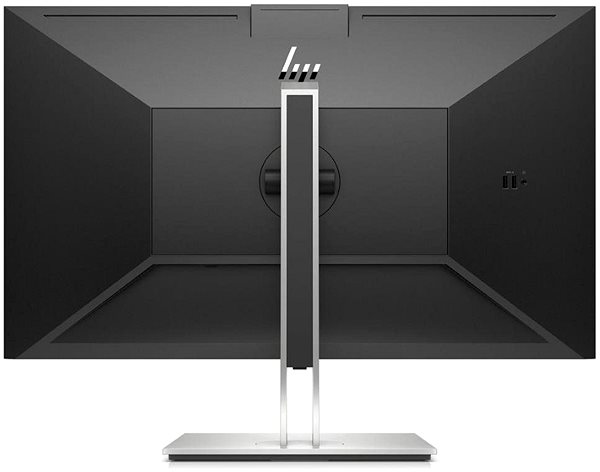
23.8" HP E24d G4 Advanced Docking Monitor LCD Monitor Key Features
- LCD monitor panel size: 23.8"
- Maximum resolution: 1920 × 1080
- LCD monitor made with IPS technology
- The matte finish of this LCD monitor is glare-free
- 5 ms response time and refresh rate of 60 Hz
- Maximum brightness reaching 250 cd/m2
- LCD monitor mounting compatibility: 100×100 VESA mounting
- Can be flipped into portrait mode
- Stand lets you adjust the height
- Built-in webcam for videos
- Integrated USB hub for easy device connectivity
- Blue light filter to ensure you can fall asleep easily even after working late
23.8" HP E24d G4 Advanced Docking Monitor Monitor Construction and Equipment
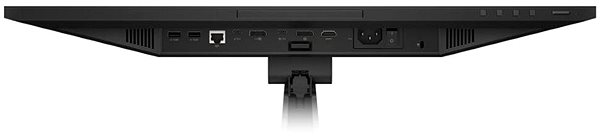
The HP computer monitor has a size of 53.95 × 32.33 × 4.93 cm, and you can adjust the height according to your preferences. In addition to a classic mount, the monitor can be hung on the wall with a VESA stand. This monitor model weighs 6.86 kg. A useful degree of versatility is provided by its pivot function, meaning the monitor can be rotated up to 90°. Thanks to the webcam integrated into the frame, you will not need to waste money to buy an external one. For maximum work comfort, this model can also serve as a USB hub. The interface for the input signal is essential. The 23.8" HP E24d G4 Advanced Docking Monitor uses the HDMI, USB-C and DisplayPort type. The HP monitor has support for fast charging via Power Delivery. Its maximum power output of the PC monitor is 100 W.
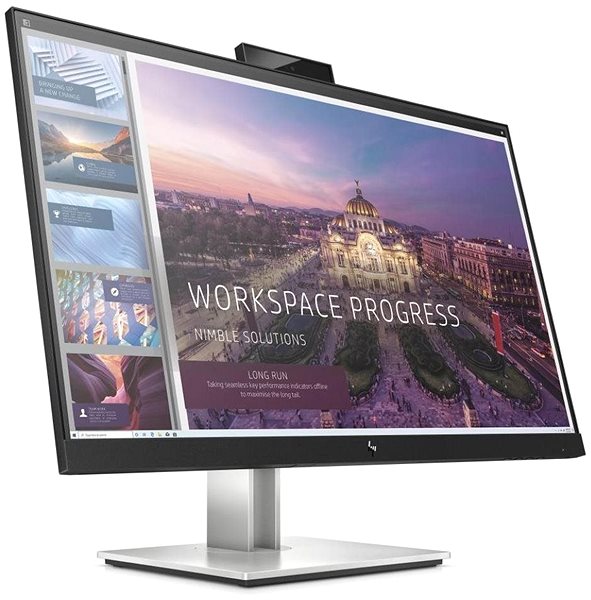
Practical Functions of the 23.8" HP E24d G4 Advanced Docking Monitor Monitor
When working in the dark, you will undoubtedly appreciate the blue light filter built into the monitor that helps improve your sleep quality. The Flicker-Free function provides a very effective shield against eye strain by removing screen flickering.
Specifications
Extended warranty
604.52 mm (23.8 ")
1920 × 1080 Full HD
Construction
Warranty
Extended warranty
Power outlet type
Country
Display diagonal and resolution
Construction
Construction
Panel and screen technology
Panel type
Refresh rate
Response time
Maximum brightness
Native contrast
Surface display
Panel technology
Aspect Ratio
Aspect Ratio Type
Aspect Ratio
Connection
DisplayPort, HDMI, USB-C
Graphical user interface (GUI) standards
Data interface
HDMI
DisplayPort
USB-C
USB
Features and functions
Features
Functions
Equipment
Maximum Power Delivery performance
Dimensions and weight
Width
Height
Depth
Weight
VESA mounting
Packaging
Cables included
Energy specifications
Energy efficiency class in SDR mode
Energy consumption in SDR mode
Colour
Black, Silver
More Specifications

HP Inc Czech Republic s.r.o Za Brumlovkou 5/1559 140 00 Praha 4 VAT ID: CZ 03208427 Radek Mattas, [email protected]"
GO Europe GmbH, Zum Kraftwerk 1, Hattingen 45527, Germany, +49232468010, [email protected]
Hewlett-Packard was founded in the difficult times of the Great Depression. The founders were a pair of friends whose name the company still proudly bears. They started their business in an unobtrusive garage near the city of Palo Alto. It is now a national monument. HP’s success lay not in copying existing products, but in the ability and courage to come up with something new.
The first commercial triumph was an oscillator that surpassed all competition in quality, yet sold at a quarter of the price. In 1968, HP released their first desktop computer - a desktop calculator. The company currently manufactures products primarily related to computer technology - computers and laptops, printers, scanners, digital cameras, servers, and last but not least, calculators.
Note:
Specifications can be changed without notice. Images are for illustrative purposes only.
