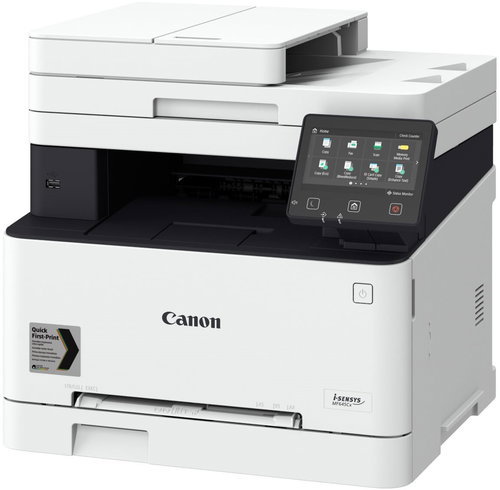
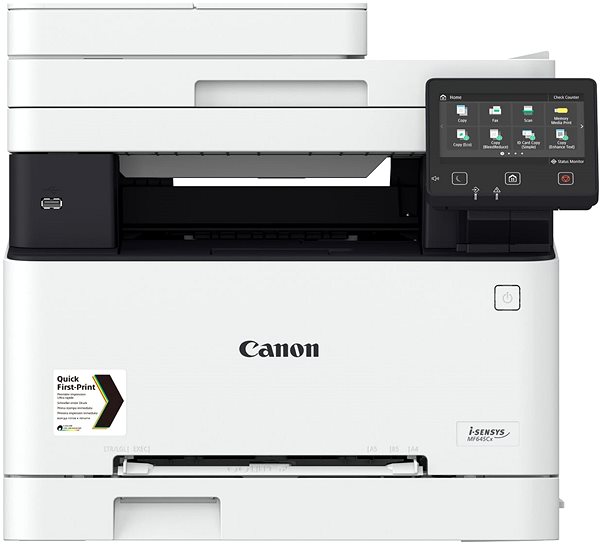
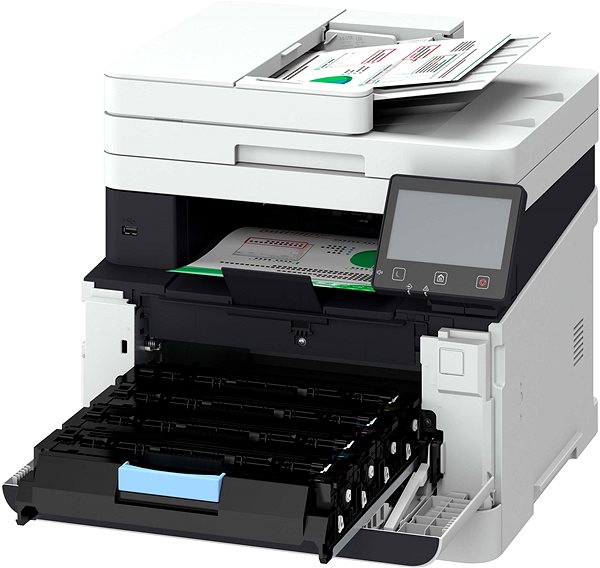
A laser printer is the perfect accessory to have in the office. With this laser printer, you can print documents and texts in sharp quality. This model is able to print in colour. This Canon i-SENSYS MF645Cx achieves a resolution of 600 x 600 DPI. It reaches a print speed of 21 pages/min. and can print in A4 and A5 formats. It offers duplex printing, so it prints on both sides of one paper, which makes work much easier. Changing the functions on this Canon printer is quick and easy thanks to the intuitive touchscreen display. You can connect to devices through the USB, LAN and Wi-Fi interface. Laser printers excel in their economical operation. Therefore, you can print more quantities of black-and-white papers at a lower cost when compared to inkjet printers. The Canon laser printer is a multifunctional 3-in-1 model that is also able to copy and scan. Another useful function it has is that it can print B5, legal and letter format envelopes.
Canon i-SENSYS MF645Cx Laser Printer Key Features
Canon laser printer features double-sided printing
Max. printing speed: 21 pages/min.
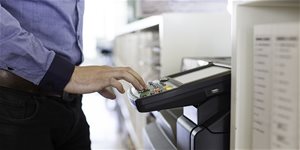
Touch display
Prints with a maximum resolution of 600 x 600 DPI
Paper format: A4 and A5
Canon laser printer can also fax documents
Connects via USB, LAN and Wi-Fi interface
Canon printer can scan both sides of a paper at one go
You can print right from your smartphone through AirPrint
Compatible with the Google Print service
Colour laser printer perfect for the office
Prints envelopes in B5, legal and letter format
Canon i-SENSYS MF645Cx Laser Printer Scanning and Copy Functions
Since this Canon laser printer is considered to be a multifunctional device, it'll replace a scanner and copy machine. This can save you desk space and money, since you don't have to invest in new devices. It can scan papers at a resolution of 600 x 600 DPI with a scanning speed of 27 pages/min.. You are also able to quickly send documents by e-mail.
Printers are usually supplied with a starter toner and/or cartridges with an approximate 60% capacity of regular cartridges which are available to purchase separately.
Printing technology determines how data is transferred to paper, affecting quality, speed and cost, and varies by type of application - from home to professional.
Printing technology determines how data is transferred to paper, affecting quality, speed and cost, and varies by type of application - from home to professional.
The resolution of a flatbed scanner is a parameter that determines the quality of the scan, measured in DPI (dots per inch) and the higher the resolution, the more detailed the scan.
Scan speed determines how fast the scanner can scan documents, measured in pages per minute (ppm), ideal for efficiently scanning large volumes of documents.
The print resolution determines how detailed and sharp the output from the printer will be, measured in DPI, the higher the value the better the print quality, ideal for high quality photos and documents.
The time between the computer receiving the print job command to the printing of the first page of the document, during which the initial preparation of the printer takes place (control, warming up, etc.).
Zobrazovací jednotka tiskárny sloužící k informaci o stavu či nastavení tiskárny. V případě dotykového displeje slouží i k přímému nastavení a ovládání tiskárny.
Touch
Colour
Colour
White
More Specifications
Canon was founded in 1933. Its original title translated to "portable laboratory optics". The Japanese company has been headquartered in Tokyo since its inception. Canon is particularly associated with the production of digital cameras and accessories, where they remain the leading innovator and producer of imaging solutions. Aside from digital cameras, the company also operates in the production of office equipment, particularly copiers or printers.
Note:
If there is no "package contains" box in the product parameters and the data or USB cable is not specifically mentioned in there, the package does not contain it and must be purchased separately.
Specifications can be changed without notice. Images are for illustrative purposes only.
Dobry den, vie tlaciaren tlacit len s ciernym tonerom alebo musia byt vlozene aj farebne tonery? Dakujem za odpoved
Dobry den, vie tlaciaren tlacit len s ciernym tonerom alebo musia byt vlozene aj farebne tonery? Dakujem za odpoved
Dobrý den,
u tiskárny je uvedena hloubka 460 mm, ale jak jsem si všimnul, tak displej je částečně vystoupen dopředu. Potřeboval bych znát celkovou hloubku včetně vystouplého displeje, která není uvedena. Displej je naklápěcí, tak by mě zajímala hloubka v obou polohách. Mohl by mi někdo tyto rozměry sdělit?
Děkuji.
Dobrý den,
u tiskárny je uvedena hloubka 460 mm, ale jak jsem si všimnul, tak displej je částečně vystoupen dopředu. Potřeboval bych znát celkovou hloubku včetně vystouplého displeje, která není uvedena. Displej je naklápěcí, tak by mě zajímala hloubka v obou polohách. Mohl by mi někdo tyto rozměry sdělit?
Děkuji.
Dobrý den, mám tiskárnu MF643Cdw a při tisku se po celé délce stránky objevují modré, žluté čáry a červené fleky. Je to vada tiskárny, nebo tonerů? Tiskárna je necelý rok stará.
Dobrý den, mám tiskárnu MF643Cdw a při tisku se po celé délce stránky objevují modré, žluté čáry a červené fleky. Je to vada tiskárny, nebo tonerů? Tiskárna je necelý rok stará.
Dobrý den, zakoupená - den stará tiskárna - zlobí. Je připojena přes wifi a náhodně(ale zcela pravidelně, zhruba každých 10-15 minut) se odpojuje, při následném pokusu o tisk ve Windows vyběhne chyba(i když na tiskárně se vše tváří v pořádku a ikonka připojení svítí), je třeba tiskárnu vypnout a zapnout. Co s tím? Děkuji
Dobrý den, zakoupená - den stará tiskárna - zlobí. Je připojena přes wifi a náhodně(ale zcela pravidelně, zhruba každých 10-15 minut) se odpojuje, při následném pokusu o tisk ve Windows vyběhne chyba(i když na tiskárně se vše tváří v pořádku a ikonka připojení svítí), je třeba tiskárnu vypnout a zapnout. Co s tím? Děkuji
Dobrý den,
rád bych se zeptal, zdali tato tiskárna dokáže tisknout různé tloušťky papíru, např. samolepící papír se štítky pro obchod.
Předem děkuji za odpověď.
Dobrý den,
rád bych se zeptal, zdali tato tiskárna dokáže tisknout různé tloušťky papíru, např. samolepící papír se štítky pro obchod.
Předem děkuji za odpověď.
Magyarországra történő kiszállításért tekintse meg ezt a termékoldalt: Canon i-SENSYS MF645Cx
Try our cookiesAlza.cz a. s., Company identification number 27082440, use cookies and other data to ensure the proper functioning of the website and, with your consent, also, among other things, to personalize advertising and the content of our websites. By clicking on the “I understand“ button, you agree to the use of cookies and the transfer of data regarding the behavior on the website for displaying targeted advertising on social networks and advertising networks on other websites.
We use 8 categories of cookies on our website:
Technical cookies
These are strictly necessary for the functioning of the website and the features you choose to use. Without them, our website would not work; you wouldn't be able to log in to your user account, for example.
Functionality cookies
These cookies allow us to remember your basic choices and improve the user experience. These include remembering your preferred language or allowing you to stay logged in permanently.
Social media cookies
These cookies allow us to easily link you to your social media profile and, for example, allow you to share products and services with your friends and family.
Content personalisation
These cookies allow us to show you content and ads according to the information we have about you to best meet your needs. This includes what content you have viewed, or on what device you are accessing our website.
Non-personalised advertising
These cookies allow us to show you general ads for products and services.
Personalised advertising
Thanks to these cookies, we and our partners can offer you relevant products and services based on your purchases, your shopping behaviour and your preferences.
Audience metrics
These cookies allow us to optimise our site for your convenience based on how you use it. The aim is to remember or anticipate your choices. This includes, for example, the use of features, their location, or the behaviour on the page.
By giving your consent to the processing of cookies, functionality and analytical cookies will be installed on the device you use to browse the website (click on the "I understand" button for both categories, or you can select only one of the categories by clicking on the "Settings" button). We always install technical cookies on your device, even without your explicit consent, because without them our website would simply not work.
You can revoke your consent to the processing of cookies. In connection with our company's cookie processing, you also have the following rights: the right to access cookies, delete, modify, supplement and correct them, restrict processing and the right to lodge a complaint with the Office for Personal Data Protection. Read more about your rights.